

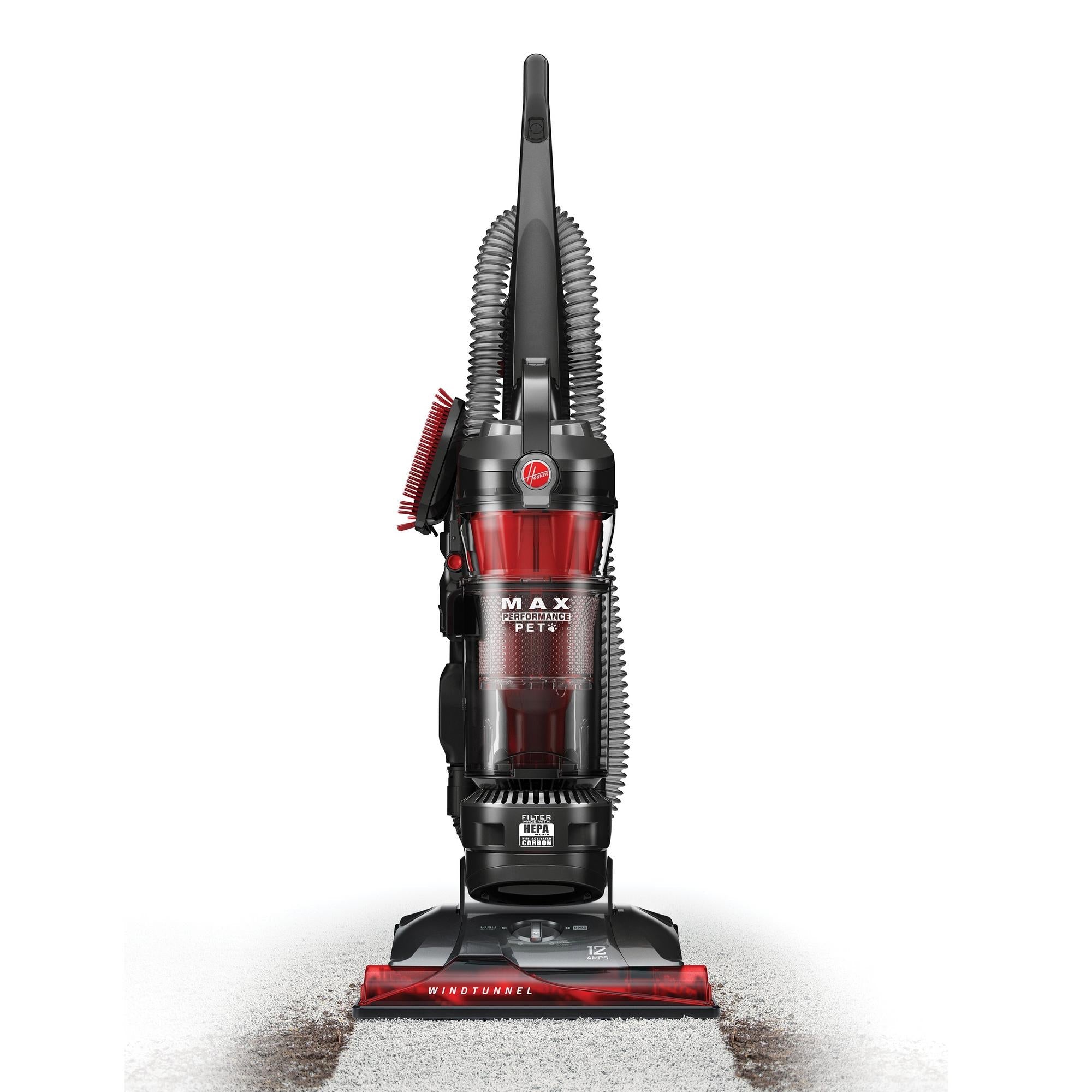
If your Hoover WindTunnel 3 vacuum is losing suction, you’re not alone. Many users experience this problem after a few months or years of use. You might notice it when picking up crumbs from the carpet, or maybe the vacuum just doesn’t lift as much debris as it used to.
Poor suction turns a powerful vacuum into a frustrating tool that leaves dirt behind. The good news is, most suction issues can be fixed at home with basic tools and a little patience. Knowing why suction drops and how to restore it will save you money and extend the life of your vacuum.
In this guide, you’ll discover the top reasons the Hoover WindTunnel 3 loses suction, practical solutions to each, and a few non-obvious tips even experienced users often miss. Whether you’re a beginner or have used vacuums for years, these steps will help you get back to powerful cleaning quickly.
How The Hoover Windtunnel 3 Creates Suction
Before diving into the causes, it helps to understand how your vacuum works. The Hoover WindTunnel 3 uses a motor that creates airflow. This airflow passes through filters, hoses, and the dust cup, picking up dirt and debris along the way. Any block in this system can reduce suction. Suction is strongest when airflow faces the least resistance—so even a small clog or full filter can make a big difference.
3 Common Reasons For Suction Loss In Hoover Windtunnel 3
Let’s look at the three main culprits for suction problems. Each one deserves its own attention because the fix is different for each.
1. Full Or Clogged Filters
Filters are essential for trapping dust and keeping the air clean as it passes through the vacuum. The WindTunnel 3 typically has two types: a HEPA filter and a pre-motor filter. Over time, these filters fill up with fine dust, pet hair, and small debris.
When filters are clogged, air can’t pass through easily. This chokes the suction power. According to Hoover’s manual, cleaning or replacing filters regularly is one of the best ways to keep your vacuum working at full strength.
How to Check and Clean Filters:
- Unplug your vacuum before maintenance.
- Remove the filter cover, usually found near the dust cup.
- Take out the pre-motor and HEPA filters.
- Tap them gently over a trash can to remove loose dust.
- If washable, rinse under cold water until the water runs clear. Do not use soap.
- Let filters air dry for 24 hours before reinstalling.
Pro Tip: Many users forget that a slightly damp filter can also hurt suction. Always make sure filters are completely dry before putting them back. A hidden issue is that some HEPA filters look clean on the surface but are packed with dust inside. Holding them up to a light can help you spot deep blockages.
When to Replace: Hoover recommends replacing HEPA filters every 6-12 months, depending on use.
2. Blocked Hoses Or Pathways
Another frequent cause is a blockage somewhere in the airflow path. The WindTunnel 3 has several spots where debris can get stuck, especially if you vacuum up large objects, string, or pet hair.
Symptoms of a Blockage:
- The vacuum makes a high-pitched noise.
- The brush spins but little debris is picked up.
- Suction at the hose feels weak or uneven.
How to Find and Clear Blockages:
- Detach the hose from both the vacuum and the cleaning head.
- Look through the hose in good light; you should see clear through.
- Use a broomstick or a flexible cleaning tool to gently push out any debris.
- Check all connection points—especially the bends and the area just above the brush roll.
Less Obvious Blockage Points:
- The area where the hose connects to the body.
- The intake behind the brush roll (sometimes wrapped with hair or string).
- The wand or extension tubes.
Example: A small toy or even a wad of damp lint can block airflow, cutting suction by 50% or more. In a test by Consumer Reports, a single grape blocked 80% of airflow in a standard upright vacuum.
3. Full Or Improperly Seated Dust Bin
The dust bin (sometimes called a canister or dirt cup) collects everything your vacuum picks up. If it’s full, or not clicked into place correctly, suction will drop sharply. Even an almost full bin can restrict airflow.
How to Check the Dust Bin:
- Remove the bin and empty it after every use, even if not completely full.
- Wipe around the seals and edges, as fine dust can prevent a tight fit.
- Ensure the bin clicks firmly into place; a loose fit lets air escape.
Hidden Insight: Sometimes, the rubber gasket on the dust bin wears out or shifts out of place. This small part creates an airtight seal. If damaged, air leaks out and suction suffers. Gently inspect the gasket for cracks or gaps.
Comparison: Main Causes Of Suction Loss
Here’s a quick side-by-side look at the three main issues.
| Cause | Signs | Fix |
|---|---|---|
| Full/Clogged Filters | Weak suction, dusty smell, noisy motor | Clean or replace filters |
| Blocked Hoses/Pathways | No debris pickup, uneven suction, strange noises | Remove blockage, check connections |
| Full/Loose Dust Bin | Bin over half full, air leaks, poor pickup | Empty bin, check gasket, reseat bin |

How To Diagnose The Problem
Knowing the possible causes is only the first step. Here’s how to quickly figure out which issue is affecting your vacuum.
Step-by-step Diagnostic Process
- Check the Dust Bin First: Empty it and make sure it fits snugly.
- Test Suction at the Hose: Detach the hose and place your hand over the opening. If suction is strong, the block is likely in the cleaning head or lower pathway. If weak, move to step 3.
- Inspect Filters: Remove and check both filters. Clean or replace as needed.
- Check for Blockages: Look through the hose, wands, and the intake behind the brush roll.
- Reassemble and Test: After each fix, reassemble the vacuum and test suction. This helps pinpoint the exact cause.
When It’s More Than One Issue
Sometimes, you’ll find more than one problem—like a full bin and a clogged filter. All airflow parts work together, so a small issue in each can add up to major suction loss.
Preventing Suction Loss: Simple Habits That Help
Maintaining strong suction is easier than fixing it after a problem. Here are a few habits that keep your Hoover WindTunnel 3 in top shape.
- Empty the dust bin after every use. This prevents packed dirt from blocking airflow.
- Clean washable filters every 1-2 months. Set a reminder on your phone.
- Check hoses and pathways monthly. Especially if you have pets or children.
- Replace HEPA filters on schedule. Mark your calendar for every 6-12 months.
Unexpected Prevention Tips
- Vacuum Slowly: Moving too fast stirs up dust but doesn’t give the vacuum time to pick it up. Slower passes mean deeper cleaning and less strain on the motor.
- Avoid Large Debris: Small toys, coins, and even large food crumbs can cause sudden blockages. Pick up visible large objects before vacuuming.
Comparing Hoover Windtunnel 3 To Similar Models
You might wonder if suction loss is unique to the WindTunnel 3. Here’s a quick comparison with similar models:
| Model | Common Suction Issues | Filter Type | Maintenance Frequency |
|---|---|---|---|
| Hoover WindTunnel 3 | Clogged filters, bin seal leaks, hose blocks | HEPA + Pre-motor | Monthly |
| Shark Navigator Lift-Away | Hair wrap on brush roll, clogged foam filters | HEPA + Foam | Monthly |
| BISSELL CleanView | Full dust cup, clogged cyclone system | HEPA + Pre-motor | Monthly |
This shows that suction issues are common across many brands. Regular maintenance is the key, not just for Hoover.
When To Seek Professional Help
If you’ve tried all the steps above and your vacuum still isn’t working well, it may be time for expert help. Possible advanced issues include:
- Motor failure
- Broken seals or gaskets
- Damaged brush roll or belt
A professional can diagnose deeper electrical or mechanical issues. Sometimes, the cost of repair is close to buying a new vacuum, so get a quote before proceeding. The official Hoover support site has authorized service centers—see their official locator.

Frequently Asked Questions
How Often Should I Clean The Filters On My Hoover Windtunnel 3?
For best performance, clean washable filters every 1-2 months and replace HEPA filters every 6-12 months, depending on how often you vacuum. If you have pets or allergies, more frequent cleaning is smart.
Why Does My Vacuum Smell Bad When I Use It?
A dusty or musty smell is usually a sign of dirty filters or a full dust bin. Wash or replace filters and empty the bin. Sometimes, debris stuck in the hose or brush roll can also cause odors.
The Brush Roll Spins But Suction Is Weak. What Does This Mean?
This often points to a blockage in the hose or a full filter. Remove the hose and check for clogs. Clean or replace filters as needed. If the problem continues, inspect the dust bin seal.
Can I Wash The Hepa Filter In My Windtunnel 3?
Some HEPA filters are washable, but not all. Check your user manual or look for a water drop symbol on the filter. If in doubt, tap out loose dust and replace as needed.
Is It Normal For Suction To Drop As The Bin Fills?
Yes, suction drops as the dust bin fills, especially when it’s more than half full. For best results, empty the bin after every use—even if it’s not full.
Strong suction is the heart of a good vacuum. With the right care and troubleshooting steps, your Hoover WindTunnel 3 can keep your home fresh and clean for years. Regular maintenance and a watchful eye for blockages or filter issues will keep you ahead of most problems.
If you treat your vacuum well, it will return the favor every time you clean.


1 Comment
Pingback: Hoover WindTunnel Vacuum Troubleshooting: Fix It Fast - Vacuum Cleaner Tips