

If your Dyson V15 Detect vacuum is acting up, you’re not alone. Even the smartest vacuums can run into problems—especially with daily use. But most issues can be fixed at home without a service call. This guide will walk you through 15 of the most common Dyson V15 Detect problems and how to solve them, step by step. With clear explanations and practical tips, you’ll know exactly what to do when your vacuum isn’t working as it should.
Power Issues
1. Vacuum Won’t Turn On
If your Dyson V15 Detect refuses to start, check these points:
- Make sure the battery is charged. Place the vacuum on its charger and let it sit for at least 3 hours.
- Confirm the charger is plugged in and the outlet works. Try another device in the same outlet to double-check.
- The battery may need to be reseated. Remove it and click it back into place.
- If you see a red or amber light, your battery may need replacing.
Some users overlook that the trigger must be held down for operation—this model does not stay on with a single press. If none of these steps work, your battery could be dead or the motor may have a fault.
2. Charging Problems
Is your vacuum not charging? Try these solutions:
- Inspect the charging cable for damage. A frayed or kinked cord can prevent charging.
- Clean the charging contacts on both the vacuum and the charger with a dry cloth.
- Make sure the vacuum clicks securely onto the dock.
- If the charger light doesn’t come on, try another wall outlet.
A common mistake is plugging the dock into a surge protector; these can sometimes block the charge. Plug directly into the wall for best results.
3. Short Runtime
If your Dyson V15 Detect is dying too soon:
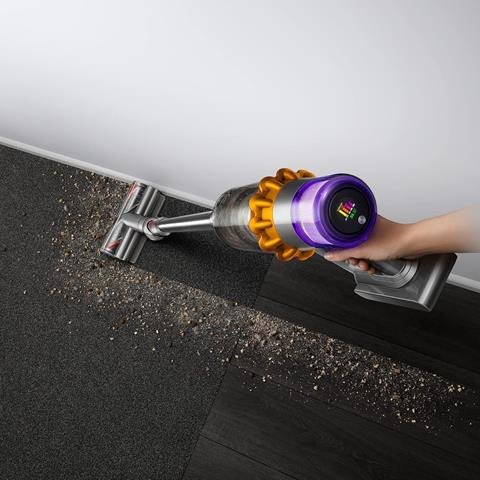
- Make sure it’s fully charged (until the blue light stops blinking).
- Check the power mode. “Boost” mode drains the battery much faster than “Eco” or “Auto.”
- Clean or replace the filter. A clogged filter forces the vacuum to work harder, reducing runtime.
- Remove any blockages from the wand, hose, or cleaner head.
Using the vacuum on carpet in Boost mode can drop battery life to just a few minutes. For longer sessions, stick to Eco or Auto.
Suction And Performance Problems
4. Weak Suction
If your vacuum isn’t picking up dirt as well as before:
- Empty the dust bin—even half-full bins reduce suction.
- Wash the filter under cold water and let it dry for 24 hours.
- Check for blockages in the wand, hose, and cleaner head.
- Look for leaks around the dust bin seal.
Remember, suction drops sharply if the filter is even slightly dirty. Some users forget to dry the filter fully, which can lead to weak airflow.
5. Blockages And Clogs
A blocked pathway is a common source of trouble. Here’s how to check:
- Remove the wand and look inside with a flashlight.
- Detach the cleaner head and check for tangled hair or debris.
- Remove the dust bin and check the cyclone assembly.
If you find a clog, use a long stick or straightened coat hanger to gently remove it. Don’t use water inside the cyclone.
6. Brush Bar Not Spinning
If the brush bar won’t spin:
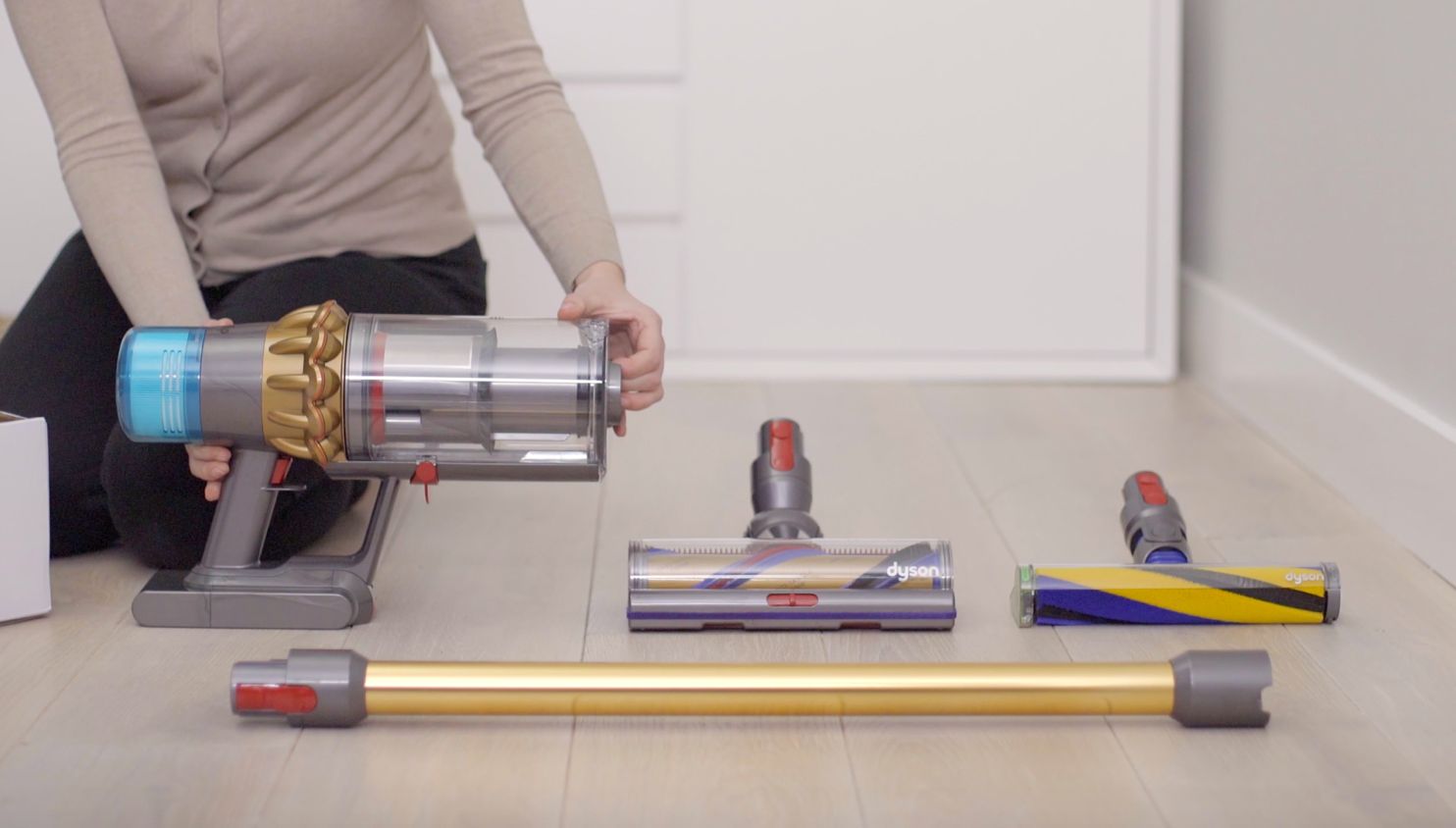
- Remove the cleaner head and check for tangled hair or string.
- Clean both ends of the brush bar and remove any obstructions.
- Make sure the vacuum is not in “handheld” mode, which disables the brush.
- Confirm the vacuum is not set on “hard floor” mode, as the brush may pause.
A jammed brush bar can damage the motor over time, so address this quickly.
7. Pulsing Or Cutting Out
If your Dyson V15 Detect keeps turning off and on:
- This is usually a sign of a blockage or full bin.
- Check all air pathways and empty the dust bin.
- Wash the filter and let it dry fully before reinstalling.
Pulsing protects the motor from overheating, so don’t ignore it. If pulsing continues after cleaning, the filter may need replacing.

Display And Sensor Problems
8. Laser Not Working
The V15 Detect’s green laser light helps highlight dust on hard floors. If it’s not working:
- Make sure the vacuum is in the correct mode (the laser works only with certain heads).
- Check for debris on the laser lens and gently wipe it clean.
- If the laser still won’t turn on, the connection in the cleaner head may be loose.
Some users don’t realize the laser won’t show on thick carpets. It’s designed for hard floors only.
9. Display Not Turning On
If the digital display is blank:
- Check the battery—low power can shut off the screen.
- Remove and reconnect the battery to reset the system.
- If the display is cracked or damaged, it may need professional repair.
A blank screen can sometimes be fixed with a simple reset, but repeated issues may signal a deeper fault.
10. Incorrect Particle Count
The V15 Detect shows a particle count on its display, thanks to its piezo sensor. If the numbers seem wrong:
- Clean the sensor with compressed air or a soft brush.
- Make sure the cleaner head is not clogged, as this affects airflow and readings.
- Restart the vacuum to recalibrate the sensor.
Understanding that readings fluctuate based on surface and airflow helps avoid unnecessary worry.
Maintenance And Component Issues
11. Filter Problems
If the vacuum says “filter not sealed” or “filter missing”:
- Remove the filter, clean it with cold water, and let it dry for 24 hours.
- Check the filter for damage or wear.
- Reinstall the filter, twisting until it clicks into place.
Don’t use the vacuum with a wet filter—it can cause major motor damage.
12. Dust Bin Stuck
If you can’t empty the dust bin:
- Make sure the vacuum is off and held over a trash can.
- Press the red bin release button firmly. Sometimes it sticks due to dirt buildup.
- Clean around the release mechanism with a dry cloth.
- Avoid using excessive force, which can break the latch.
Some owners overlook that the bin must be fully open to release all dirt.
13. Strange Noises
Unusual sounds can signal a problem:
- Grinding or rattling: Check for debris in the brush bar or cleaner head.
- High-pitched whine: May mean a blockage or dirty filter.
- Clicking: The vacuum may be pulsing due to a blockage.
If noises continue after cleaning, a part may be loose or worn out.
14. Odor Problems
A smelly vacuum is unpleasant and may indicate a problem:
- Wash the filter regularly (once a month).
- Empty the dust bin after each use.
- Clean the brush bar and cleaner head with mild soap and water (let dry fully).
- Avoid vacuuming wet materials, which cause mold.
Sometimes, the odor lingers after cleaning. In this case, consider replacing the filter.
15. Accessories Not Working
If attachments like the crevice tool or mini motorized head don’t work:
- Check for blockages in the accessory or connection point.
- Inspect the electrical connectors for dirt or corrosion.
- Make sure the accessory is fully clicked into place.
If powered tools don’t spin, the vacuum may be low on battery or the attachment may be faulty.
Quick Comparison: Common Problems And Solutions
Here’s a quick overview of issues and likely fixes:
| Problem | Likely Cause | Solution |
|---|---|---|
| Won’t Turn On | Dead battery, faulty charger | Charge, replace battery |
| Weak Suction | Clogged filter, full bin | Clean filter, empty bin |
| Brush Not Spinning | Debris, wrong mode | Remove debris, check mode |
| Pulsing | Blockage, full bin | Clear blockage, empty bin |
Maintenance Schedule For Dyson V15 Detect
Keeping your vacuum in top shape is easy with regular care:
| Task | Frequency |
|---|---|
| Empty Dust Bin | After every use |
| Wash Filter | Every 1 month |
| Check for Blockages | Every 2 weeks |
| Clean Brush Bar | Every 2 weeks |
Tips For Preventing Dyson V15 Detect Problems
- Charge fully before each use to avoid battery issues.
- Clean regularly—don’t wait for problems to start.
- Use the right mode for the right surface. “Boost” is only for deep cleaning.
- Don’t vacuum wet messes or powders that can clog the system.
- Store the vacuum indoors, away from moisture and extreme temperatures.
Many users skip routine maintenance, then face bigger issues down the road. Preventive care saves time and hassle.
When To Call Dyson Support
If you’ve tried all troubleshooting steps and the problem remains, contact Dyson support. The V15 Detect comes with a 2-year warranty in many regions. Keep your receipt and note the serial number. For details, check the official Dyson Support site.
Some owners hesitate to call for help, but persistent faults usually mean a part needs professional repair or replacement.

Frequently Asked Questions
How Often Should I Wash The Dyson V15 Detect Filter?
Wash the filter once a month under cold water. Let it dry for at least 24 hours before reinstalling. Washing too often can cause wear, while not washing leads to poor performance.
Why Does My Dyson V15 Detect Keep Turning Off?
Frequent shut-offs usually mean a blockage, full dust bin, or dirty filter. Clean these parts and check for obstructions in the wand or head.
Can I Replace The Battery Myself?
Yes, the V15 Detect has a click-in battery. Slide the old battery out and click a new one in. Use only genuine Dyson batteries for safety and performance.
What Surfaces Does The Laser Work On?
The green laser is designed for hard floors like wood, tile, or laminate. It is not visible on carpets or rugs.
Is It Safe To Vacuum Fine Dust Or Ash?
No, fine dust or ash can clog the filter and damage the motor. Stick to regular household debris and avoid wet or powdery materials.
With the right care and quick troubleshooting, your Dyson V15 Detect can last for years. Most problems are easy to fix at home with the tips above. If all else fails, Dyson’s support team can help get your vacuum back to full power.

