

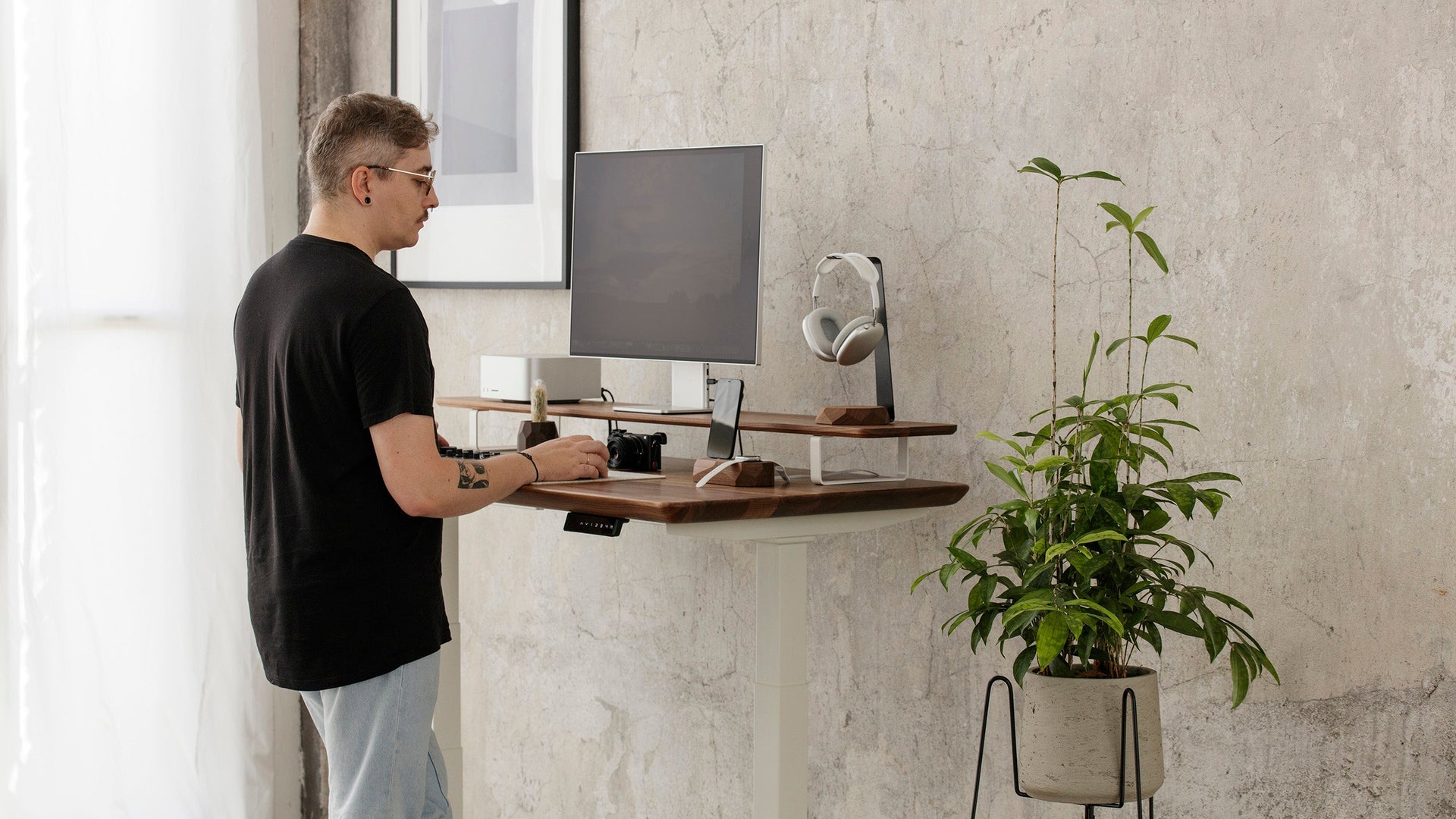
Set the desk top at your standing elbow height so wrists stay straight and shoulders relaxed.
I have spent years testing workstations and helping people set up ergonomic desks. This guide explains exactly how to find the ideal height for a standing desk for your body, work style, and gear. You will learn simple measurements, quick charts, tips for monitors and keyboards, common mistakes to avoid, and real-life lessons from my own trials. Read on to get a clear, usable plan for a comfortable standing setup.
How to define the ideal height for a standing desk
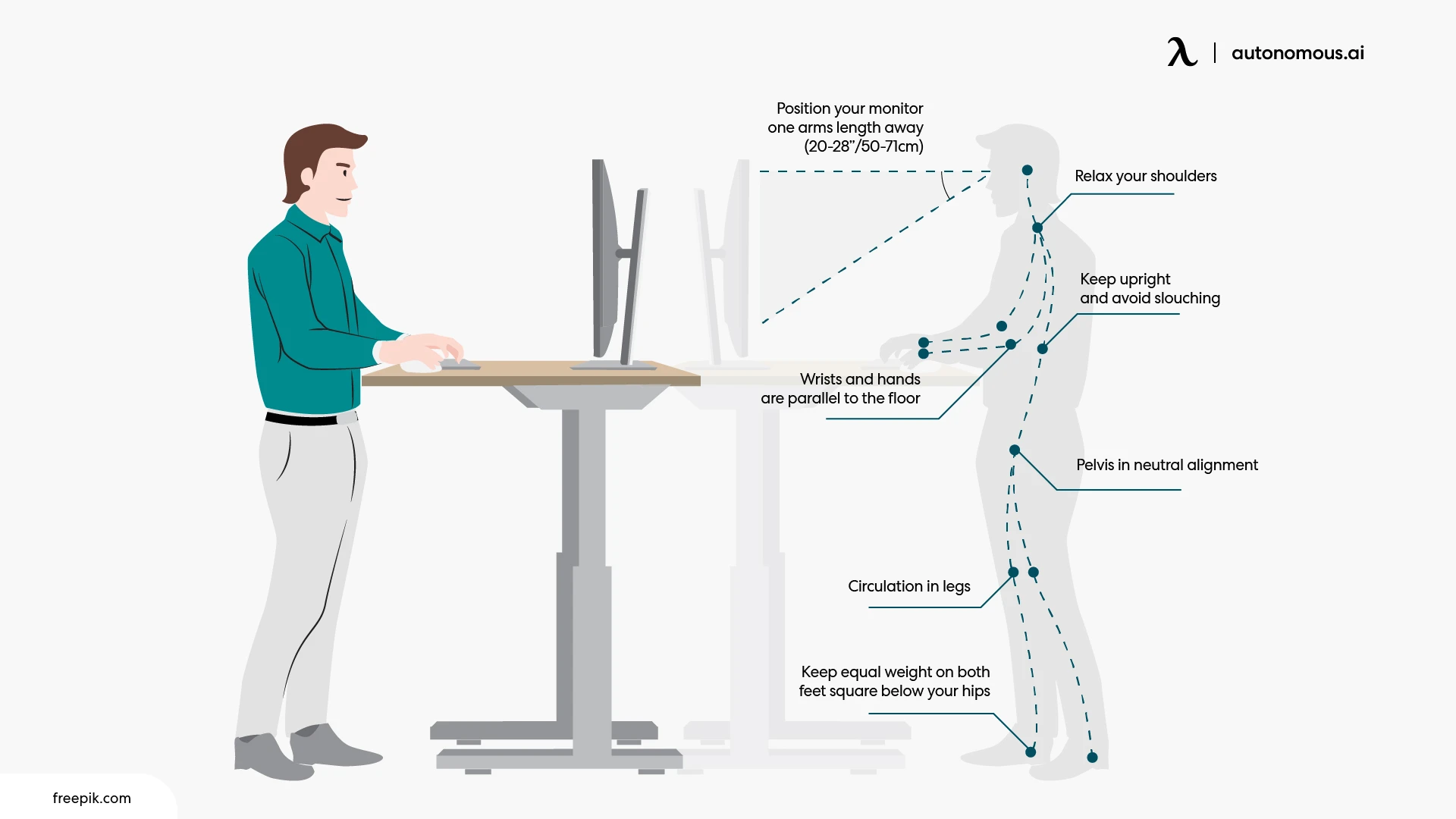
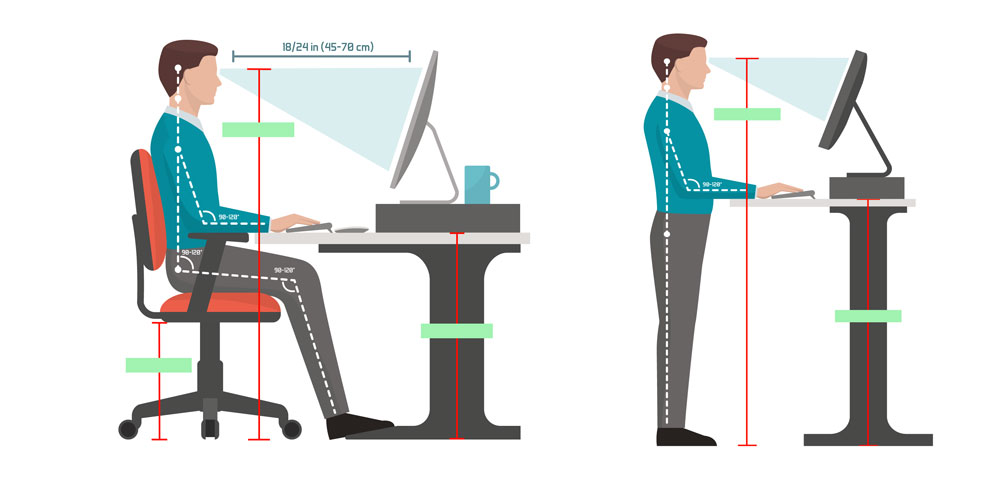
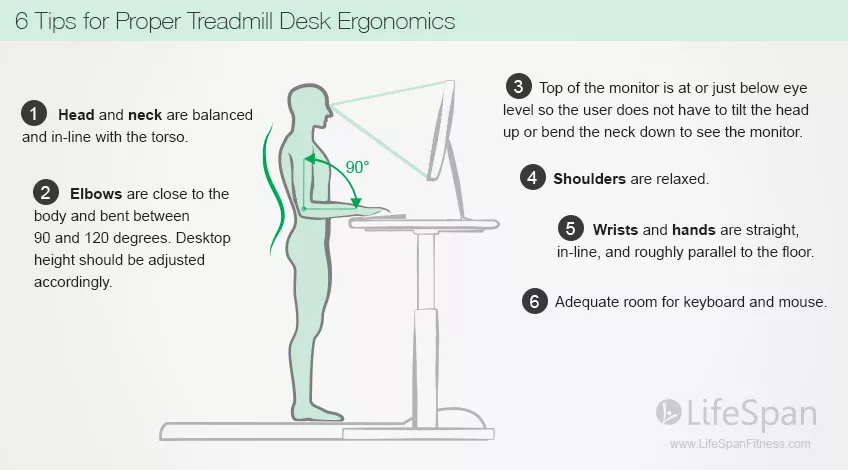
The ideal height for a standing desk is the height where your elbows sit at roughly a 90-degree angle when you type, your wrists stay neutral, and your shoulders are relaxed. This keeps muscles and joints in a natural position and lowers strain.
Key points to check:
- Elbow angle should be about 90 degrees or slightly more.
- Forearms should be parallel to the floor.
- Wrists should be straight, not bent up or down.
- Shoulders should be relaxed, not raised.
How to measure quickly:
- Stand upright in your usual shoes.
- Bend your elbows to about 90 degrees.
- Measure from the floor to the underside of your elbow joint.
- Set the desk height so the tabletop is at that measurement.
This simple method gives you the base value for the ideal height for a standing desk. Minor adjustments can fine-tune comfort for tasks like typing or writing.

Ergonomics: monitor, keyboard, and body alignment
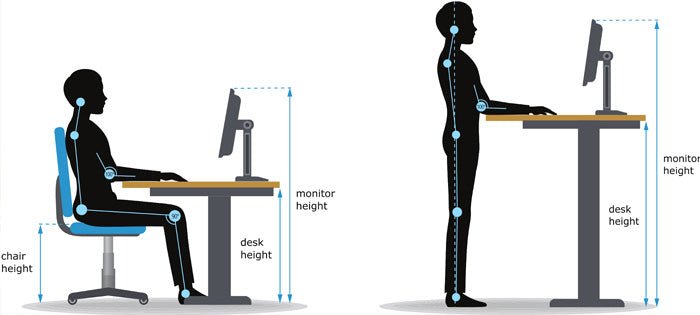
A true standing setup balances desk height with monitor placement and posture. The ideal height for a standing desk starts with elbow height, but the whole workstation must be aligned.
Monitor placement rules:
- Top of the screen should be at or just below eye level.
- Center of the screen should be 20 to 28 inches from your eyes.
- Tilt screen slightly back to reduce neck strain.
Keyboard and mouse setup:
- Keyboard should be at elbow height.
- Keep wrists straight and let hands float slightly above keys.
- Use a mouse at the same level as the keyboard to avoid reaching.
Body alignment checklist:
- Feet flat on the floor or on an anti-fatigue mat.
- Hips slightly open, not locked.
- Micro-breaks every 30 to 60 minutes to move or change posture.
Following these rules helps you achieve the ideal height for a standing desk while preventing neck, shoulder, and wrist pain.
Quick desk height guide by user height
Use this chart as a starting point. These numbers are average recommendations. Always measure your own elbow height if you can.
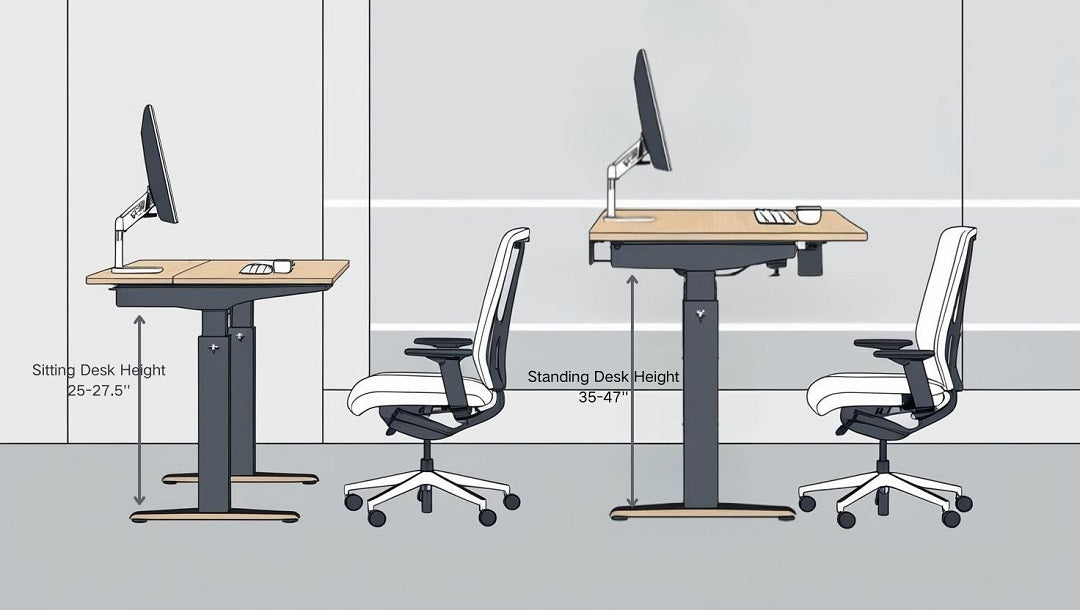
- 4'10" (147 cm) — desk top about 28 inches (71 cm)
- 5'0" (152 cm) — desk top about 29 inches (74 cm)
- 5'4" (163 cm) — desk top about 30.5 inches (77 cm)
- 5'8" (173 cm) — desk top about 32 inches (81 cm)
- 6'0" (183 cm) — desk top about 34 inches (86 cm)
- 6'4" (193 cm) — desk top about 36 inches (91 cm)
These values help you estimate the ideal height for a standing desk. If you own a height-adjustable desk, you can test these numbers and tune them for comfort.
Types of standing desks and adjustability needs
Different desks give different adjustment options. The right choice helps maintain the ideal height for a standing desk through varied tasks and users.
Manual crank desks:
- Affordable and sturdy.
- Adjust in steps; slower but reliable.
- Good if you change height rarely.
Electric sit-stand desks:
- Fast and smooth adjustment.
- Often have presets for multiple users.
- Best for frequent sit-to-stand changes.
Desktop converters:
- Place on an existing desk.
- Less expensive and easy to install.
- May reduce usable workspace and require separate monitor adjustments.
When choosing, pick a desk with a range that covers your measured elbow height. That ensures you can reach the ideal height for a standing desk whether you are sitting or standing.
Common mistakes and how to avoid them
Many people set the wrong height or ignore other parts of the workstation. These mistakes make the standing desk worse than a regular desk.
Common mistakes:
- Setting the desk too high and raising shoulders.
- Placing monitor too low and bending the neck.
- Using keyboard trays that force wrist extension.
- Standing for hours without breaks.
How to avoid them:
- Always start from elbow-height measurement.
- Adjust monitor height independently from desk height.
- Use an anti-fatigue mat and change positions often.
- Alternate sitting and standing in 30–60 minute cycles.
Avoiding these errors helps you keep the ideal height for a standing desk and prevents new pains from forming.
Personal experience and practical tips
I switched to a sit-stand desk five years ago. My first setup had the monitor too low. I fixed it with a separate monitor arm. My wrists felt better once I matched keyboard height to my elbows. Small changes made a big difference.
Lessons I learned:
- Measure yourself. Do not guess.
- Use a monitor arm for quick screen height changes.
- Invest in a good chair to complement standing time.
- Try standing shoes or socks to test comfort before buying shoes.
If you try different heights and feel tightness in shoulders or wrists, adjust the desk a little lower or higher. Comfort is the test that tells you the ideal height for a standing desk.

Benefits and limitations of the ideal height
- Reduces strain on wrists, shoulders, and neck.
- Improves posture and comfort while working.
- Makes standing work sustainable for longer periods.
Limitations:
- Does not replace movement. Standing still for hours is unhealthy.
- One measurement might not fit every task, like sketching versus typing.
- Shared workstations require frequent re-adjustment.
Use the ideal height for a standing desk as a baseline. Pair it with movement and task-specific tweaks for the best results.
Frequently Asked Questions
What is the single easiest way to find the ideal height for a standing desk?
Measure the distance from the floor to your elbow while standing with a 90-degree bend. Set the desk top to that height so your forearms are parallel to the floor.
Should my monitor be at the same height as my desk?
No. The monitor top should be at or slightly below eye level. Use a monitor arm if needed to keep the screen independent of the desk height.
How often should I switch between sitting and standing?
Aim to change position every 30 to 60 minutes. Short, frequent transitions reduce fatigue and improve circulation.
Will a keyboard tray help reach the ideal height?
A keyboard tray can help if the desk surface is too high. Make sure the tray keeps wrists neutral and does not force you to reach forward.
What if my standing desk does not reach my ideal height?
Consider a desk with a higher range or a separate keyboard tray and monitor arm. Adjust your footwear or use a riser to get closer to the ideal setup.
Can the ideal height for a standing desk reduce back pain?
Yes, when paired with correct posture and movement. The correct height reduces strain, which can ease some types of back and neck pain.
Conclusion
Finding the ideal height for a standing desk starts with a simple elbow measurement. Set the desk so your forearms are parallel to the floor, your wrists are straight, and your monitor sits at eye level. Test small changes and pair the setup with movement, breaks, and the right accessories.
Take action today: measure your elbow height, adjust your desk, and try a 30-minute standing routine. Share your experience or questions below and subscribe for more practical tips on ergonomic workspaces.

