

Use a desk riser, adjustable legs, or a DIY platform to create a standing setup.
I’ve converted multiple home and office desks into stable standing workstations. I will walk you through safe, low-cost options and pro-grade upgrades. This guide covers tools, step-by-step builds, ergonomics, common mistakes, and real-world tips so you can answer “How do you convert a regular desk into a standing desk?” with confidence and a plan.

Why convert a regular desk into a standing desk?
Converting saves money and keeps your existing workspace. It also helps you move more and break long sitting sessions. Research links regular standing breaks to reduced back pain and improved alertness. If you ask, “How do you convert a regular desk into a standing desk?” think about cost, space, and how often you will switch positions. These factors shape the best conversion method for you.

Main conversion options and what they do
Choose the right method based on budget, stability needs, and desk type.
-
Desktop riser
A freestanding platform goes on top of your desk. It lifts monitors and keyboard together. It is quick to install and portable. -
Sit-stand converter with gas spring
This offers smooth height changes. It is stable and often handles dual monitors. It costs more than simple risers. -
Replace desk legs with adjustable legs
Swap fixed legs for crank or electric legs. This converts the whole desk into a height-adjustable desk. It looks clean and feels solid. -
DIY platform or blocks
Build a wooden platform or use sturdy blocks to raise the desk surface. It is the cheapest route but needs careful construction. -
Monitor arms and keyboard trays
Raise screens with arms and put a keyboard tray on a riser. This is useful if you want screen height independent of the desk surface.
When deciding “How do you convert a regular desk into a standing desk?” compare these options for cost, weight capacity, and ergonomics. I prefer a gas-spring converter for quick changes and adjustable legs for a clean, long-term solution.
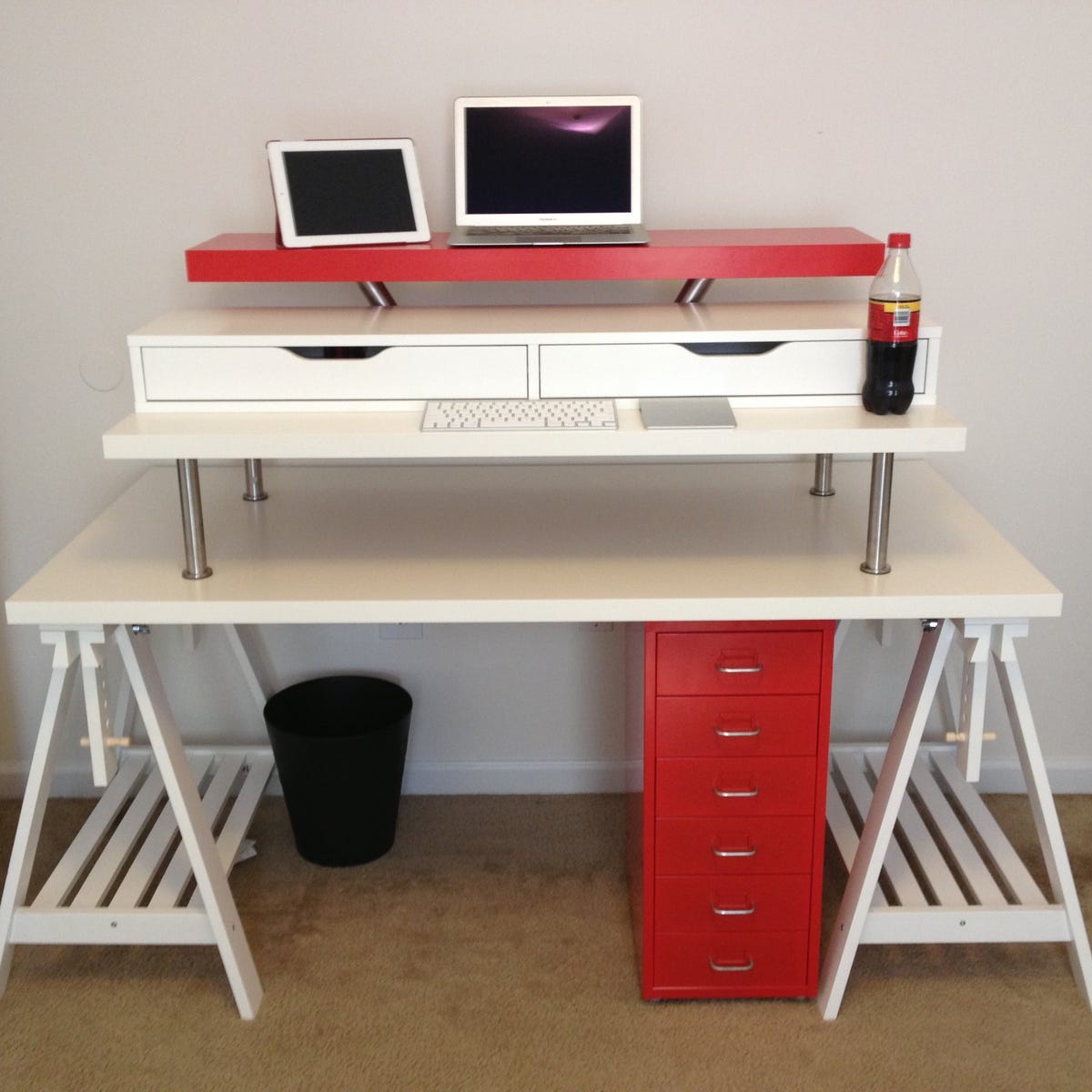
Step-by-step guide: convert a desk safely
Follow these steps to convert a regular desk into a standing desk with minimal risk.
-
Assess your desk
Check thickness, weight capacity, and stability. Lightweight particleboard may sag under heavy converters. Mark mounting points if you plan to swap legs. -
Choose a method
Match your needs to a method. Use a desktop riser for short-term testing. Opt for adjustable legs for permanent use. -
Measure for ergonomics
Stand and measure elbow height from the floor. Your keyboard should sit at that height. Monitor tops should be at or slightly below eye level. -
Prepare the area
Clear the desk, unplug devices, and route cables. If you are changing legs, have a helper to lift the desk. -
Install the converter or legs
Follow the product instructions. For DIY platforms, build solid supports and test weight distribution. Ensure the workspace is wobble-free. -
Set up peripherals
Use a separate keyboard tray or an elevated keyboard surface. Adjust monitor arms so the screen is centered and at proper height. -
Test and adjust
Stand for 10–15 minutes at first. Adjust heights for comfort. Tighten fasteners after 24 hours of use.
How do you convert a regular desk into a standing desk? By following these steps you make sure it is safe, ergonomic, and fits your workflow.
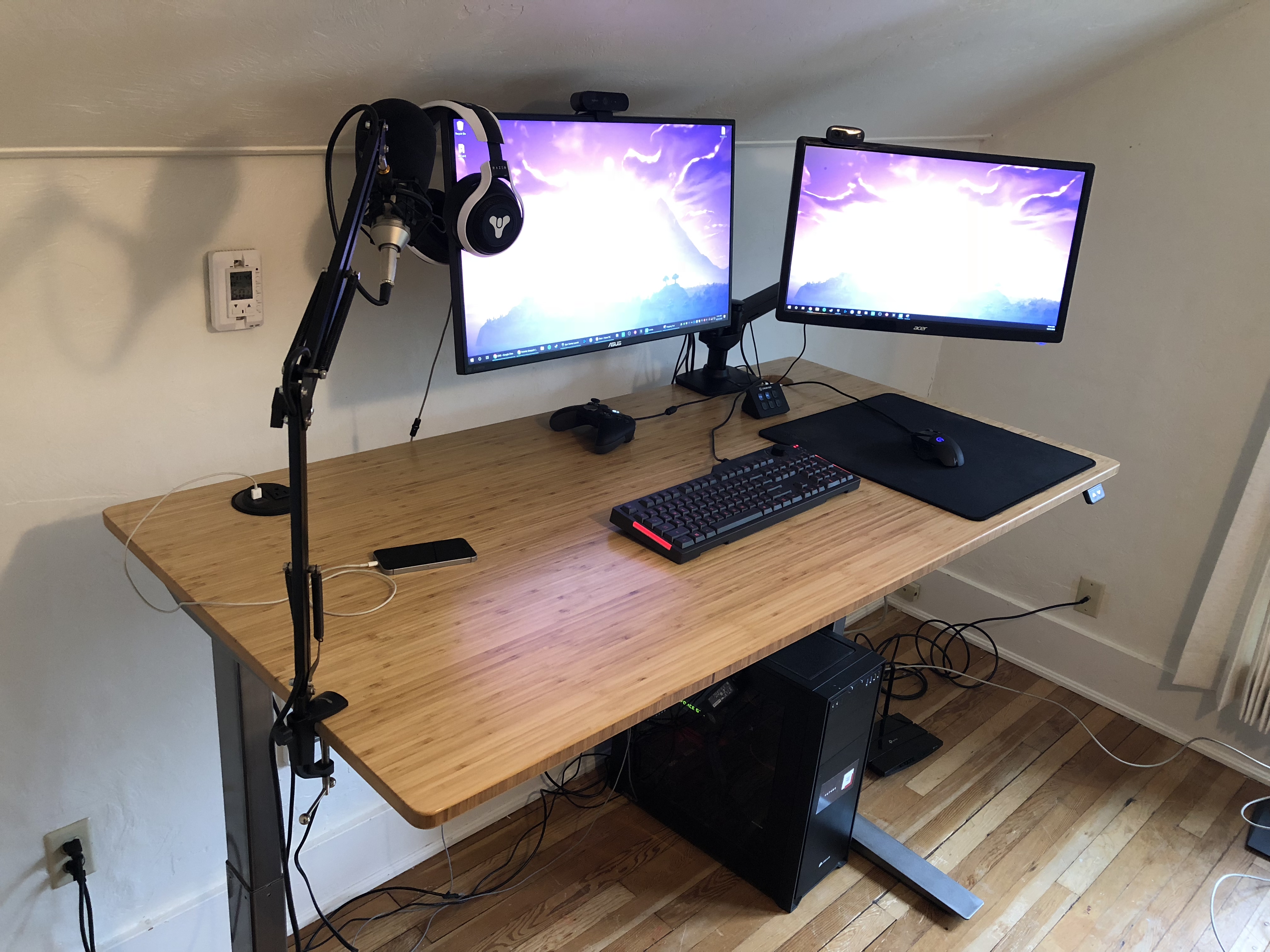
Ergonomics and use habits after conversion
Good setup prevents strain and boosts comfort. Focus on simple rules.
-
Monitor height
Top of the screen should be at eye level. Tilt the monitor to avoid glare. -
Keyboard and mouse position
Keep them at elbow height with forearms parallel to the floor. Use a tray or riser if needed. -
Posture cues
Stand tall with weight evenly on both feet. Keep shoulders relaxed and core engaged. -
Movement schedule
Alternate 30–60 minutes of standing with sitting. Start slowly and increase standing time weekly. -
Anti-fatigue mat and shoes
Use a cushioned mat and supportive shoes to reduce foot fatigue. Change stance and shift weight often.
When implementing “How do you convert a regular desk into a standing desk?” remember that posture and time management matter as much as height.

Common problems and how to fix them
You can avoid frustration with a few checks and fixes.
-
Wobbling surface
Tighten screws or add cross-bracing. Move heavy items closer to the center. -
Too-high or too-low keyboard
Add a keyboard tray or an adjustable platform. Re-measure elbow height while standing. -
Cable strain and clutter
Use cable sleeves and clips. Leave slack for height changes. -
Weight limit issues
Check converter or leg specs. Reduce monitor count or use lighter mounts. -
Neck or wrist pain
Re-check screen and keyboard heights. Consider an ergonomic keyboard and wrist rest.
How do you convert a regular desk into a standing desk? Plan to test and tweak after the initial setup to fix these issues.
Cost comparison and practical buying tips
Here is a quick price guide and what to expect.
-
Desktop riser
Low cost. Expect a simple riser to be the most affordable way to test standing work. -
Sit-stand converter (gas spring)
Mid range. Smooth movement and good capacity for monitors and keyboards. -
Adjustable legs (crank or electric)
Higher cost. Best long-term value and aesthetics for a full desk conversion. -
DIY platform
Cheapest if you have tools. Factor in time and materials.
When deciding “How do you convert a regular desk into a standing desk?” consider total cost, durability, and return on comfort. I found mid-range converters give the best balance of price and function for most home users.
Personal experience: lessons from real conversions
I converted three desks over five years. I learned simple lessons the hard way.
-
Test before committing
I first used a desktop riser. It showed me whether standing helped my focus. -
Watch for sag
My old desk bowed under heavy converters. Replacing legs fixed it. -
Cable planning saves time
I once had to re-run power and USB cables after swapping heights. Plan cable length first. -
Start slow with standing time
I felt tired after long standing sessions at first. Short, frequent standing breaks worked best.
How do you convert a regular desk into a standing desk? Use these lessons to skip common mistakes and save time.
Frequently Asked Questions of How do you convert a regular desk into a standing desk?
How do you convert a regular desk into a standing desk quickly?
Use a desktop riser or a freestanding sit-stand converter. These install in minutes and need no tools.
Can I convert a cheap desk into a standing desk?
Yes, but check weight and stiffness first. Reinforce the surface or swap legs if it sags.
How tall should my standing desk be?
Measure elbow height while standing and set the keyboard at that level. The top of the monitor should be at eye height.
Is it better to buy a standing desk or convert my current desk?
A conversion is cheaper and faster for testing. A built-in adjustable desk is more stable for daily, long-term use.
How long should I stand at my new standing desk?
Start with 10–15 minutes every 30–60 minutes. Gradually increase standing time to avoid fatigue.
Will converting my desk reduce back pain?
Many people find relief from sitting-related stiffness. Combine standing with movement and good ergonomics for best results.
Do I need special tools to convert a desk?
Basic tools cover most tasks: screwdriver, drill, measuring tape, and level. Replacing legs may require help to lift the desk.
Conclusion
You can convert a regular desk into a standing desk with small changes or a full upgrade. Choose a method that fits your budget, test ergonomics carefully, and tweak for stability and comfort. Start with short standing sessions and adjust heights to match your elbow and eye levels. Take action today: try a low-cost riser to test standing work, or plan an adjustable-leg upgrade if you prefer a clean, permanent solution. If this guide helped, leave a comment with your setup plans or subscribe for more workspace tips.

