

Clean the Ecovacs Deebot X2 Omni by emptying debris, washing mop parts, wiping sensors, and drying everything fully.
Keeping the Ecovacs Deebot X2 Omni clean is one of the easiest ways to protect its suction power, mop performance, and long-term reliability. I’ve seen a lot of robot vacuums slow down simply because their bins, brushes, pads, and docking parts were neglected, and the X2 Omni is no different. If you want your robot to keep gliding through daily messes like it did on day one, this guide will show you exactly how to clean Ecovacs Deebot X2 Omni the right way.
Why cleaning the Ecovacs Deebot X2 Omni matters
The X2 Omni is a high-end robot vacuum and mop, but it still deals with dust, hair, sticky spills, and dirty water every day. Over time, that buildup can affect suction, navigation, mopping, and even the auto-empty and self-washing features. Regular maintenance keeps the machine working smoothly and helps you avoid small problems that turn into expensive repairs.
A clean robot also does a better job on floors. In my experience, a well-maintained mop head leaves fewer streaks, and a clear brush system picks up more crumbs and pet hair in one pass. That is especially true if you have kids, pets, or a busy household where dirt builds up fast.

What you should clean on the Ecovacs Deebot X2 Omni
To clean Ecovacs Deebot X2 Omni properly, you need to think about the robot and the station as one system. The robot handles vacuuming and mopping, while the Omni station handles washing, drying, emptying, and water management. If one part gets dirty, the whole system loses efficiency.
Here are the main parts that need regular care:
- Dustbin and filter
- Main brush
- Side brush
- Mop pads or mop roller components, depending on your setup
- Wheels and caster area
- Sensors and charging contacts
- Water tanks
- Wash tray and dock base
- Dirty water tank and clean water tank
- Air vents and exterior surfaces
I like to treat maintenance like changing the oil in a car. The robot may keep running without it for a while, but if you stay ahead of buildup, it performs better and lasts longer.
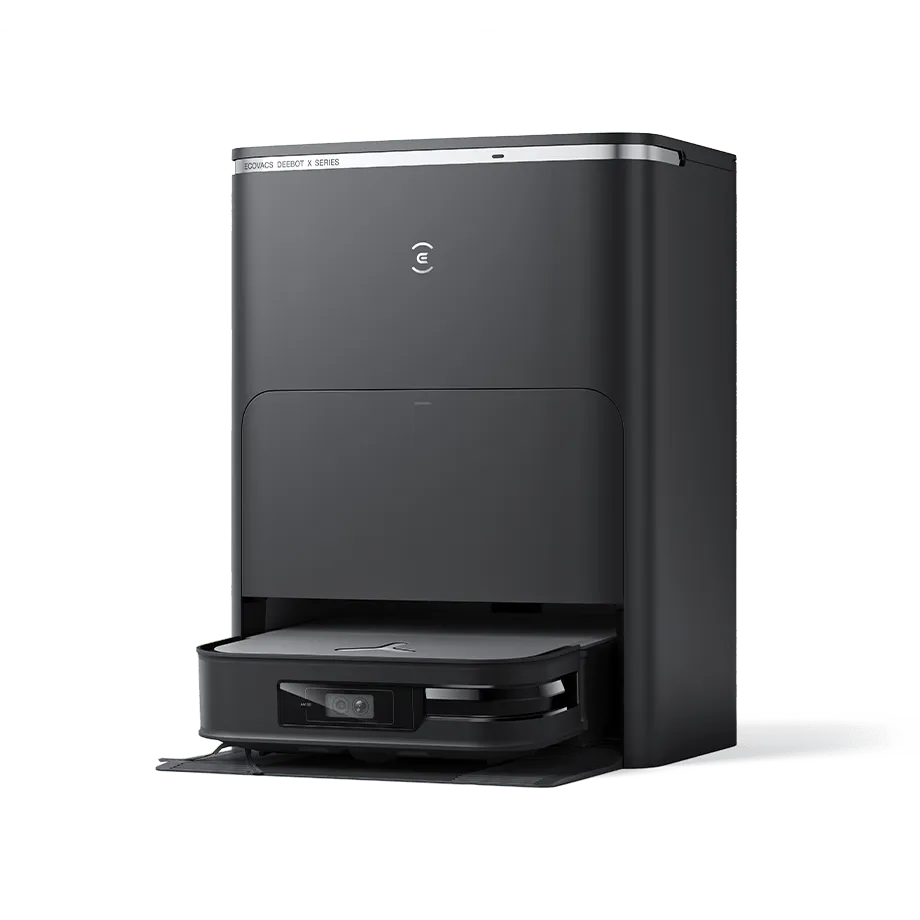
How to clean Ecovacs Deebot X2 Omni step by step
1. Power off and remove the robot from the station
Before you start, turn the robot off if needed and take it off the dock. That keeps the wheels, sensors, and charging parts safe while you clean. It also makes it easier to access the bottom and the dustbin.
If the robot has just finished mopping, let the mop and dock parts cool and dry a bit before handling them. That small pause prevents mess and makes the cleaning process much easier.
2. Empty and rinse the dustbin
Open the dustbin and dump out all debris into a trash can. Tap it gently to remove stuck dust, hair, and crumbs. If the bin is washable, rinse it with warm water and let it dry completely before reinstalling it.
Do not put a wet dustbin back into the robot. I learned this the hard way with another robot vacuum years ago, and moisture inside the machine can create odors and cause issues with the filter and electronics.
3. Clean the filter carefully
Remove the filter and tap it gently over the trash can. Many filters should not be washed unless the manual specifically says they are washable. If washing is allowed, rinse it lightly and let it air dry fully before reuse.
A clogged filter can choke airflow. That means less suction and more dust left behind, especially on rugs and along baseboards.
4. Remove hair from the main brush
Flip the robot over and take out the main brush if the design allows. Cut wrapped hair with a small cleaning tool or scissors, then pull the hair away by hand. Wipe the brush housing to remove dust stuck near the bearings and ends.
This is one of the most important steps for pet owners. Hair buildup is like a belt knot in the machine, quietly slowing everything down.
5. Clean the side brush
Pull off lint, string, and hair from the side brush. If the bristles look bent, straighten them gently with your fingers. If the brush is worn or warped, replace it so it can sweep debris toward the suction path properly.
A damaged side brush may not seem like a big deal, but it affects edge cleaning more than many people expect. Along walls and around furniture legs, that little part does a lot of work.
6. Wipe the sensors and bumper
Use a soft, dry microfiber cloth to clean the cliff sensors, front sensors, and bumper area. If there is grime on the camera or navigation surfaces, wipe very gently without using harsh liquid. Avoid spraying cleaner directly on the robot.
I always recommend dry cleaning first. If you need a little moisture, put it on the cloth, not the device. That keeps sensitive parts safer and still removes dust well.
7. Clean the charging contacts
Check the metal charging contacts on both the robot and the station. Wipe them with a dry cloth to remove residue or oxidation. If they look dull, a gentle rub with a microfiber cloth usually helps.
Dirty contacts can lead to charging hiccups. When that happens, people often think the battery is failing, but sometimes the issue is just grime on the contact points.
8. Wash the mop pads or mop parts
If your X2 Omni uses mop pads, remove them and wash them with warm water and mild soap. Rinse until the water runs clear. Then let them air dry fully before putting them back.
If your version uses mop roller or mop-washing components, follow the same idea: remove buildup, rinse safe parts, and dry everything well. Clean mop material helps prevent streaks, sour smells, and dirty-water transfer back onto the floor.
9. Clean the wheels and caster
Check the main wheels and the front caster wheel for hair, dust, and grit. Clear out anything wrapped around the axles or stuck in the wheel wells. Wipe the surfaces clean with a dry or lightly damp cloth.
Wheel debris can cause dragging and odd movement. If you hear clicking or see uneven travel, wheel buildup is often the reason.
10. Clean the clean water tank and dirty water tank
Empty the dirty water tank after each serious mopping session if possible. Rinse both tanks regularly with warm water to stop odors and slime from building up. Let them air dry with the caps open.
Standing water can get smelly fast, especially in warm rooms. A fresh tank keeps the whole Omni system smelling cleaner and working better.
11. Wash the dock wash tray and base area
The Omni station collects dirt, soap residue, and stray grime in the wash tray and base. Remove any removable tray parts and rinse them according to the manual. Wipe the dock interior with a damp cloth and dry it afterward.
This is the part many people forget. A dirty dock can send dirty water right back into the cleaning cycle, which defeats the point of self-washing.
12. Clean the air vents and exterior shell
Wipe the outside of the robot and dock with a soft cloth. Clear dust from vents so airflow stays healthy. If you use a vacuum brush attachment nearby, keep it gentle and avoid pushing dust deeper into openings.
A clean shell is not just about looks. It helps prevent dust from settling into seams and ports where it can build up over time.
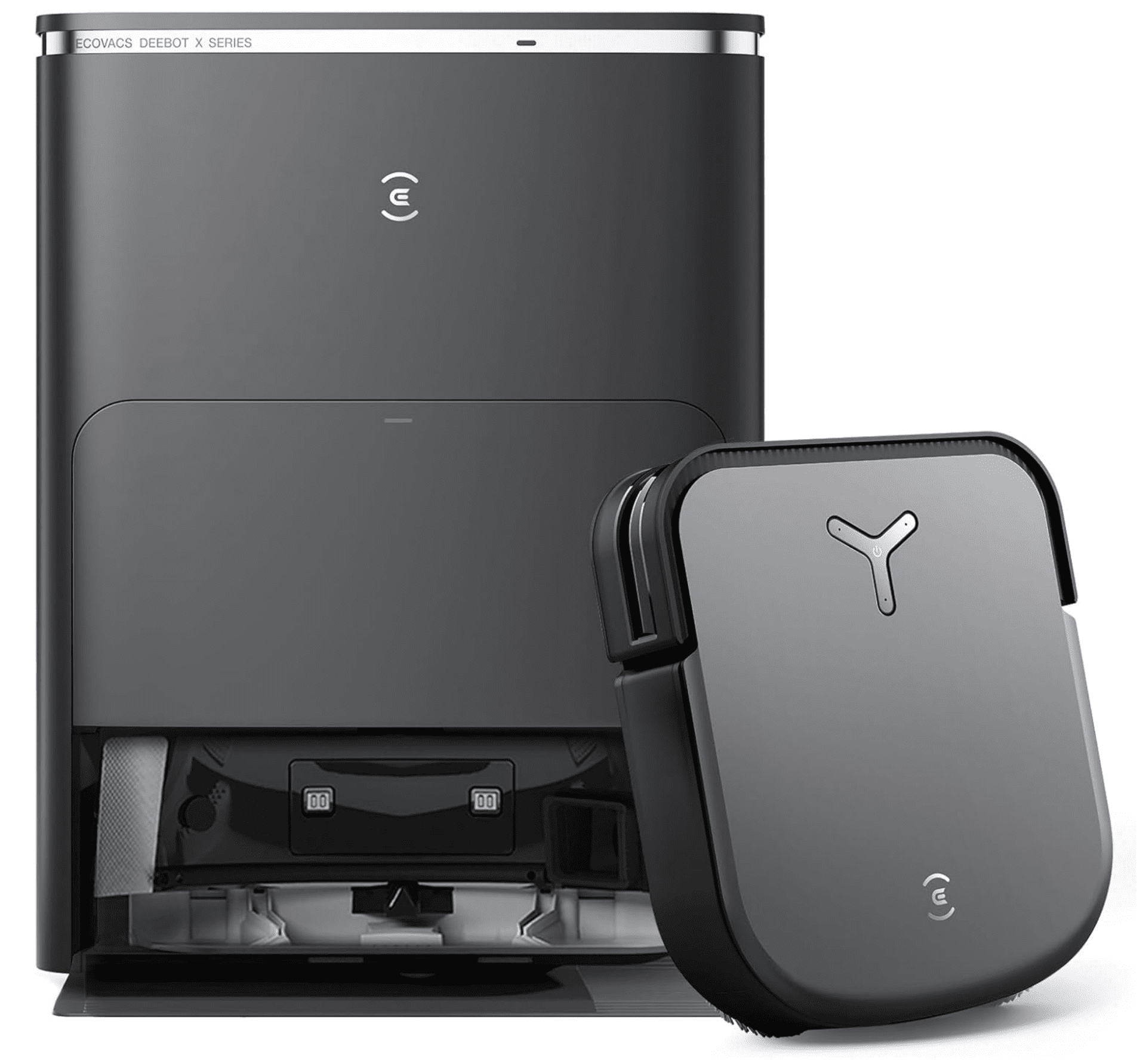
How often should you clean Ecovacs Deebot X2 Omni
The right cleaning schedule depends on how often you use it and how dirty your home gets. In a home with pets or heavy foot traffic, you may need to clean Ecovacs Deebot X2 Omni more often than the average user. For lighter use, you can stretch some tasks a bit longer.
A practical schedule looks like this:
- After every mop run: empty dirty water, check the mop parts, and rinse if needed
- Every few days: empty the dustbin, clean visible hair, and wipe the robot body
- Weekly: clean the filter, brush, sensors, wheels, and dock tray
- Every 2 to 4 weeks: deep clean the tanks, dock base, and washable parts
- As needed: replace worn brushes, filters, or mop components
I’ve found that small, frequent cleaning is easier than one big rescue session later. It takes only a few minutes, and it keeps the robot from falling behind.

Best cleaning supplies to use
You do not need a fancy kit to clean Ecovacs Deebot X2 Omni. Simple tools work best and are safer for the robot’s electronics and coatings. The goal is to remove dirt without damaging delicate parts.
Helpful supplies include:
- Soft microfiber cloths
- Mild dish soap
- Warm water
- Small cleaning brush
- Scissors or a hair-cutting tool
- Dry towel
- Cotton swabs for tight spots
Avoid harsh chemicals, bleach, abrasive pads, and strong solvents. Those can cloud plastic, wear down seals, or damage sensor surfaces.
Mistakes to avoid when cleaning the X2 Omni
Even a great robot can be hurt by bad cleaning habits. The biggest problem is rushing. People often clean one part well and forget to dry it, and that trapped moisture causes smells or errors later.
Common mistakes include:
- Putting wet parts back too soon
- Washing non-washable filters
- Spraying liquid directly onto sensors or vents
- Ignoring the dock tray and dirty water tank
- Letting hair wrap around the brush for too long
- Using strong cleaners on plastic or rubber parts
A simple rule helps a lot: if a part is not clearly designed for water, keep it dry or only use a lightly damp cloth.
Maintenance tips for better performance
If you want the Ecovacs Deebot X2 Omni to stay sharp, think in terms of prevention. Clean parts before they get packed with dirt, and the machine will reward you with better suction, stronger mopping, and fewer errors. This is where consistency really matters.
A few smart habits:
- Run an inspection after vacuuming pet areas
- Empty and rinse water tanks regularly
- Keep the dock on a flat, dry surface
- Replace filters and brushes on schedule
- Check app alerts for maintenance reminders
- Store replacement parts in a clean, dry place
The app can help, but your eyes are still the best tool. A five-second look often catches hair, buildup, or a tank that needs attention before the robot complains.
When to replace parts instead of cleaning them
Cleaning goes a long way, but some parts wear out naturally. If a brush is bent, a filter looks torn, or a mop pad stays stiff after washing, replacement is the better choice. Trying to overuse worn parts can reduce cleaning quality and strain the robot.
Signs it may be time to replace parts:
- Suction feels weaker even after cleaning
- Brushes look frayed or misshapen
- Mop pads smell bad after proper washing
- The filter still looks clogged after gentle cleaning
- Wheels or casters do not roll smoothly
This is one area where I prefer caution. A fresh $10 or $20 part is usually cheaper than living with poor cleaning results for months.
Frequently Asked Questions of How to Clean Ecovacs Deebot X2 Omni
How do I clean the dustbin on the Ecovacs Deebot X2 Omni?
Remove the dustbin, empty it into the trash, and tap out loose debris. If the bin is washable, rinse it with warm water and let it dry completely before placing it back.
Can I wash the Ecovacs Deebot X2 Omni filter?
Only wash the filter if your model’s manual says it is washable. If it is not washable, tap it clean and use a soft brush to remove dust instead.
How often should I clean the Omni station?
You should check the station weekly and clean it more often if you mop daily or have pets. The wash tray, dirty water tank, and dock base usually need the most attention.
Why does my Deebot X2 Omni smell bad?
Bad smells usually come from dirty water, damp mop pads, or buildup in the dock tray. Rinsing tanks often and drying parts fully usually solves the problem.
What should I do if the robot is not charging after cleaning?
Check the charging contacts on both the robot and the station and wipe them clean with a dry microfiber cloth. Also make sure no moisture is left on the contacts or around the dock area.
Conclusion
Knowing how to clean Ecovacs Deebot X2 Omni is really about protecting a smart machine with simple habits. When you stay on top of the dustbin, brush, filter, mop parts, tanks, and dock, the robot runs better and lasts longer. The work is small, but the payoff is huge: cleaner floors, fewer odors, and fewer headaches.
If you build a steady routine, maintenance stops feeling like a chore and starts feeling like part of keeping your home running smoothly. Try the steps above this week, and you’ll likely notice the difference in both performance and freshness. If you found this guide useful, explore more robot vacuum care tips or share your own cleaning routine in the comments.

