

Few things wreck a robot vacuum's cleaning power faster than a clogged filter. So how often should you replace a robot vacuum filter? The short answer: every two to three months for most homes, with washable filters getting a rinse every one to two weeks in between.
But your exact schedule depends on your filter type, your floors, and what lives in your home.
Manufacturer specifications vary by brand, but our research into current manuals and aggregate owner reviews points to a shared pattern. Disposable HEPA filters usually last between 150 and 300 runtime hours. Washable filters need care on a shorter rhythm.
As of 2026, many robot vacuums also pack a secondary filter inside the auto-empty dock, and that one needs attention too. Let's walk through each variable so you can set a schedule that actually works.
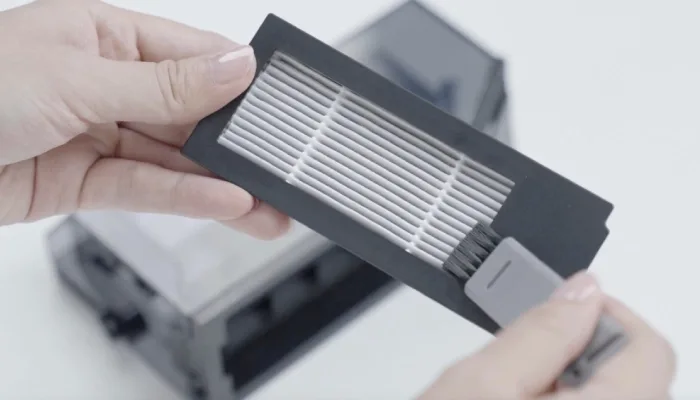
Image source: Bing (Web (fair-use with source credit))
Quick Answer
Replace a robot vacuum filter every two to three months for typical homes. Washable filters should be cleaned every one to two weeks. Disposable HEPA filters can last 150 to 300 runtime hours.
Pet owners and allergy sufferers should replace more often. Always check your model's manual for exact guidance.
Why Filter Replacement Actually Matters More Than You Think
A robot vacuum filter is a consumable. It's like the air filter in a car: when it clogs, everything downstream suffers. The motor spins harder, suction drops, and fine dust can escape back into the rooms you just cleaned.
The math behind it is simple. A true HEPA filter traps at least 99.97% of particles at 0.3 microns, which is why HEPA-equipped vacuums are still a favorite for allergy sufferers. When that filter gets loaded, airflow can't pass through the media at the same rate.
Your robot's brushroll keeps spinning, but the vacuum isn't pulling debris off the floor the way it should.
That's why the filter is the first thing to check when pickup quality dips. It's also the cheapest thing to fix. Most replacement filters cost $5 to $30, while a motor repair or a new robot costs far more.
The EPA's indoor air quality guidance points to filtration as one of the best ways to control particles indoors, so a worn filter isn't just a cleaning problem. It's also an air quality problem.
Step 1: Identify Your Filter Type: Washable vs Disposable
Before you lock in a replacement schedule, figure out which filter your robot actually uses. Look in the manual, check the filter itself, or search the model number online. The two broad camps are washable filters and disposable filters.
Some models use a washable pre-filter plus a disposable HEPA exhaust filter.
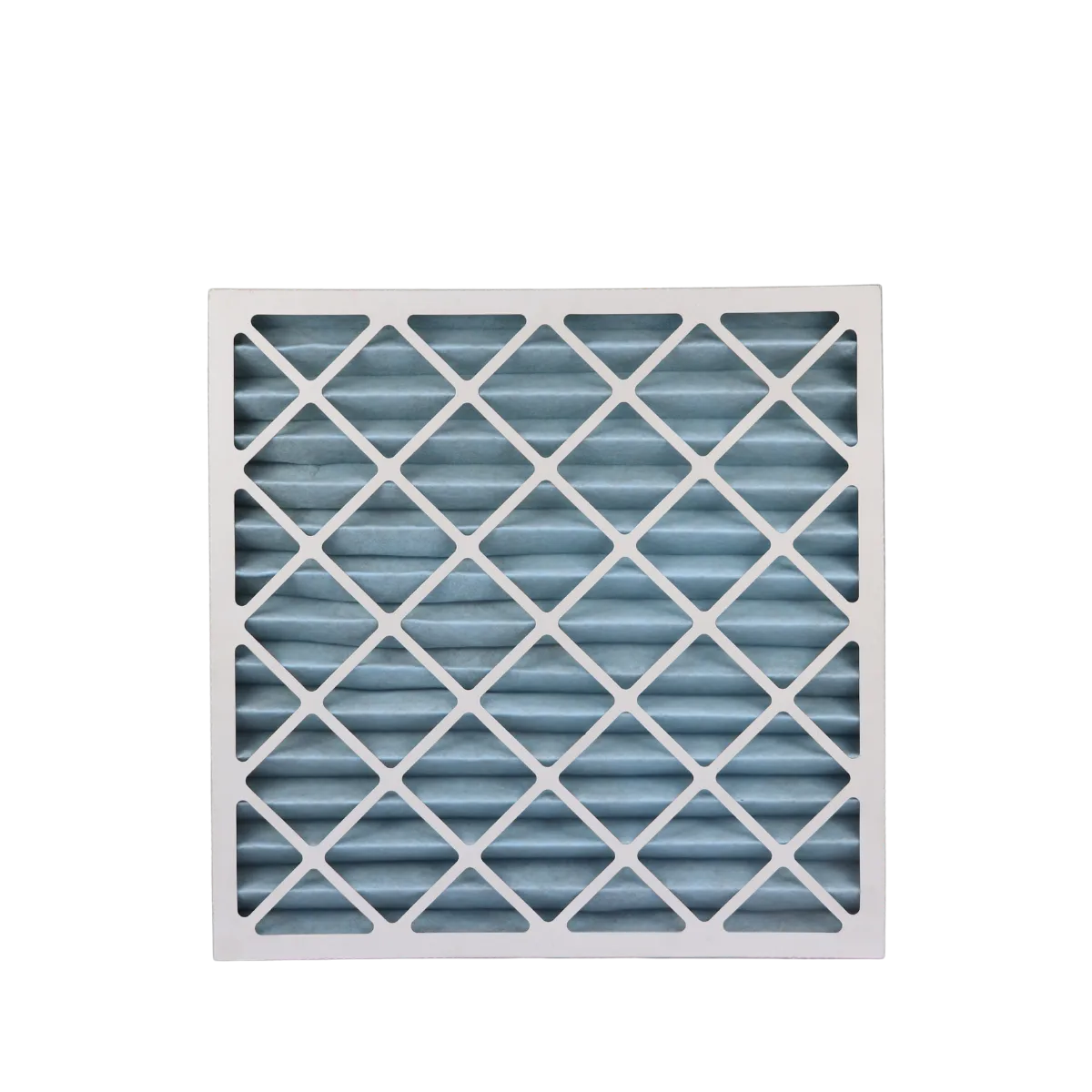
Image source: Web (Bing) / asiasupply.com.sg (Web image (fair-use with source credit))
| Filter Type | Typical Lifespan | Maintenance Style |
|---|---|---|
| Washable foam or felt | 20 to 30 wash cycles | Rinse under cold water, dry fully, reuse |
| Disposable HEPA | 150 to 300 runtime hours | Tap off loose dust, replace when clogged |
| Pre-filter / foam wrap | 2 to 4 months | Wash or replace depending on the brand |
Washable filters are common in newer robot vacuums. They save money, but you have to stay disciplined. A quick rinse every one to two weeks keeps them working, and you must let them dry completely for 12 to 24 hours.
If you've dealt with washable filters in upright vacuums, the same rules apply here.
Disposable HEPA filters are less work, but they cost more over time. You don't rinse them. You tap off the loose dust, and when the media looks dark or the suction drops, you throw it away.
Many robot vacuums with auto-empty docks also have a filter inside the dock base. That one rarely gets attention, but it collects dust every single time the robot empties. Add it to your calendar too.
Step 2: Assess Your Home Environment and Cleaning Habits
Once you know the filter type, the next question is how hard the filter is working. Here's the if/then side of the decision tree.
- If you run the robot daily in a large home, replace the filter every 6 to 8 weeks.
- If you have one small dog or cat, plan on every 8 to 10 weeks.
- If you have multiple pets or heavy shedding, lean toward every 4 to 6 weeks.
- If you have allergies or asthma, swap the HEPA filter sooner than the manufacturer's maximum.
- If you live somewhere smoky, dusty, or prone to heavy pollen, shorten your interval.
- If your robot uses an auto-empty dock, inspect the dock filter when you notice weak suction there.
Flooring matters too. Hard floors let a robot push most debris into the bin, while carpets hold onto dust and pet hair. If your robot spends a lot of time on carpet, the filter will clog faster.
If your home uses luxury vinyl plank floors, you might get a bit more time between filter swaps, though you'll still want a capable model to handle everyday dirt.
Also think about frequency. A robot that runs once or twice a week picks up less than one that runs daily. That sounds obvious, but it's the biggest reason one person's filter lasts three months while another's dies in six weeks.
Track your runtime hours if your app gives you that data. It's a much more honest number than calendar days.
Step 3: Watch for These Warning Signs of a Worn-Out Filter
Your vacuum will tell you when it's struggling. The trick is knowing what to listen for. Here are the common warning signs.
- Suction drops noticeably on the same route it used to clean well.
- Dust streaks or fine particles show up on furniture after cleaning.
- The robot makes a higher-pitched whine because the motor is straining.
- The filter looks dark, collapsed, torn, or smells musty.
- Allergy symptoms return after a few cleaning sessions.
If you notice any of these, don't buy a new robot. First, clean or replace the filter. If the filter is physically damaged, replace it immediately.
A torn HEPA filter lets bypass dust blow straight into the room, which defeats the whole point of running a vacuum. The same caution applies when you're replacing a filter on any vacuum, because a poor seal causes leaks even when the filter itself looks fine.
A good habit is to inspect the filter every time you empty the bin. That takes about 10 seconds. Compare it to a clean filter if you're unsure.
If you're washing a washable filter, remember to give it enough time to fully dry before reinstalling. If you're in a hurry, here's your low-tech shortcut: grab a second filter, rotate them, and keep one ready while the other air dries. That simple swap keeps your robot running daily without downtime.
Decision Guide: Real-World Replacement Schedules by Household
Here's where the if/then logic lands. Match your situation to the right interval.
- Single person, hard floors, runs 2 to 3 times a week: Replace every 3 to 4 months.
- Family with kids and carpet, daily runs: Replace every 2 months.
- One cat or small dog: Replace every 8 to 10 weeks.
- Two or more pets or a heavy shedder: Replace every 4 to 6 weeks.
- Allergy or asthma sufferers in the home: Lean to the short end, every 4 to 6 weeks.
- Auto-empty dock user: Check the dock filter when the robot filter looks fine but suction still drops.
These are baselines, not strict rules. Adjust based on what the filter looks like, how the robot sounds, and what your app reports for runtime.
How to Wash a Washable Filter Without Ruining It
Washable filters save money, but only if you treat them right. The wrong cleaning method ruins them faster than heavy use.
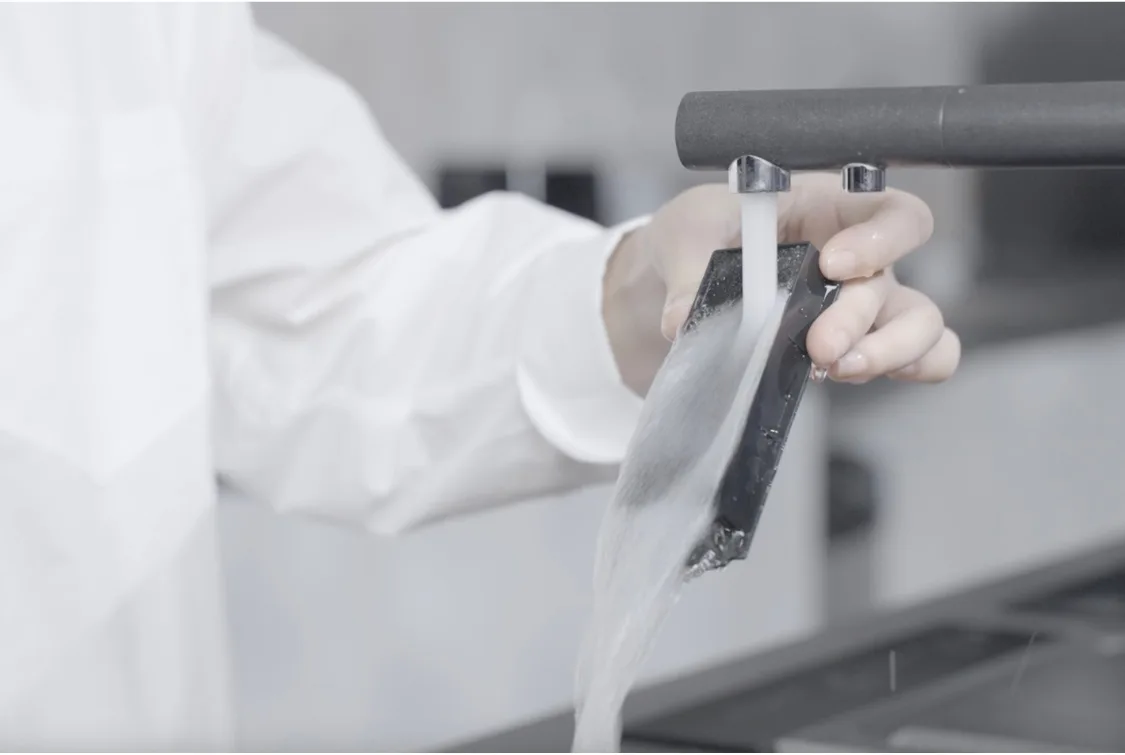
Image source: Bing (Web (fair-use with source credit))
Start by removing the filter and tapping it gently over a trash can to knock off loose dust. Rinse it under cool running water from the dirty side to the clean side. Skip the soap unless your manual allows it.
Squeeze the filter gently. Never wring or twist it. Let it air dry for a full 24 hours.
If you're unsure about timing, our notes on a full drying routine for vacuum filters apply here too.
When to Throw in the Towel and Buy a New Filter
Even washable filters hit a limit. Most last 20 to 30 wash cycles before the media breaks down. After that, they stop trapping fine particles and can't hold their shape.
Replace a washable filter when the foam crumbles, cracks, or stays compressed. Replace it if it smells musty after a wash. Replace it if suction doesn't come back once the filter is completely dry.
Disposable HEPA filters are simpler. Replace them immediately if torn, deformed, or permanently dark from embedded dust.
OEM vs Third-Party Filters: What's Actually Safe to Use?
Brand-name filters cost more, but they're guaranteed to fit and seal correctly. Third-party filters run $5 to $15 cheaper, and quality varies a lot.
Aggregate owner reviews across major robot vacuum brands show two common problems with cheap knockoffs: poor fit and lower filtration. If the filter doesn't sit flush, you get bypass airflow. That means dust goes around the filter instead of through it.
Check the exact part number against your model and read recent buyer feedback for fit complaints.
Warranty concerns usually aren't an issue unless the filter causes damage. But a poorly sealed filter can let debris reach the motor. That's not a repair worth saving $10 on.
When in doubt, stick with the manufacturer's official support documentation and order the OEM filter.
Common Filter Mistakes That Kill Suction and Shorten Lifespan
A few errors keep showing up in owner forums and troubleshooting threads. They're easy to make and easy to avoid.
- Running the robot without a filter installed at all.
- Washing a non-washable HEPA filter.
- Reinstalling a washable filter before it's fully dry.
- Over-washing filters until the media breaks down.
- Ignoring the auto-empty dock's filter.
- Pushing a bent or misshapen filter back into place.
- Buying the wrong filter size and forcing it in.
Every single one of these drags down cleaning performance. Some also let dust escape back into your air. Stick to your schedule, inspect the filter each time you empty the bin, and replace it when it's clearly past its prime.
That level of routine upkeep is no different than what you'd do to keep any vacuum running well.
What Happens If You Never Replace the Filter
Eventually, the filter stops filtering. Debris builds up until airflow drops dramatically, and your robot starts leaving visible dirt behind. The motor works harder to compensate, which strains components and can shorten the machine's overall lifespan.
Aggregate owner reports point to a few common outcomes. You'll see fine dust settled on surfaces shortly after cleaning. You might notice a musty smell coming from the vacuum.
And in worse cases, the motor overheating is a real risk when airflow is severely restricted. This is why a routine servicing schedule for any vacuum is worth taking seriously.
The Smartest Maintenance Routine for Long-Term Performance
Don't overthink this. A simple checklist stays doable and leaves your robot running reliably.
| Task | Frequency |
|---|---|
| Empty the dust bin | After each run or when full |
| Inspect the filter | When you empty the bin |
| Rinse a washable filter | Every 1 to 2 weeks |
| Tap off a disposable HEPA filter | Every 2 to 4 weeks |
| Replace a disposable filter | Every 2 to 3 months |
| Check the auto-empty dock filter | Monthly |
Set a phone reminder for the replacement intervals. It's the easiest way to stay on track without remembering anything. Also, if you have a washable filter, keep track of how many times you've washed it.
Once you hit 20 to 30 cycles, the media is likely done. If you're dealing with a similar filter on an upright, these same rules apply.
Keep a Spare Filter: The One Habit That Saves You Headaches
The biggest problem with washable filters is drying time. You need 12 to 24 hours before reinstalling one. That means your robot sits idle overnight, which defeats the purpose of owning one.
A spare filter fixes that instantly. Buy a second washable filter or a spare disposable HEPA filter. When one is drying or worn out, swap in the other.
Your cleaning routine never pauses. The cost is minimal, especially for washable filters. And for disposable types, having a backup means you won't run a dirty filter out of laziness.
If you need a reference point for how long a fresh filter takes to dry, the proper drying time for vacuum filters is usually a full day. Factor that into your schedule and you're set.
Frequently Asked Questions
Can I wash a HEPA filter?
No, not a true HEPA filter. The delicate media collapses or tears when exposed to water. Some brands sell "washable HEPA" filters with a plastic frame and washable membrane.
If the manual doesn't say it's washable, treat it as disposable.
How do I know when my robot vacuum filter needs replacing?
Watch for reduced suction, visible dust after cleaning, a higher-pitched motor sound, or a dark, compacted filter. If tapping the filter against the trash doesn't loosen embedded dust, it's done.
How long does a robot vacuum filter last?
Most disposable HEPA filters last 2 to 3 months or 150 to 300 runtime hours. Washable filters last through 20 to 30 wash cycles. Pet households should expect shorter life.
Does an auto-empty dock have a filter?
Yes, most auto-empty docks have their own filter inside the base. It collects dust during every empty cycle. Check it monthly and replace it per the manufacturer's schedule.
What happens if I never change the robot vacuum filter?
Suction drops, dust escapes back into the room, odors develop, and the motor works under strain. In severe cases, the vacuum can overheat. A slow decline in cleaning quality is the most obvious sign.

