

Keeping your Roomba J9+ in top shape isn’t just about making it last longer. It’s about keeping your home cleaner with less effort. Many people buy a robot vacuum and hope it works forever without care. But even the smartest devices need regular attention.
If you want your Roomba J9+ to clean well and avoid costly repairs, knowing how often to maintain it is key. In this article, you’ll discover how frequently each part should be checked, cleaned, or replaced, how this impacts performance, and practical tips that most owners miss.
Why Maintenance Matters For Roomba J9+
The Roomba J9+ is designed for convenience. It finds dirt, avoids obstacles, and empties its bin automatically. But like any machine, dust, hair, and debris can slow it down over time. Regular maintenance keeps sensors clear, prevents clogs, and avoids battery drain. Studies show that robot vacuums lose up to 25% efficiency when neglected for just one month. So, if you want your Roomba to pick up crumbs and pet hair as well as it did on day one, a simple schedule makes all the difference.
Many users don’t realize that skipping a few cleaning sessions can lead to sensor errors and missed spots. Plus, ignoring maintenance can void your warranty. Investing a few minutes each week saves hours later and keeps your Roomba reliable.
Maintenance Frequency: A Clear Schedule
Every part of your Roomba J9+ needs attention at different intervals. Here’s a practical schedule based on manufacturer guidelines and real-world experience.
| Component | Recommended Maintenance | Frequency |
|---|---|---|
| Dust bin | Empty and wipe | After every cleaning cycle |
| Filter | Clean or replace | Weekly (clean), Every 2 months (replace) |
| Brushes | Remove hair and debris | Weekly |
| Sensors | Wipe gently | Monthly |
| Wheels | Check for blockages | Monthly |
| Charging contacts | Clean with dry cloth | Monthly |
| Automatic dirt disposal | Empty bag, check for jams | Every 1-2 months |
Most maintenance tasks take less than 10 minutes. For busy households or homes with pets, consider checking brushes and filters more often.
Step-by-step Maintenance Guide
Dust Bin Care
After every cleaning cycle, remove the dust bin. Empty it and wipe it with a damp cloth. Dust buildup can block airflow and reduce suction. If you notice lingering smells, rinse the bin and let it dry before reinserting.
Filter Cleaning And Replacement
The filter traps fine dust. Clean it once a week by tapping it against a trash can or using a soft brush. Replace the filter every two months, or sooner if you have allergies or pets. A clogged filter forces the motor to work harder, reducing battery life.
Brushes And Rollers
Weekly, remove both main brushes and check for tangled hair or threads. Use the cleaning tool provided or scissors. Pet owners may need to do this twice a week. Keeping brushes clear prevents blockages and ensures maximum pickup.
Sensor Care
Sensors help your Roomba navigate. Once a month, gently wipe all sensors with a dry, soft cloth. Avoid using liquids. Dirty sensors can cause navigation errors or missed spots.
Wheel And Charging Contact Checks
Monthly, inspect the wheels for trapped debris. Spin them to ensure smooth movement. Clean the charging contacts with a dry cloth to maintain efficient charging. If you notice your Roomba missing spots or failing to charge, these areas are often the cause.
Automatic Dirt Disposal System
The J9+ Clean Base holds the dirt bag. Check the bag every 1-2 months, depending on usage. Replace when full. If the system jams, open the base and remove any blockages. The bag’s capacity is usually around 30 full bin loads.
Common Mistakes And How To Avoid Them
Many owners unintentionally shorten their Roomba’s life by making simple mistakes:
- Skipping filter replacement: Even if the filter looks clean, microscopic particles block airflow.
- Ignoring brush maintenance: Hair can wrap tightly, reducing cleaning power.
- Neglecting sensors: Dust-covered sensors lead to poor navigation.
- Forgetting the Clean Base: A full dirt bag stops auto-emptying, forcing manual bin removal.
- Using harsh cleaners: Chemicals can damage sensors and plastic parts.
To avoid these, stick to the recommended schedule, use only dry or slightly damp cloths, and buy genuine replacement parts.
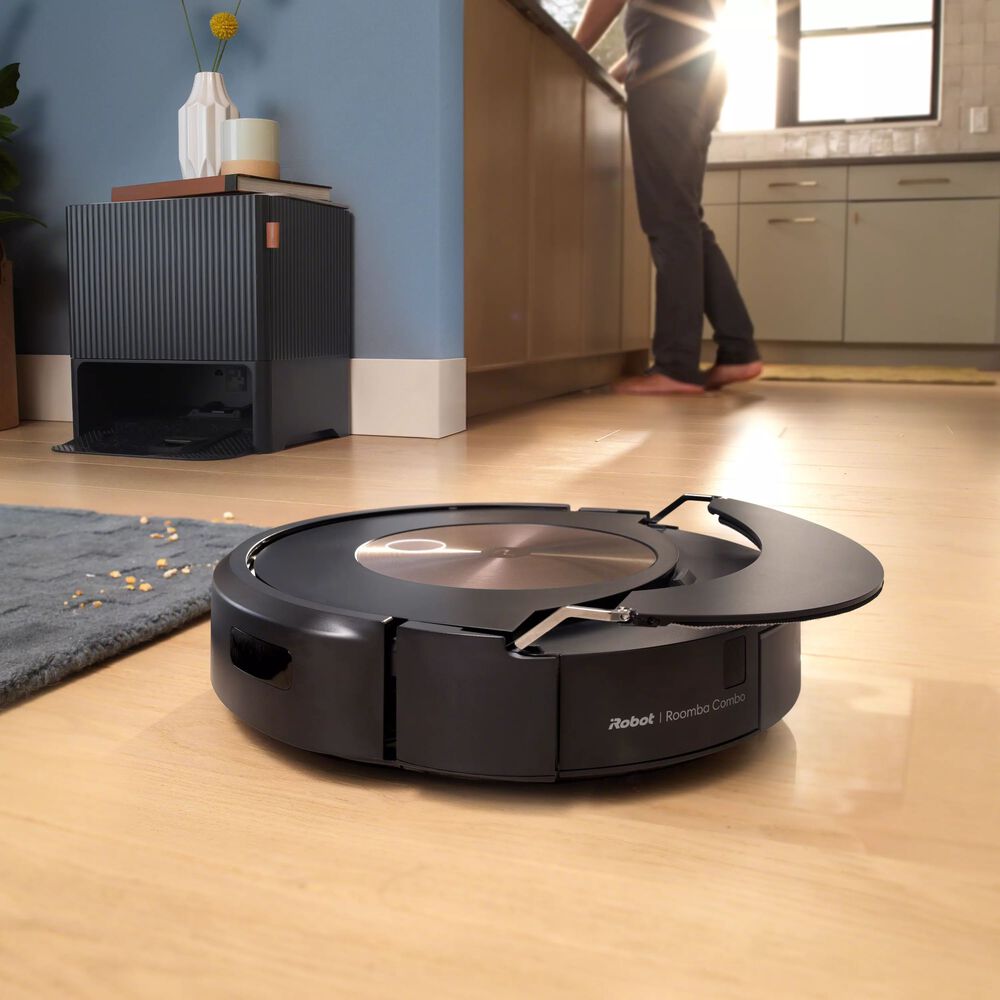
Signs Your Roomba Needs Maintenance
Sometimes, your Roomba J9+ will tell you it needs attention. Look for these signs:
- Reduced suction: Indicates a clogged filter or full bin.
- Navigation errors: Suggest dirty sensors or blocked wheels.
- Short battery life: Often caused by dirty charging contacts.
- Noisy operation: Hair in brushes or wheels can cause extra noise.
If you see error codes on the app, follow the maintenance instructions. Most issues are solved with a quick clean.
How Maintenance Affects Performance
Regular upkeep doesn’t just prevent breakdowns—it keeps your Roomba cleaning as efficiently as possible. According to tests, a well-maintained robot vacuum picks up 30% more debris than a neglected one. Homes with pets or high traffic see even more improvement.
Here’s a comparison of performance based on maintenance frequency:
| Maintenance Level | Average Debris Pickup | Battery Efficiency |
|---|---|---|
| Weekly | 95% | Optimal |
| Monthly | 80% | Reduced |
| Rarely | 60% | Poor |
A Roomba maintained weekly almost always finishes cleaning in one charge, while neglected units often need multiple recharges.
Extra Tips Most Owners Miss
- Check for firmware updates: Roomba J9+ receives software updates. Keeping your unit updated can improve cleaning patterns and fix bugs.
- Vacuum the Clean Base area: Dust can settle around the Clean Base, affecting docking.
- Use the app’s maintenance reminders: The iRobot Home app can alert you when it’s time for filter or brush changes.
- Store Roomba in a cool, dry place: Heat and humidity can damage electronics.
- Inspect for wear: If you notice cracks or worn parts, replace them early. Small damage can lead to bigger problems.
Replacement Parts: What To Buy And How Often
Using genuine parts is important. Cheap alternatives may not fit well or last as long. Here’s a quick guide:
| Part | Recommended Replacement | Estimated Cost |
|---|---|---|
| Filter | Every 2 months | $12-$20 (per pack) |
| Main brushes | Every 6-12 months | $25-$35 (set) |
| Dirt bag | Every 1-2 months | $15-$25 (pack of 3) |
For best results, buy from the official iRobot store or trusted retailers.

Roomba J9+ Maintenance For Different Homes
Not every home is the same. If you have pets, kids, or heavy traffic, adjust the schedule:
- Pet owners: Clean brushes and filters twice a week. Fur builds up faster.
- Large homes: The bin may fill more quickly. Check after every run.
- Allergy sufferers: Replace filters monthly for maximum air quality.
- Busy households: Use the app to schedule maintenance reminders.
These adjustments make sure your Roomba J9+ works perfectly, no matter your lifestyle.
Eco-friendly Maintenance Practices
Many people want to reduce waste. Here are eco-friendly options:
- Reusable filters: Some brands offer washable filters. Check compatibility first.
- Recycle old parts: Drop used filters and bags at recycling centers if possible.
- Minimal packaging: Buy replacement parts in bulk to cut down packaging waste.
A small effort goes a long way, both for your Roomba and the environment.

When Professional Service Is Needed
Most Roomba J9+ maintenance can be done at home. But sometimes, expert help is best:
- Persistent errors: If error codes won’t clear after cleaning.
- Battery replacement: When battery life drops sharply.
- Motor issues: Strange noises or loss of suction.
Contact iRobot support or an authorized repair center. This protects your warranty and ensures safe repairs. For more details on robot vacuum maintenance, check out this iRobot resource.
Frequently Asked Questions
How Do I Know If My Roomba J9+ Needs Maintenance?
Look for signs like reduced suction, navigation issues, or error codes in the app. If it seems louder or misses spots, it’s time for a quick check.
Can I Use Third-party Filters And Brushes?
While third-party parts are cheaper, they often don’t fit as well. Genuine parts last longer and keep your warranty safe.
How Often Should I Clean The Clean Base?
Check the dirt bag every 1-2 months. If you have pets or a large home, check more often. Clean around the base monthly to prevent docking issues.
What’s The Best Way To Clean Roomba J9+ Sensors?
Use a dry, soft cloth. Avoid liquids or harsh chemicals, as these can damage sensitive sensors.
Is It Okay To Leave Roomba J9+ On The Dock All The Time?
Yes, Roomba is designed to stay docked when not in use. This keeps the battery charged and ready for cleaning.
Maintaining your Roomba J9+ doesn’t have to be complicated. With a clear schedule and a few simple habits, you’ll keep your robot running like new for years. Regular attention means cleaner floors, fewer breakdowns, and less stress for you. Make maintenance part of your routine, and enjoy the full benefits of smart cleaning.

