

Keeping your Roomba I5+ running smoothly doesn’t have to be difficult. This robot vacuum is designed to make cleaning easier, but like any machine, it needs regular care. Many owners ask, “How often should I maintain my Roomba I5+?” If you’re unsure, or want to make your Roomba last longer, this guide will help. You’ll learn the ideal maintenance schedule, what parts need attention, and practical tips to avoid common mistakes. Whether you just bought your Roomba or have used it for months, following these steps can save you money, time, and headaches.
Why Regular Maintenance Matters
A clean Roomba works better and lasts longer. Dust, hair, and debris can block sensors or jam moving parts. If you skip maintenance, your Roomba may miss spots, get stuck, or stop working. According to iRobot, regular care can reduce breakdowns by over 30%.
Maintenance isn’t just about cleaning; it’s also about checking for wear and replacing parts when needed.
Many users don’t realize how quickly dirt can build up, especially in homes with pets or kids. Even small issues, like tangled brushes, can make your Roomba less effective. Regular checks help you spot problems early, saving you from expensive repairs.
General Maintenance Frequency
There isn’t one perfect schedule for every home. Maintenance depends on how often you use your Roomba, the size of your space, and what kind of mess it picks up. Still, most experts recommend the following routine for the Roomba I5+:
| Task | Recommended Frequency | Extra Tips |
|---|---|---|
| Empty dustbin | After each cleaning cycle | Check for full bin indicator |
| Clean brushes | Once per week | More often if you have pets |
| Wipe sensors | Every 2 weeks | Use a soft, dry cloth |
| Check filters | Once per week | Replace every 2 months |
| Inspect wheels | Once per month | Remove hair and debris |
| Clean charging contacts | Once per month | Ensure proper charging |
This schedule covers most homes. If your Roomba cleans daily, increase cleaning frequency. For light use, you can stretch some tasks a bit longer.
Step-by-step Maintenance For Roomba I5+
Let’s break down the main steps for keeping your Roomba I5+ in top shape.
1. Emptying The Dustbin
The I5+ has an automatic dirt disposal feature, but sometimes the bin can get clogged or isn’t emptied fully. Always check the bin after each cycle. Remove any stuck debris and wipe the bin with a dry cloth.
- For best results, check the bin manually once a week.
- If the bin is very dirty, wash it with water (but make sure it’s dry before reinserting).
2. Cleaning Brushes And Extractors
The main brush and side brush pick up most dirt. Hair can wrap around them, causing jams.
- Remove both brushes.
- Use the cleaning tool provided or your fingers to pull off hair and debris.
- Check the ends for buildup (especially pet fur).
- Reinstall after cleaning.
If you notice the brush isn’t spinning well, clean more often. Some owners find that brushing every 3 days works best in homes with pets.
3. Checking And Cleaning Filters
The filter traps small dust and allergens. A dirty filter makes your Roomba less powerful.
- Remove the filter from the dustbin.
- Tap it gently to remove dust.
- Replace the filter every 2 months (sooner if you see damage or heavy dirt).
Never wash the filter with water—it can ruin it.
4. Wiping Sensors And Charging Contacts
Sensors help your Roomba navigate. Dust on them can cause confusion.
- Use a soft, dry cloth to wipe sensors underneath and around the robot.
- Clean the charging contacts (both on the Roomba and the docking station) to ensure proper charging.
If your Roomba starts missing spots or has trouble finding the dock, dirty sensors are often the cause.
5. Inspecting Wheels And Side Brush
Wheels collect hair, especially on carpet. The side brush can get tangled easily.
- Turn the Roomba over.
- Remove hair and threads from the wheels and side brush.
- Spin the wheels to check for free movement.
If the wheels feel stiff, clean more often.
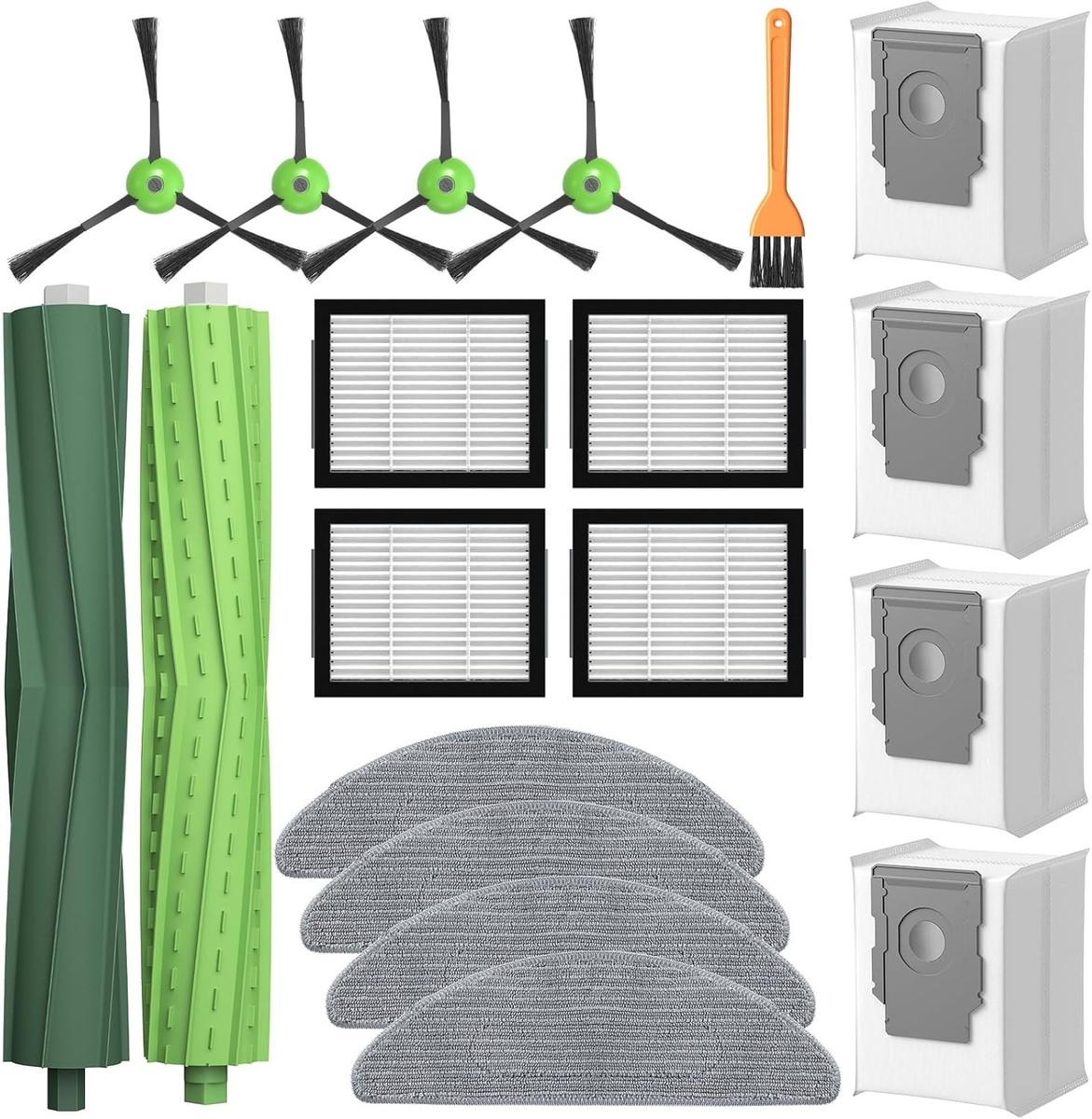
6. Replacing Parts
Some parts need replacement, not just cleaning.
| Part | Average Lifespan | Signs to Replace |
|---|---|---|
| Filter | 2 months | Visible dirt, reduced suction |
| Main brush | 6-12 months | Bristles worn, cleaning power drops |
| Side brush | 6 months | Broken or bent brush arms |
| Battery | 1-2 years | Short run time, frequent charging |
Always use genuine parts from iRobot for best results.
How Usage Affects Maintenance
The more you use your Roomba, the more often it needs care. Homes with pets, lots of carpet, or frequent spills require more frequent cleaning. If your robot runs daily, double the cleaning schedule for brushes and filters.
Consider this example: A home with two dogs sees twice as much hair buildup as a home without pets. Owners in these situations often clean brushes every 2-3 days, and filters every week.
Another non-obvious tip: If your Roomba cleans several rooms, rotate which room it starts in. This prevents certain areas from getting more wear and tear.

Common Mistakes To Avoid
Many Roomba owners skip maintenance, thinking the robot is fully automatic. Here are common mistakes:
- Ignoring warning lights: The Roomba will alert you if something is wrong. Don’t ignore these signals.
- Overlooking the side brush: This small brush picks up edge dirt. If it’s clogged, your Roomba misses corners.
- Using water on filters: Filters should never get wet. This ruins them quickly.
- Delaying battery checks: A weak battery means shorter cleaning cycles. Check battery health every few months.
- Forgetting to clean docking contacts: Dirty contacts can cause charging failures.
Owners often miss the importance of regular sensor cleaning. Even a thin layer of dust can cause navigation problems.
Practical Tips For Busy Households
If you don’t have much time, try these ideas:
- Set calendar reminders for maintenance tasks.
- Keep a spare filter and brush so you can swap quickly.
- Use the iRobot app to track cleaning cycles and get maintenance alerts.
- If you travel often, ask a family member to check the Roomba weekly.
Some users place their Roomba on a mat when not in use. This reduces dust buildup underneath and keeps wheels cleaner.
How To Know If Maintenance Is Needed
Sometimes, your Roomba will tell you—either through the app or warning lights. But you can spot signs yourself:
- Reduced cleaning power
- Strange noises
- Roomba gets stuck more often
- Missed spots or incomplete cycles
- Charging problems
If you notice any of these, check brushes, filters, and sensors right away.
Roomba I5+ Vs. Other Models: Maintenance Differences
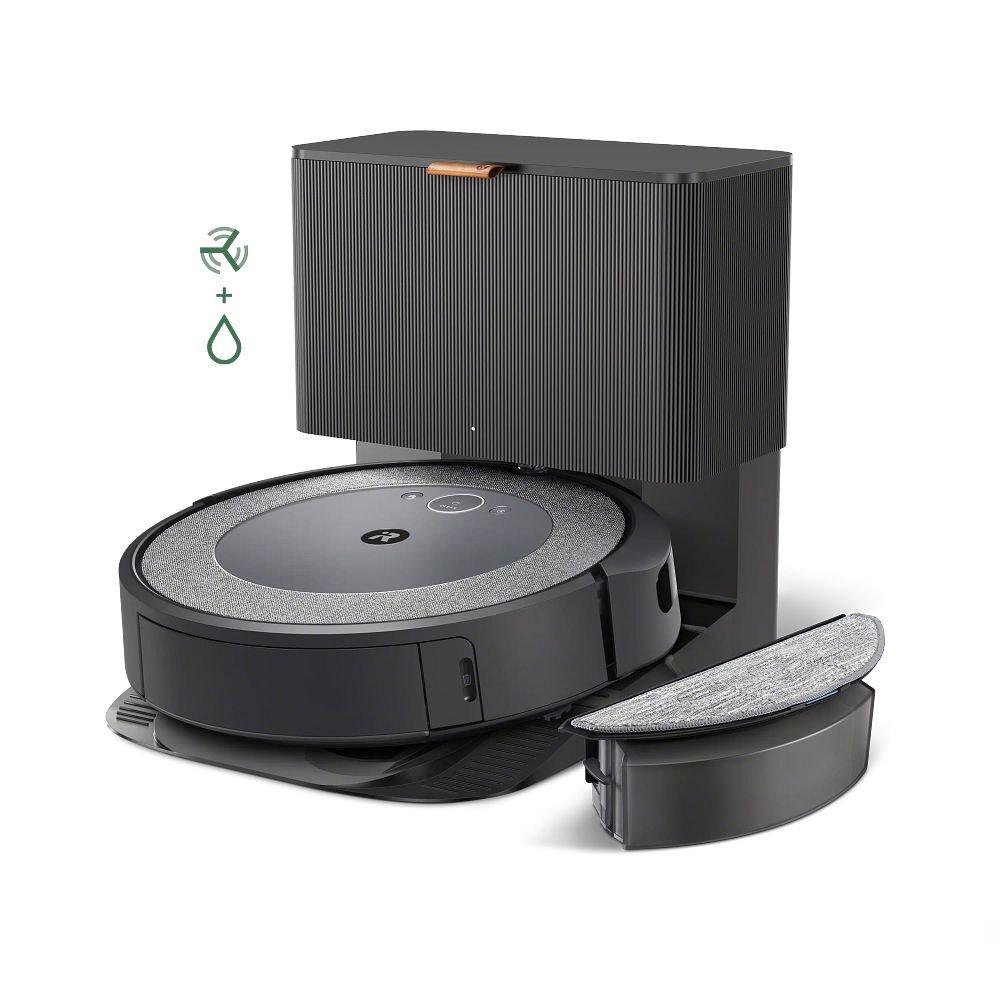
The Roomba I5+ has the automatic dirt disposal feature, which means less manual emptying. However, you still need to check the bin and base regularly.
| Feature | Roomba I5+ | Roomba 600 Series | Roomba S9+ |
|---|---|---|---|
| Automatic bin emptying | Yes | No | Yes |
| Maintenance alerts | App & lights | Lights only | App & lights |
| Filter type | High-efficiency | Standard | Ultra-high efficiency |
| Brush design | Rubber extractors | Bristle brushes | Advanced rubber extractors |
Compared to older models, the I5+ needs less frequent bin emptying, but sensor and brush care remain similar.
When To Seek Professional Service
Most maintenance can be done at home. But if your Roomba stops working, or has major issues (like water damage or software errors), contact iRobot support. Professional cleaning is recommended once per year if you use your Roomba heavily.
You can find a list of authorized service centers on the iRobot website. This ensures you get genuine parts and proper repairs.
Where To Find Official Guidelines
iRobot provides detailed manuals and care tips online. For the most accurate information, check their official support page:
irobot Support
This page has videos, step-by-step guides, and troubleshooting help.
Frequently Asked Questions
How Often Should I Clean The Roomba I5+ Filter?
Clean the filter once per week. Replace it every 2 months or sooner if it’s damaged or very dirty. Never wash the filter with water.
Can I Wash The Dustbin Of Roomba I5+?
Yes, you can wash the dustbin with water if it’s very dirty. Make sure it is completely dry before putting it back.
How Do I Know If The Brushes Need Replacing?
If the main brush bristles are worn, bent, or missing, or if cleaning performance drops, it’s time to replace. Side brushes with broken arms should also be swapped.
What Should I Do If My Roomba Isn’t Charging?
Clean the charging contacts on both the robot and the docking station. Check for debris and make sure the dock is plugged in. If it still doesn’t charge, contact iRobot support.
Is Maintenance Different For Homes With Pets?
Yes, homes with pets need more frequent cleaning—especially for brushes and filters. Clean brushes every 2-3 days and filters weekly for best results.
Taking care of your Roomba I5+ isn’t hard, but it does require regular attention. With the right routine, your robot will stay efficient and reliable for years. Remember, maintenance is not just about cleaning—it’s about checking parts, replacing when needed, and staying aware of how your Roomba works. By following these steps, you’ll enjoy a cleaner home and a trouble-free robot vacuum.

