

If you own or plan to buy a Tineco S11 cordless vacuum, battery life is one of the most important things to understand. Many people worry about how long the vacuum will run before needing a recharge, and if the battery will last for years or fade quickly. This guide covers every detail about the Tineco S11 battery: real run times, charging tips, battery health, and practical advice you won’t find in the basic product manual. Whether you clean large homes or just quick spots, knowing how the battery works can save time and prevent frustration.
Tineco S11 Battery Basics
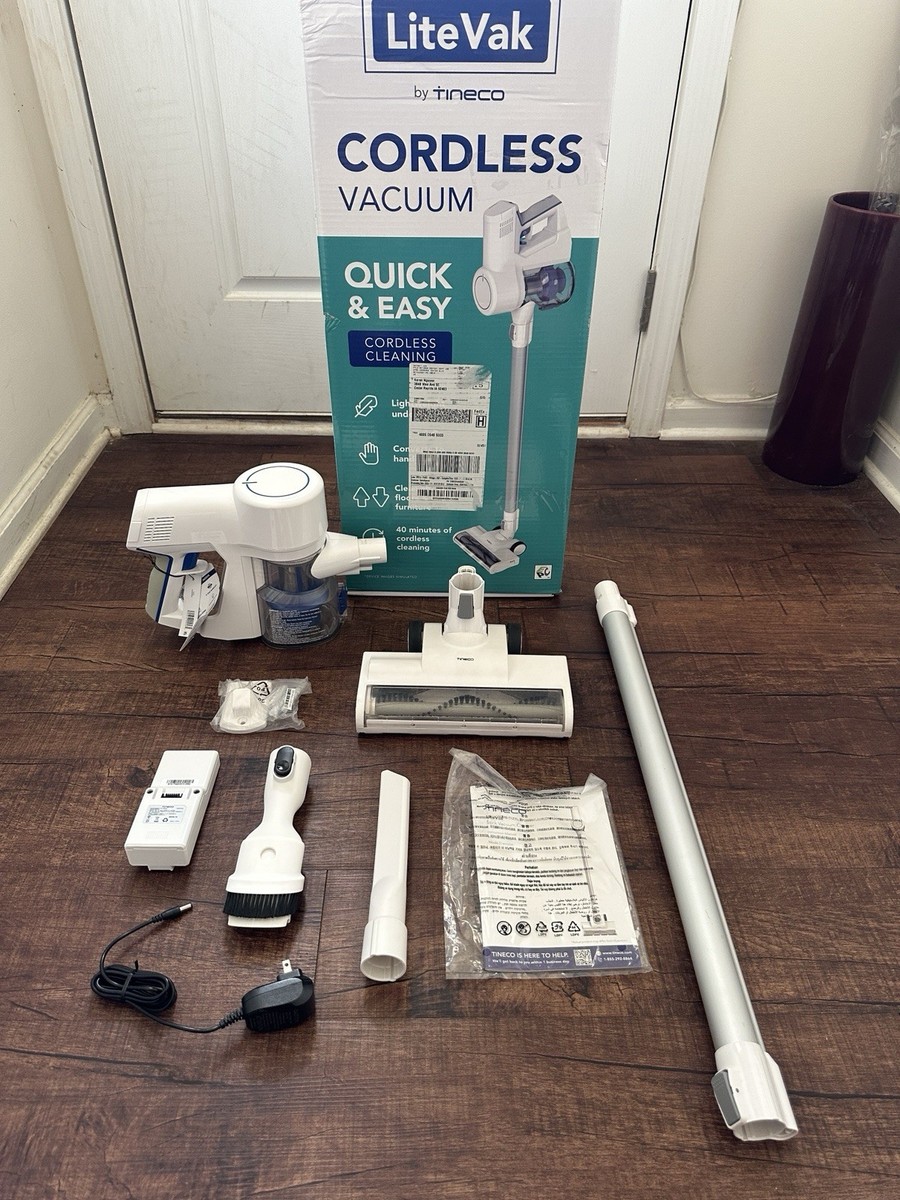
The Tineco S11 uses a Li-ion battery that is removable and rechargeable. Its official capacity is 2500mAh, with a rated voltage of 21.6V. This battery powers the vacuum’s motor, LED lights, and smart sensors. Most users notice the battery is easy to swap, and extra batteries are available from Tineco if you want longer cleaning sessions.
One thing beginners often miss: battery capacity isn’t the same as run time. Capacity is a measurement (mAh), but run time depends on how you use the vacuum. For example, using max power drains the battery much faster than using normal mode.
1. Official Battery Run Time
Tineco claims the S11 can run up to 40 minutes on a full charge in standard mode. This figure is based on lab tests with no extra tools attached and the vacuum set to low power. When you use attachments or higher power, the actual run time drops.
Here’s how the official run times break down:
- Standard mode: Up to 40 minutes
- Max mode: About 10 minutes
- Auto mode: 20–35 minutes (depends on floor type and dirt level)
Most users find the real-world time is a bit less, especially when cleaning carpets or using motorized tools.
2. Real-world Run Time
Many reviews and user tests show the S11 runs for 32–38 minutes in normal conditions (hard floors, light dirt). If you clean thick carpets or use the vacuum on max mode, expect about 8–12 minutes before the battery needs charging.
Example: Cleaning a two-bedroom apartment with mixed floors usually takes one charge. However, cleaning a large house with pets or deep carpets may require a second battery.
One non-obvious insight: The battery lasts longer if you pause between rooms, letting the vacuum cool down. Continuous use on max drains power and heats the battery, shortening run time.
3. Battery Charging Time
The S11 battery takes about 3–4 hours to fully recharge from empty. Charging is done with the included charger, which can plug directly into the vacuum or into the battery when removed.
Some users think faster chargers exist, but Tineco only recommends their official charger. Using a third-party charger can damage the battery or void the warranty.
Here’s a simple charging tip: Charge the battery after every cleaning, even if it’s not fully empty. This keeps the battery ready and avoids deep discharge, which can reduce its lifespan.
4. Battery Lifespan And Replacement
Most Tineco S11 batteries last for 2–3 years with regular use. The battery can survive around 300–500 charging cycles before losing noticeable capacity.
Signs your battery is fading:
- Run time drops below 20 minutes (even in standard mode)
- The vacuum stops suddenly, even after charging
- The battery feels hot after use
If you notice these issues, it’s time to replace the battery. Replacement batteries cost about $70–$90 and are available from Tineco’s website and select retailers.
5. How Usage Mode Affects Battery Life
The S11 has three main modes: Auto, Max, and Standard. Each mode uses different amounts of power.
- Standard: Best for hard floors and light dust, longest battery life
- Max: High suction for carpets, pet hair, or tough messes, shortest battery life
- Auto: Adjusts power based on dirt detected, gives a balance between suction and run time
Switching modes often can save battery. For example, use Standard in most rooms and Max only for stubborn spots.
Here’s a practical tip: Don’t use Max mode for the entire cleaning. Reserve it for areas that really need strong suction.
6. Effect Of Attachments On Battery Life
Using extra tools, like the motorized brush or multi-task tool, increases power use. Motorized attachments drain the battery about 15–25% faster than the main floor head.
For example, cleaning upholstery with the mini power brush uses more energy than a simple dusting tool.
Here’s a comparison:
| Attachment | Estimated Run Time (Standard) | Estimated Run Time (Max) |
|---|---|---|
| Main floor head | 38–40 min | 10–12 min |
| Motorized brush | 32–35 min | 8–10 min |
| Dusting tool | 40 min | 12 min |
If you need more time, consider buying a second battery.
7. Battery Performance On Different Floor Types
Vacuuming hard floors uses less power than carpets. The S11’s battery lasts longest on tile, wood, or laminate, and shortest on thick carpet or rugs.
Example: Cleaning 800 sq. ft. of hard floors may use about 60% of a full charge. But cleaning the same area of carpet can drain the battery completely.
One insight: If you have mostly carpets, plan for shorter cleaning sessions or keep a spare battery charged.
8. Battery Maintenance And Storage
To make the S11 battery last longer:
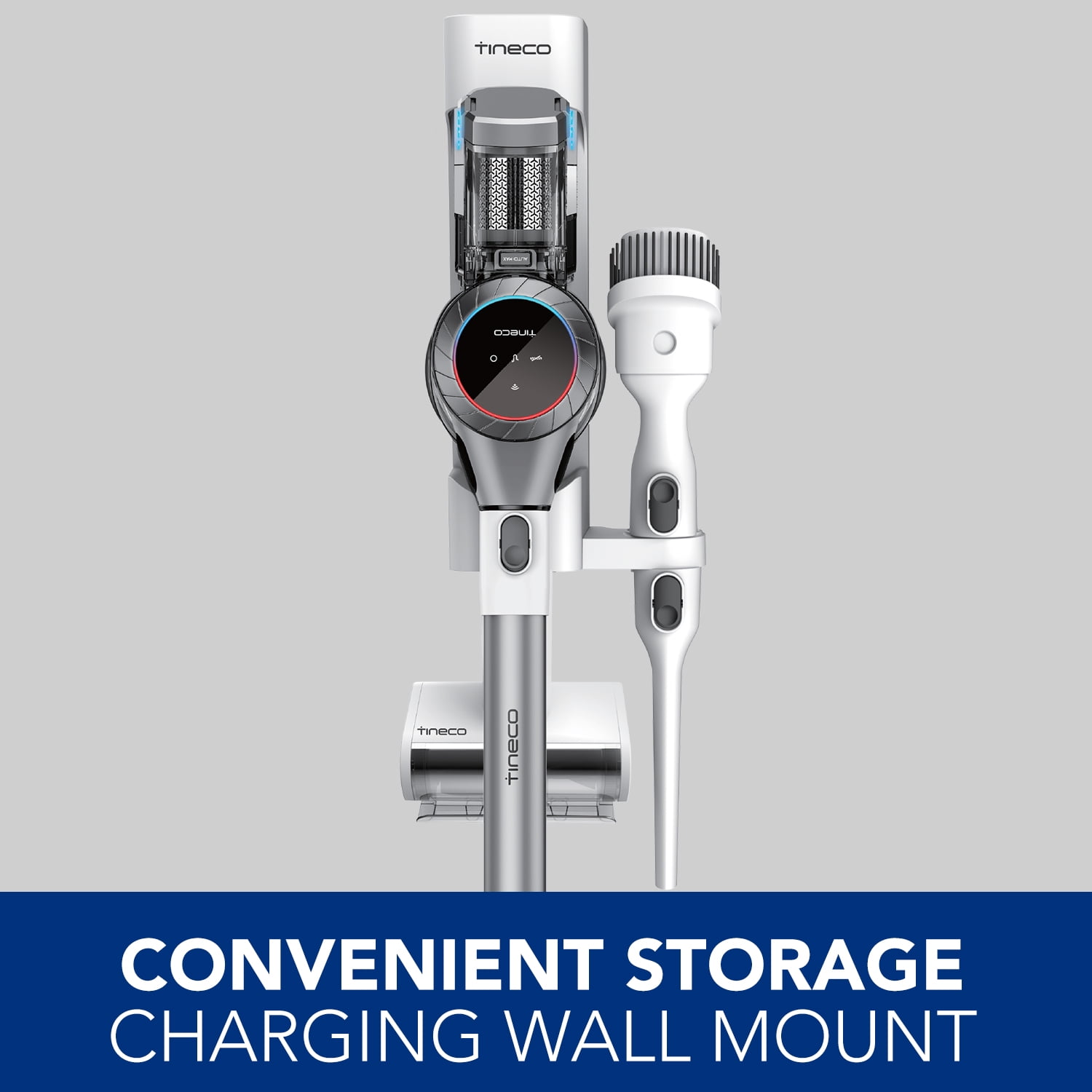
- Store the vacuum in a cool, dry place
- Avoid leaving the battery empty for long periods
- Charge after every use
- Don’t expose the battery to direct sunlight or heat
If you won’t use the vacuum for weeks, charge the battery to about 50–70% before storing. This prevents battery stress from being too empty or too full.
Many people overlook battery maintenance. Proper care can add months or years to its life.
9. Battery Indicator And Smart Features
The S11 has a LED battery indicator on the handle. It shows how much charge is left, so you can plan your cleaning. When the battery drops below 20%, the LED turns red.
Smart features like iLoop sensor adjust power to save battery. If the vacuum detects less dirt, it lowers suction and extends run time.
Here’s a quick look at battery indicator colors:
- Blue: 50–100% charge
- Purple: 20–50% charge
- Red: Less than 20% charge
Watching the indicator helps avoid running out of power mid-clean.

10. Comparing Tineco S11 Battery To Other Models
How does the S11 battery compare to other Tineco vacuums or leading brands? Here’s a side-by-side look:
| Model | Max Run Time | Charging Time | Battery Type |
|---|---|---|---|
| Tineco S11 | 40 min | 3–4 hrs | Li-ion, removable |
| Tineco S10 | 25 min | 3 hrs | Li-ion, non-removable |
| Dyson V8 | 40 min | 5 hrs | Li-ion, non-removable |
| Shark IZ163H | 40 min | 3 hrs | Li-ion, removable |
The S11 stands out for its removable battery and balanced run time. It matches top competitors in run time but has easier replacement options.
11. Common Battery Mistakes To Avoid
Many users make errors that shorten battery life. Here are mistakes to watch for:
- Deep discharging: Letting the battery run completely dead often
- Using third-party chargers: Non-official chargers can harm the battery
- Leaving battery in heat: Storage in hot places damages Li-ion cells
- Ignoring battery health: Using the vacuum when run time drops sharply instead of replacing the battery
If you avoid these mistakes, your S11 battery can last far longer.
Another tip: Don’t keep the battery plugged in for days. Once fully charged, unplug to avoid stress.
How To Get The Most Out Of Your Tineco S11 Battery
Maximizing battery life is simple if you follow these steps:
- Use Standard mode whenever possible
- Clean in sections, letting the vacuum cool between rooms
- Charge after every use, don’t let the battery sit empty
- Store in a cool spot
- Watch the LED indicator and plan your cleaning
- Replace the battery when run time drops below 20 minutes
If you want more cleaning time, buy an extra battery and keep it charged. Tineco’s removable design makes swapping easy.
Is The Tineco S11 Battery Good For Large Homes?
For most apartments or medium houses, the S11 battery is enough for one session. In large homes (over 2,000 sq. Ft. ), you may need a second battery or break cleaning into sections.
Here’s a quick comparison of cleaning coverage:
| Floor Area | Battery Needed | Recommended Mode |
|---|---|---|
| Up to 1,000 sq. ft. | 1 | Standard |
| 1,000–2,000 sq. ft. | 1–2 | Auto/Standard |
| Over 2,000 sq. ft. | 2+ | Auto/Standard |
If you clean daily, battery life is less of an issue because dirt is lighter. For deep cleaning, plan for shorter sessions or extra batteries.
Frequently Asked Questions
How Long Does The Tineco S11 Battery Last On Max Mode?
In Max mode, the S11 battery lasts about 8–12 minutes. This is enough for spot cleaning or tough messes, but not full house cleaning.
Can I Replace The Tineco S11 Battery Myself?
Yes, the S11 battery is removable. You can buy a new battery from Tineco and swap it yourself in seconds. Just slide out the old battery and push in the new one.
Is It Safe To Use Third-party Chargers Or Batteries?
Tineco recommends using only official chargers and batteries. Third-party products can damage the vacuum or cause battery failure. Using non-official parts may void your warranty.
How Do I Know When To Replace My Battery?
Replace your S11 battery when run time drops below 20 minutes, the vacuum stops suddenly, or the battery feels very hot after use. These are signs the battery is fading.
Does The S11 Battery Lose Power If Not Used?
Like all Li-ion batteries, the S11 battery slowly loses charge over time if not used. Store at 50–70% charge in a cool place for best results. Avoid leaving it empty or fully charged for weeks.
The Tineco S11 battery is well-designed for most homes and cleaning needs. With proper care and smart usage, you’ll get years of reliable performance. If battery life is a concern, remember that extra batteries are easy to buy and swap. For more details, visit the official Tineco S11 page for specifications and updates. Understanding your battery means you clean smarter, not harder—saving time and stress every week.

