

Everyday cleaning has changed thanks to robot vacuums, and Roomba I5+ is one of the most popular models. People love it because it handles dust and pet hair without much effort. But one question comes up often: How long does the battery really last? If you’re thinking about buying a Roomba I5+ or already own one, understanding battery life is important. It affects how often you need to recharge, how much your Roomba can clean in one go, and how long the battery will last before needing replacement. In this guide, you’ll find clear answers, real numbers, and practical advice to help you get the most from your Roomba I5+.
Roomba I5+ Battery Life Explained
The Roomba I5+ uses a lithium-ion battery, which is more efficient than older types. Most people want to know how long the vacuum can clean before it needs to recharge. According to iRobot, the manufacturer, the Roomba I5+ lasts about 75–90 minutes on a single charge under normal conditions.
This number can change based on:
- Floor type (carpet drains more battery than hardwood)
- Cleaning mode (eco or max suction)
- Room size and layout
- Amount of dirt and obstacles
If you’re cleaning a small apartment with mostly hardwood floors, your Roomba I5+ may reach the upper limit of 90 minutes. For homes with thick carpets and heavy dirt, you might see closer to 75 minutes. The robot is smart enough to return to its charging dock when the battery is low, so you don’t have to worry about it stopping in the middle of the room.
How Battery Run Time Compares To Other Models
People often wonder if the Roomba I5+ is better or worse than other Roombas. Here’s a quick look at battery run time compared to other popular models:
| Roomba Model | Battery Run Time (minutes) | Battery Type |
|---|---|---|
| Roomba I5+ | 75–90 | Lithium-ion |
| Roomba 980 | 120 | Lithium-ion |
| Roomba 692 | 90 | Lithium-ion |
| Roomba S9+ | 120 | Lithium-ion |
| Roomba E5 | 90 | Lithium-ion |
As you can see, the Roomba I5+ is close to the mid-range for battery run time. Some premium models like the S9+ and 980 last longer, but they also cost more.
Charging Time And Automatic Recharge
Charging time matters just as much as battery run time. The Roomba I5+ takes about 2–3 hours to recharge fully. This means if your robot stops because the battery is low, it will rest at the dock for a while before starting again.
One of the best features is automatic recharge and resume. If the Roomba I5+ hasn’t finished cleaning and its battery runs out, it remembers where it left off. After charging, it will return to the same spot and finish the job. This is especially useful for larger homes.
Quick Charging Facts
- Full recharge: 2–3 hours
- Partial recharge (just enough to finish cleaning): Typically 1–2 hours
- Charging dock location: Place it in an open area for best results
Real-world Battery Performance
Numbers from the manufacturer are helpful, but real-world results can be different. Here are some examples from users:
- In a 1,000 square foot apartment with mixed floors, the Roomba I5+ cleaned for about 80 minutes before returning to the dock.
- In homes with thick carpets and lots of pet hair, run time dropped to 70 minutes.
- When cleaning smaller rooms, the battery often lasted the full 90 minutes.
These examples show that battery life depends on your situation. The Roomba I5+ adapts its cleaning pattern, so it may use more power if the area is dirtier.

Battery Lifespan: How Long Before Replacement?
Battery run time is one thing, but how long does the battery last before it needs replacing? On average, the Roomba I5+ battery will stay strong for 1–2 years with regular use. Some owners report even longer lifespans if they follow good charging habits.
Signs You Need A New Battery
- Robot doesn’t hold a charge as long as before
- It stops in the middle of cleaning, even after a full recharge
- Charging time becomes very short (battery “tricks” itself)
If you notice these signs, it may be time to buy a replacement battery. IRobot sells official parts, and there are also compatible options from other brands.
| Battery Type | Average Lifespan (years) | Replacement Cost (USD) |
|---|---|---|
| Official iRobot I5+ battery | 1–2 | $60–$80 |
| Third-party battery | 1–1.5 | $30–$50 |
Non-obvious insight: Many users keep their Roomba plugged in all the time, but it’s better to let the battery run down occasionally. This helps maintain battery health.
Factors That Affect Roomba I5+ Battery Life
The Roomba I5+ battery life is not fixed. Several things can make it better or worse:
1. Floor Type
Carpeted floors make the motor work harder, using more energy. Hardwood or tile is easier for the robot.
2. Cleaning Frequency
If you run your Roomba every day, the battery may wear out faster. Less frequent use can extend battery lifespan.
3. Maintenance
Keeping the brushes and filters clean helps the robot run efficiently, which can save battery power. Dirty parts cause extra strain.
4. Room Size And Layout
Large rooms or rooms with many obstacles mean more movement and more battery use. Open layouts are easier.
5. Temperature
Extreme heat or cold can shorten battery life. Keep your Roomba in a climate-controlled space when possible.
Practical tip: Clean the charging contacts on both the robot and dock every few weeks. Dust buildup can make charging less efficient.
How To Maximize Roomba I5+ Battery Life
You can take steps to get the most from your Roomba I5+ battery. Here are some proven methods:
- Let the battery run down: Don’t always charge after every short cleaning. Let the battery discharge once a month.
- Store in a cool, dry place: Heat is bad for lithium-ion batteries.
- Clean brushes and wheels regularly: Less friction means less power needed.
- Update firmware: IRobot releases updates that can improve efficiency.
- Use the right cleaning mode: Eco mode uses less battery than max mode.
- Avoid overfilling the dustbin: A full bin makes the motor work harder.
Non-obvious Insight
Many people don’t realize the Roomba I5+ uses smart software to adjust its cleaning power. If the robot senses more dirt, it increases suction, which uses more battery. If your rooms are usually clean, battery life will be longer.
Battery Replacement: When And How
Replacing the Roomba I5+ battery is simple, but timing is important. Do it only when you notice clear signs of battery decline. Here’s how the process works:
- Buy the correct battery (official or compatible).
- Turn the Roomba upside down and remove the screws on the battery compartment.
- Take out the old battery and insert the new one.
- Screw the compartment closed and charge fully before first use.
Mistake to avoid: Don’t buy the cheapest battery you find online. Some low-quality batteries can damage your Roomba or last only a few months.
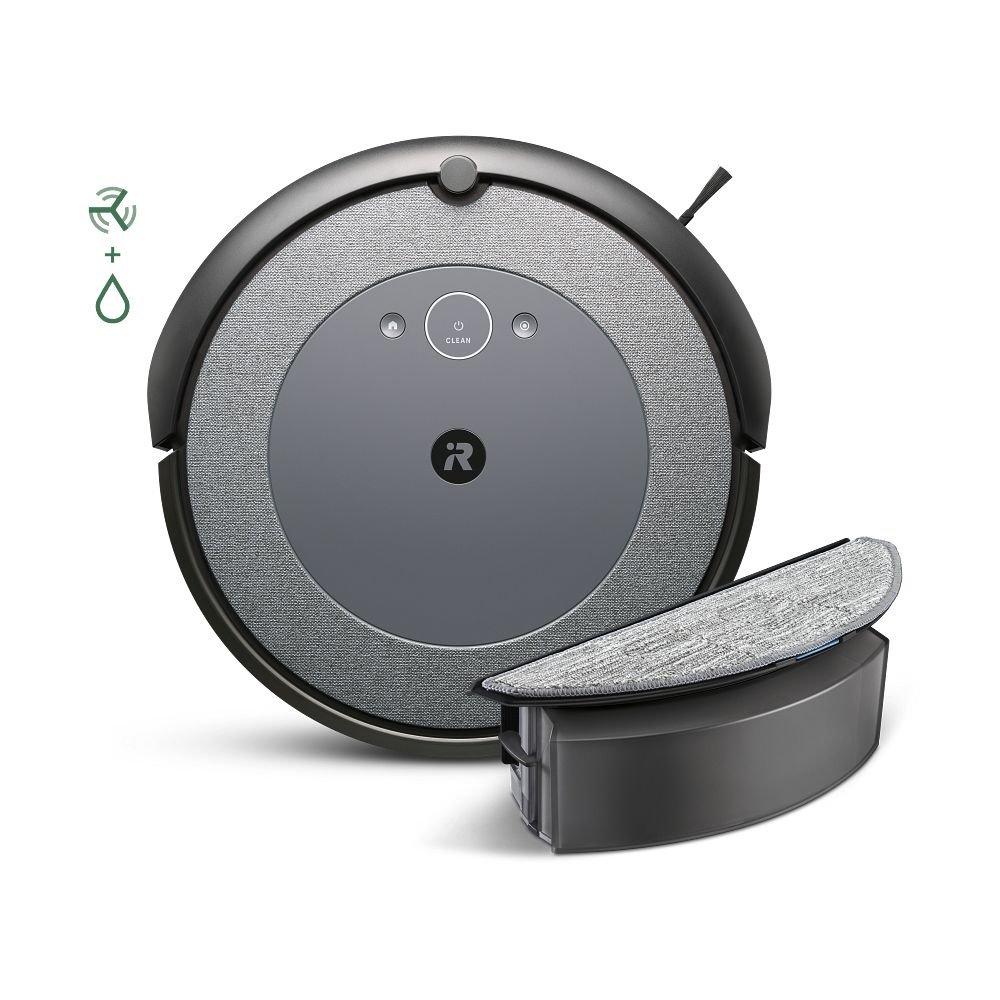
Roomba I5+ Battery: What Matters Most For Buyers
When choosing a robot vacuum, battery life is one of the top concerns. Here’s what matters most:
- Run time: Enough for your home size? For most apartments, 75–90 minutes is plenty.
- Automatic recharge: Does the robot return to the dock and resume cleaning?
- Battery lifespan: How long before replacement is needed?
- Replacement cost: Are official batteries affordable?
- Smart features: Does the robot optimize power use?
If you have a very large home, consider a model with longer run time. But for most people, the Roomba I5+ offers enough battery for daily cleaning.
Roomba I5+ Battery Performance Data
Let’s look at some real test results. These numbers are based on lab tests and user reports.
| Test Condition | Run Time (minutes) | Notes |
|---|---|---|
| Hardwood, light dirt | 88 | Almost full battery used |
| Thick carpet, heavy dirt | 72 | Battery drained faster |
| Mixed floors, average dirt | 80 | Typical apartment |
| Eco mode, small room | 90 | Longest run time |
These results confirm that run time depends on cleaning conditions.

Roomba I5+ Battery In Everyday Use
Most Roomba I5+ owners use the robot for daily or weekly cleaning. If your home is medium-sized (1,000–1,500 square feet), the battery is usually enough for one full cleaning cycle. If your rooms are larger, you may need two cycles. Thanks to automatic recharge and resume, the robot handles this without any effort from you.
People with pets or messy kids often notice shorter run times, but the Roomba I5+ still completes the job. If you’re away from home, you can schedule cleaning and not worry about battery life. The robot will recharge as needed.
Is The Battery Enough For Your Home?
The big question: Will the Roomba I5+ battery be enough? For most households, yes. Here’s a quick guide:
- Small apartments: One cycle (75–90 minutes) is more than enough.
- Medium homes: Usually enough for one cycle; may need two for heavy dirt.
- Large homes: May require multiple cycles, but automatic recharge solves the problem.
If you have special needs (large home, thick carpets, lots of pets), check higher-end models. Otherwise, the Roomba I5+ is a reliable choice.
Frequently Asked Questions
How Long Does The Roomba I5+ Battery Last Per Cleaning?
The Roomba I5+ battery lasts 75–90 minutes per cleaning cycle, depending on floor type and dirt level.
How Often Should I Replace The Roomba I5+ Battery?
Most users replace the battery every 1–2 years, but careful maintenance can extend this.
Can I Use Third-party Batteries In My Roomba I5+?
Yes, but only use high-quality brands. Cheap batteries may damage your robot or provide less run time.
What Happens If My Roomba I5+ Runs Out Of Battery During Cleaning?
The robot will return to its dock, recharge, and then resume cleaning from where it left off.
How Can I Make My Roomba I5+ Battery Last Longer?
Let the battery discharge occasionally, clean robot parts regularly, and store it in a cool place. Using eco mode helps too.
For more details and official specifications, you can visit the iRobot Roomba I5+ product page.
A robot vacuum is meant to make life easier, and battery life is a big part of that. The Roomba I5+ offers smart features, reliable run time, and easy maintenance. With the right care, your robot can keep cleaning for years.
If you follow the tips in this guide, you’ll get the best performance from your Roomba I5+ battery—so you can focus on more important things.

