

Many homes rely on the Eureka Mighty Mite vacuum for regular cleaning. It’s compact, easy to move, and handles dust, dirt, and pet hair with surprising strength. But like any bagged vacuum, its cleaning performance depends on a simple step: changing the vacuum bag when it’s full. If you don’t, you risk losing suction, spreading allergens, and damaging the vacuum. Replacing Eureka Mighty Mite bags is not difficult, but there are details that beginners often miss. This article explains the process in clear steps, shares practical tips, and answers common questions—so you can keep your vacuum working its best.
Why Changing Eureka Mighty Mite Bags Matters
Vacuum bags act as both a filter and a storage space for dust. When a bag is full:
- Suction drops sharply. The vacuum can’t pick up dirt as well.
- Airflow weakens, so fine dust escapes and clogs filters.
- Motor stress increases, shortening vacuum life.
- Odors build up, especially with pet hair or food crumbs.
Most users notice the vacuum “not working like before” but don’t realize the cause is a full bag. Regular bag replacement maintains cleaning power and keeps indoor air healthier.
When Should You Replace The Bag?
There is no fixed schedule for changing the Eureka Mighty Mite bag. It depends on:
- How often you vacuum (daily, weekly, monthly)
- Type of dirt collected (pet hair fills bags faster)
- Home size and number of rooms
Signs to watch for:
- Reduced suction—The vacuum doesn’t pick up debris as efficiently.
- Bag feels full—If the bag feels firm when pressed, it’s time to replace.
- Unusual smells—Odors escaping from the vacuum.
- Visible dust leaks—Dust escaping near the bag compartment.
A typical household needs to replace the bag every 1–2 months, but homes with pets or frequent cleaning may need to do it more often.
Choosing The Right Replacement Bag
Before replacing, you need the correct bag. The Eureka Mighty Mite uses several bag types, depending on the model:
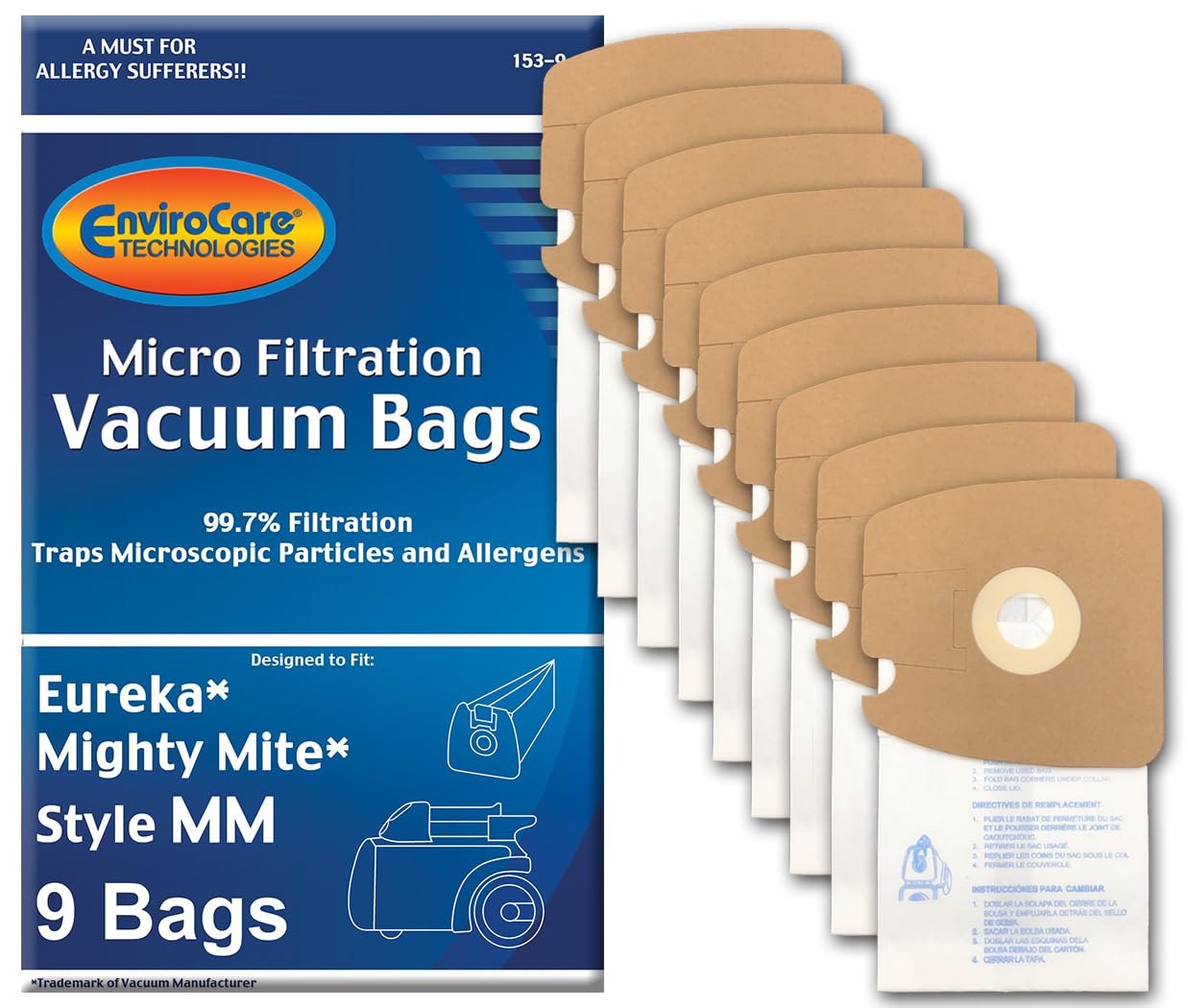
- Type MM bags—Most common for newer models.
- Type F & G bags—For older Eureka Mighty Mite vacuums.
Buying the wrong type leads to poor fit and dust leaks. Check the model number on your vacuum (usually found on a sticker under the unit) and match it with the bag packaging.
Here’s a quick comparison of common Eureka Mighty Mite bag types:
| Bag Type | Fits Models | Material | Average Price (per bag) |
|---|---|---|---|
| MM | 3670, 3684, 3690, 3680 | Paper | $1.50 |
| F & G | Older Mighty Mites | Paper | $1.75 |
| HEPA MM | 3670 series | HEPA filter | $3.00 |
HEPA bags are more expensive but trap fine dust and allergens, making them better for allergy sufferers. Beginners often buy generic bags to save money, but these sometimes leak or don’t fit well. Always check reviews and buy from trusted brands.
Step-by-step: How To Replace Eureka Mighty Mite Bags
Changing the bag only takes a few minutes, but careful steps prevent mess and damage.
1. Prepare Your Workspace
- Unplug the vacuum—Safety first. Never change the bag while plugged in.
- Place the vacuum on a flat surface—A table or clean floor is best.
- Have your new bag ready—Open the packaging and check for defects.
2. Open The Bag Compartment
- Find the bag compartment latch—Usually on the top or side.
- Press or slide the latch—The compartment door swings open.
- Inspect inside—Look for dust buildup, torn bags, or loose debris.
3. Remove The Old Bag
- Grip the cardboard collar—Gently pull the bag out of the holder.
- Avoid shaking—Keeps dust from escaping.
- Check for damage—If the bag is torn, clean the compartment before installing a new bag.
Dispose of the old bag in a sealed trash can to prevent dust from spreading.
4. Install The New Bag
- Align the cardboard collar—Insert it firmly into the bag holder slot.
- Push until secure—You should feel a gentle click or resistance.
- Check for proper fit—The bag should not hang loose or bulge.
Make sure the bag’s opening matches the vacuum’s air intake; wrong alignment causes leaks.
5. Close The Compartment
- Swing the door shut—Press until it locks.
- Double-check—The latch must be fully closed.
- Plug the vacuum back in—Test suction by running the vacuum briefly.
If you hear unusual noises or see dust escaping, open the compartment and check the bag’s position again.
Cleaning Tips When Replacing Bags
Changing the bag is a good time to clean the vacuum’s inside. Dust can accumulate around the bag holder, causing odors and reducing efficiency.
- Wipe the compartment with a damp cloth—Remove dust and hair.
- Inspect filters—Most Mighty Mite vacuums have a pre-motor filter. If dirty, remove and clean or replace.
- Check hose and attachments—Clogs often start when bags are full.
Here’s a comparison of how often you should clean vacuum parts:
| Part | Cleaning Frequency | How to Clean |
|---|---|---|
| Bag Compartment | Every bag change | Damp cloth |
| Pre-motor Filter | Every 3–6 months | Wash or replace |
| Hose & Attachments | Every 2–3 months | Rinse and dry |
Tip: Many users overlook the filter, causing the vacuum to smell even after changing the bag.
Mistakes To Avoid
Beginners often make errors that affect vacuum performance. Avoid these common mistakes:
- Using the wrong bag type—Leads to leaks and poor suction.
- Not securing the bag—Loose bags fall off during operation, spreading dust.
- Skipping filter cleaning—Dust buildup in filters reduces airflow.
- Overfilling the bag—Trying to “get more use” from a bag damages the vacuum.
Some people try to reuse vacuum bags to save money, but this increases allergen exposure and can damage the vacuum motor.
Where To Buy Eureka Mighty Mite Bags
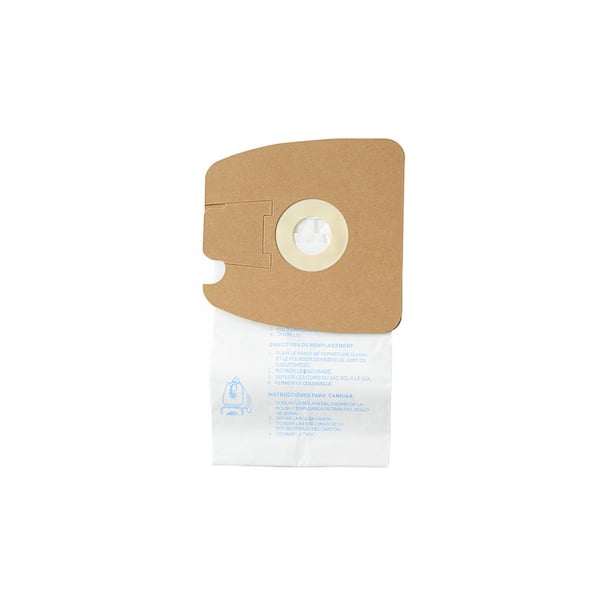
You can buy replacement bags online, at appliance stores, or through Eureka’s official site. Prices range from $7–$25 for packs of 5–10 bags. Always check your vacuum’s model number before purchasing.
Popular online stores include:
- Amazon
- Walmart
- Eureka’s official website
- Local hardware stores
For more details on product compatibility, visit the Eureka official site.
Improving Vacuum Performance With Regular Bag Changes
Changing the vacuum bag regularly is one of the simplest ways to maintain cleaning power. When the bag is new:
- Suction is strong
- Airflow is clean
- Allergens are trapped
Homes with pets, children, or allergy sufferers benefit most from frequent bag changes. Experts recommend checking the bag at least every two weeks, especially during allergy season.
Signs Your Mighty Mite Needs More Than Just A Bag Change
Sometimes, changing the bag isn’t enough. If your vacuum shows these signs, more maintenance is needed:
- Persistent odors—Even after bag and filter replacement.
- Weak suction—After a new bag is installed.
- Strange noises—Rattling or grinding sounds.
This could mean:
- Clogged filters
- Blocked hoses
- Motor issues
If cleaning and bag replacement don’t solve the problem, consider professional servicing.
How Long Do Eureka Mighty Mite Bags Last?
Bag life depends on usage. Data from frequent users shows:
- Light use (weekly, small apartment): 2–3 months per bag
- Medium use (family home, pets): 1–2 months per bag
- Heavy use (daily, multiple pets): 2–3 weeks per bag
Most bags hold 2–3 liters of dust. Overfilling risks tearing and reduced performance.
Frequently Asked Questions
How Do I Know Which Bag Fits My Eureka Mighty Mite?
Check your vacuum’s model number (usually found under the unit). Match this number with the bag type listed on packaging or in the user manual. Most newer models use MM bags.
Can I Use Hepa Bags In Any Mighty Mite?
HEPA MM bags fit most 3670 series Mighty Mites, but not all older models. Check compatibility before buying. HEPA bags are best for allergy sufferers because they trap finer particles.
How Often Should I Change The Vacuum Bag?
Change the bag when suction drops, odors appear, or the bag feels full. For most homes, every 1–2 months is ideal. Homes with pets or heavy use should check bags weekly.
Do I Need To Replace The Filter Every Time I Change The Bag?
No, but check the filter each time. If it’s dirty or damaged, clean or replace it. A clean filter improves suction and air quality.
What Happens If I Use The Wrong Bag?
Using the wrong bag can cause dust leaks, poor suction, and sometimes damage the vacuum. Always use bags recommended for your Mighty Mite model.
Replacing your Eureka Mighty Mite bag is quick, but doing it right makes a big difference. Choose the correct bag, follow careful steps, and clean the compartment for best results. Regular maintenance keeps your vacuum working strong and your home cleaner.

