

Keeping your Dyson V15 Detect running at its best depends on a clean filter. Over time, dust and fine particles can build up inside, reducing suction and even harming the motor. If you want your vacuum to stay powerful, you need to clean the filter regularly and correctly. But many users aren’t sure how to do it, or they make mistakes that lead to poor performance or even damage. This guide will show you exactly how to clean the Dyson V15 Detect filter, step by step, with practical tips that most manuals miss.
Why Cleaning Your Dyson V15 Detect Filter Matters
The filter is the heart of your Dyson’s cleaning system. It traps microscopic dust, pollen, and allergens, so your air stays cleaner. But when it gets clogged, the vacuum can’t breathe. You’ll notice weaker suction, strange noises, or even overheating. Dyson recommends cleaning the filter every 1-2 months, but in homes with pets or heavy use, monthly cleaning is best. If you want to protect your investment and your indoor air quality, don’t skip this task.
Tools And Preparation Before You Start
Before you begin, gather these simple items:
- Clean, dry towel
- Mild dish soap (optional, for stubborn dirt)
- Sink with cold water
- A timer or clock
- Safe, dry place for air-drying (not direct sunlight or near heaters)
Never use detergents, hot water, or a dishwasher—these can damage the filter’s special material.

Step-by-step Guide: Cleaning The Dyson V15 Detect Filter
Cleaning the filter sounds easy, but doing it right makes all the difference. Here are 15 key steps, each with details to help you avoid common mistakes.
1. Turn Off And Unplug The Vacuum
Safety comes first. Unplug your Dyson V15 Detect before you touch any part of it. Even though it’s a cordless vacuum, make sure it’s switched off and not charging.
2. Remove The Dust Bin
Press the red bin release button to slide off the dust bin. This gives you access to the filter and prevents dirt from spilling during cleaning.
3. Locate The Filter
The filter is at the back of the vacuum, near the handle. It’s usually a purple cylinder with a mesh covering.
4. Twist And Remove The Filter
Hold the filter and twist it counter-clockwise. Gently pull it out from the vacuum body. If it feels stuck, try wiggling gently—never use force.
5. Tap Out Loose Dust
Over a trash can, gently tap the filter to shake out as much loose dust as possible. This makes washing easier and keeps your sink clean.
6. Rinse Under Cold Water
Hold the filter under cold running water. Rotate it as you rinse, letting water flow through all sides. Do not use hot water, as it can damage the filter fibers.
7. Clean The Inside And Outside
Place your fingers inside the filter and twist gently under water to remove trapped dust. Rinse the outside mesh as well, until the water runs clear.
8. Avoid Detergents And Brushes
Never use soap, detergent, or scrub brushes. These can ruin the filter material. If there’s stubborn dirt, just repeat rinsing several times.
9. Shake Out Excess Water
After rinsing, shake the filter over the sink to remove as much water as possible. This helps it dry faster.
10. Dry With A Towel (outside Only)
Pat the outside of the filter with a clean, dry towel. Don’t try to dry the inside with paper towels or cloth, as fibers can get stuck.
11. Air-dry For At Least 24 Hours
Place the filter upright in a warm, dry place for at least 24 hours. Make sure both ends are exposed to air. Do not use a hair dryer, radiator, or direct sunlight—extreme heat can warp or shrink the filter.
12. Check For Dampness
Before reattaching, make sure the filter is completely dry. Even a little dampness can cause mold or damage the vacuum motor.
13. Reinstall The Filter
Insert the dry filter back into the vacuum and twist clockwise to lock it in place. It should feel snug, not loose.
14. Reattach The Dust Bin
Slide the dust bin back onto the vacuum until it clicks. Double check that everything is secure before use.
15. Reset Filter Warning Lights
If your Dyson V15 Detect showed a filter warning, turn the vacuum on and off after reinstalling the filter. Most warning lights will reset automatically.
Common Mistakes To Avoid
Many Dyson owners make errors that shorten their filter’s life or reduce cleaning power:
- Using hot water, which damages filter fibers
- Not drying the filter fully, leading to odor or mold
- Using detergents or soap, which can harm the filter’s structure
- Drying in direct sunlight or with a heater, which can warp the filter
- Reinstalling the filter before it’s 100% dry
If you make any of these mistakes, you may need to replace the filter sooner than expected.
How Often Should You Clean The Filter?
For most homes, Dyson suggests every 1-2 months. However, this depends on your situation. Use this simple guide:
| Home Type | Recommended Cleaning Frequency |
|---|---|
| Light use (no pets, small home) | Every 2 months |
| Regular use (kids, moderate dust) | Every month |
| Heavy use (pets, allergies, large home) | Every 2-4 weeks |
If your vacuum suddenly loses suction or shows a filter light, clean the filter sooner.
Signs Your Filter Needs Cleaning Or Replacement
Even with regular care, filters wear out. Watch for these signs:
- Reduced suction even after cleaning
- Strange smells from the vacuum
- Warning lights won’t reset after cleaning
- Visible tears or holes in the filter mesh
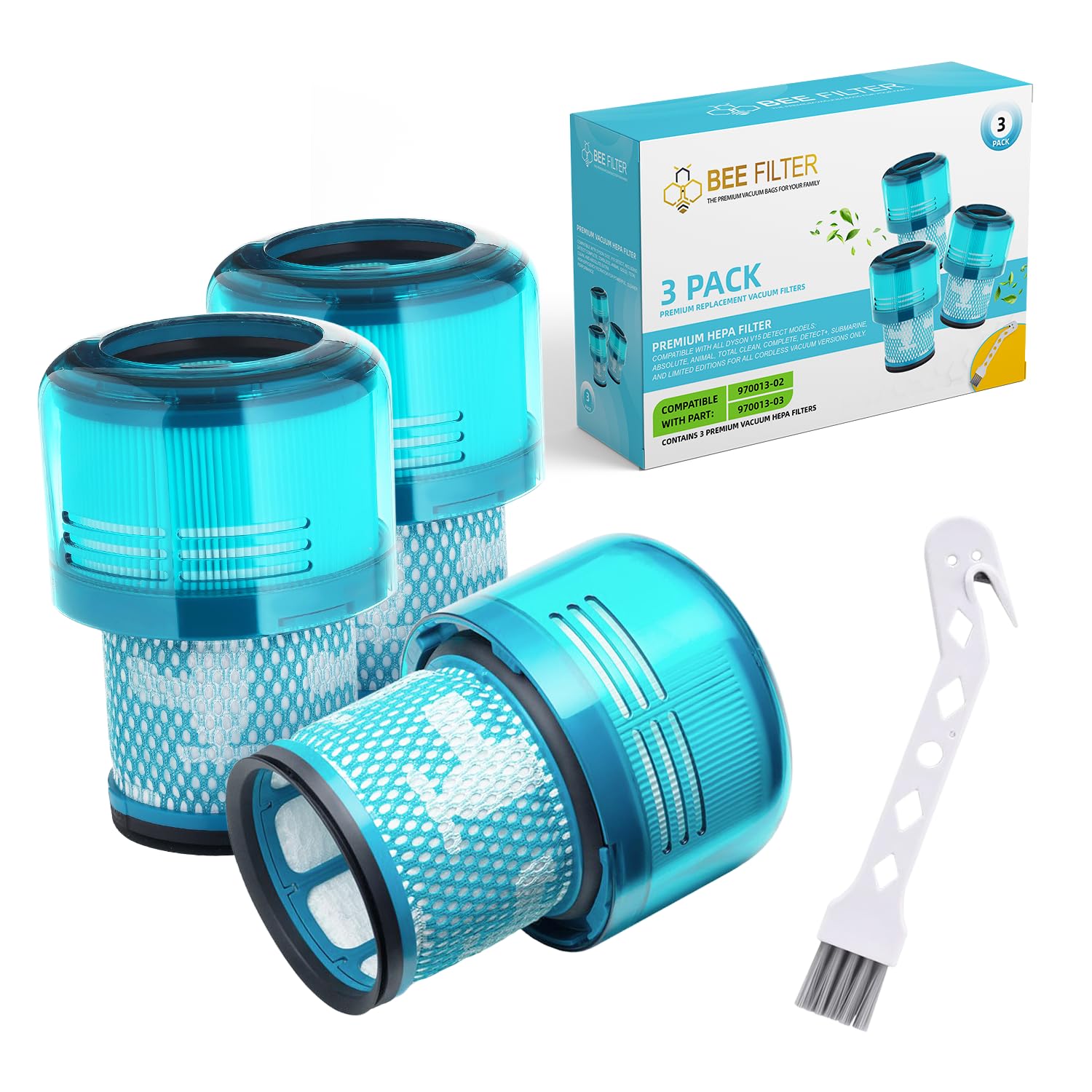
Most Dyson V15 Detect filters last 1–2 years before needing replacement. You can buy genuine replacements from Dyson or trusted retailers.
Filter Cleaning Vs. Replacement: What’s The Difference?
Some users confuse cleaning and replacing. Here’s a quick comparison:
| Action | When Needed | Result |
|---|---|---|
| Clean Filter | Every 1–2 months | Restores performance, extends filter life |
| Replace Filter | Every 1–2 years, or when damaged | Ensures clean air, prevents motor damage |
Cleaning keeps your filter working, but eventually all filters must be replaced.
Extra Tips For Longer Filter Life
Many users overlook these simple habits:
- Always empty the dust bin after each use—this keeps less dust from reaching the filter.
- Store your vacuum indoors, away from humidity and extreme temperatures.
- If you vacuum fine dust (like plaster or flour), clean the filter sooner.
- Don’t try to “hack” the filter—using non-Dyson filters or cutting them can ruin the vacuum and void the warranty.

How Dyson V15 Detect Filter Compares To Other Dyson Filters
The Dyson V15 Detect uses a HEPA filter designed to trap particles as small as 0.3 microns. Compared to older Dyson models, the V15’s filter is more advanced and easier to clean. Here’s a quick comparison:
| Model | Filter Type | Cleaning Method |
|---|---|---|
| Dyson V15 Detect | HEPA, washable | Cold water rinse, air dry |
| Dyson V8/V10/V11 | HEPA, washable | Cold water rinse, air dry |
| Older Dyson models | Standard, some non-washable | Some require replacement only |
For best results, always follow your model’s manual. The V15 Detect’s filter is built for easy removal and cleaning, saving you time and money compared to older vacuums.
When To Buy A New Filter
If you notice your V15 Detect is not performing well after cleaning, it’s time for a new filter. Buy only genuine Dyson parts for the best fit and filtration. Fake filters can harm your vacuum and won’t trap fine dust as well. You can find authentic replacements at the official Dyson site.
Frequently Asked Questions
How Do I Know If My Dyson V15 Detect Filter Is Washable?
All Dyson V15 Detect filters are washable. If your filter is purple and mesh-covered, it’s safe to rinse with cold water. Never wash paper or white filters found in other models.
Can I Use Soap Or Detergent To Clean The Filter?
No. Soap and detergent can damage the filter fibers and reduce its ability to trap dust. Rinse only with cold water.
How Long Does It Take For The Filter To Dry?
At least 24 hours is needed for complete drying. In humid climates, it may take up to 36 hours. Never reinstall a damp filter.
What Happens If I Don’t Clean My Dyson V15 Detect Filter?
A dirty filter means weaker suction, more dust in the air, and possible motor damage. Your vacuum may also show a filter warning light.
Can I Buy Non-dyson Filters For My V15 Detect?
It’s possible, but not recommended. Non-genuine filters may not fit well or filter fine dust properly, and could void your warranty. Always choose official Dyson parts.
Cleaning your Dyson V15 Detect filter the right way keeps your vacuum strong, your air clean, and your investment safe. Make it a habit, and you’ll enjoy better cleaning for years to come.

