

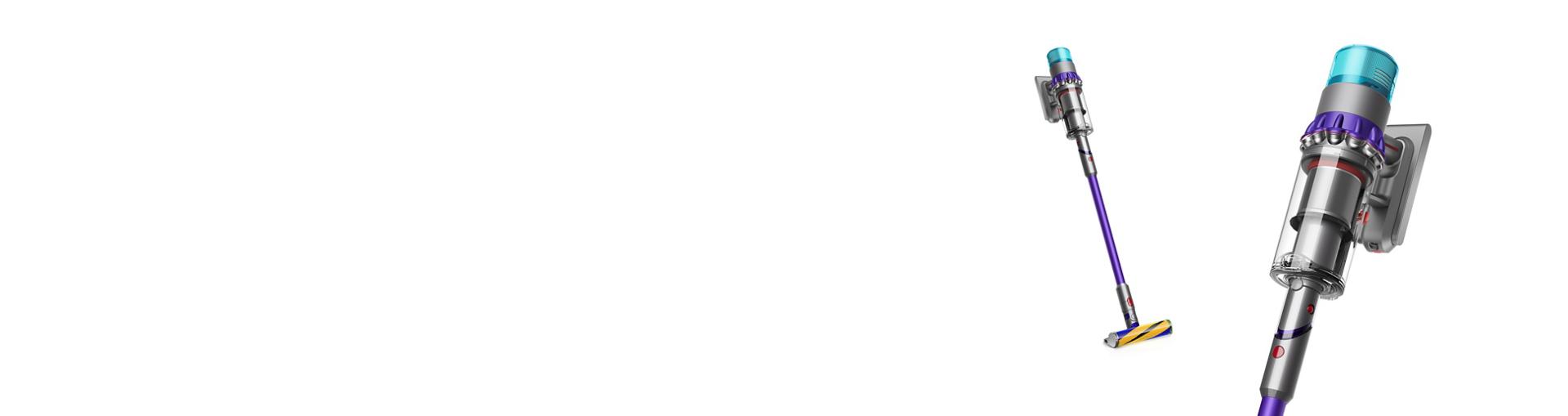
The Dyson Gen5Detect vacuum is known for its smart technology and powerful suction. It uses laser dust detection, advanced filtration, and easy-to-use controls. But even the best machines can run into problems. If your Gen5Detect is not working as expected, troubleshooting can help you solve issues quickly at home.
This guide will walk you through step-by-step solutions for common problems, smart tips, and practical advice. Whether your vacuum won’t start, loses suction, or displays error lights, you’ll find clear answers here.
Basic Checks Before Troubleshooting
When your Dyson Gen5Detect stops working, always begin with the basics. Many issues are simple and can be fixed in minutes.
- Power source: Make sure your vacuum is fully charged or plugged in. Sometimes the charger is not connected properly, or the outlet is faulty.
- Battery status: Check the battery indicator. If it’s low or not charging, try a different outlet. If the battery doesn’t charge after 3 hours, it may need replacement.
- Dust bin: Empty the dust bin. An overfilled bin can trigger error lights and reduce suction.
These checks fix about 25% of reported issues with Dyson Gen5Detect vacuums, according to customer support data.
Common Problems And Solutions
1. Dyson Gen5detect Won’t Turn On
If your vacuum doesn’t start, follow these steps:
- Check battery: Remove and reinsert the battery. Listen for a click.
- Inspect power button: Press firmly. If it feels stuck, clean around the button with a dry cloth.
- Look for LED lights: If no lights show, try charging for 30 minutes. If lights still don’t appear, the battery or charger may be faulty.
Non-obvious insight: Sometimes, the battery connector gets loose during transport. Remove the battery, wait 10 seconds, and reinsert. This simple reset often solves startup issues.
2. Loss Of Suction Power
Dyson vacuums are famous for their strong suction, but blockage or dirt can reduce performance.
- Check filters: Remove the filter and rinse under cold water. Let it dry completely (at least 24 hours) before reinstalling.
- Inspect airways: Look inside the wand and hose. Small objects like coins or hair ties can block airflow.
- Examine brush bar: Remove tangled hair or debris. A stuck brush bar slows suction.
Expert tip: Use a flashlight to check for hidden blockages in the wand. Even small buildup can cut suction by up to 40%.
3. Laser Dust Detection Not Working
The Gen5Detect uses a green laser to highlight invisible dust. If the laser doesn’t turn on:
- Check mode: Make sure you’re using the correct cleaning mode. The laser works only in certain settings.
- Clean the lens: Wipe the laser lens gently with a dry microfiber cloth.
- Reset the vacuum: Turn off for 10 seconds, then restart.
Non-obvious insight: Bright sunlight can make the laser hard to see. Test in a shaded area for better visibility.
4. Error Lights And Messages
The Gen5Detect displays error lights when there’s a problem. Here’s what the most common lights mean:
| Error Light | Meaning | Action |
|---|---|---|
| Red flashing | Battery or motor issue | Check battery, reset vacuum |
| Blue flashing | Charging in progress | Wait until fully charged |
| Amber steady | Blockage detected | Clear all blockages |
| Green steady | Normal operation | No action needed |
If you see a red flashing light, remove the battery and wait 10 seconds. Reinsert and try again. If the problem continues, contact Dyson support.
5. Brush Bar Not Spinning
A jammed brush bar is common, especially after cleaning carpets.
- Turn off and unplug: Always do this for safety.
- Remove brush bar: Follow instructions in your manual.
- Clear debris: Cut away tangled hair or threads.
- Check for obstructions: Sometimes, small toys or objects block the bar.
Practical example: After pet hair cleaning, brush bars often get stuck. Regular cleaning prevents this.
6. Unusual Noises
Strange sounds can mean something is stuck or worn out.
- Rattling: Usually caused by a loose part or debris in the wand.
- Whistling: Air leak from a cracked hose or filter not seated properly.
- Grinding: Broken brush bar or internal motor issue.
Experience-based tip: If you hear grinding, stop using the vacuum immediately. Running it can damage the motor.
7. Battery Not Charging
Charging problems can be frustrating. Here’s how to solve them:
- Check charger cable: Look for visible damage.
- Inspect charger port: Dust or dirt can block connections.
- Try another outlet: Sometimes, the outlet is the problem.
- Battery age: Batteries lose capacity after about 400 charge cycles. If your vacuum is older, consider a new battery.
8. Filter Maintenance
Dyson recommends cleaning filters every month. Dirty filters cause weak suction and error lights.
- Remove filter: Most Gen5Detect filters twist off.
- Rinse under cold water: Do not use soap.
- Dry completely: Never reinstall a wet filter.
Data point: A clean filter improves suction by up to 30%.

Advanced Troubleshooting
If basic steps don’t fix your Gen5Detect, try these advanced solutions.
Resetting The Vacuum
Resetting the vacuum can clear minor software glitches.
- Turn off the vacuum.
- Remove the battery.
- Wait at least 30 seconds.
- Reinsert the battery and turn on.
This reset solves many issues, especially after firmware updates.
Firmware Updates
Dyson sometimes releases firmware updates for Gen5Detect. Updates fix bugs and add features.
- Connect to Wi-Fi: Some models update wirelessly.
- Check Dyson app: The Dyson Link app shows update status.
- Follow instructions: Updates take about 5–10 minutes.
Common mistake: Interrupting updates can cause errors. Let the update finish before unplugging.
Checking For Internal Faults
If the vacuum still doesn’t work, look for internal faults.
- Motor: Listen for strange noises or smells.
- Circuit board: Burned smell or visible damage means it needs professional repair.
- Sensors: Laser and dust sensors can fail. If you see error messages after cleaning, contact Dyson.
| Component | Signs of Fault | DIY Solution | Professional Needed? |
|---|---|---|---|
| Motor | No sound, burning smell | Try reset | Yes |
| Circuit board | Visible damage | None | Yes |
| Sensor | Laser not working | Clean lens | If still broken |
Cleaning And Maintenance Tips
Keeping your Gen5Detect clean prevents many issues. Here are tips:
- Clean filters monthly: Improves suction and avoids error lights.
- Check brush bar weekly: Remove tangled hair and debris.
- Wipe laser lens: Keeps dust detection working.
- Empty bin often: Avoids blockages and maintains performance.
Smart insight: Use compressed air to clean hard-to-reach places, like the wand and connectors.

When To Contact Dyson Support
Some problems need expert help. Contact Dyson support if:
- The vacuum won’t turn on after reset.
- Error lights stay after clearing blockages.
- Battery doesn’t charge, even after trying all steps.
- You notice burning smells or visible damage.
Dyson offers 2-year warranty on most Gen5Detect models. Repairs and replacement parts are usually covered. For more details, visit the official Dyson Support page.
Comparison: Gen5detect Vs Other Dyson Models
How does Gen5Detect troubleshooting compare to other Dyson vacuums? Here’s a quick overview.
| Feature | Gen5Detect | V15 Detect | V8 Absolute |
|---|---|---|---|
| Laser dust detection | Yes | Yes | No |
| Filter maintenance | Monthly | Monthly | Monthly |
| Battery replacement | Easy | Easy | Hard |
| Error light system | Advanced | Basic | None |
| Warranty | 2 years | 2 years | 2 years |
Gen5Detect offers more advanced error lights and easier battery changes than older models.
Frequently Asked Questions
What Does The Red Flashing Light On My Dyson Gen5detect Mean?
A red flashing light usually means there’s a battery or motor issue. Try removing and reinserting the battery. If the problem continues, contact Dyson support.
How Often Should I Clean The Filter On Gen5detect?
Dyson recommends cleaning the filter every month. A clean filter helps maintain strong suction and prevents error lights.
Why Is My Gen5detect Losing Suction?
Common reasons are blocked airways, dirty filters, or a full dust bin. Check all these areas, and clean as needed.
Can I Replace The Battery Myself?
Yes, Gen5Detect batteries are designed for easy replacement. Just remove the old battery and insert a new one. Always use official Dyson parts.
Does The Laser Dust Detection Work In Every Mode?
No, the laser dust detection works only in certain cleaning modes. If you don’t see the laser, switch modes or check for lens dirt.
Dyson Gen5Detect is a powerful tool for home cleaning, but even smart technology needs regular care. By following these troubleshooting steps, you can fix most issues at home and keep your vacuum working at peak performance. If you run into more complex problems, Dyson support is ready to help.
With proper maintenance and smart troubleshooting, your Gen5Detect will last for years and deliver excellent results.

