

If you’re tired of emptying your vacuum’s dustbin every few days, you’re not alone. The rise of robot vacuums has made cleaning much easier, but the hassle of frequent bin emptying still bothers many users. The iRobot Roomba J9+ promises a solution: a self-emptying feature that claims to take hands-off cleaning to the next level. But does the Roomba J9+ really empty itself? How does it work, and what does this mean for your daily routine? Let’s dig deep into the technology, benefits, and practical realities of this popular robot vacuum.
What Is The Roomba J9+?
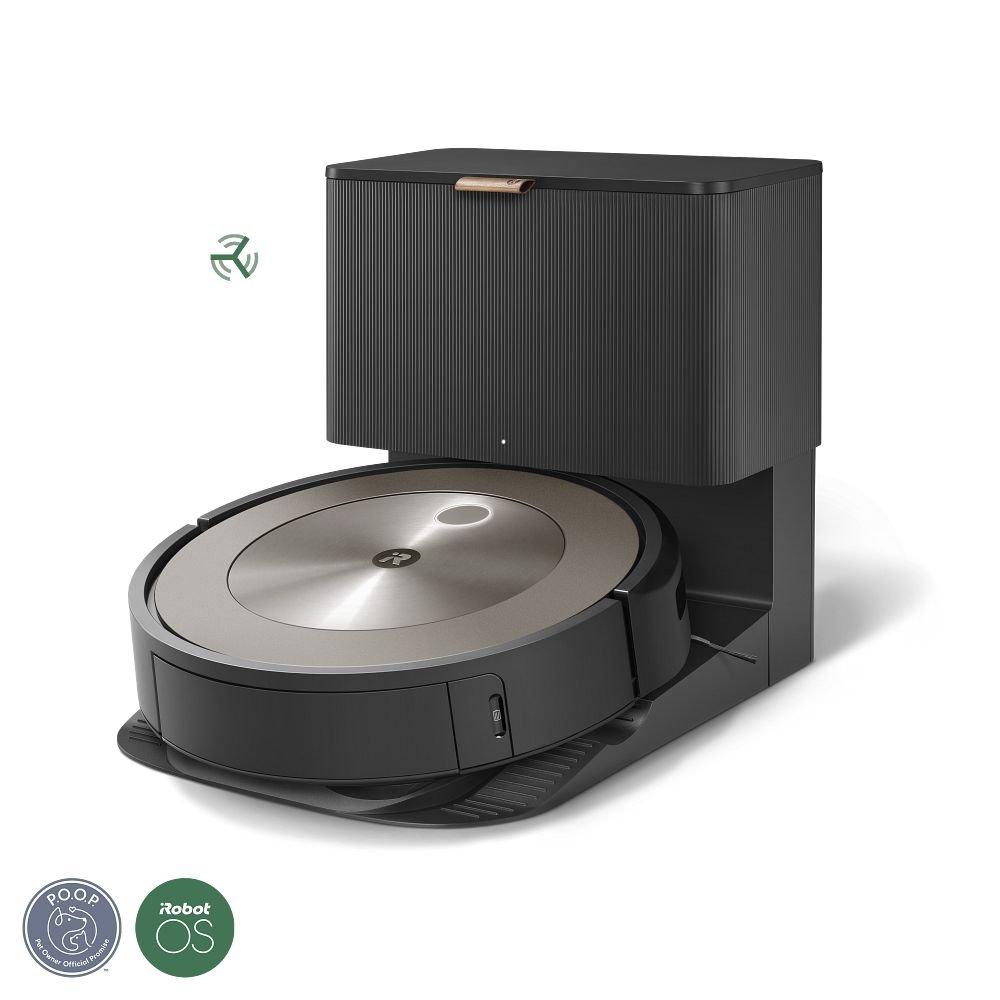
The Roomba J9+ is a flagship robot vacuum from iRobot, one of the most trusted names in home robotics. Released in 2023, it’s positioned as an advanced model targeting busy homeowners and tech enthusiasts. The “+” in J9+ stands for the inclusion of a self-emptying base station, which is a major selling point.
This robot combines smart navigation, a powerful vacuum system, and app-based controls. But what really stands out is its promise to make vacuuming a “set it and forget it” task. Instead of worrying about emptying the small onboard dustbin after every cleaning, the J9+ claims it can take care of this chore for weeks at a time.
Does Roomba J9+ Empty Itself?
In short, yes, the Roomba J9+ empties itself—but there’s a bit more to the story. The self-emptying feature depends on its Clean Base Automatic Dirt Disposal unit. Here’s how it works:
- After each cleaning session, the Roomba J9+ returns to its base.
- The base contains a strong suction motor and a disposable dust bag.
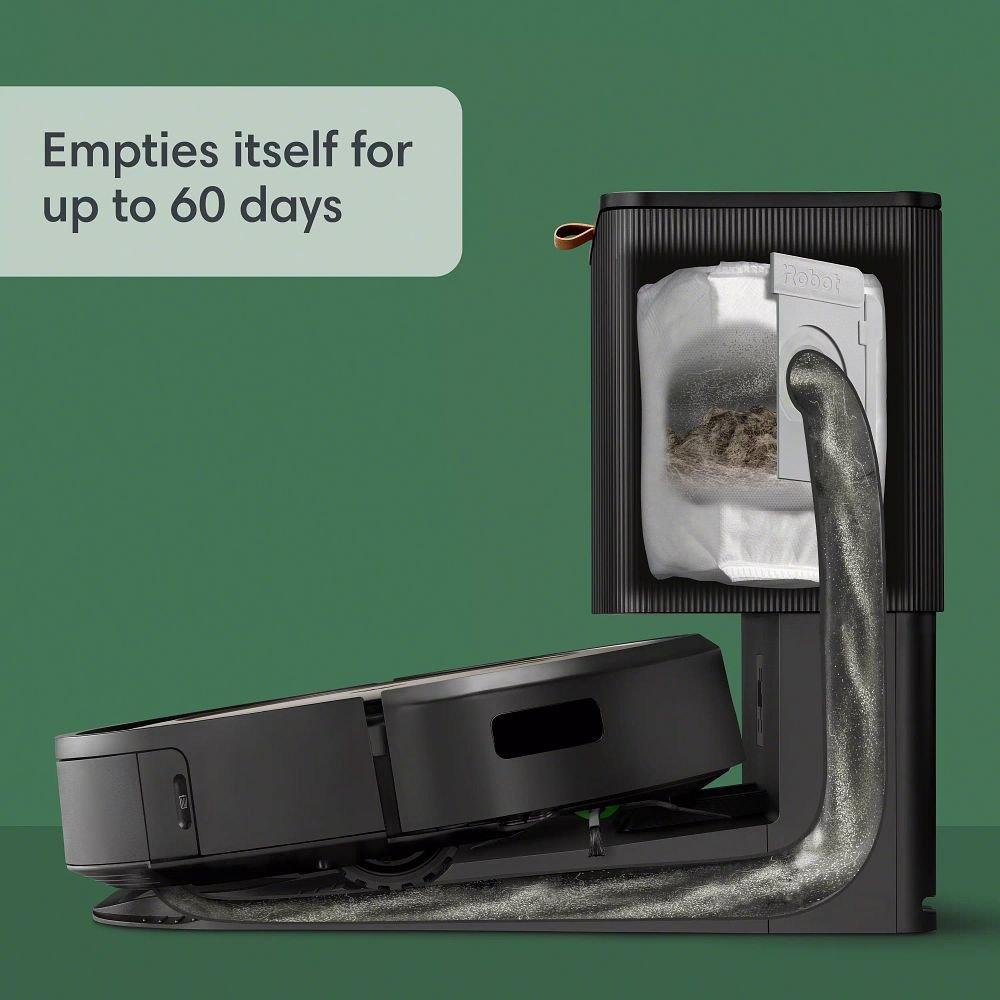
- The vacuum’s onboard bin is emptied automatically into the base’s bag.
- The bag can hold dirt and debris for up to 60 days, depending on usage and home size.
So, while you still need to replace the bag in the Clean Base every month or two, you don’t have to touch the robot’s dustbin after every run. For many users, this is a huge convenience.
Self-emptying System: Step By Step
- Cleaning Session: The J9+ vacuums your floors as programmed.
- Return to Base: When done (or when the bin is full), it docks itself at the Clean Base.
- Automatic Suction: The base’s motor sucks debris from the Roomba’s bin into the bag.
- Ready Again: The Roomba is now empty and ready for the next job.
- Bag Replacement: You only need to replace the Clean Base bag when it’s full, usually every 1–2 months.
This system is designed to make vacuuming almost totally hands-off for weeks at a time.
How The Roomba J9+ Self-emptying Works
The self-emptying feature is not just a simple dumping process. Here’s a look at the technology and mechanics behind it.
Key Components
- Clean Base Station: The heart of the self-emptying system, with a powerful vacuum motor and a disposable dirt bag.
- Smart Docking Sensors: These guide the Roomba J9+ to align perfectly with the base each time.
- Onboard Dustbin Valve: A special valve opens on the Roomba’s dustbin, allowing dirt to be sucked out efficiently.
- App Notifications: The iRobot Home App can notify you when the base’s bag is getting full.
What Happens Inside The Clean Base?
When the Roomba docks, the base’s vacuum creates a strong airflow. This suction pulls debris from the robot’s bin into the bag, which is designed to trap fine dust and allergens. The entire process takes just a few seconds and is surprisingly quiet for such a powerful action.
Comparison: Roomba J9+ Vs. Non-self-emptying Models
Here’s a side-by-side look at the key differences:
| Feature | Roomba J9+ | Standard Roomba (e.g., J7) |
|---|---|---|
| Self-Emptying | Yes (Clean Base) | No (manual emptying) |
| Dirt Storage | Up to 60 days | 1–2 runs |
| Maintenance | Replace bag monthly | Empty bin after each run |
| Cost | Higher | Lower |
For busy households or allergy sufferers, the difference is significant.
Benefits Of Roomba J9+ Self-emptying Feature
1. True Hands-off Cleaning
Not having to empty the robot’s bin after every session saves time and effort. For those with busy schedules or limited mobility, this is a real game-changer.
2. Cleaner Air
The Clean Base bags are designed to trap 99% of pollen and mold. For people with allergies, this can lead to noticeably fresher air and less dust in the home.
3. Consistent Performance
A full dustbin can reduce the suction power of many robot vacuums. The J9+ stays at peak performance because it always starts each run with an empty bin.
4. Less Mess And Spillage
Manual emptying often leads to dust clouds or spills. The self-emptying process is sealed and contained, reducing the mess.
5. Longer Intervals Between Maintenance
With a capacity of up to 60 days, you don’t need to think about vacuum maintenance every week.
What To Expect: Real-world Usage And Limitations
While the Roomba J9+ delivers on most of its promises, it’s important to understand the practical side. Here are some things new users often overlook:
The Role Of The Clean Base Bags
The Clean Base uses proprietary disposable bags. You will need to buy replacements. Each bag usually costs a few dollars, and you’ll need about six per year if you vacuum regularly. While this adds to the long-term cost, it’s the trade-off for added convenience and hygiene.
Not 100% Maintenance-free
While the self-emptying system covers dust and small debris, you’ll still need to:
- Clear hair or string from the brushes occasionally.
- Check for blockages in the base or hose (rare but possible).
- Wipe sensors and charging contacts for best performance.
Noise Level During Emptying
The self-emptying process is louder than normal vacuuming. It lasts only 10–15 seconds, but it can surprise people (and pets) the first time. You can schedule runs for times when you’re not home if this is an issue.
The Bag Fills Faster In Some Homes
If you have pets that shed heavily, lots of carpets, or a large family, the 60-day estimate may shrink to 30–40 days. It’s still much less frequent than manual emptying, but expectations should be realistic.
How Does Roomba J9+ Compare To Other Self-emptying Robots?
The Roomba J9+ is not the only robot vacuum with a self-emptying feature, but it’s one of the most advanced. Let’s compare it to some leading competitors:
| Model | Self-Emptying | Bag Capacity | Navigation | Approx. Price |
|---|---|---|---|---|
| Roomba J9+ | Yes | 60 days | PrecisionVision AI | $899 |
| Roborock S8 Pro Ultra | Yes | 60 days | Lidar & AI | $1,299 |
| Ecovacs Deebot X1 Omni | Yes | 60 days | AI & Lidar | $1,399 |
| Shark IQ Self-Empty XL | Yes | 45 days | Visionary Mapping | $599 |
The J9+ offers a strong balance of price, capacity, and navigation tech. Its Clean Base is among the most reliable, with fewer clogging issues than some competitors.
Is The Roomba J9+ Worth The Upgrade?
For many, the self-emptying feature is the main reason to choose the J9+ over less expensive models. Here’s who will benefit most:
- Pet owners: Frequent cleaning without the mess of hair when emptying bins.
- Allergy sufferers: Better dust containment and less exposure.
- Busy families: Set-and-forget convenience.
- Tech lovers: Seamless app integration and smart home compatibility.
However, if you live in a small apartment, vacuum just once a week, or don’t mind emptying a small bin, a basic Roomba or another brand may be enough.
Two Insights Most Beginners Miss
- Self-emptying bags can be reused: With care, some users empty and reuse Clean Base bags to save money. This is not recommended by iRobot (it may reduce filtration and can be messy), but it’s possible for those willing to be hands-on.
- Dustbin sensors need cleaning: Even with self-emptying, the J9+ uses sensors to detect bin fullness. If these get dirty, you may get false “bin full” alerts. A quick wipe every month keeps everything running smoothly.
Tips For Maximizing Roomba J9+ Self-emptying Performance
- Place the Clean Base on a hard, flat surface to avoid docking issues.
- Keep the area around the base clear for easy access.
- Empty the Clean Base bag as soon as the app notifies you—don’t wait until it’s stuffed.
- Use the app to schedule cleaning when you’re out, so the self-emptying noise doesn’t disturb you.
- Check the brushes and base intake monthly for hair or clogs.
Real User Experiences
Many users share that after a few weeks, they “forget” about vacuuming entirely. The only reminder is the app alert to change the Clean Base bag. Some pet owners note the bag fills in about 30 days rather than 60, but still find it a huge improvement.
On the downside, a few note the ongoing cost of bags and the short burst of noise during emptying. However, most agree the benefits far outweigh these minor issues.
For more on robot vacuum comparisons and reviews, see the Wikipedia page on robotic vacuums.
Frequently Asked Questions
Does The Roomba J9+ Require Special Bags For The Clean Base?
Yes, the J9+ uses proprietary disposable bags designed for its Clean Base. These are available from iRobot and many online retailers. Using third-party bags can sometimes cause fit or filtration issues.
How Often Do I Need To Replace The Clean Base Bag?
Most homes will need to replace the bag every 30–60 days, depending on floor type, pets, and cleaning frequency. The iRobot app will notify you when it’s time to change the bag.
Can I Use The Roomba J9+ Without The Self-emptying Base?
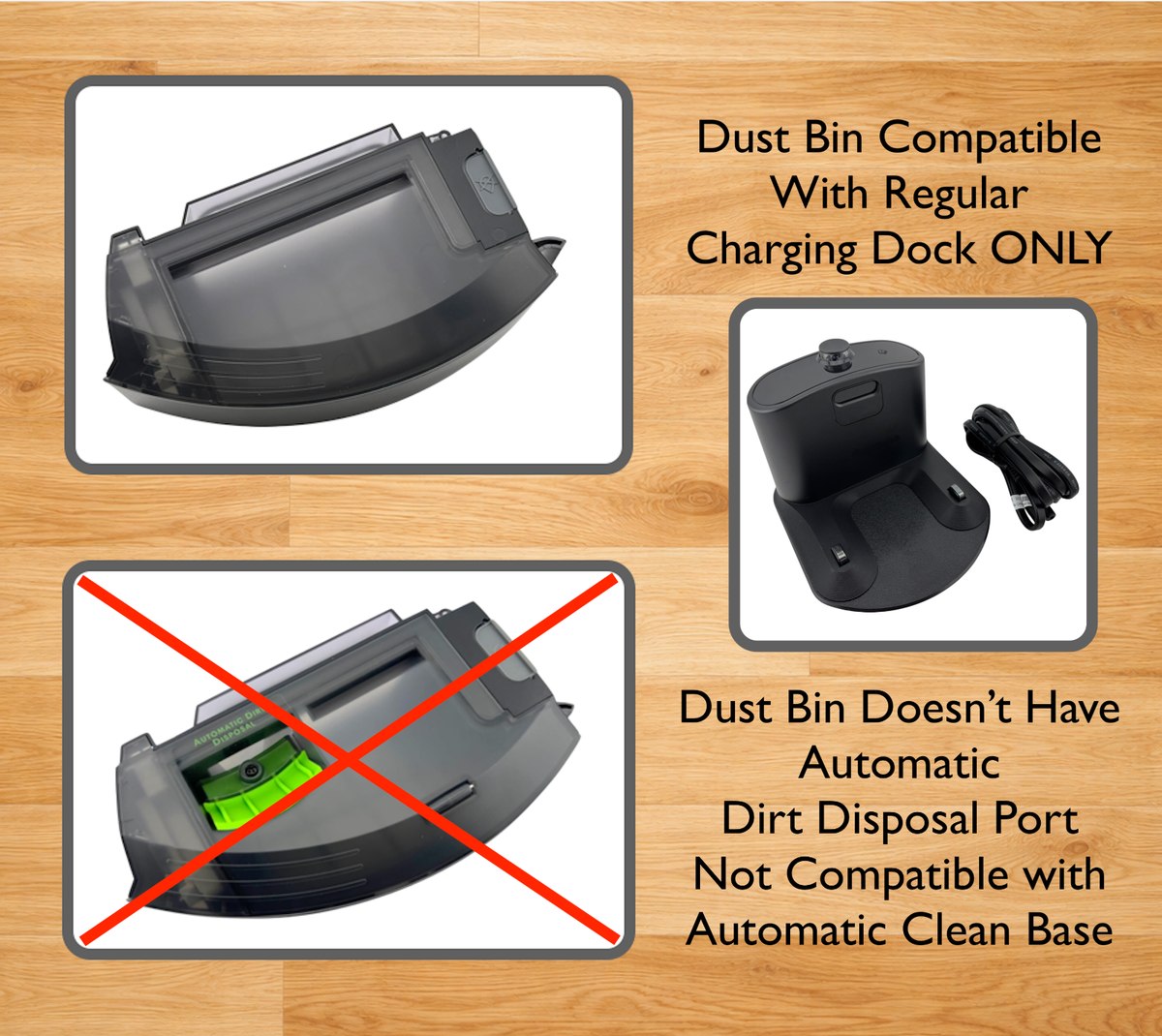
Yes, the robot can be used without the Clean Base, but you’ll need to manually empty the onboard dustbin after every 1–2 runs. The full self-emptying convenience is only available with the Clean Base.
Is The Self-emptying Process Safe For Allergy Sufferers?
The Clean Base bags trap 99% of pollen and mold, making the process much safer for allergy sufferers than manual emptying. There’s minimal dust exposure when changing the bag.
How Loud Is The Roomba J9+ When It Empties Itself?
The self-emptying action is noticeably louder than normal vacuuming, about the level of a hand dryer. It lasts 10–15 seconds and can be scheduled for times when you’re out of the house.
The Roomba J9+ takes robot vacuum convenience to a new level with its reliable self-emptying system. For most people, it means truly hands-off cleaning for weeks at a time. While there are costs and a bit of maintenance involved, the time and effort saved make it a smart choice for many homes.
If you value a clean floor and less daily hassle, the J9+ is one of the best self-emptying robot vacuums available today.

