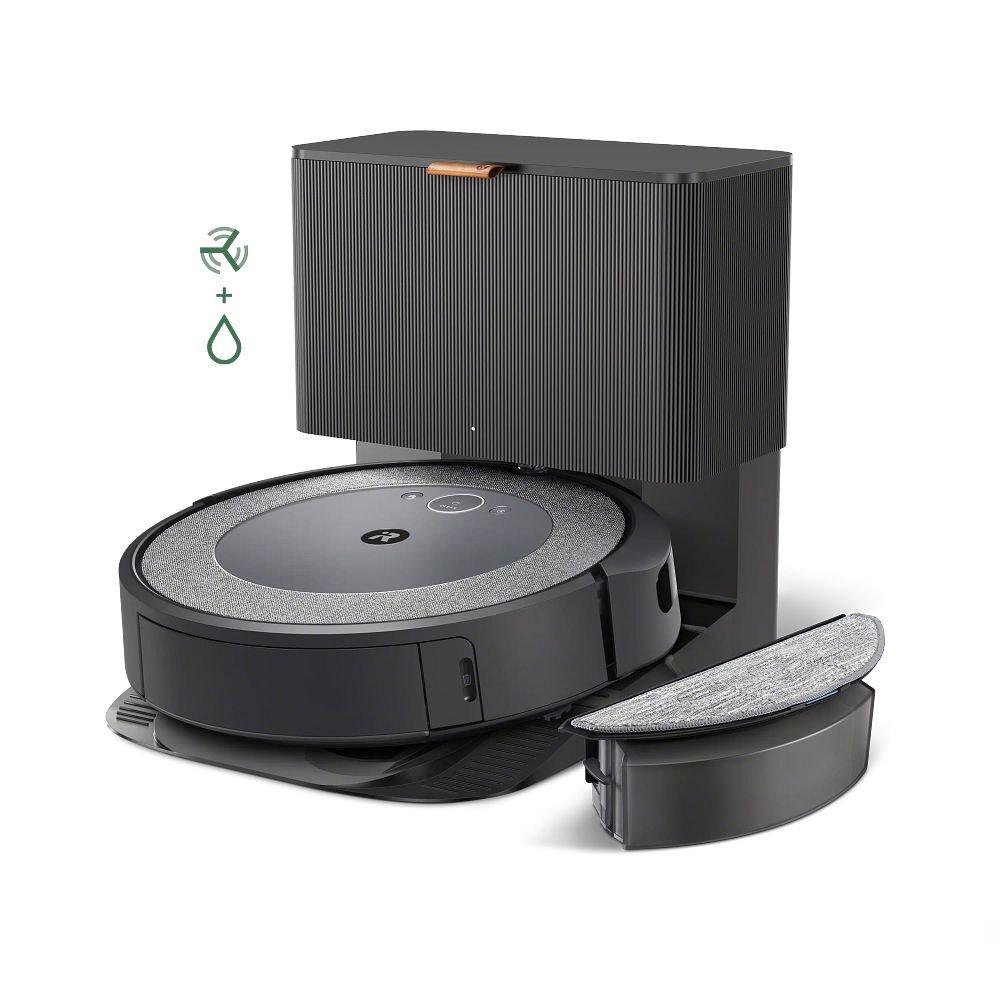
Roomba I5+ Mapping: What You Need To Know
Vacuum robots have changed the way many people clean their homes. Among these, the Roomba I5+ has gained attention for its features, price, and the convenience it offers. But one question keeps coming up: Does the Roomba I5+ map rooms? Understanding this is important before you buy. Room mapping affects how a robot cleans, how well you can control it, and even how it avoids getting lost or stuck.
Let’s explore what the Roomba I5+ can and cannot do, how its mapping compares to other models, and what you should consider if mapping is important to you.
Understanding Room Mapping In Robot Vacuums
First, it helps to know what room mapping means. In robot vacuums, mapping refers to the robot’s ability to create a digital map of your home’s layout. This map helps the robot:
- Clean methodically in straight lines
- Remember areas already cleaned
- Avoid missed spots or repeated cleaning
- Allow you to control which rooms are cleaned
Higher-end robots even let you see the map in an app, label rooms, and set cleaning zones or keep-out areas.
Not all robot vacuums map rooms in the same way. Some use advanced sensors and cameras, while others use basic navigation that does not create a visual map.
Roomba I5+: Mapping Technology Explained
The Roomba I5+ is part of iRobot’s I series, and sits between entry-level and premium models. But how does its navigation system work?
The I5+ uses Smart Mapping technology, but with some limits compared to higher-end Roombas like the J7+ or S9+. Here’s what you get:
- Gyro-based navigation: The I5+ navigates in neat rows, using sensors to track its position.
- Map storage: It can learn your home’s layout and save a map in the iRobot Home App.
- Room selection: You can select which rooms to clean using the app, after the robot creates a map.
- No camera-based mapping: Unlike some premium models, the I5+ does not have a camera for visual navigation.
How Mapping Works On The Roomba I5+
After a few cleaning runs, the I5+ builds a basic map of your floor plan. In the app, you can:
- See the map and label rooms
- Choose which rooms to clean
- View cleaning history and coverage
However, the I5+ cannot create super-detailed maps or recognize objects on the floor. Its mapping is functional, but not as advanced as top-tier models.
Roomba I5+ Vs. Other Roombas: Mapping Comparison
How does the I5+ compare to other popular Roomba models? Here’s a quick look:
| Model | Mapping Technology | Room Selection | Keep Out Zones | Object Recognition |
|---|---|---|---|---|
| Roomba I5+ | Smart Mapping (gyro) | Yes | No | No |
| Roomba I7+ | Smart Mapping (camera) | Yes | Yes | No |
| Roomba J7+ | PrecisionVision (camera + AI) | Yes | Yes | Yes |
| Roomba 600 Series | Bumper navigation | No | No | No |
The I5+ offers more than basic models, but lacks some of the advanced features found in top-tier Roombas.
What The Roomba I5+ Mapping Can And Cannot Do
If you’re considering the I5+, it’s key to know where its mapping shines and where it falls short.
What It Can Do
- Save Floor Maps: The I5+ learns your home’s layout and stores it for future cleaning. You don’t need to set it up each time.
- Room-Based Cleaning: Through the app, you can tell the I5+ to clean specific rooms.
- Efficient Navigation: It cleans in straight lines, covering the floor methodically instead of randomly.
- Resumes Cleaning: If the battery runs low, it returns to the base, charges, and continues cleaning where it left off.
What It Cannot Do
- No Keep Out Zones: You cannot draw no-go lines or select areas to avoid on the map.
- No Object Recognition: The I5+ cannot detect small objects like cables, shoes, or pet waste. It may bump into or get stuck on them.
- No Multi-Level Mapping: The I5+ is designed for one floor at a time. If you move it to another floor, it will need to relearn the layout.
- No Live Camera Feed: Unlike some premium Roombas, you can’t see a live view or use advanced AI features.
These differences matter if you have a complex home layout, pets, or want more control.
Step-by-step: Setting Up Mapping On Roomba I5+
Here is how to get the most from the I5+ mapping feature:
- Download the iRobot Home App: Available for iOS and Android.
- Connect Roomba to Wi-Fi: Follow the prompts in the app.
- Place the Charging Dock: Put it in an open area against a wall.
- Start a Mapping Run: Send the I5+ on several full cleaning cycles. It learns your home as it cleans.
- Label Rooms: After a few runs, you can see a map in the app. Label each room for easier cleaning.
- Select Rooms to Clean: Pick which rooms you want cleaned today, or schedule them.
Tips:
- Clear clutter before mapping. This helps the robot create an accurate map.
- If the map looks wrong, you can reset and remap from the app.
Real-world Performance: What Users Report
User reviews show that the I5+ mapping works well in most homes, especially apartments and average-sized houses. People like being able to target certain rooms and see cleaning history. Here are some common observations:
- Fast learning: The I5+ usually builds a usable map after 2–3 full cleaning runs.
- Good coverage: It rarely misses major areas thanks to its systematic navigation.
- Occasional confusion: If you move furniture often, the robot may need extra runs to update its map.
- No-go frustrations: Some users wish for keep-out zones, especially in homes with pet bowls or loose cables.
An important detail: the I5+ works best in open layouts. In homes with many small rooms or tight spaces, it may need more time to map accurately.
Pros And Cons Of Roomba I5+ Mapping
Here’s a quick summary to help you decide if the I5+ mapping fits your needs:
| Pros | Cons |
|---|---|
|
|
Is Mapping Essential For You?
Not every home needs advanced mapping. Here’s how to decide:
- Choose I5+ if you want simple room selection, live in a single-floor home, and don’t need to block off areas digitally.
- Go higher if you have pets (to avoid messes), want to block zones, or need multi-floor support.
Many users find the I5+ offers the best balance between price and features. For more advanced mapping or AI, consider the Roomba J7+ or S9+.

Two Insights Most Beginners Miss
- Map accuracy improves over time: The first map may look rough, but the I5+ refines it after each cleaning. Don’t judge the mapping on day one. Let the robot run several times for best results.
- Physical barriers still matter: Since you can’t set digital no-go zones, use physical objects (like closing doors or putting down mats) to block places you don’t want cleaned. This is an old-school trick, but it works with the I5+.
Maintenance And Troubleshooting
A smooth mapping experience depends on a few good habits:
- Keep floors clear: The robot can map better if it doesn’t have to dodge clutter.
- Update the app: IRobot often releases updates that improve mapping and cleaning logic.
- Reset if needed: If the robot gets confused, you can delete the old map and start fresh in the app.
If you have Wi-Fi issues, the mapping may not sync. Place the dock in an area with strong signal, and avoid moving it during mapping.

Alternatives To Roomba I5+ For Better Mapping
If mapping is your top need, consider these options:
- Roomba I7+ – Adds camera-based mapping and keep-out zones.
- Roomba J7+ – Offers object recognition (avoids pet waste, shoes, cables).
- Roborock S7 – Competing brand with advanced LiDAR mapping and no-go zones.
- Ecovacs Deebot T9+ – Offers room mapping, air freshening, and advanced navigation.
These models cost more, but offer features the I5+ does not. For most users, the I5+ is a good middle ground unless you have specific needs.
For more on robot vacuum mapping, you can check the official iRobot Smart Mapping Guide.
Frequently Asked Questions
How Many Maps Can The Roomba I5+ Store?
The Roomba I5+ is designed to store one floor map at a time. If you move the robot to a new floor, it will need to relearn the layout. This means it’s best for homes with one main level.
Can The I5+ Avoid Pet Waste Or Cables?
No, the I5+ does not have object recognition. It cannot see or avoid small items like pet waste or cords. For homes with pets, consider a J7+ or higher model.
Does The Roomba I5+ Work In The Dark?
The I5+ uses sensors and gyros for navigation, not a camera. It can work in low light or even darkness, unlike camera-based models that need some light.
Can I Set Up Cleaning Schedules By Room?
Yes, you can schedule the I5+ to clean specific rooms on certain days and times using the app. The robot will follow your selection if the map is accurate.
Will The I5+ Update Its Map If I Move Furniture?
The I5+ can adjust to some changes, but if you move large furniture or remodel, it may need a few runs to update the map. If things look off, you can reset and remap in the app.
—
The Roomba I5+ offers practical mapping for most homes, letting you control cleaning by room and view your floor plan in the app. While it lacks some advanced features, its mapping is strong for its price range. If you want the basics of smart cleaning without paying for every premium feature, the I5+ is a solid choice.
As robot vacuum mapping keeps improving, the I5+ stands as a useful middle option for many users.