

Vacuum cleaner overheating usually means blocked airflow, a clogged filter, full bin, or a failing motor.
Vacuum cleaner overheating is one of those problems that starts small and then gets annoying fast. I’ve seen it happen in homes, offices, and repair benches: the machine gets hot, smells off, shuts down, or loses suction right when you need it most. The good news is that vacuum cleaner overheating is often fixable, and with the right checks, you can stop it from becoming a bigger repair.

What vacuum cleaner overheating really means
Vacuum cleaner overheating happens when the motor, airflow path, or internal parts get too hot for safe operation. Most vacuums are built with thermal protection, so they shut off before damage gets worse. That shutdown is not a failure by itself; it is often the machine warning you that something is wrong.
In simple terms, a vacuum cleaner is like a runner trying to breathe through a straw. If air cannot move freely, the motor works harder, heat builds fast, and the machine starts to strain. That is why vacuum cleaner overheating is so often tied to airflow problems instead of one single broken part.
Common signs include:
• A hot or burning smell
• Sudden shutoff during use
• Weak suction before shutdown
• Loud or strained motor noise
• The body of the vacuum feeling very hot to the touch

Why vacuum cleaner overheating happens
The most common causes are easy to miss because they build up slowly. In my own experience, the biggest mistake people make is assuming the motor is bad when the real issue is usually airflow.
Clogged filters
Dirty filters restrict air movement, and that makes the motor work much harder. When air cannot pass through the machine, heat rises fast.
This is especially common with:
• Foam filters
• HEPA filters
• Felt or cartridge filters
• Washable filters that were not fully dried
A filter that looks only a little dusty can still cause vacuum cleaner overheating. Fine dust is sneaky, and it packs into the filter like wet sand in a bottle neck.
Full dust bin or bag
A dust bin that is too full can choke the system. The same goes for an overfilled bag. Once the airflow path gets crowded, the vacuum loses efficiency and starts heating up.
If you notice suction dropping and the vacuum running hotter than normal, check the bin first. That is one of the fastest fixes.
Blocked hose or wand
A clog in the hose, wand, or floor head can make the motor pull harder while moving less air. Pet hair, socks, paper scraps, and string are all common culprits.
I once found a small Lego piece deep inside a hose that caused a client’s vacuum to overheat after only a few minutes. The machine looked fine from the outside, which is exactly why these clogs are so frustrating.
Dirty brush roll
A brush roll wrapped in hair, thread, or carpet fibers can increase resistance. That extra drag makes the motor work harder and hotter.
If the brush roll cannot spin freely, you may also hear a rattling or whining sound. That often goes with vacuum cleaner overheating, especially in upright models.
Weak motor or worn bearings
Sometimes the problem is inside the motor itself. Worn bearings, damaged brushes, or aging electrical parts can create extra friction and heat.
This is less common than airflow issues, but it matters. If your vacuum cleaner overheating continues after you clean every filter and clear every clog, internal wear may be the real reason.
Using the wrong setting for the surface
Running a vacuum on thick carpet with the height set too low can strain the motor. The same happens when the brush roll is left on for a hard floor that does not need it.
A vacuum works best when the setting matches the surface. When it fights the floor, heat builds like pressure in a closed room.
Overuse without breaks
Some vacuums are not built for long, nonstop cleaning sessions. Smaller models especially may need rest breaks.
If your machine overheats after 20 to 30 minutes of heavy use, it may be a duty cycle issue. That does not always mean it is broken. It may just need less continuous use.
How to fix vacuum cleaner overheating step by step
Before you replace parts, go through a simple cleanup process. Most vacuum cleaner overheating problems can be traced by checking airflow first.
1. Turn it off and let it cool
Unplug the vacuum and wait until it is fully cool. Never keep testing it while it is hot, since that can make the problem worse.
Letting it rest also helps you smell whether the issue is dust, plastic, or motor burn. That clue can be useful.
2. Empty the bin or replace the bag
A full bin is one of the easiest problems to solve. Empty it completely, or replace the bag if your vacuum uses one.
Make sure the bin clicks back into place. If it is slightly misaligned, airflow can still suffer.
3. Clean or replace the filters
Check every filter the vacuum uses. Washable filters should be cleaned only if the manual says they are safe to wash.
Important points:
• Let washable filters dry fully before reinstalling
• Replace disposable filters on schedule
• Do not run the vacuum with a missing filter if the design requires one
A damp filter can restrict air just as badly as a dirty one, and that can trigger vacuum cleaner overheating again.
4. Check the hose and attachments for clogs
Detach the hose and look through it. Use a flashlight if needed. If light cannot pass through, there is likely a blockage.
You can use a long, flexible tool or a straightened coat hanger with care, but avoid puncturing the hose. If the clog is deep, work from both ends.
5. Inspect the brush roll
Remove tangled hair, string, and carpet fibers. Spin the brush by hand to see whether it moves freely.
If it feels stiff or noisy, the bearings or belt may be worn. That extra friction can drive heat up quickly.
6. Check the belt
A slipping or tight belt can make the motor strain. Belts that are cracked, stretched, or burned should be replaced.
This is a small part, but it can create a big heat problem. I have seen a worn belt mimic a serious motor issue more than once.
7. Look at the power cord and plug
A damaged cord can be a safety issue, not just a performance issue. If the cord feels hot, frayed, or bent in one spot, stop using the vacuum.
This is one of those moments where caution matters more than convenience. Electrical heat is not something to ignore.
8. Test the vacuum in short runs
After cleaning, run the vacuum for a few minutes and watch for heat, smell, and suction loss. If the machine now runs normally, airflow was likely the problem.
If it still overheats, the motor or internal wiring may need service.
Risks of ignoring vacuum cleaner overheating
A hot vacuum is not just inconvenient. If you keep using it, the damage can spread.
Possible problems include:
• Motor burnout
• Melted internal plastic parts
• Damaged wiring
• Reduced suction over time
• Shorter vacuum lifespan
• Safety risk from overheating or smoke
The machine may also become less efficient, which means you use more time and electricity for worse results. Overheating is usually the vacuum’s way of saying, “Something is blocked, worn out, or too stressed.”
How to prevent vacuum cleaner overheating
A little maintenance goes a long way. The best fix is often the one you never have to make.
Keep filters clean
Check filters often, especially if you have pets, kids, or lots of dust. Homes with carpets usually need more frequent cleaning.
If your vacuum uses HEPA filtration, follow the manufacturer schedule closely. That filter matters for both performance and air quality.
Empty the bin before it gets packed
Do not wait until the dust container is stuffed. Emptying it early keeps airflow strong.
A good habit is to empty it after every major cleaning session. That small step can prevent a lot of heat buildup.
Clear brush roll hair regularly
Hair and string wrap faster than people expect. If you have long hair, pets, or rugs with fibers that shed, inspect the brush roll often.
A clean brush roll spins easier and lowers strain on the motor.
Use the right vacuum for the job
Not every vacuum is built for every surface. A lightweight stick vacuum may struggle with thick carpet or heavy debris.
Use a model that matches your home:
• Upright vacuums for deep carpet cleaning
• Canister vacuums for flexible reach
• Stick vacuums for light, daily cleanup
• Shop vacs for wet and dry debris in garages or workshops
Using the wrong machine for the task can lead to repeated vacuum cleaner overheating.
Give the vacuum breaks
If you clean a large area, pause now and then. Letting the motor rest can help prevent heat buildup.
This matters even more in summer or in warm rooms where the vacuum is already fighting a hot environment.
When vacuum cleaner overheating means you need repair help
Some problems are simple. Others need a technician.
Get professional help if you notice:
• Repeated shutdowns after cleaning filters and clogs
• Burning smell from the motor area
• Sparks, smoke, or unusual noise
• A cord or plug that gets hot
• Weak suction that does not improve
• The vacuum overheats even after short use
In my experience, repeated overheating after a full cleaning often points to worn motor parts or an electrical fault. At that stage, forcing the machine to keep running is risky.
Types of vacuums and overheating patterns
Different vacuum styles fail in different ways.
Upright vacuums
These often overheat because of brush roll drag, belt wear, or clogged airflow near the base. Carpet fibers and pet hair are common offenders.
Canister vacuums
These usually struggle with hose blockages, dirty filters, or full dust bags. Long hoses give debris more places to hide.
Cordless stick vacuums
Battery-powered models can overheat faster if the dust cup is small or the filter is packed. Battery heat can also add to the issue.
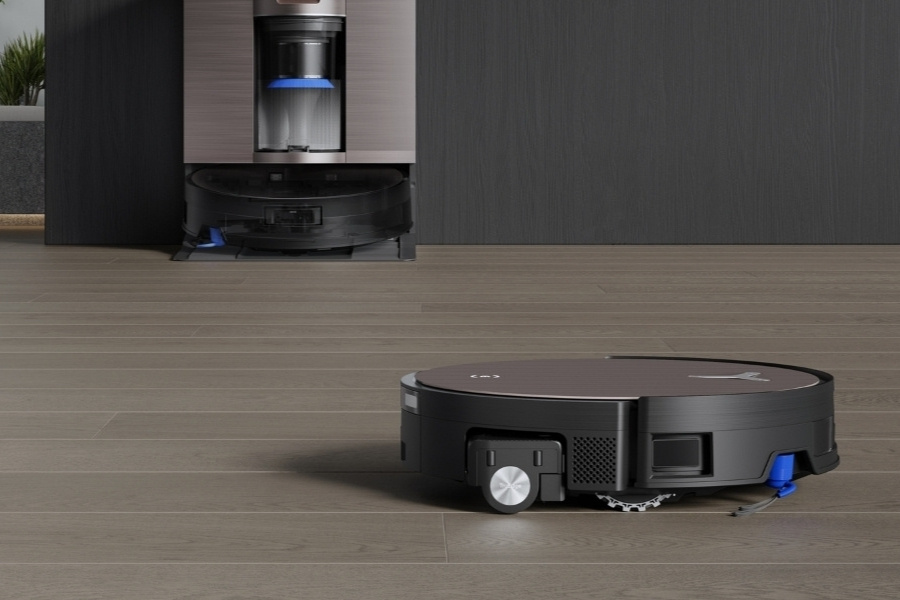
Robot vacuums
Robot models may overheat from tangled brush rolls, blocked wheels, or packed dust bins. Since they run on tight internal space, small clogs matter a lot.
My practical checklist for diagnosing vacuum cleaner overheating
When I troubleshoot vacuum cleaner overheating, I use the same order almost every time.
• Empty the bin or replace the bag
• Clean all filters
• Remove hose and wand clogs
• Clear the brush roll
• Inspect the belt
• Check for strange smells or sounds
• Test again in short bursts
• Stop if the motor still gets hot too fast
This order saves time because it starts with the most common and cheapest fixes. It also keeps you from opening the machine too soon when the real issue is just dust.
Frequently Asked Questions of Vacuum cleaner overheating
Why does my vacuum cleaner get hot so fast?
Most of the time, it is due to blocked airflow from a clogged filter, full bin, or hidden hose blockage. If the motor cannot move air well, it heats up quickly.
Is it safe to keep using an overheating vacuum cleaner?
No, it is better to stop and let it cool down. Repeated overheating can damage the motor, wiring, and internal plastic parts.
Can a dirty filter really cause vacuum cleaner overheating?
Yes, very easily. A dirty filter restricts airflow, and that makes the motor work harder and run hotter.
Why does my vacuum smell burned when it overheats?
A burning smell can come from dust on hot parts, a slipping belt, or motor damage. If the smell keeps coming back, stop using the vacuum and inspect it right away.
How often should I clean my vacuum to prevent overheating?
That depends on how often you use it and what you clean. For many homes, checking the bin, brush roll, and filters every few uses is a smart habit.
Conclusion
Vacuum cleaner overheating is usually a warning sign, not a mystery. In most cases, the fix is simple: clear the airflow, clean the filters, empty the bin, and check for buildup around the brush roll and hose.
If you treat overheating early, you can protect the motor, improve suction, and make the vacuum last much longer. Take a few minutes to inspect your machine now, and you may save yourself a bigger repair later. If this guide helped, explore more home maintenance tips or leave a comment with the symptom your vacuum is showing.


1 Comment
Pingback: How Much Electricity Does A Canister Vacuum Use: 2026 Guide - Vacuum Cleaner Tips