

Your robot vacuum is clean, charged, and ready to run. Then five minutes in, you get that dreaded app alert: “Clean paused. Robot stuck.” Why does my robot vacuum keep getting stuck?
Usually because it found a spot in your home that its sensors, wheels, or brushes simply can’t handle.
In our research, most mainstream robot vacuums list a ground clearance between 3.5 and 4.7 inches. Anything lower than that stops them cold. As of 2026, even budget models include cliff sensors and obstacle detection, but they still miss cords, tassels, and dark rug edges.
The good news? Once you know where it gets stuck, you can fix it in minutes.
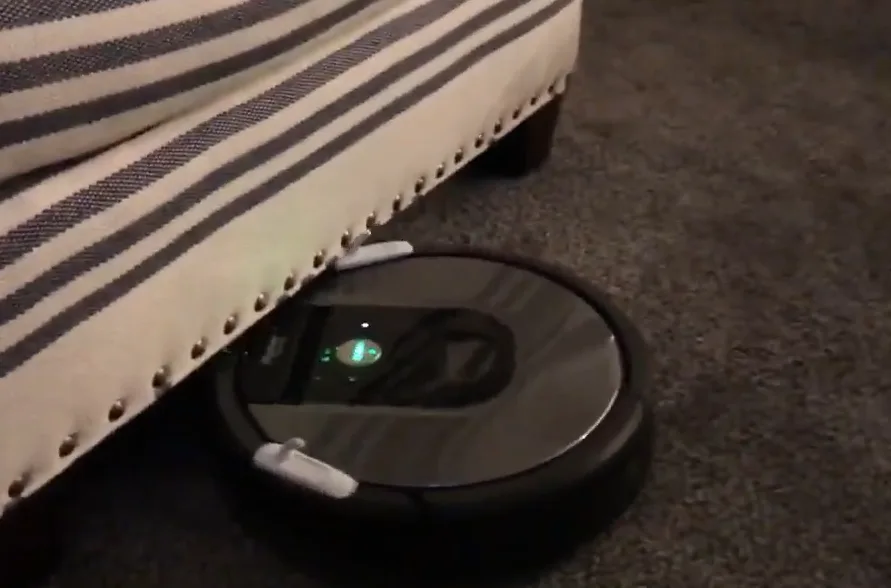
Image source: Bing (Web (fair-use with source credit))
Quick Answer: The Most Common Reasons Robots Get Stuck
Your robot vacuum keeps getting stuck because something is blocking its wheels, sensors, or brush. Power cords, rug tassels, and low furniture are the usual culprits. It can also be a navigation or maintenance issue.
The fix starts with finding the exact spot. Adjust your home first, then adjust the robot’s app settings. Most stuck events are preventable with simple floor prep and a few no-go zones.
Where Is It Stuck? Diagnose By Location
Before touching anything, figure out where the robot is stuck. That single detail points to the cause faster than any app setting. Here is the if/then logic we use in our research.
| Stuck spot | Likely cause | Quick fix |
|---|---|---|
| Under the sofa | Clearance too low for the robot’s height | Raise legs or set a no-go zone |
| On a threshold strip | Wheel climbing limit reached | Add a ramp or block the area |
| Mid-floor, near a cord | Thin cable confused the sensor | Tuck cords away before cleaning |
| On a rug edge | Fringe or thick pile snagged the brush | Trim fringe or set a no-go zone |
| Near a baseboard or corner | Dirty bumper sensor or map drift | Clean sensors and remap |
If the robot is wedged under furniture, move the furniture or block the space. If it’s perched on a threshold, measure the step height. Most models can climb about half to three-quarters of an inch, depending on wheel design.
When in doubt, set a no-go zone.
On hard-surface floors, many robots handle transitions better because their cliff sensors adjust to the surface. If the robot thinks there’s a drop, it stops. That’s not a bug.
It’s the machine being cautious.
The Under-Furniture Struggle: Sofas, Beds, and Low Cabinets
You already know the drill. The robot slides partway under the couch, reverses, tries again, and then freezes. Most robot vacuums sit 3.5 to 4.7 inches tall.
The top or the bumper hits the underside of the furniture, and the wheels spin until the motor gives up.
The real problem is clearance. The robot doesn’t just need to fit. It needs room for its sensors to work while it moves.
When the gap is tight, the bumper takes the hit first. Then the robot tries to back out and usually gets more stuck.
What clearance does your robot actually need?
You need at least one to two inches of clearance above the robot’s published height. That gives the top sensor housing and bumper room to work. If the gap is narrower, the robot will keep wedging itself in.
Measure the lowest point of the furniture first. Compare it with the robot’s listed height. Add about half an inch for sensor clearance.
If the math doesn’t work, don’t let the robot try.
How to fix the under-furniture trap
- Raise the sofa or bed with furniture risers.
- Move low storage or box frames out of the cleaning path.
- Set a no-go zone in the app over the problem area.
- Use a physical virtual wall beacon for older models.
Some spots just aren’t meant for a robot. A compact upright model is often a better tool for cramped, low-clearance rooms because you control the angle and height. If a robot keeps failing in the same corner, stop fighting it and change your approach.
Wheels and Obstacles: Cords, Blinds, and Thresholds
Power cords are the biggest single reason robots get stuck. They’re thin, dark, and easy for sensors to miss. A robot can catch a cable, drag it, and wrap it around the side brush.
Then it’s over.
Blind cords are another hidden trap. They hang at the same height as the robot’s bumper, so the wheel grabs the loop and drags the whole blind down. As of 2026, most robot vacuums still can’t reliably detect thin cables.
The simplest fix is to pick cords up before you run a cleaning cycle.
Threshold strips and door transition bars are also common trouble spots. Most robot vacuums can climb about 0.4 to 0.75 inches with the right wheel design. Anything steeper needs a ramp.
| Obstacle | Typical robot limit | What happens |
|---|---|---|
| Flat power cord | No limit if hidden | Sensor misses it, cord wraps around brush |
| Threshold under 0.75 in | Most robots handle it | Brief pause, then climb |
| Threshold over 1 in | Best case, barely | Wheels hang and spin |
| Sliding door track | Often too wide | Wheels fall into the groove |
How to prevent cord and threshold traps
- Tuck or tape cords along baseboards before each cleaning.
- Use cable clips or spiral wrap to bundle loose wires.
- Install a small rubber threshold ramp on steep strips.
- Create no-go zones around transitions the robot can’t handle.
A vacuum with an adjustable cleaning height can handle uneven thresholds more easily than a robot. You set the head height for each floor type, which helps avoid the hang-ups that stall automatic machines.
Rugs and Carpets: Fringe, Pile Height, and Dark Surfaces
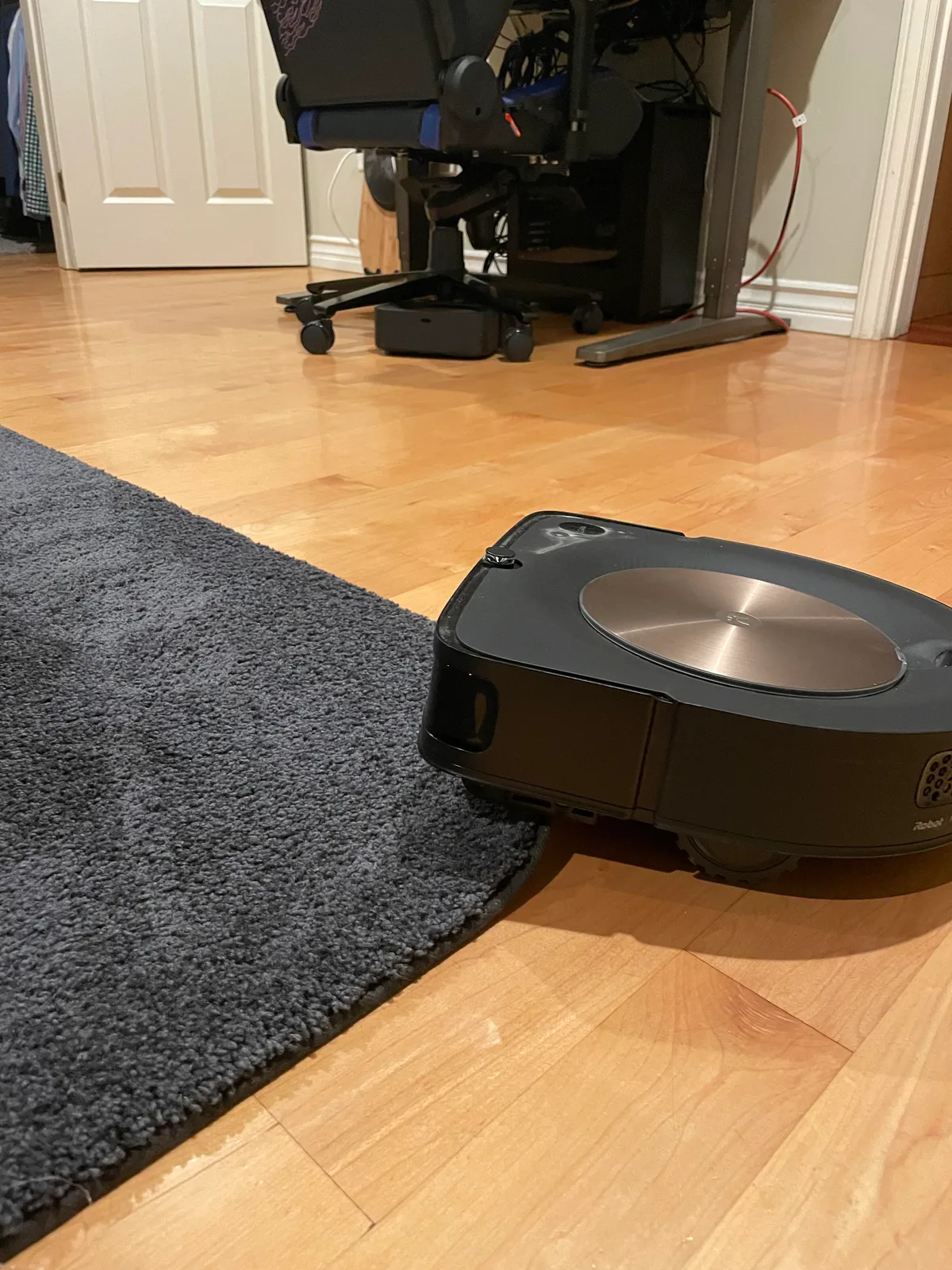
Image source: Web (Bing) / vacuumcleanertips.com (Web image (fair-use with source credit))
Rug tassels, high-pile carpets, and dark surfaces are a triple threat. The robot tries to climb a rug with thick fiber. The side brush grabs the fringe.
The dark edge confuses the cliff sensors, which think there’s a drop, so the robot backs off and spins in place.
Manufacturer support documentation recommends clearing the floor or setting no-go zones before each cycle. That advice sounds simple, but it solves most rug-related jams. The robot isn’t being stupid.
It’s just reading the surface as dangerous.
Why do dark rugs confuse the sensors?
Dark surfaces absorb infrared light, and cliff sensors rely on light reflecting back. When the sensor doesn’t get a return signal, it assumes there’s a drop. So the robot stops, turns, or reverses despite there being no danger at all.
That’s why black, charcoal, and deep navy rugs cause so many false stops. Some models handle it better than others, but none handle it perfectly. If you have a dark rug, the safest move is to mark it as a no-go zone.
The right fix for problem rugs
- Trim or tuck rug fringe so the side brush can’t catch it.
- Set a no-go zone around high-pile area rugs.
- Avoid dark, solid-color rugs in the robot’s main path.
- Use a non-slip pad so the rug doesn’t bunch up while the robot climbs.
If you’re worried about carpet damage over time, the same concern applies to any vacuum with a powered brush. This guide to how brush aggression affects pile explains what happens when a roller runs over the same fibers again and again.
The Tangle Problem: Brushes, Wheels, and Pet Hair
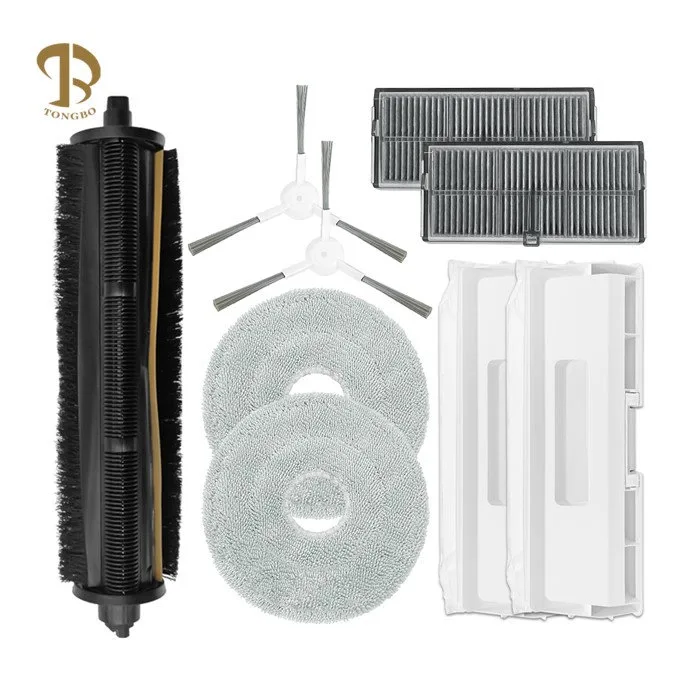
Image source: Web (Bing) / techtongbo.com (Web image (fair-use with source credit))
Hair is the silent killer of robot vacuums. Pet fur and human hair wrap around the main brush, side brush, and wheel axles. Eventually, the brush motor stalls or the wheel can’t turn freely.
The robot throws an error and stops in the middle of the room.
The tangle happens because brush rolls spin fast while hair sits on the floor. Rubber roller designs tangle less than bristle brushes, but they’re not immune. Long hair is the worst offender because it wraps several times around the axle before the sensor notices.
How to clear a tangled brush
- Turn off the robot and remove the dustbin.
- Flip the robot over and remove the brush roll guard.
- Use scissors to cut hair away from the roller.
- Check the side brush and wheel axles for wrapped fibers.
The basic skill for removing hair from an upright brush roll works exactly the same way on a robot roller. Cut, pull, and clean. Do this before every deep cleaning session if you have pets.
When tangles point to a deeper issue
If the robot gets tangled more than once a week, check your floor prep. Long hair, loose threads, and carpet fibers are easy to avoid before a run. Sweep the worst areas and pick up any debris that could wrap around the brush.
Robots with self-cleaning brush rolls are easier to maintain, but they still need occasional inspection. A clean brush spins freely. A clogged brush stalls.
Watch for that pattern and you’ll know when it’s time to clean.
Sensor and Navigation Errors: When “Smart” Actually Fails
Robots rely on a mix of sensors to move through a room. LiDAR builds a map, bumper sensors detect walls, and cliff sensors check for drops. If any of these fail, the vacuum makes bad decisions.
Dirty sensors are the most common cause. Dust, pet hair, and sticky residue cover the sensor windows and confuse the readings. A robot with dirty cliff sensors may stop on flat floors or refuse to cross a transition it handled yesterday.
Aggregate reviews show that most navigation errors come down to one of three things: dirty sensors, outdated maps, or firmware bugs.
How to fix sensor and navigation issues
- Wipe all sensor windows with a dry microfiber cloth.
- Clean the bumper edge and its pressure sensors.
- Update the robot’s firmware through the app.
- Remap the home after moving furniture.
- Delete and recreate any corrupted maps.
Many manufacturers publish sensor-cleaning steps in their official support pages. It takes about five minutes and solves many false “stuck” alerts.
Why map drift causes repeated stuck events
If you move a chair, a table, or a rack, the robot’s old map no longer matches the room. It tries to drive through a space that used to be open, hits something, and stops. Maps also drift over time because of wheel slippage on wet floors or thick rugs.
Your choices are simple. Remap after major furniture changes, or let the robot run a quick mapping session in the app. Ignoring map drift only guarantees more stuck events.
Setting Up Your Home to Prevent Stuck Events
A little floor prep goes a long way. The goal isn’t to make your home spotless. It’s to remove the few items that trap robots most.
The pre-clean checklist
- Pick up phone charging cables, laptop cords, and extension cords.
- Tuck blind cords above reach.
- Remove pet bowls, hanging tags, and loose fabric.
- Tuck rug fringe under the rug or trim it flat.
- Close closet and bathroom doors you don’t want cleaned.
- Turn on lights in darker rooms so the camera or cliff sensors work better.
Use app controls the right way
No-go zones are the best tool you have. Draw them around rugs, thresholds, pet bowls, and tight furniture gaps. Some apps also let you set “unreachable zones” or “invisible walls.”
For robot vacuums with camera-based vSLAM navigation, lighting matters more than you’d think. If the room is dark, the camera can’t see obstacles well. Turn on a lamp or keep the curtains open during scheduled cleanings.
Maintenance That Keeps Your Robot Rolling
Regular maintenance prevents most stuck events. You don’t need a weekly deep clean, but you should stick to a simple schedule.
What to clean and when
| Part | How often | What to do |
|---|---|---|
| Dustbin and filter | Every 2 to 4 runs | Empty, tap out dust |
| Main brush roller | Every week | Remove hair and debris |
| Side brush | Every week | Cut tangled threads or hair |
| Cliff sensors | Every 2 weeks | Wipe with dry cloth |
| Bumper sensor | Every 2 weeks | Wipe along the edge |
| Wheels | Every month | Remove hair from axles |
Cleaning a robot is not much different from servicing a full-size vacuum. Keep the filters clear, check the rollers, and remove blockages early. It takes less time than un-sticking the robot from under the sofa.
Firmware and app updates
Manufacturers release firmware updates that improve obstacle detection and mapping logic. Some updates fix specific stuck-related bugs.
Check the app’s update page once a month. If a problem appeared after a recent furniture move, also update the map before the next cleaning run.
Frequently Asked Questions
Why does my robot vacuum get stuck in the same place every time?
The spot has a physical limit the robot can’t handle. It could be a low furniture gap, a high threshold, or a rug edge. Measure the clearance and compare it with the robot’s specs.
Then set a no-go zone over that exact area.
Can robot vacuums cross thick rugs?
Some can, but high-pile rugs are risky. The robot may climb on top and then lose traction. Fringe can tangle the brush, and dark rugs can confuse cliff sensors.
Set a no-go zone if your robot struggles with any rug thicker than about half an inch.
Why does my robot vacuum say “move slightly”?
The robot is stuck and needs a manual nudge. It may have caught a cord, wedged under furniture, or lost wheel traction. Move it a few inches back, clear the obstruction, and hit start again.
How do I stop my robot vacuum from eating cords?
Pick up loose cords before every cleaning run. Use cable clips, ties, or tape to keep them along baseboards. Robots still struggle to detect thin cables, so prevention is the only reliable fix.
How often should I clean my robot vacuum sensors?
Clean the cliff sensors and bumper sensors every two weeks. Wipe them with a dry microfiber cloth. If you have pets, check them weekly.
Dirty sensors cause false stops and missed areas.
Why does my robot vacuum stop near dark surfaces?
Cliff sensors use infrared light, and dark surfaces absorb that light. The sensor thinks there’s a drop, so the robot stops to avoid falling. Try lighter rugs, more lighting, or a no-go zone over the dark area.
The Final No-Stuck Checklist
When the robot gets stuck, work through this in order.
- Find the exact stuck spot.
- Remove cords, toys, or loose fabric.
- Measure clearance or threshold height.
- Clean the sensors and brush roll.
- Update the map if furniture changed.
- Set a no-go zone if the spot is a built-in trap.
- Run a supervised test cycle through the problem area.
That’s the entire process. Diagnose, fix, prevent, and test. A robot vacuum can handle most homes, but only if you prepare the floor for its limits.

