

When your vacuum cleaner gets too hot, it can stop working and even damage itself. This is frustrating, especially if you need to clean your home quickly. Many people wonder, “Why does my vacuum overheat? ” Understanding the causes can help you avoid repairs, keep your vacuum running longer, and make cleaning easier.
In this guide, you’ll discover what really causes a vacuum to overheat, what signs to look for, and how to prevent it.
How A Vacuum Cleaner Works
Before diving into overheating, it’s important to understand the basic parts of a vacuum. A vacuum cleaner uses an electric motor to spin a fan, which creates suction. This pulls in air, dirt, and debris, which then pass through filters and a dust bin or bag. Clean air is pushed out the other side.
If any part of this process is blocked or if the motor works too hard, the vacuum can get hotter than normal. Most vacuums are built to handle some heat, but too much can trigger a safety shut-off or even break the machine.
Common Causes Of Vacuum Overheating
Vacuum cleaners can overheat for many reasons. Here are the most common:
1. Blocked Filters
Filters trap dust and dirt to keep the air clean. Over time, these get clogged and restrict airflow. When air can’t move freely, the motor works harder, creating more heat.
- HEPA filters are common in modern vacuums and need regular cleaning or replacing.
- Foam and mesh filters also block easily, especially if you vacuum fine dust or pet hair.
A clogged filter is one of the quickest ways to overheat your vacuum. If you notice a loss of suction or a burning smell, check your filters first.
2. Full Dust Bag Or Bin
Most vacuum cleaners have a bag or bin to collect debris. When this gets too full, there’s less space for air to flow. The motor struggles to pull air through packed dirt, causing it to heat up.
- Some vacuums have a sensor to alert you, but not all do.
- Empty the bag or bin before it’s completely full for best performance.
3. Blocked Hoses Or Nozzles
A blockage in the hose or nozzle is a common problem, especially if you vacuum up large objects or hair. Obstructions make the motor work harder and reduce cooling airflow.
- Long hair, string, and even socks can get stuck.
- Regularly check and clear hoses, especially if you notice a strange sound or sudden loss of suction.
4. Dirty Or Tangled Brush Roll
The brush roll (or beater bar) at the base of many vacuums spins to pick up dirt. Hair, thread, or string can wrap around it, making it harder to spin. This can make the motor overwork and overheat.
- Some vacuums have a removable brush roll for easy cleaning.
- If the brush isn’t spinning freely, turn off and unplug your vacuum before removing debris.
5. Old Or Worn-out Motor
Over time, motors wear out. Bearings can dry up, or the motor’s electrical parts can degrade. An old motor may create more friction and heat than a new one.
- If your vacuum is several years old and heats up quickly, the motor could be the issue.
- Replacing a motor can be costly, so sometimes it’s better to buy a new vacuum.
6. Poor Ventilation
Vacuum cleaners have vents to let out hot air. If these vents get blocked by dust, dirt, or pet hair, heat builds up inside.
- Always check and clear vents before and after use.
- Don’t run your vacuum in very hot or closed-off rooms for long periods.
7. Using The Wrong Power Setting
Many modern vacuums have different power settings for different floor types. Using high power on thin rugs or bare floors can overwork the motor and cause overheating.
- Use lower settings for delicate surfaces.
- Only use maximum power when needed, such as on carpets.
8. Electrical Issues
Faulty wiring, loose plugs, or using the wrong extension cord can cause electrical resistance. This creates extra heat in the motor and can lead to overheating or even fire.
- Only use recommended extension cords.
- If you smell burning or see sparks, unplug the vacuum immediately.
Signs Your Vacuum Is Overheating
You don’t always see the cause right away, but vacuums usually give warning signs before shutting down or getting damaged.
- Unusual smells: Burning or hot plastic smells mean the motor is struggling.
- Automatic shut-off: Many vacuums shut down when they get too hot to protect the motor.
- Loss of suction: If the vacuum feels weaker, there may be a blockage causing heat.
- Hot to the touch: The body or handle feels much warmer than usual.
- Loud or strange noises: Grinding, whining, or rattling sounds can mean a blockage or motor issue.
How Different Vacuum Types Handle Heat
Not all vacuums are the same. Upright, canister, stick, and robotic vacuums all deal with heat in different ways. Here’s a quick comparison:
| Vacuum Type | Heat Handling | Common Overheating Causes |
|---|---|---|
| Upright | Large motors, good airflow | Brush roll tangles, blocked filters |
| Canister | Separate motor, often better cooling | Hose blockages, full dust bins |
| Stick | Small motors, compact body | Poor ventilation, battery heat |
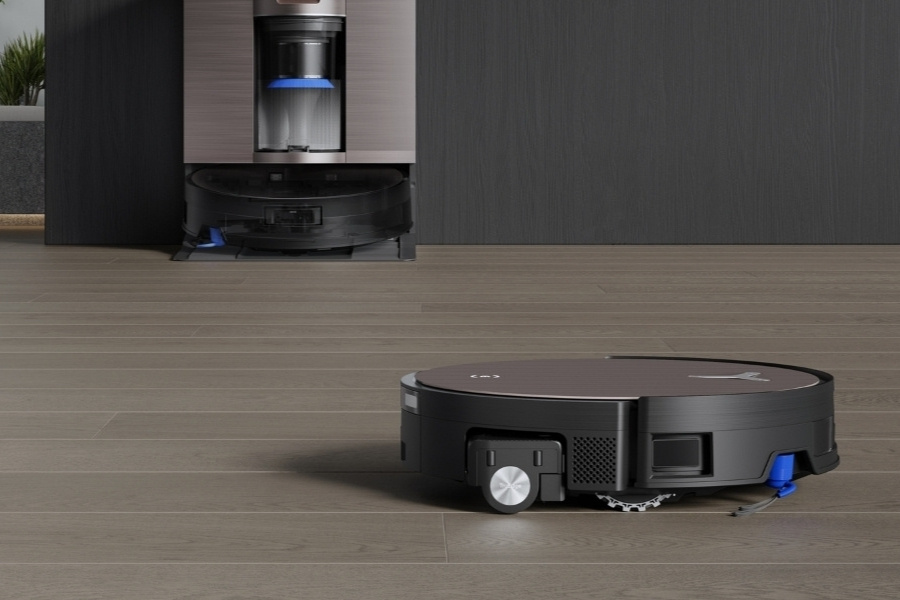
| Robotic | Low-power, auto shut-off | Clogged brushes, dust bin full |
Most modern vacuums have built-in sensors to shut off the motor if it gets too hot. However, not all budget models include this feature, so be careful with cheaper vacuums.
How To Prevent Vacuum Overheating
Avoiding overheating is often simple with regular care:
- Clean filters every month or as recommended by the manufacturer.
- Empty the dust bin before it is completely full.
- Check for blockages in the hose, nozzle, and brush roll regularly.
- Use the right setting for your floor type.
- Keep vents clear of dust and debris.
- Let the vacuum cool if it feels hot or shuts off automatically.
Here is a quick guide for routine maintenance:
| Maintenance Task | Frequency | Impact on Overheating |
|---|---|---|
| Clean/replace filters | Monthly | Reduces airflow blockages |
| Empty dust bin/bag | When 2/3 full | Prevents motor strain |
| Check brush roll | Bi-weekly | Stops motor overwork |
| Inspect vents | Monthly | Improves cooling |
Two Insights Most Beginners Miss
- Even small blockages matter: Many people ignore small clogs in hoses or filters, thinking they won’t affect performance. But even partial blockages can raise the motor temperature quickly. Always clear any visible dirt or build-up, no matter how small.
- Heat can damage more than just the motor: Overheating doesn’t just hurt the motor. It can warp plastic parts, melt hoses, and shorten the life of electronic boards inside the vacuum. If you notice repeated overheating, fix the cause right away to protect the whole machine.
What To Do If Your Vacuum Overheats
If your vacuum overheats, follow these steps:
- Turn off and unplug the vacuum immediately.
- Let it cool for at least 30 minutes. Do not try to restart it while hot.
- Check for blockages in the hose, filter, and brush roll.
- Clean or replace filters as needed.
- Empty the dust bin or bag.
- Inspect vents for dust build-up.
- Test the vacuum after it is fully cooled and cleaned.
If the vacuum still overheats after this, the motor or wiring may be failing. In this case, consider contacting a repair professional or replacing the vacuum.
When To Seek Professional Help
Sometimes, home fixes are not enough. If you notice any of these issues, get professional help:
- Repeated overheating even after cleaning and maintenance.
- Burning smell or visible smoke.
- Strange noises from the motor.
- Loss of suction that doesn’t improve after cleaning.
Trying to fix a failing motor or electrical problem yourself can be dangerous. Many parts inside a vacuum can cause electric shock if handled incorrectly.
Overheating And Vacuum Lifespan
Letting your vacuum overheat regularly will shorten its life. Motors can burn out, and heat can damage plastic parts and electronics. Most vacuums are designed to last 5–8 years with proper care, but overheating can cut this time in half.
If you’re shopping for a new vacuum, check for models with:
- Thermal cut-off (auto shut-off when too hot)
- Easy-to-clean filters
- Clear vents and accessible brush rolls
You can find more details about vacuum cleaner maintenance and design at the Wikipedia Vacuum Cleaner page.
Frequently Asked Questions
What Should I Do If My Vacuum Shuts Off By Itself?
Most modern vacuums have a thermal cut-off switch that shuts the machine off if it gets too hot. If this happens, unplug the vacuum and let it cool for at least 30 minutes. Check for blockages, clean filters, and empty the dust bin before restarting.
How Often Should I Clean Vacuum Filters To Prevent Overheating?
For most vacuums, clean or replace filters once a month. If you have pets or use the vacuum heavily, check them more often. Clogged filters are the top cause of overheating.
Can Using A Vacuum On Wet Surfaces Cause Overheating?
Yes, using a regular dry vacuum on wet surfaces can block filters and damage the motor, causing overheating. Only use a wet/dry vacuum for spills or damp areas.
Is It Normal For My Vacuum To Feel Warm During Use?
A slight warmth is normal, as the motor creates heat when running. However, if the vacuum feels hot to the touch or gives off a burning smell, this is a sign of overheating and needs attention.
What’s The Safest Way To Clear A Vacuum Blockage?
First, unplug the vacuum. Use a broom handle or long stick to gently push out any clog. Never use sharp objects, as they can puncture hoses or damage parts. Wear gloves if clearing tangled hair or debris from the brush roll.
A little care goes a long way in keeping your vacuum running safely and efficiently. By understanding the causes of overheating and taking simple maintenance steps, you can avoid breakdowns and keep your home clean with less hassle.



1 Comment
Pingback: Why Is My Canister Vacuum Making A Strange Noise: Fixes - Vacuum Cleaner Tips