

A Roomba not charging is usually caused by dirty contacts, a bad dock connection, or a worn-out battery.
If your Roomba not charging issue has turned your daily cleaning plan into a headache, you’re not alone. I’ve seen this problem come up in homes with older units, new units, and even Roombas that looked perfectly fine at first glance. The good news is that most charging problems are fixable with a few simple checks, and in many cases, you can get your robot vacuum working again without replacing the whole machine.
Why a Roomba not charging problem happens
A Roomba not charging issue usually means the robot is not making a proper electrical connection with the base, or the battery cannot hold a charge anymore. In my experience, the problem often starts small. A little dust on the charging contacts, a dock that is slightly out of place, or a battery that is getting weak can all stop the charging process.
Roomba models rely on metal charging contacts on both the robot and the Home Base or Clean Base. If those contacts are blocked, oxidized, or bent, power cannot pass through correctly. According to battery and consumer electronics best practices, heat, age, and repeated charging cycles also reduce battery life over time, which makes a Roomba not charging issue more likely after heavy use.
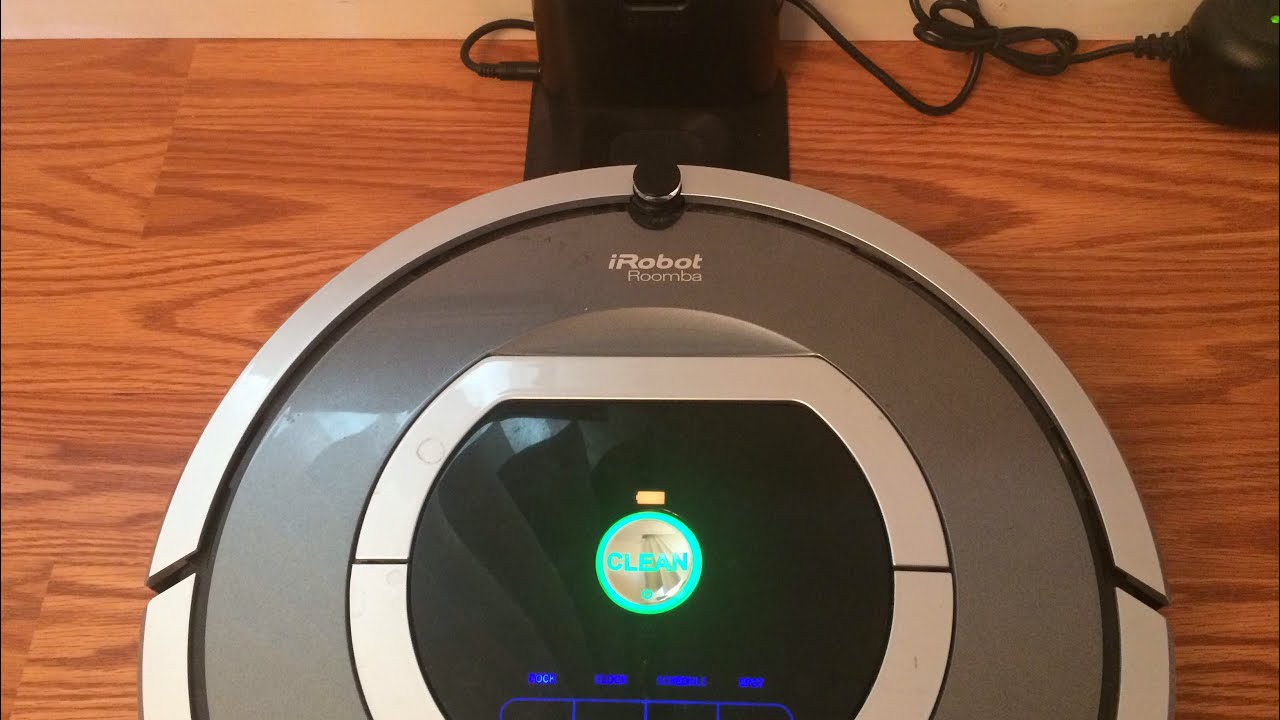
Common signs your Roomba is not charging
Before you start troubleshooting, it helps to notice the exact symptom. Different charging problems point to different causes.
Common signs include:
- The Roomba shows a low battery icon but never increases charge.
- The dock light turns on, but the Roomba does not respond.
- The robot flashes an error, then stops charging.
- The battery drains very fast after a full charge.
- The Roomba powers on only when placed on the dock, then dies soon after.
A few years ago, I worked on a Roomba that looked dead every morning. The dock had power, but the robot’s contacts were coated with a thin layer of grime from months of use near a pet feeding area. After a careful cleaning, the unit started charging normally again. That simple fix saved the battery from being replaced too early.
Step-by-step fixes for a Roomba not charging
If your Roomba not charging problem is frustrating you right now, start with the easiest fixes first. These steps solve many charging issues and take only a few minutes.
1. Check the power source
Make sure the charging base is plugged into a working wall outlet. Test the outlet with another device, like a lamp or phone charger.
Also check for:
- A loose power cord
- A damaged adapter
- A tripped surge protector
- A switched-off outlet
If the dock has no power, the Roomba not charging issue is not the robot itself. It is just not getting electricity from the base.
2. Clean the charging contacts
Dirty contacts are one of the most common reasons for a Roomba not charging. Use a soft, dry cloth or a melamine sponge lightly to clean the metal charging points on both the Roomba and the dock.
For best results:
- Turn off the Roomba first
- Wipe away dust, pet hair, and buildup
– Avoid harsh liquids or soaking the contacts - Make sure the contacts are dry before charging again
I always tell people to think of the contacts like a handshake. If either side is covered in dirt, the connection is weak or broken.
3. Reseat the Roomba on the dock
Sometimes the Roomba is not sitting correctly on the charger. Lift it off, place it back on the dock, and make sure the contacts line up.
Look for these details:
- The Roomba should sit centered on the dock
- The dock should be on a flat surface
- Nothing should block the front or sides
- The robot should not be tilted
A small alignment issue can look like a major Roomba not charging failure when it is really just a bad connection.
4. Let the battery recover
If the battery was deeply drained, the Roomba may need extra time to wake up. Leave it on the dock for at least 1 to 3 hours before checking again.
This is especially helpful if:
- The Roomba was left unused for weeks
- The battery drained completely
- The robot was stored in a cold room
Some lithium-ion batteries need a little patience after deep discharge. I’ve had units that looked completely unresponsive for the first hour, then started charging normally after sitting on the base.
5. Restart or reset the Roomba
A software glitch can also cause a Roomba not charging issue. A restart can clear minor errors.
The exact process depends on the model, but many Roombas can be restarted by holding the relevant buttons for a few seconds. If your model supports a factory reset, use that only after simpler fixes fail, because it may clear saved settings and maps.
6. Check the battery condition
If your Roomba is older, the battery may simply be worn out. Batteries lose capacity over time, especially if they are charged and discharged every day.
Signs of battery wear include:
- Short runtime
- Long charging time
- Sudden shutdowns
- Failure to hold a charge overnight
In my experience, once a Roomba battery begins failing, the charging issue often gets worse over time. If cleaning and dock checks do not help, battery replacement is often the most practical solution.
7. Inspect for firmware or app issues
For Wi-Fi connected Roomba models, app and firmware problems can sometimes confuse the charging status. Open the app and check whether the robot is reporting a battery issue or another error.
Helpful steps include:
- Update the iRobot app
- Check for firmware updates
- Reconnect the robot if needed
- Review any error messages
This is not the first place I would look, but it can matter when a Roomba not charging issue appears after an update or connection problem.
8. Try a different charging base or cable
If you have access to another compatible dock, test the robot on it. This helps you figure out whether the problem is the Roomba or the base.
If the alternate dock works, then the original dock or power adapter is likely the issue. If neither works, the battery or internal charging circuit may be the real problem.
Deep causes behind a Roomba not charging issue
Some charging problems are obvious. Others are more hidden. Here are the deeper causes I look for when a Roomba not charging issue keeps coming back.
Dirty or oxidized contacts
Even if the contacts look clean, a thin film can block power transfer. Tiny particles, humidity, and regular use can slowly create resistance.
Battery age
Most rechargeable batteries have a limited lifespan. After enough cycles, they cannot store enough power to charge properly or run long enough.
Dock placement problems
If the dock sits on carpet, near a wall edge, or in a tight corner, the Roomba may not align properly. The robot needs room to approach and dock with precision.
Internal charging circuit failure
Sometimes the battery and dock are both fine, but the Roomba’s internal charging hardware is damaged. This is less common, but it does happen, especially after drops, liquid exposure, or long-term wear.
Temperature issues
Extreme heat or cold can interfere with battery charging. Roombas usually work best in moderate indoor temperatures, so garages, sunrooms, and unheated storage areas can cause trouble.
How to prevent Roomba charging problems
Prevention is much easier than repair. A few simple habits can reduce the chance of a Roomba not charging issue later.
- Clean the charging contacts every couple of weeks
- Keep the dock on a hard, level surface
- Avoid placing the charger near pet food, dust, or moisture
- Store the Roomba indoors at room temperature
- Replace the battery when runtime drops sharply
- Keep firmware updated on smart models
One lesson I learned the hard way: do not wait until the battery is completely dead for weeks. Letting a battery sit empty too long can shorten its useful life. A little routine care goes a long way, like brushing dirt off a bike chain before it starts to grind.
When to replace the battery
If your Roomba not charging issue continues after cleaning and dock checks, battery replacement may be the next step. This is usually the right move when the battery is old, runtime is poor, or the robot only works for a few minutes.
A replacement battery makes sense when:
- The Roomba is several years old
- Charging is inconsistent
- The battery drains quickly after a full charge
- The robot shows the same problem on multiple docks
Be sure to buy a battery that matches your exact Roomba model. A compatible battery should meet the correct voltage, size, and connector type.
When to contact support or get repair help
If the robot still will not charge after the basic fixes, there may be a hardware issue that needs professional attention. This is especially true if the Roomba shows signs of water damage, smoke, burning smell, or severe physical damage.
Contact support or a repair technician when:
- The dock works but the Roomba never charges
- The robot has visible damage near the battery compartment
- The charging contacts are loose or broken
- The unit gets unusually hot while charging
At that point, guessing can waste time and money. A proper diagnosis is usually the fastest path forward.
Frequently Asked Questions of Roomba not charging
Why is my Roomba not charging even though the dock light is on?
The dock light only means the base has power. If the Roomba contacts are dirty, misaligned, or worn, the robot may still not charge.
How do I know if the Roomba battery is bad?
A bad battery usually causes short runtime, failed charging, or a robot that dies soon after leaving the dock. If cleaning and reseating do not help, the battery is a strong suspect.
Can I clean Roomba charging contacts with alcohol?
Yes, a small amount of isopropyl alcohol on a cloth can help remove buildup. Just make sure the contacts are fully dry before placing the Roomba back on the dock.
How long should I leave a Roomba on the charger?
If the battery is deeply drained, leave it on the dock for at least 1 to 3 hours before checking. A full charge may take longer depending on the model and battery condition.
What if my Roomba still will not charge after a reset?
If a reset does not help, the issue may be the battery, dock, or internal charging hardware. At that point, testing with another dock or replacing the battery is often the next best step.
Conclusion
A Roomba not charging issue can feel annoying, but it is often simple to fix once you know where to look. Start with the power source, clean the contacts, reseat the robot, and give the battery time to recover. If those steps do not solve it, the battery or charging hardware may need attention.
The key is to work through the problem in order, not in panic. A calm check of the dock, battery, and contacts can save you time, money, and a lot of frustration. If this guide helped, take a few minutes to inspect your Roomba today, and feel free to explore more cleaning tips or leave a comment with the model you’re using.


1 Comment
Pingback: Roomba Not Connecting To WiFi: Quick Fix Guide - Vacuum Cleaner Tips