

You’ve noticed your robot vacuum isn’t picking up like it used to. Maybe it’s leaving debris near the baseboard or making a faint, whiny sound. The question on your mind is probably “How often should you replace robot vacuum brushes?” It’s a smart question, and the answer isn’t as simple as a single number.
Manufacturer specs indicate that a typical main brush lasts 300 to 500 hours of run time. In a normal household, that translates to every 3 to 6 months. As of 2026, most robot vacuums track brush usage in their mobile apps.
Let’s walk through the exact decision process your specific setup calls for.
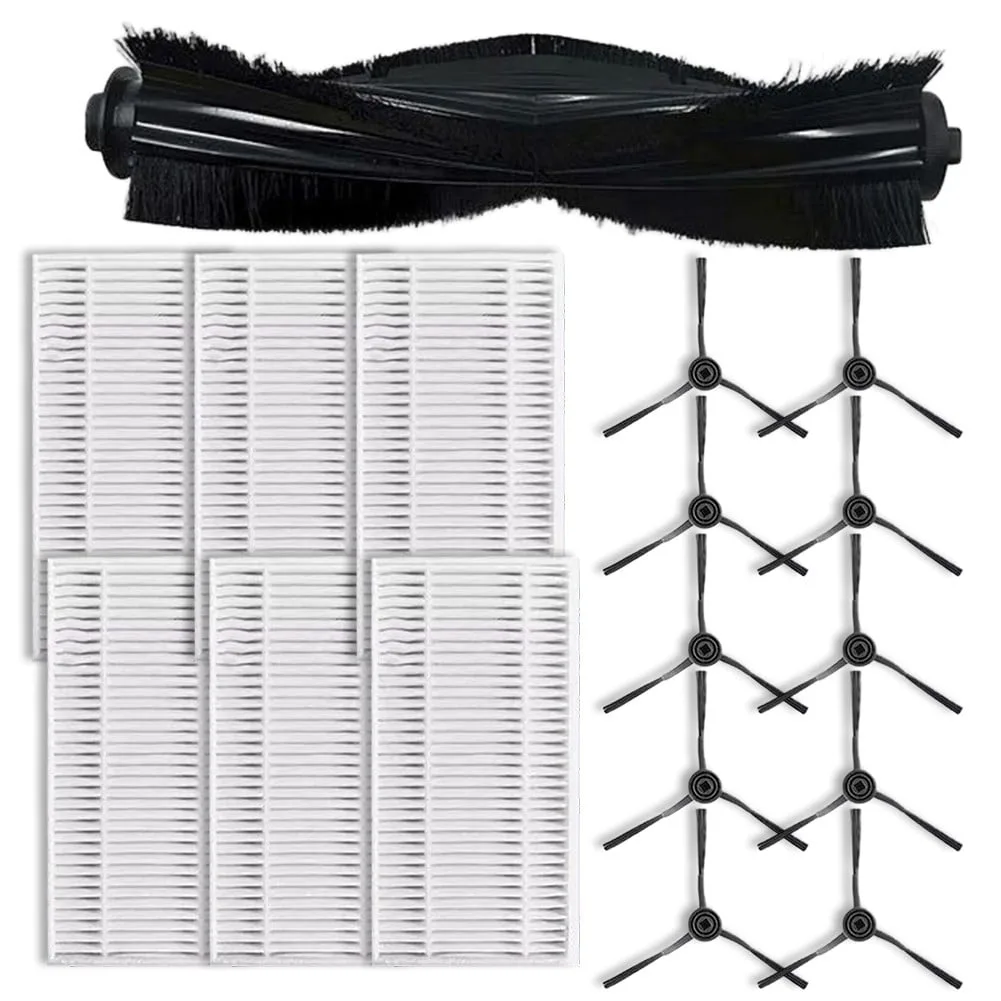
Image source: Web (Bing) / walmart.com (Web image (fair-use with source credit))
Start Here: The Short Answer
Replace the main brush roll every 3 to 6 months. Replace side brushes every 3 to 4 months. If you have pets, lean toward the shorter end.
If the brush shows frayed bristles, a cracked roller, or bent side arms, swap it now regardless of the calendar.
The Default Interval Most Makers Recommend
Go into your robot vacuum’s support portal if you want exact numbers. Most brands give a range, not a strict deadline. Here’s the typical consensus from current user manuals.
| Component | Typical replacement interval | The wear signal that overrides it |
|---|---|---|
| Main brush roll (bristle) | 3 to 4 months | Frayed, bent, or splayed bristles |
| Main brush roll (rubber) | 4 to 6 months | Cracks, nicks, or flat spots |
| Side brushes | 2 to 4 months | Bent or broken bristles |
These numbers assume an average home with about 30 minutes of daily running. Your own schedule can push them up or down by a wide margin.
The chart below shows where the biggest brands typically land.
| Brand | Main brush interval | Side brush interval |
|---|---|---|
| iRobot Roomba | 3 to 4 months | 2 to 3 months |
| Roborock | 4 to 6 months | 3 to 4 months |
| Ecovacs Deebot | 3 to 5 months | 2 to 4 months |
| Shark | 4 to 6 months | 3 to 4 months |
| Eufy | 3 to 4 months | 2 to 3 months |
Why “Every 6 Months” Is a Starting Point, Not a Rule
Six months is a convenient average, not a law of physics. If you run your robot twice a day, you’ll hit 500 hours in under a year. If you run it twice a week, the same brush could last a year or more.
Let your floor type influence the decision too. High-pile carpet causes more friction against the bristles. Hardwood and tile are gentler on brushes, but they let hair and dust build up on the roll.
A regular maintenance schedule can catch most of these problems before they affect pickup.
Also, check your robot’s app. Many models show brush lifetime as a percentage. When it drops below 20%, you still have time, but replacement should be on your shopping list soon.
If this maintenance routine ever feels like too much, you’re not alone. Many owners wonder whether upright vacuums are easier to maintain in the long run.
The First Branch: Which Brush Type Is On Your Robot?
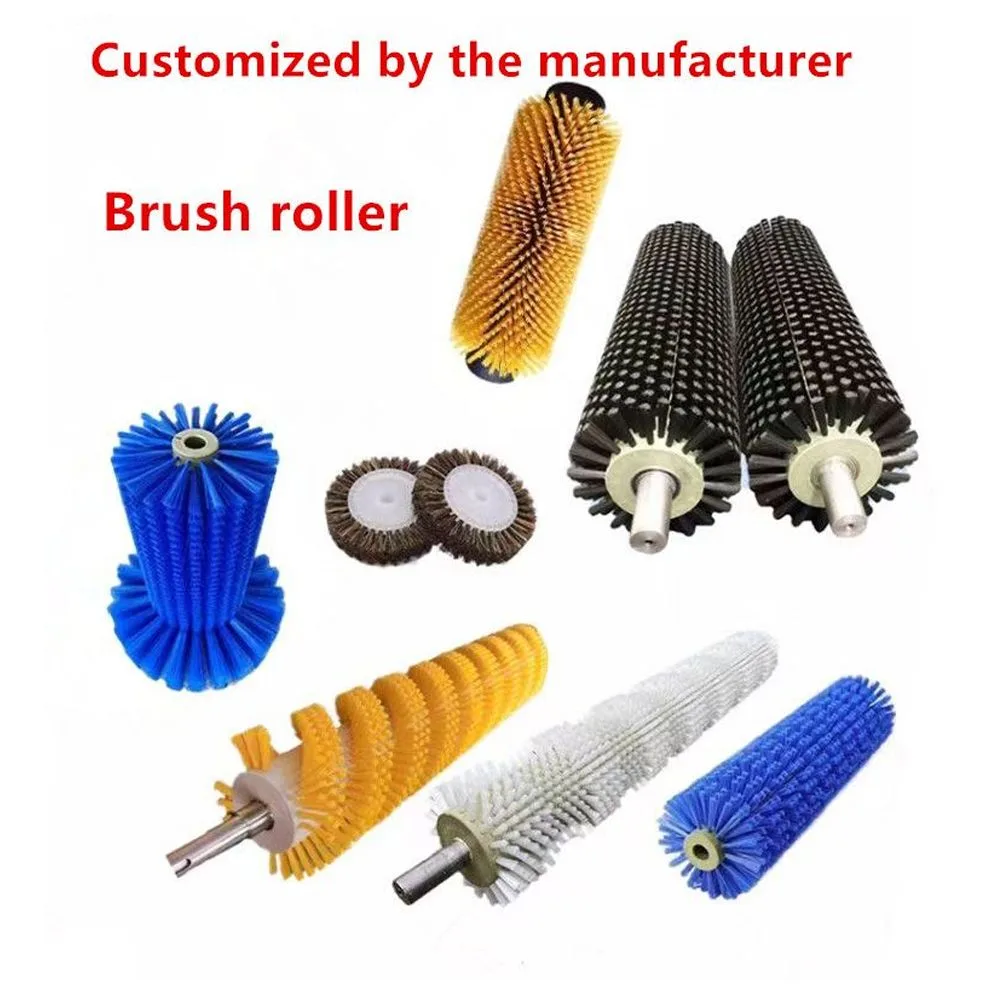
Image source: Web (Bing) / wanzebrush.en.made-in-china.com (Web image (fair-use with source credit))
Flip your robot over and pull out the brush. You’ll see one of two main designs. Bristle brushes use nylon or carbon-fiber bristles wrapped around a plastic core.
Rubber brush rolls are solid or slotted silicone and plastic. Some models use a combo brush with both materials.
If you have a bristle brush, plan on a shorter lifespan. The individual bristles fatigue, bend, and lose their stiffness. If you have a rubber roll, you have more room to stretch the interval because rubber wears more evenly.
Which one is on your robot? Check the model in your user manual or look at the brush itself. The distinction determines everything that follows.
If it’s a bristle brush, assume a 3- to 4-month life in an average home. If it’s rubber, you can aim for 4 to 6 months.
| Brush type | Best for | Typical wear pattern | Replacement pace |
|---|---|---|---|
| Bristle | Carpets and area rugs | Fraying, bending, flattening | Faster |
| Rubber | Hardwood, tile, pet hair | Cracks, tears, permanent flat spots | Slower |
| Combo | Mixed flooring | Both bristle fraying and rubber wear | Medium |
The Second Branch: What’s Your Daily Mess Level?
Your lifestyle determines brush wear more than any other variable. Think about what the robot picks up on an ordinary Tuesday. Pet hair is the biggest wear driver.
Every time hair wraps around the brush roll, you need to remove it before running the bot again. If you skip that step, the next run grinds the hair into a tight band. That band can actually bend the brush housing.
Human hair is just as tough, especially in homes with people who have long hair. Daily schedulers also add wear fast. A robot that runs 60 minutes every night logs 365 hours a year.
A robot that runs once a week logs about 50 hours. That’s a 7x difference.
Here are the usage categories we see in typical households:
- Pet household with one or more shedding animals: inspect monthly, replace the main brush every 3 to 4 months.
- High-traffic home with daily, or twice-daily, runs: replace the main brush every 4 to 5 months.
- Low-traffic home, or weekend-only use: replace every 6 to 9 months or when wear appears.
- Side brushes: check at the same time, since they bend easily on carpet edges and under low furniture.
If you also deal with allergies, a worn brush hurts more than cleaning performance. A frayed brush spreads fine particles back into the air. That can make symptoms worse.
The Environmental Protection Agency keeps detailed guidance on indoor air quality, and a well-maintained brush is a simple part of that picture.
Quick Check: How to Inspect Your Brushes in 30 Seconds
Image source: Bing (Web (fair-use with source credit))
Pull the brush out of the robot and hold it under a bright light. Look at the bristles or the rubber fins from the side. New brushes have firm, uniform edges.
Worn ones look ragged and uneven.
Here’s what to look for:
- Frayed or split bristles: replacement is due.
- Bent side-brush arms: replacement is due.
- Flat spots on rubber rollers: replacement is due.
- Hair so tightly wrapped that it has cut into the brush: remove the hair first, then check for embedded damage.
- Melted or warped edges: replacement is due, and check your brush housing for the same damage.
It also helps to spin the brush by hand. It should rotate freely with little resistance. If it feels gritty or sticks, clean the axle and the end caps.
If it still resists, the brush or its drive gear is damaged.
Sometimes, the brush looks fine, but the app says it’s time. Trust that. The app tracks actual run hours, which is more accurate than guessing.
If you’ve replaced the filter and washed the brush but pickup is still weak, the brush itself is the likely suspect.
Decision Tree: Clean It, Repair It, or Replace It?
Before you spend money on a new brush, ask whether cleaning alone can solve the problem. Hair wrapped around the brush is the most common fix. Use scissors to cut the tangle free.
If the brush is clogged with dust, wash it in warm soapy water, dry it completely, and reinstall.
For a quick decision, use this branching logic:
- If the bristles are clean and uncut, but pickup has dropped: empty the bin, then replace the filter. A clogged filter reduces suction, which makes brushes look worse than they are.
- If the bristles are frayed or bent: replace the main brush.
- If the rubber roll has a crack or a permanent flat spot: replace the main brush.
- If the side brush arms are bent or broken: replace the side brush.
- If the brush spins around its axle but the robot still leaves debris: check the drive gear and the brush housing. Don’t buy a new brush until those are clear.
If washing the brush roll in warm soapy water removes the grime and the bristles spring back, you can extend the life a little. But washing is a temporary fix and doesn’t restore structural wear. Once the bristles lose their stiffness, they won’t pick up debris effectively.
The short version is simple: clean what’s dirty, untangle what’s wrapped, and replace what’s structurally worn.
Replacement Path: Step-by-Step Guide to Swapping Brushes
Swapping a brush takes about five minutes. Most modern models don't need any tools. Just flip the robot over and open the brush housing.
Start by powering off the robot. On most models, that means turning it over and pressing the power button. Then follow these steps.
- Remove the brush housing cover. It usually slides off or releases with a small tab.
- Pull the old brush straight up and out of the socket.
- Cut away any hair wrapped around the ends with scissors.
- Wipe the socket clean with a dry cloth.
- Insert the new brush. Make sure the gear end clicks into place.
- Press the cover back on until it snaps.
The trickiest part is the gear end. If the brush doesn't sit flat, the gear may not engage. Give it a gentle spin by hand to confirm it rotates smoothly.
If you've dealt with a hair-wrapped brush before, you already know the drill. The basic untangling skill transfers directly, whether you're working on a robot or doing a deep clean on a full-size vacuum.
Replacement Parts: OEM vs. Aftermarket
You have two options when buying replacements: genuine parts from the manufacturer or third-party brushes. The difference matters more than you'd think.
OEM brushes are built to the exact spec of your robot. They fit perfectly and typically match the original wear rate. The downside is price.
A single main brush from a brand can cost $25 to $40.
Aftermarket brushes are cheaper, often $10 to $20 for a two-pack. The fit is usually fine, but not always. Some third-party brushes are stiffer or slightly shorter, which changes cleaning performance.
| Factor | OEM brushes | Aftermarket brushes |
|---|---|---|
| Price per brush | $15 to $40 | $5 to $15 |
| Fit and tolerances | Exact match | Usually good, sometimes imperfect |
| Warranty impact | None, keeps warranty valid | Could void warranty on some brands |
| Performance consistency | Matches the original design | Can vary by manufacturer |
| Availability within the app | Tracked properly in the robot app | May not register in the consumable timer |
| Material quality | Tested to OEM standards | Varies widely |
Our research shows most owners are happy with name-brand aftermarket brushes from established sellers. The problems come from no-name generic brushes that feel like stiff plastic straws.
If your robot is still under warranty, stick with OEM parts. If you own a three-year-old machine and just want it to keep cleaning, a well-reviewed third-party option saves real money.
Common Mistakes That Shorten Brush Life
Some habits wear brushes out twice as fast. Avoid these common errors.
- Running the robot with hair tangled around the brush. That tight band grinds against the housing and warps it permanently.
- Skipping the filter cleaning routine. A clogged filter drops suction, making the brush work harder to pick up debris.
- Washing brushes in hot water or a dishwasher. High heat warps the plastic and bristles.
- Reinstalling brushes while they're still damp. Moisture trapped in the housing collects dust and creates a gritty paste.
- Using the robot on a wet floor. Water seeps into the brush axle and corrodes the motor shaft.
- Buying the wrong size "compatible" brush. A loose-fitting third-party brush wobbles and damages the drive gear.
The most damaging habit is ignoring tangles. Hair builds up silently over a week or two, and by then the brush is often beyond saving.
Brand-Specific Replacement Intervals and Costs
Different brands set their own replacement cycles and part prices. Here's a practical look at the major players as of 2026.
| Brand | Main brush cost | Side brush cost | Main brush interval | Side brush interval |
|---|---|---|---|---|
| iRobot Roomba | $25 to $35 | $10 to $15 | 3 to 4 months | 2 to 3 months |
| Roborock | $20 to $30 | $10 to $15 | 4 to 6 months | 3 to 4 months |
| Ecovacs Deebot | $15 to $25 | $8 to $12 | 3 to 5 months | 2 to 4 months |
| Shark | $20 to $30 | $10 to $12 | 4 to 6 months | 3 to 4 months |
| Eufy | $15 to $20 | $8 to $10 | 3 to 4 months | 2 to 3 months |
| Narwal | $20 to $25 | $10 to $15 | 4 to 6 months | 3 to 4 months |
These prices come from official accessory pages and verified buyer feedback. Genuine parts are pricier but usually last longer than the cheap replacements.
Some apps let you track brush life as a percentage. When it hits 15%, order a replacement so you have it on hand before the brush dies mid-cycle. For robot owners who run their machines on hard flooring, it's worth checking the brush design that works best on those surfaces before buying in bulk.
Maintenance That Makes Brushes Last Longer
A few minutes of care each week will extend brush life by a month or two. Make it part of your regular routine.
Clear tangled hair after every few runs. The easiest way is to pull the brush out and run a seam ripper along the bristles. That takes less than a minute.
Clean the brush once a month in warm water with a drop of dish soap. Rinse it well and let it dry completely for 24 hours before reinstalling. This removes the grit that wears down bristles.
For a deeper look at brush care, most of the steps for a robot vacuum match the washing process for a full-size vacuum brush roll.
Check the drive gear and axle while the brush is out. A small buildup of hair there can lock up the brush mid-run.
Keep spare side brushes on hand. They're cheap and bend easily under sofa legs, so swapping a bent one immediately protects the main brush from working overtime.
Also watch your robot's dust bin level. A full bin forces the brush to push debris around instead of lifting it, which speeds up bristle wear. Empty the bin often and the whole system runs happier.
Frequently Asked Questions
How do I know if my robot vacuum brush needs replacing?
Check for frayed bristles, cracks, flat spots, or bent side arms. If your robot leaves debris despite a clean bin and filter, the brush is likely worn. The app's consumable timer also signals replacement when brush life drops below a certain percentage.
Can I extend the life of robot vacuum brushes?
Yes. Remove tangled hair after every few runs, wash the brush monthly with mild soap and water, and dry it completely before reinstalling. Clean the drive gear and axle regularly.
Empty the dust bin often. Good maintenance adds a month or two of life.
Do robot vacuum side brushes need replacing at the same time as the main brush?
Not always. Side brushes bend and break from collisions with furniture. Check them at the same time as the main brush.
If the arms are straight and firm, keep them longer. If they're crooked or brittle, replace them. The typical interval is every 2 to 4 months.
Will using aftermarket brushes void my robot vacuum warranty?
It can. Some manufacturers require OEM parts to honor the warranty. Others only void coverage if the third-party part causes the damage.
Check your warranty terms first. During the warranty period, OEM brushes are the safer choice. After that, quality aftermarket options work well.
Your Decision Guide: The Final Takeaway
If you remember one thing, make it this: replace on condition, not just on the calendar.
Start by identifying your brush type. Bristle brushes wear faster, so swap them every 3 to 4 months in a normal home. Rubber rollers stretch to 4 to 6 months.
Then layer in your pet situation. A shedding dog cuts those intervals in half.
Do the 30-second visual inspection monthly. Look for frayed bristles, bent side arms, and cracked rubber. If the wear is structural, replace the part.
If it's just hair and dust, clean the brush and keep going.
Set a reminder in your phone when you install a fresh brush. That simple habit protects your robot's suction, its motor, and your floors. A $20 brush every quarter is far cheaper than a new robot.

