

Can a shop vacuum run continuously? Yes, if it's specifically designed for continuous duty. But most consumer-grade models are not.
They're built for intermittent work, and running them for hours can trigger thermal shutdown, or worse, shorten the motor's life.
Manufacturer specifications confirm the pattern. A typical 120-volt, 10-amp wet/dry vacuum relies on a universal motor cooled by whatever air passes through the fan and vents. As of 2026, the market still splits cleanly between intermittent-duty shop vacuums and more expensive continuous-duty industrial units.
In our research, the right answer comes down to your machine's duty cycle. Let's break that down.
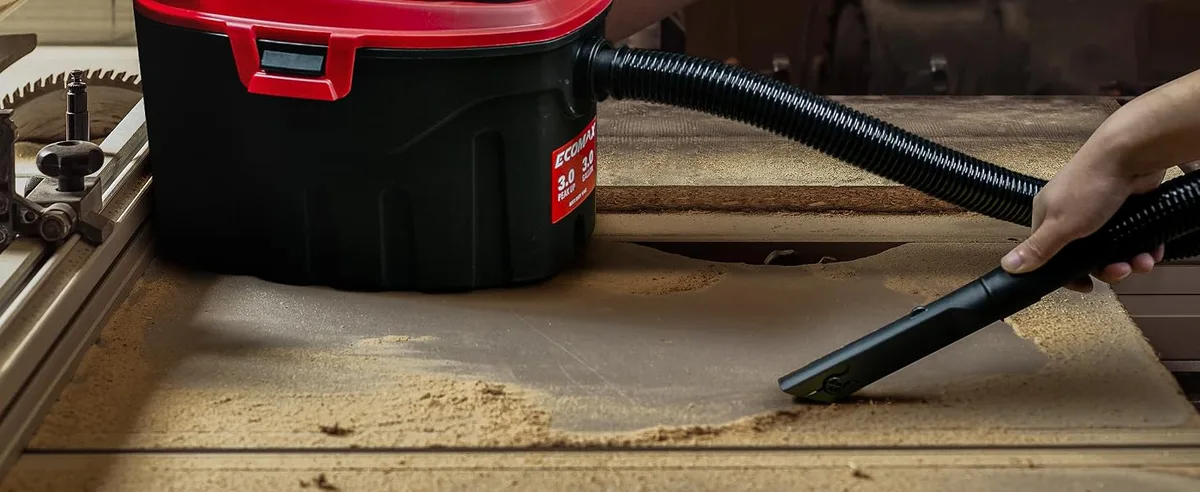
Image source: Web (Bing) / amazon.com (Web image (fair-use with source credit))
Quick Answer
Yes, but only if the manufacturer rates it for continuous duty. Most consumer shop vacuums are intermittent-duty tools. They need regular cool-down breaks after 20 to 60 minutes.
Check your manual's duty cycle before committing.
The Real Problem: Why Shop Vacs Overheat During Long Runs
The culprit is usually the motor. Most shop vacuums use a universal motor, which is cheap, light, and powerful for its size. It also runs hot.
Universal motors pull air through the vacuum, and that airflow doubles as engine cooling. When you restrict the air path, the motor temp climbs fast. That's why your vac sounds strained when a filter gets clogged.
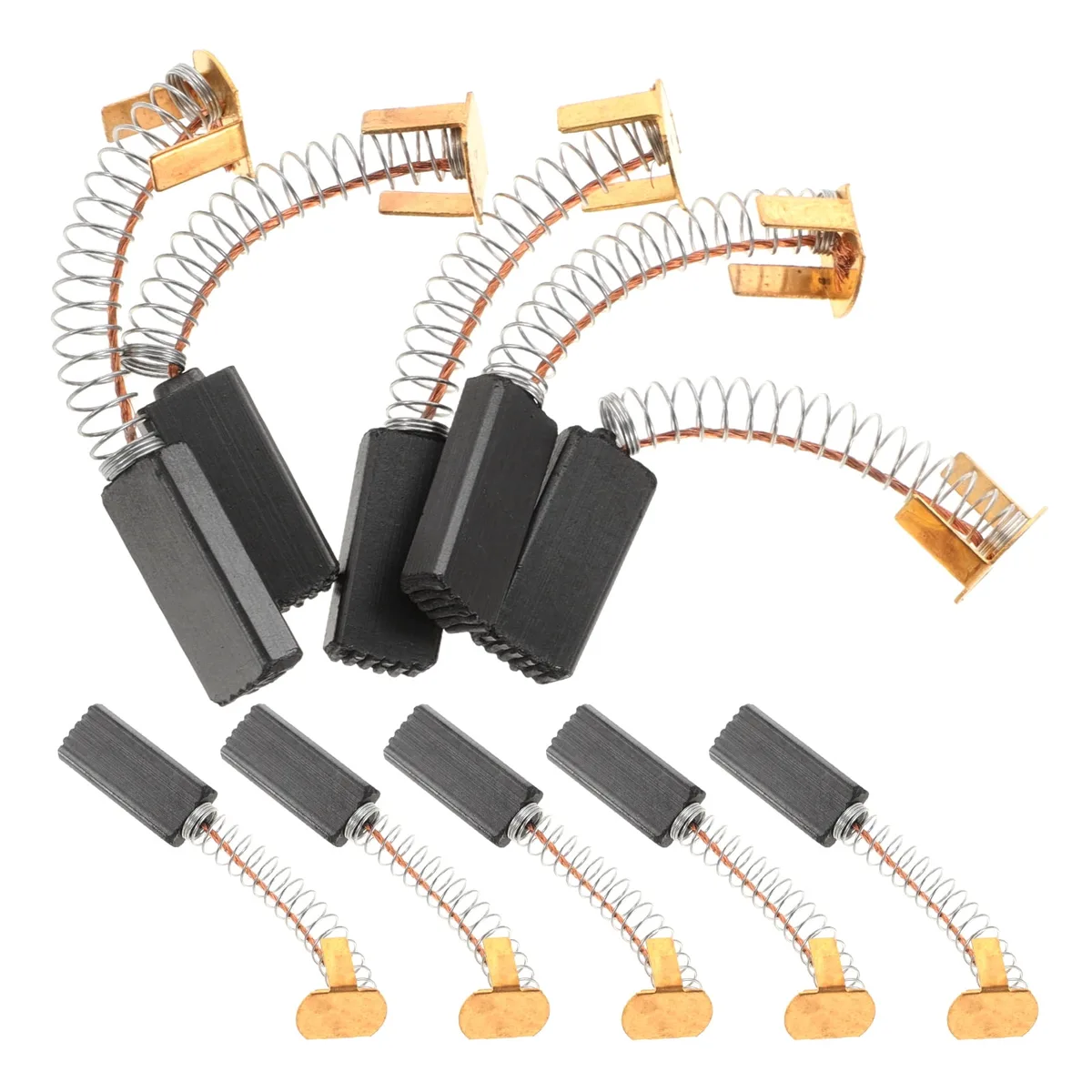
Image source: Web (Bing) / andorkranenburg.nl (Web image (fair-use with source credit))
Duty Cycle Is the Hidden Spec
"Duty cycle" tells you how long a machine can run before it needs to cool off. A 50% duty cycle on a 30-minute basis means you run 15 minutes, then rest 15 minutes. Many consumer shop vacuums don't even list one, which is a bad sign.
In our research, when a manual stays silent, the safe assumption is intermittent use only.
The Heat Chain That Ends With a Dead Motor
It goes like this:
- A dirty or caked filter slows airflow.
- Slower airflow means less cooling for the motor.
- The housing gets hot, and the thermal overload protector trips.
- If you keep restarting it, the insulation on the motor windings breaks down.
- Eventually, the motor burns out.
A similar pattern shows up in other vacuums too. If you've ever watched your suction fade on a long job, you know the drill. That loss of suction often comes from a blocked air path, and it's the same reason you don't ignore it.
The Role of What You're Vacuuming
Drywall dust, sawdust, and plaster are worse than ordinary crumbs. Fine particles pack into the pleats of a cartridge filter and reduce airflow quickly. Wet pickup is another story.
Water creates backpressure and makes the cooling fan work harder. Running a wet pickup for hours is one of the fastest ways to overheat a consumer vacuum. If you're doing flood cleanup, it mirrors the extended timing questions people ask about other equipment.
You can't just let it run and hope.
The 3 Questions That Decide If You Can Run It Continuously
You don't need a degree in electrical engineering to figure out your limits. You just need to answer three questions honestly. These three variables determine whether your shop vac can run for hours or needs a break after 20 minutes.
Question 1: Is Your Vacuum Rated for Continuous Duty?
Look for words like "continuous-duty motor," "100% duty cycle," or "industrial grade" in the spec sheet. Some professional vacuums, especially those with induction motors or brushless motors, are built to run for hours. Consumer models with universal motors almost never are.
If the manual doesn't mention it, treat it as intermittent.
Question 2: What Are You Sucking Up?
Are you collecting dry, fluffy dust at a planer? Or are you pulling water out of a flooded sump? Heavy loads make the motor work harder.
The same vacuum that runs an hour for light dust might overheat in 20 minutes of continuous wet pickup. Aggressive debris like metal shavings or construction rubble also strains the system.
Question 3: How Is Your Filter and Tank Setup?
A clean pleated cartridge filter allows good airflow. A clogged filter chokes the motor. A nearly full tank means the motor pulls harder as debris piles up near the hose inlet.
A cyclone separator helps, but it doesn't make an intermittent motor continuous. In our research, most overheating failures trace back to a filter that should have been cleaned an hour earlier.
If a vacuum keeps shutting off and you've ruled out these three causes, it's often just a protection mechanism. The same logic applies to unexplained shutdowns in other appliances. It's the machine telling you to stop.
How to Find Your Vacuum's Duty Cycle Rating
Manufacturers bury this spec in different places, but it's usually findable. Start with the owner's manual, then move to the data plate, then check the online product page. Here's what to look for in order:
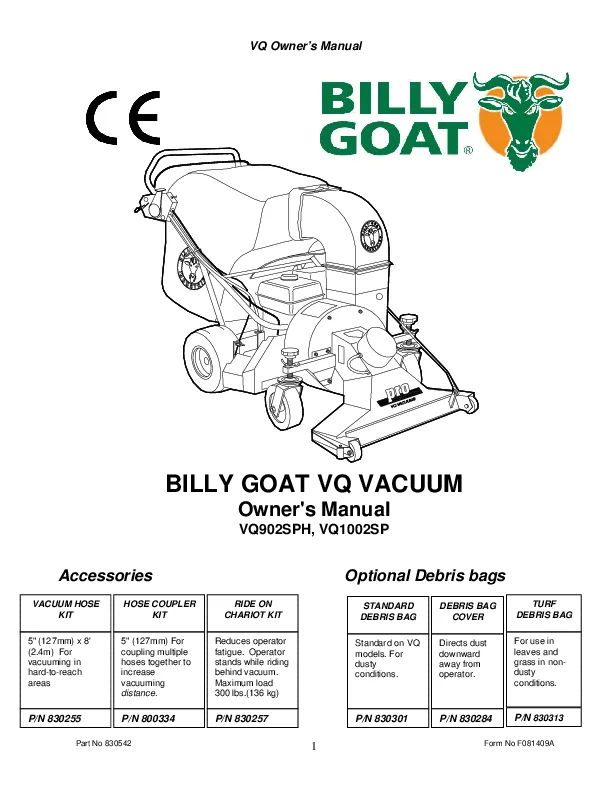
Image source: Web (Bing) / device.report (Web image (fair-use with source credit))
Step 1: Check the Owner's Manual
Search the manual for "duty cycle," "continuous," or "cool down." Some brands list a percentage followed by a time base, like "50% duty cycle at 30 minutes." Others say nothing. The owner's manual is the most authoritative source because it covers your exact model. If you can't find it, check the manufacturer's website under the specifications tab.
Step 2: Read the Data Plate and Motor Housing
Most motors have a label showing amperage, voltage, and sometimes the class of motor. A motor marked "1500W" or "12A" usually runs hotter than a lower-powered one. If you see "thermally protected," that's a sign the motor has a built-in heat switch, but it's not a license to run nonstop.
It's a safety net, not a feature.
Step 3: Look for Compliance Marks
UL listing doesn't tell you the duty cycle, but it confirms the motor and wiring meet safety standards. If you're shopping used, look for the UL mark or a similar certification. It's not a substitute for a rated duty cycle, but it's a minimum baseline.
What to Do When the Manual Is Silent
If you can't find a duty-cycle rating, assume the worst. In our editorial analysis, vacuums without a stated duty cycle are treated by manufacturers as intermittent-duty devices. That means you should run them in shorter bursts and let them cool between jobs.
Here are the safe defaults for an unrated consumer shop vac:
- Light dry pickup: run up to 45 minutes, then rest 15
- Heavy dust or sanding work: run 20 to 30 minutes, then rest 20
- Water pickup: run 15 to 25 minutes, then rest 15
- Any sign of hot plastic or a melting smell: stop immediately
The Decision Guide: Can You Run It Nonstop?
By now, you've probably answered the three questions. Here's the decision tree in plain terms.
You Can Run It Continuously If
- The manufacturer explicitly states a 100% duty cycle or says "continuous duty."
- The motor is brushless or induction-type, not a typical universal motor.
- You're using a clean filter and an oversized tank or cyclone separator.
- The airflow stays strong and the housing remains cool to the touch.
You Should Run It in Intervals If
- The manual is silent on duty cycle.
- You're using a consumer model with a universal motor.
- You're doing wet pickup or fine dust work.
- The vacuum is less than a year old and still under warranty.
In that case, run for 20 to 45 minutes, give it a 15-minute break, and clean or tap the filter during the pause. That habit will add years to the motor.
You Should Stop and Let It Cool If
- The top of the tank is hot enough that you can't hold your hand on it.
- The vacuum trips its thermal reset button more than once in an hour.
- Suction drops noticeably even with an empty tank and clean filter.
- You smell ozone or burning plastic.
These four signals mean the motor is struggling. Keep pushing, and you'll be shopping for a replacement. Pausing early is the cheapest repair you'll ever make.
Regular upkeep also plays a massive role. Like any vacuum with a filter, routine maintenance makes the difference between years of service and early failure. Spending a few minutes cleaning pleats, emptying the drum, and checking the hose is far cheaper than replacing a motor.
One more note on continuous operation and wet jobs. If you're running water out of a basement, don't do it unattended. Electric motors, water, and extension cords aren't a safe long-term mix.
Keep the vacuum plugged into a GFCI-protected circuit, and walk back to check it often.
In the end, the question isn't "Can a shop vacuum run continuously?" It's "Can your shop vacuum run continuously?" And now you know how to answer that for the machine you actually own.
Step-by-Step: How to Safely Run a Shop Vac for Long Jobs
Before You Start
Empty the tank completely. A half-full tank leaves less room for airflow and strains the motor. Then clean the filter.
A pleated cartridge packed with fine dust chokes the vacuum within minutes.
For wet pickup, swap the cartridge for a foam sleeve. A wet pleated filter turns into a clogged mess fast. Check the hose for blockages too, even a small wad of debris cuts airflow noticeably.
While It's Running
Watch the tank fill line. Debris should never reach the float. That float is a safety valve, not a feature you should test.
Keep a hand near the motor housing. If you can't hold it there for five seconds, the motor is too hot. Listen for the tone too.
A sudden high-pitched whine usually means airflow is dropping.
Take Breaks on Purpose
Every 20 to 45 minutes, pause the job. Tap out the filter and give the motor 10 to 15 minutes to cool. That habit alone prevents most overheating failures.
This isn't unique to shop vacuums. Every vacuum has a run limit, and the right runtime depends on the task. If you're pulling water, shorten that window by half.
Wet pickup creates more backpressure than dry dust, so the motor works harder.
Use Cases: Who Actually Needs Continuous Running?
Some jobs genuinely demand hours of suction. Others just feel like they do. Let's sort through the common ones.
Workshop Dust Extraction
Running a shop vac at a table saw, planer, or drum sander for a full day is the classic ask. The problem is that most consumer vacuums aren't built for it. A continuous-duty vacuum or a dedicated dust collector is the right call.
A cyclone separator helps, but it doesn't change a motor's duty cycle.
Flood Water Removal
Pulling water out of a basement is a marathon. Aggregate reviews show most consumer shop vacs handle 15 to 25 minutes of wet work before the housing gets hot. For real flooding, a water pump does the job faster.
Or rent a commercial vacuum rated for continuous wet extraction.
Renovation and Drywall Cleanup
Drywall dust and joint compound pack a filter in minutes. This is a "run 30 minutes, clean the filter, run again" job. Using a cyclone separator between the hose and tank extends your run time substantially.
Match the tool to the job. That's the real solution, and it applies to any kind of vac you own.
Mistakes That Kill Shop Vacs Quickly
Ignoring the Thermal Reset Button
When the motor trips, it's saying "I'm too hot." Restarting right away keeps cooking the windings. Let the vacuum rest for at least 15 minutes before pressing reset.
Running With a Clogged Filter
Fine dust builds a layer on pleats that cuts airflow fast. Low airflow means little cooling. This is the number-one cause of burned-out motors.
Mixing Wet and Dry Filters
A foam sleeve rated for water won't catch dry dust properly. A pleated cartridge soaked with water becomes waterlogged and blocks airflow. Use the right filter for the job.
Overfilling the Tank
When debris hits the float, the valve closes. Suction drops to nearly zero, but the motor keeps straining. Empty the tank early.
Ignoring the Whole Airflow Chain
The same principle applies to your other equipment. If you see suction loss in any vacuum, the first suspect is always airflow. Check the hose, the filter, the tank, and the pickup head before you touch the motor.
Maintenance: Keep Your Vacuum Alive for the Next Marathon
Filter Care Between Jobs
Tap the filter out after every big job. Brush it gently if it's caked. Wash it only if the manufacturer says it's washable, and dry it fully before the next use.
Good filter care is universal across vacuum types.
Float and Seals
Wipe down the float and the lid gasket often. A stuck float can let water into the motor. A cracked seal kills suction.
Hose and Cord Checks
Inspect the hose for cracks and kinks. Small splits grow fast under suction. Check the power cord too, especially where it enters the handle.
Melted spots there mean the cord is drawing too much current.
Brushes and Motor Care
Eventually, every universal motor needs new brushes. If you hear sparking inside the housing, inspect the brushes. Replacing them is cheaper than a whole new vacuum, and it extends the machine's life significantly.
Safety Warnings for Extended Operation
GFCI Protection Is Mandatory for Wet Work
Anytime you're vacuuming water, plug into a GFCI-protected outlet. The National Electrical Code requires ground-fault protection in damp locations. That's a standard from the National Fire Protection Association, not just a suggestion.
Never Vacuum Flammable Liquids
Gasoline, solvents, and alcohol fumes are explosive with standard motors. Consumer shop vacuums are not rated for flammable pickup. If you accidentally suck up a little gas, stop, empty the tank, and ventilate the area.
Don't Run It Unattended
A motor that's working overtime can fail, and fine dust adds a real ignition risk. Wood dust, drywall dust, and sanding residue are combustible in the right conditions. Run the vacuum, stay in the room, and keep an eye on it.
Watch the Heat and Smell
If the tank feels hot to the touch, stop. If the vacuum trips its thermal reset twice in an hour, stop for the day. If you smell ozone or burning plastic, unplug it immediately and let it cool before investigating.
Continuous running isn't just a mechanical question. It's a safety question too. Respect the machine's limits and the rules of the room, and your shop vac will keep working for years.
FAQs About Continuous Shop Vac Use
Real questions from real users, answered plainly. These come up in aggregate reviews and forum threads constantly.
Can I leave a shop vacuum running overnight?
No. Consumer-grade shop vacuums should never run unattended. Even a continuous-duty model can fail, and fine dust presents a real ignition risk.
The same logic applies to any vacuum left alone, so don't rely on a thermal reset. If a job truly needs overnight suction, use a proper dust collection system.
Does a dust collector work better for continuous use?
Yes. A dedicated dust collector pulls far more CFM at lower static pressure, which makes it ideal for planers and table saws. A shop vac is really a high-pressure, low-volume tool.
For long production runs, a dust collector is the right answer. They're built with larger filters and often induction motors rated for longer service.
Do brushless shop vacuums run longer?
They run cooler and last longer than brushed universal motors. Brushless designs have no commutator or brushes to wear out, so sustained operation is safer. But "brushless" does not automatically mean "continuous duty." You still need to check the manual for a stated duty cycle before treating it like an industrial machine.
What does "duty cycle" actually mean?
It's a ratio of run time to rest time. A 50% duty cycle means the motor should run half the time and rest half the time. Some manufacturers publish this as a percentage over a 30-minute window.
If no rating exists, assume intermittent operation and take frequent breaks.
How do I reset a thermally protected shop vac?
Unplug the vacuum, let it cool for 15 to 30 minutes, then press the reset button on the motor housing. If it trips again within an hour, you have an airflow problem or a dying motor. Clean the filter and empty the tank before your next attempt.
Repeated trips point to a deeper issue.
The Bottom Line: What to Do by Vacuum Type and Job Size
Here's the quick guide we'd hand you in person. Match your machine to the job and you'll avoid most failures.
| Vacuum Type | Typical Duty Cycle | Safe Max Run Time |
|---|---|---|
| Consumer shop vac (universal motor) | Not rated | 20 to 45 minutes |
| Prosumer shop vac (cleanable filter) | 30% to 50% | 30 to 60 minutes |
| Industrial vac (induction motor) | 100% rated | Continuous with monitoring |
| Brushless shop vac | Varies by model | Check manual, usually 60+ minutes |
Remember that airflow is everything. A clean filter and a half-empty tank let the motor breathe. Ignore that and even a "continuous duty" machine will struggle.
And don't forget the bigger picture. Every vacuum, whether it's wet, dry, or robotic, has limits. Regular maintenance matters just as much as runtime ratings.
A vacuum that keeps shutting off, like one that keeps losing suction, almost always points to a blocked path rather than a broken motor. The fix is usually simple: clean it, empty it, cool it down.
If you need hours of nonstop suction on a regular basis, skip the consumer shop vac entirely. Look for a unit with an induction motor and a stated 100% duty cycle. It costs more, but it pays for itself the first time you don't have to crouch in the dust pressing a reset button.

