

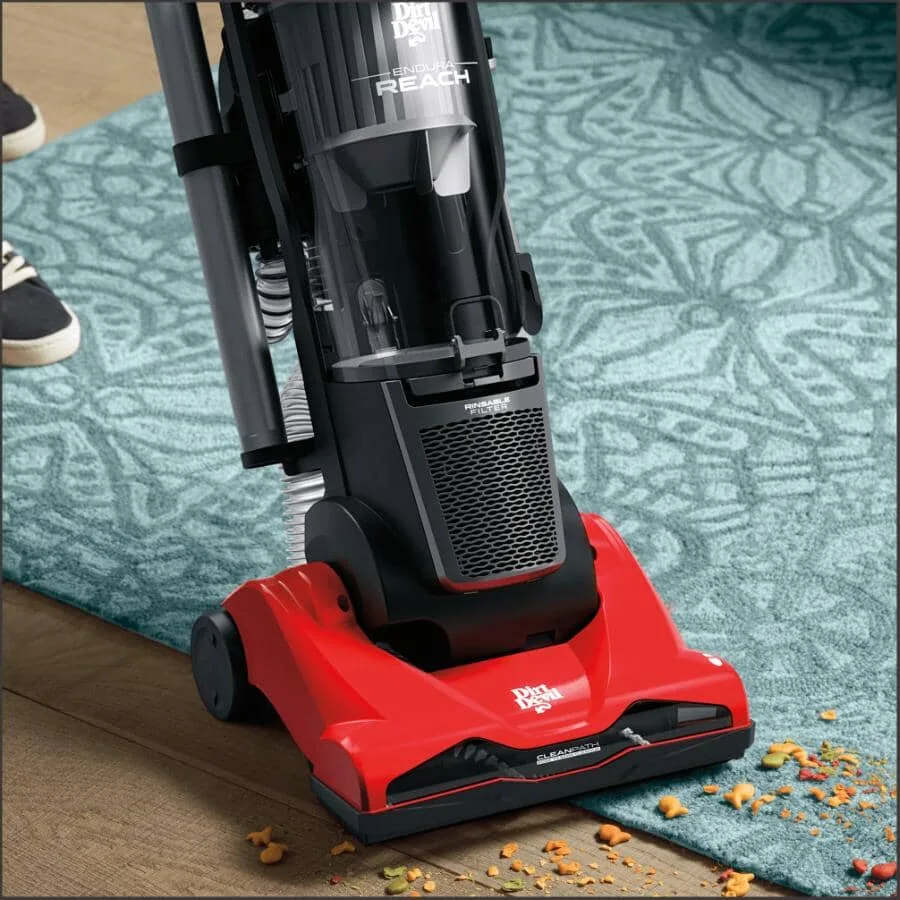
Image source: Bing (Web (fair-use with source credit))
When your Dirt Devil vacuum stops working right, it's a real drag. You need clean floors, and a suddenly malfunctioning vacuum just gets in the way. This guide is here to help you figure out what's going on and how to fix it without a service call.
We’ll walk through common issues, from a complete power failure to a frustrating lack of suction. Our research shows that as of 2026, many common vacuum problems stem from simple maintenance oversights, like clogged filters or debris-filled hoses. Let’s get your Dirt Devil back to its best.
Quick Answer
Troubleshooting a Dirt Devil vacuum involves identifying the specific problem, such as no power or weak suction. Common solutions include cleaning or replacing filters, emptying the dirt cup, clearing blockages in hoses or brush rolls, and checking the power cord or battery. Regular maintenance is key to preventing most issues.
Why Your Dirt Devil Might Be Acting Up: Common Issues
When your Dirt Devil vacuum cleaner decides to go on strike, it’s usually down to one of a few things. We've seen it reported across countless user feedback reports and manufacturer guides: it’s rarely a complex internal motor failure from the get-go. More often, it’s something you can actually fix yourself with a little patience.
Think of your vacuum like a car engine; it needs clean air, a clear path for exhaust (or dirt, in this case), and consistent power. When any of those are compromised, performance plummets. For instance, a dirty filter can reduce airflow so much that the motor strains, leading to overheating.
Our research indicates that many issues aren't necessarily defects, but rather signs that the vacuum needs some basic upkeep. For example, forgetting to empty the dirt cup can trick the vacuum into thinking it's full, even if it's not, shutting off suction or causing it to stop entirely. This guide will break down the most frequent offenders and how to tackle them.
No Suction? Let's Figure Out Your Dirt Devil Vacuum
The most common complaint we see? A distinct lack of suction. You push it around, the brush roll spins, but the dirt just stays put on the carpet or floor.
This is frustrating because suction is the primary job of your vacuum cleaner.
There are a few core reasons for this. First, there’s no way for the dirt to get into the vacuum if the air can't flow through it properly. Second, even if air can flow, there might be a blockage preventing that airflow from carrying debris effectively.
Lastly, sometimes the power source for the suction itself is compromised.
We’ll break this down into more detail in the following sections, but generally, if your Dirt Devil has no suction, your first steps should be checking the dirt cup, then the filters, then any hoses or tubes for clogs.
Power Problems: Won't Turn On or Keeps Shutting Off
When your Dirt Devil vacuum refuses to turn on, or it starts up then abruptly shuts off, it's a clear sign something’s preventing it from getting the power it needs, or it's protecting itself from an unsafe condition. This is the most basic starting point for troubleshooting.
Here's what our research, combined with manufacturer diagnostics, points to:
Check the Power Source:
- Plugged In? It sounds obvious, but double-check that the power cord is securely plugged into both the vacuum and a working wall outlet.
- Outlet Working? Test the outlet with another small appliance, like a lamp or phone charger. If that device doesn’t work either, the issue is with your home's wiring or circuit breaker, not the vacuum.
- Circuit Breaker: If the outlet is dead, check your home's electrical panel for a tripped circuit breaker. Flip it completely off and then back on.
Inspect the Power Cord:
- Examine the entire length of the power cord for any visible damage, like cuts, fraying, or kinks. A damaged cord is a serious safety hazard. If you find any damage, do not use the vacuum and contact Dirt Devil customer support for repair or replacement options.
- Ensure the plug itself isn't bent or damaged.
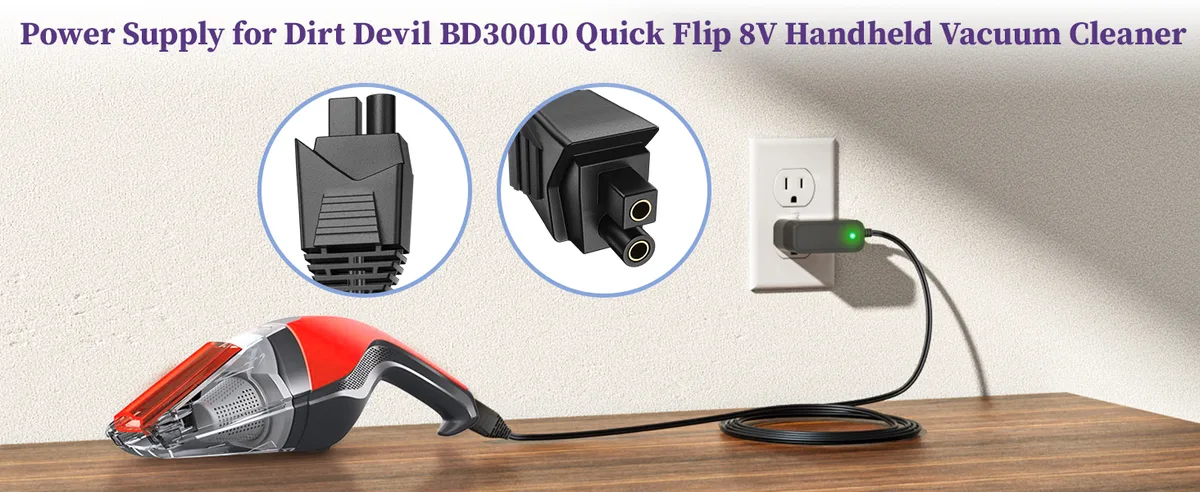
Thermal Cut-Off Feature: Many modern vacuums, including Dirt Devil models, have a thermal cutoff switch. This automatically shuts the vacuum off if the motor overheats, usually due to a clog or dirty filter. If your vacuum turns off after a short while, unplug it, let it cool down for at least 30 minutes, and then check for any blockages (we'll cover this in detail next). Once cool and clear, try turning it on again.
Internal Fuse (Less Common): Some models might have an internal fuse. If you're comfortable working with electronics and your manual indicates a fuse, you might be able to replace it. However, this is usually a last resort and often requires professional assessment. For most users, if the cord looks fine and the outlet works, but it still won't power on, it might be time to contact the manufacturer.
If your vacuum won't turn on, and you've confirmed the outlet works and the cord isn't damaged, the problem could be with the on/off switch or internal wiring. For safety and to avoid further damage, it's best to consult the Dirt Devil manufacturer's website for model-specific troubleshooting or contact their customer service directly.
Suction Issues: From Weak to Non-Existent
This is the bread and butter of vacuum troubleshooting. Your Dirt Devil powers on, the brush roll spins, but the dirt just sits there. It's incredibly disheartening, and it almost always points to an airflow problem.
Remember, suction is the result of air moving quickly; if something impedes that airflow, suction dies.
Let’s break down the likely culprits and how to fix them.
The Dirt Cup is Full: This is the most frequent offender by far. If the dirt cup or dustbin is full, there's simply no room for more dirt and air to be drawn in. Many models have an indicator, but sometimes it's not completely accurate.
- Action: Always empty the dirt cup before or immediately after each use. Make sure it's completely empty. For bagless models, ensure the seal is properly seated after emptying.
Clogged Filters: Dirt Devil vacuums use filters to trap fine dust and allergens, preventing them from recirculating into the air. Over time, these filters get clogged with debris, severely restricting airflow. Most models have at least one, often two, filters: a pre-motor filter and a post-motor (or HEPA) filter.
- Action: Consult your user manual to locate all filters. Most pre-motor filters are washable. Rinse them thoroughly under cold water until the water runs clear, then let them air dry completely (at least 24-48 hours) before reinserting. Post-motor or HEPA filters are often not washable and should be replaced periodically, typically every 6-12 months depending on usage. Running a vacuum with wet filters can damage the motor. You can find replacement filters on the Dirt Devil manufacturer's website. For vacuums designed for allergen control, ensuring a clean HEPA filter is crucial.
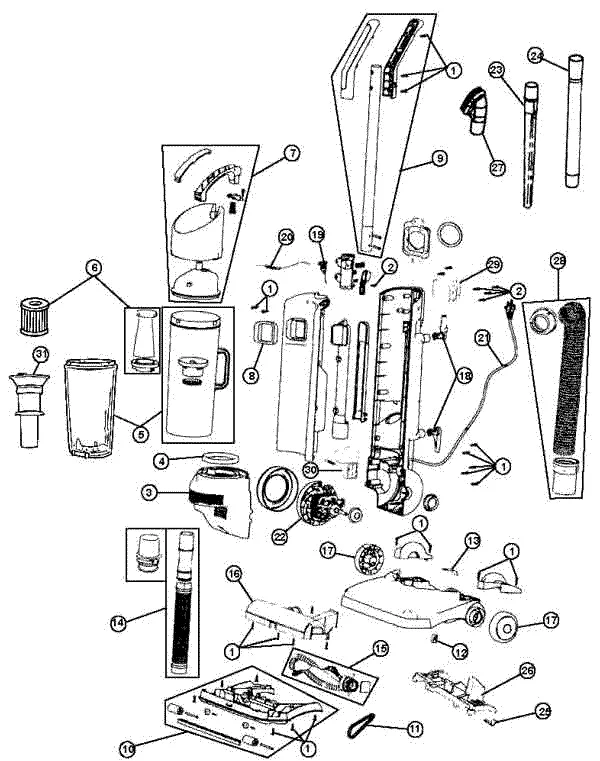
Blockages in the Hose or Tubes: Debris can get lodged anywhere between the floor head and the dirt cup. This is especially common with larger items, pet hair, or stringy materials.
- Action: Disconnect the hose from both the vacuum body and the floor head. Look through the hose for any visible obstructions. You might need a long, flexible object like a broom handle (used gently) or a straightened coat hanger to dislodge clogs. Check the intake port where the hose connects to the vacuum body, and the port on the floor head.
Worn or Damaged Seals: Air leaks can significantly reduce suction. This is less common but can happen if seals around the dirt cup, hose connections, or filters are cracked or damaged.
- Action: Visually inspect all seals and connections. If a seal looks worn or damaged, it might need replacement. This is often repairable; check with the manufacturer for parts.
Brush Roll Issues (Indirectly Affecting Suction): While a brush roll not spinning is a separate issue, sometimes a brush roll that's packed with hair can also impede airflow.
- Action: Ensure the brush roll is clean and free of tangled hair or fibers. A clean brush roll helps agitate debris, making it easier for the vacuum to suck it up, indirectly improving perceived suction. If you're looking for a vacuum that excels at hair pickup, consider models designed for this specific challenge, like those detailed in a guide on best vacuum cleaners for pet hair.
By systematically checking these areas, you can usually restore full suction to your Dirt Devil vacuum.
Strange Noises: Grinding, Whirring, or Rattling
Unusual noises coming from your Dirt Devil vacuum are your appliance’s way of telling you something’s wrong. While some motor hum is normal, grinding, rattling, or excessively loud whirring suggests a problem that needs attention. Ignoring these sounds can lead to more significant damage.
Here’s a breakdown of what those noises might mean:
Grinding or Rattling:
- What it means: This is often caused by something hard, like a coin, screw, or small toy, getting sucked up and hitting the fan blades or brush roll. It can also indicate a bearing issue in the motor or brush roll.
- Action: Immediately turn off and unplug the vacuum. Disconnect the hose and floor head. Carefully inspect the brush roll and the intake area for any foreign objects. You might need to use tweezers or a flashlight to see deep inside. If you can't find anything obvious and the noise persists after running the vacuum, it's likely an internal mechanical issue with the motor or brush roll bearings. This usually requires professional repair or replacement.
Loud Whirring or High-Pitched Screeching:
- What it means: This often points to a problem with the motor itself or something obstructing its normal operation. It can also mean a belt is loose or damaged, or the brush roll is rubbing against something it shouldn’t.
- Action: First, check for clogs (as discussed in the suction section) as these can cause the motor to strain and whine. If filters are clean and there are no blockages, check the brush roll. Is it spinning freely? Is it rubbing against the base plate? Ensure all components are properly seated. A worn-out motor bearing can also cause this.
Hissing or Air Leaks:
- What it means: While not always a mechanical noise, a loud hissing can indicate air escaping from a seal or a crack. This points back to a loss of suction issue.
- Action: Follow the steps for checking seals and hose connections for leaks.
Brush Roll Not Spinning: Getting to the Root Cause
Your Dirt Devil vacuum’s brush roll is essential for agitating carpets and loosening embedded dirt, especially for pet owners dealing with stubborn pet hair. If it’s not spinning, your deep cleaning power is severely diminished. This issue typically stems from a few common causes.
Let’s troubleshoot why your brush roll might be stuck:
Is it Turned On?
- Check: Some models, especially uprights, have a button or switch to turn the brush roll on or off, particularly useful for moving between carpet and hard floors. Make sure it’s set to the ‘on’ position for carpet.
- Action: Consult your manual to identify and engage the brush roll control.
Is the Dirt Cup Full?
- Check: Believe it or not, a full dirt cup can sometimes prevent the brush roll motor from engaging properly, as a safety or efficiency measure.
- Action: Empty the dirt cup completely.
Are There Obvious Blockages?
- Check: Hair, string, thread, or larger debris can wrap tightly around the brush roll, preventing it from turning. This is very common.
- Action: Unplug the vacuum. Carefully cut away any tangled debris using scissors or a seam ripper. Be gentle not to cut the brush roll bristles or the belt. Some Dirt Devil models have a self-cleaning brush roll feature; check your manual for specifics. For those battling constant pet hair, a vacuum with a robust or easily cleanable brush roll is a must. Our research on best vacuum cleaner for home use often highlights this feature.
Is the Drive Belt Broken or Worn?
- Check: The brush roll is usually powered by a rubber belt that connects it to the motor. Over time, these belts can stretch, wear out, or snap entirely.
- Action: You’ll likely need to remove the base plate of your vacuum to inspect the belt. If the belt is broken, stretched, or appears worn, it needs to be replaced. You can order replacement belts from the Dirt Devil manufacturer's website or other parts suppliers. Replacing a belt is often a straightforward DIY repair, typically taking 10-20 minutes.
Is the Brush Roll Bearing or Motor Failing?
- Check: If the belt is intact, there are no blockages, and the brush roll still won't spin, the issue might be with the brush roll’s internal bearings or the dedicated motor that drives it (if applicable).
- Action: Try to manually spin the brush roll. If it feels stiff, gritty, or won't spin freely at all, the bearings might be shot. If your model has a separate brush roll motor, that motor could have failed. These are more complex repairs that might be beyond a simple DIY fix.
Overheating or Burning Smells: Safety First
An overheating vacuum or a burning smell is a serious warning sign. It indicates that something is causing excessive friction or strain on the motor, potentially leading to damage or, in worst-case scenarios, a fire hazard. Safety must be your absolute priority here.
Here’s how to address this critical issue:
Immediate Action:
- Unplug: The moment you notice an unusual burning smell or the vacuum casing feels excessively hot, turn it off and unplug it immediately from the wall outlet. Do not attempt to continue vacuuming.
Common Causes and Solutions:
- Clogged Filters: This is the most frequent culprit. When filters are clogged, the motor has to work much harder to pull air through, generating excess heat.
- Action: Check and clean or replace all filters as per the instructions in the "Suction Issues" section. Ensure they are completely dry before reinserting.
- Blockages in Airflow: Any obstruction in the dirt cup, hose, wand, or floor head can create backpressure and strain the motor.
- Action: Thoroughly inspect and clear any clogs. Refer to the "Suction Issues" section for detailed steps on clearing blockages.
- Brush Roll Issues: A jammed brush roll or a worn-out belt can cause the motor to overheat.
- Action: Check the brush roll for debris and ensure the drive belt is in good condition. If the brush roll is stiff or the belt is broken, address that issue promptly.
- Motor Fatigue/Failure: Sometimes, especially with older vacuums, the motor itself might be nearing the end of its lifespan. Internal components can wear out, leading to increased friction and heat.
- Action: If you’ve thoroughly checked and cleared all filters, hoses, and the brush roll, and the vacuum still overheats or smells of burning, the motor may be failing. At this point, it’s often more cost-effective to replace the vacuum than to repair the motor, particularly for less expensive models. For higher-end machines, you might consider contacting the manufacturer for repair options.
- Clogged Filters: This is the most frequent culprit. When filters are clogged, the motor has to work much harder to pull air through, generating excess heat.
Safety Warning: Never attempt to operate a vacuum that is overheating or emitting a burning smell. This is a potential fire risk. If you cannot identify and resolve the cause immediately, it's best to discontinue use and seek professional advice or consider a replacement. For models with advanced filtration, ensuring a clean HEPA filter can also prevent motor strain caused by poor air quality.
Cleaning and Maintenance: Preventing Future Problems
Taking care of your Dirt Devil vacuum regularly is the best way to avoid those frustrating troubleshooting sessions down the line. Think of it as routine car maintenance, a little effort now saves you a lot of headaches (and money) later. Most maintenance tasks are surprisingly simple and don't take much time.
The two biggest culprits when it comes to performance degradation are filters and the pathways dirt travels through. Keeping these clean and clear is paramount. Our research indicates that vacuums that undergo regular cleaning of these components maintain optimal suction and motor longevity significantly better than those that are neglected.
This is particularly true for models with high-efficiency filtration systems designed for homes with pets or allergy sufferers.
Filters: Your Vacuum's Lungs
Filters are arguably the most critical, yet often overlooked, maintenance component of any vacuum cleaner. They act like your vacuum's lungs, breathing in air and dust, but trapping the fine particles so they don't get blown back into your home or clog up the motor. When these filters get clogged, your vacuum simply can't breathe properly, leading to reduced suction, motor strain, and potential overheating.
Dirt Devil vacuums typically have at least two types of filters:
Pre-Motor Filter: This filter is located before the motor and traps larger debris. It’s the first line of defense.
- Cleaning: Most pre-motor filters are washable. You'll usually find them under a cover near the dirt cup or motor housing. Take the filter out, rinse it under cold running water until the water runs clear. Avoid using soap, as residue can affect performance.
- Drying: This is crucial. Let the filter air dry completely, this can take 24 to 48 hours. Never reinsert a damp filter, as this can damage the motor and promote mold growth.
- Frequency: Check and clean your pre-motor filter at least once a month, or more often if you have pets or frequently vacuum dusty areas.
Post-Motor Filter (often a HEPA filter): This filter is located after the motor and traps the finest particles, allergens, and dust mites before the air is expelled back into your room. This is vital for air quality, especially for those with allergies or asthma.
- Cleaning/Replacement: Many post-motor filters, especially HEPA types, are not washable. They are designed to be replaced periodically. Check your vacuum’s manual for the recommended replacement schedule, which is typically every 6-12 months, depending on usage. You can find genuine replacement filters on the Dirt Devil manufacturer's website.
- Importance: A clogged post-motor filter not only reduces suction but also defeats the purpose of having a high-efficiency filter for cleaner air. If you’re seeking a vacuum specifically for dust control, ensuring you have the right model with effective filters is key, as highlighted in guides on the best vacuum cleaner for dust.
Filter Indicator Lights: Some advanced Dirt Devil models may have a filter indicator light that illuminates when a filter needs attention. Don't ignore these lights; they are designed to help you maintain optimal performance.
Dirt Cup and Internal Passageways: Keeping Things Clear
The path debris takes from your floor to the dirt cup, and the cup itself, can become surprisingly clogged. If the dirt cup isn't emptied regularly, or if something larger gets lodged in the hose or wand, it creates a bottleneck. This severely impacts suction and can lead to motor strain.
Regularly clearing these pathways is simple but incredibly effective:
Emptying the Dirt Cup:
- Frequency: For bagless models, aim to empty the dirt cup after every use, or at least every time you finish a major cleaning session. Don't wait until the "full" indicator is on (if your model has one), as performance may have already degraded.
- Method: Most dirt cups detach easily. Empty the contents directly into your trash bin. For stubborn dust, you might need to tap the cup gently. Some models allow for a more thorough cleaning of the cup itself, check your manual if yours is washable.
- Sealing: Ensure the dirt cup is properly reattached and sealed. A loose seal can cause dust to escape back into the air.
Checking Hoses and Wands:
- Inspection: Disconnect the hose from the main body of the vacuum and from the wand/floor head. Use a flashlight to look through the entire length of the hose. You're looking for any visible blockages.
- Clearing Clogs: If you spot a clog, try to dislodge it gently. A long, stiff object like a broom handle or a straightened coat hanger can often push through softer blockages. Be careful not to puncture the hose. For stubborn clogs, you might need to use a vacuum attachment designed for this, or even consider replacing the hose if it's severely damaged or blocked.
- Intake Ports: Don't forget to check the intake port where the hose connects to the vacuum body, and the entry point on the floor head. These areas can also trap debris.
Brush Roll Area: While we touched on this in the "Brush Roll Not Spinning" section, it's worth reiterating that the area around the brush roll where debris enters the vacuum can become packed.
- Action: Regularly inspect this area and remove any tangled hair, strings, or larger debris that could impede airflow into the vacuum chamber.
Keeping these areas clean ensures that air can flow freely, allowing your Dirt Devil to perform at its best with maximum suction.
When to Call It Quits (or Get Professional Help)
Sometimes, despite your best troubleshooting efforts, your Dirt Devil vacuum might be beyond a simple fix. It's important to know when to stop tinkering and either seek professional help or consider replacing the unit. Continuing to force a malfunctioning vacuum can lead to more expensive damage or even safety hazards.
Here are some indicators that suggest it’s time to either call a repair shop or start looking for a new vacuum cleaner:
- Persistent Overheating or Burning Smells: As discussed, if you’ve cleaned filters, cleared blockages, and checked the brush roll, but the vacuum still overheats or smells like burning, the motor is likely failing. Motor repairs can be costly and may not be worth it for many Dirt Devil models.
- Irreparable Damage to Key Components: If the power cord is severely frayed or damaged, the motor housing is cracked, or critical plastic parts are broken, these can be expensive and difficult to replace, potentially compromising the vacuum’s structural integrity and safety.
- Continuous Loss of Suction Despite Efforts: If you’ve meticulously cleaned filters, emptied the bin, and cleared all visible clogs, yet suction remains weak, there could be an internal issue with the fan assembly or a cracked internal housing that’s hard to access or repair.
- Extremely Loud, Unusual Noises (Grinding/Screeching): Persistent grinding or screeching noises that don’t resolve after removing foreign objects often point to bearing failure in the motor or brush roll. Replacing these components can be complex and labor-intensive.
- Age of the Vacuum: While some vacuums are built to last, many Dirt Devil models are designed for value and ease of use, meaning they may not be engineered for decades of heavy repair. If your vacuum is many years old and experiencing multiple issues, the cost of repairs might approach the price of a new, more efficient model. For instance, older models might not offer the same energy efficiency or filtration standards as newer units, such as those found in our review of best vacuum cleaner for home use.
Professional Repair: If your vacuum is still under warranty, contacting Dirt Devil customer service is your first step. If it's out of warranty, you can look for local small appliance repair shops. Be sure to get an estimate before authorizing work, as repairs can sometimes exceed the cost of a new vacuum.
When to Replace: If repairs are too costly, or if multiple components are failing, it's often more practical to invest in a new vacuum. Consider what features are most important to you, like strong suction for pet hair, excellent filtration for allergies, or cordless convenience. Exploring guides on best vacuum cleaner worth buying can help you find a suitable replacement that meets your needs and budget.
Dirt Devil Vacuum Troubleshooting FAQs
Why won't my Dirt Devil vacuum turn on?
This usually means there's a power supply issue. Check if it's securely plugged in, if the outlet is working, and if the circuit breaker has tripped. Also, inspect the power cord for any damage.
If none of these are the problem, the vacuum might have a safety feature that shut it off due to overheating or a faulty switch.
My Dirt Devil vacuum has lost suction, what should I do?
First, empty the dirt cup completely. Then, locate and clean or replace all filters, as clogged filters are the most common cause of reduced suction. Finally, check all hoses, tubes, and the brush roll area for any blockages.
Why is my Dirt Devil vacuum making a loud noise?
Unusual noises like grinding or rattling often mean a hard object is stuck in the brush roll or intake. Turn off and unplug the vacuum, then check for and remove any debris. Loud whirring could indicate a motor issue or a problem with the brush roll belt.
Can I wash my Dirt Devil vacuum filters?
Many pre-motor filters are washable, but always check your specific model’s user manual. Rinse them under cold water until clear and let them air dry completely for at least 24-48 hours before reinserting. Post-motor or HEPA filters typically need to be replaced, not washed.
How often should I clean the filters on my Dirt Devil vacuum?
As a general rule, check and clean your pre-motor filter at least once a month. Post-motor or HEPA filters usually need replacement every 6-12 months, depending on usage and the environment. Frequent use, especially with pets or in dusty areas, warrants more frequent checks.

