

Are robot vacuums good for large homes? Honest answer: yes, but only when you pick the right setup. The cheaper models built for studio apartments will struggle.
A 2,800 sq ft house is a different ballgame. It needs longer battery life, reliable mapping, and a bin that doesn't fill every ten minutes.
As of 2026, most mid-range robot vacuums run 90 to 180 minutes per charge. A self-emptying dock can store 30 to 60 days of debris. That changes everything for bigger floor plans.
So before you buy, we need to walk through your specific home conditions and match the machine to them.
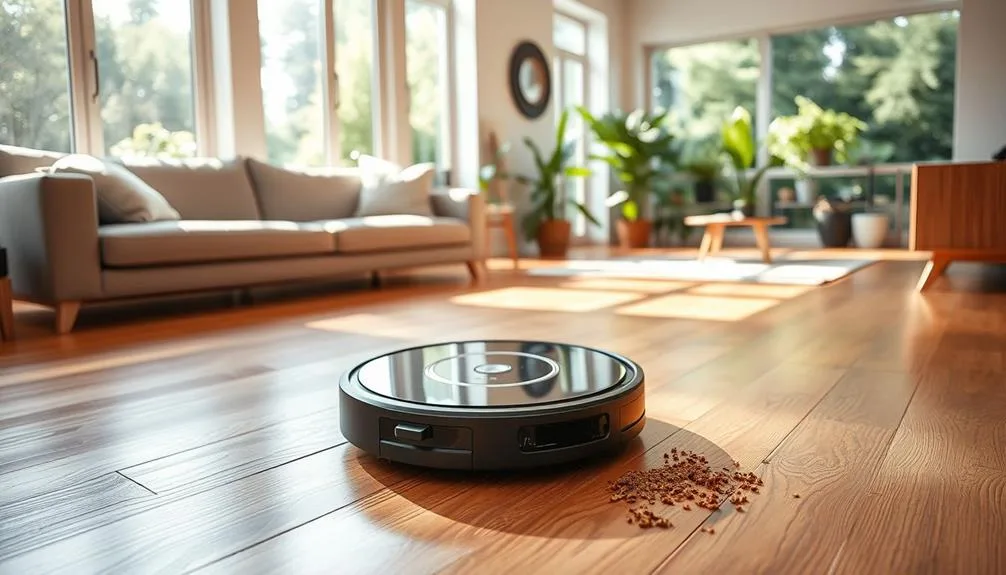
Image source: Web (Bing) / bestvacuumexpert.com (Web image (fair-use with source credit))
Quick Answer
Are robot vacuums good for large homes? Yes, if you choose the right model. You need strong navigation and long battery life.
A self-emptying dock makes daily cleaning possible. They won't replace a deep vacuum pass.
Why "Large Home" Changes the Robot Vacuum Conversation
Most people look at the robot and forget the building around it. Large homes add distance, obstacles, and dust volume. In our research, two identical robots can perform differently in two different houses.
Open layouts are forgiving. Long hallways and angled rooms test the navigation system.
Battery life matters more than suction. A 1,500 sq ft open plan is easy. A 2,800 sq ft split-level home with six bedrooms is not.
Data from the U.S. Census Bureau shows the median floor area of new single-family homes sits above 2,000 square feet. That's why you need a plan, not just a robot.
If you prefer a traditional machine, our take on upright vacuums for large houses can help you decide. But for this guide, we're focusing on robotic vacuums and what actually works in big spaces.
The 4 Conditions That Determine Whether It Works for You
Four variables decide whether a robot vacuum earns its keep in a large home. Run through these before you spend any money. If you're unsure about your situation, use the if-then logic here to narrow down your options.
Floor Plan: Open Concept vs. Lots of Separate Rooms
An open floor plan means fewer obstacles. The robot can zip from the kitchen to the living room in one straight run. It maps in a single, smooth session.
If your home is full of separate rooms and door frames, expect more mapping time. The robot has to learn each threshold, turn, and dead end.
If you have a split layout, look for a machine with reliable multi-room mapping. The robot should remember each room by name and clean them in the order you choose. Tall door thresholds are still a problem.
Many robots can climb up to about 0.7 inches, but anything higher can stall them mid-run.
Flooring Types: Hardwood, Tile, or Wall-to-Wall Carpet
Hard floors are the robot's happy place. Low-pile carpet is usually fine too. High-pile carpet is where things get tricky.
Thick carpets can bog down the robot and make the brush roll stop spinning.
Some robots detect carpet and automatically boost suction. That helps on area rugs. But if you have thick shag or plush carpet, check the brush roll first.
Rubber brushes handle pet hair better than bristle brushes. Bristle brushes tend to wrap and tangle.
If you have luxury vinyl plank or laminate, choose a robot with soft rollers or a mop function. Our guide to robot vacuums for LVP floors covers the safest options. And if allergies are a concern, HEPA-filtered vacuums make a real difference in airborne dust.
Multi-Story Homes: Can It Handle the Whole House?
Yes, but with some effort. Most modern robot vacuums can store multiple floor plans. You move the robot to the second floor, select the correct map, and let it run.
The catch is that you have to carry it up and down the stairs. There's no real way around that.
Many owners buy one robot per floor. That doubles the cost, but also doubles the convenience. A budget-friendly compromise is to put the robot on the busiest floor and use a stick vacuum for the rest.
If you keep the robot on a single level, make sure the charging base has clear space on both sides.
Lifestyle: How Hands-Off Do You Need It to Be?
This is the biggest test. Are you home all day and happy to empty the bin after every run? Then a standard robot vacuum might be enough.
If you want floors cleaned while you're at work, you need a model with scheduling and a self-emptying dock.
But here's the flip side. If your home is cluttered with toys, cables, and loose rugs, the robot will need rescue almost daily. It will stop, beep, and wait for you to untangle it.
Robot vacuums are for daily maintenance, not deep cleaning. If you're not ready for that routine, a traditional vacuum might serve you better.
Standard, Self-Emptying, and Combo Models — What Large Homes Actually Need
Robot vacuums fall into three product families. Each one suits a different kind of large home. As of 2026, the differences are sharper than ever.
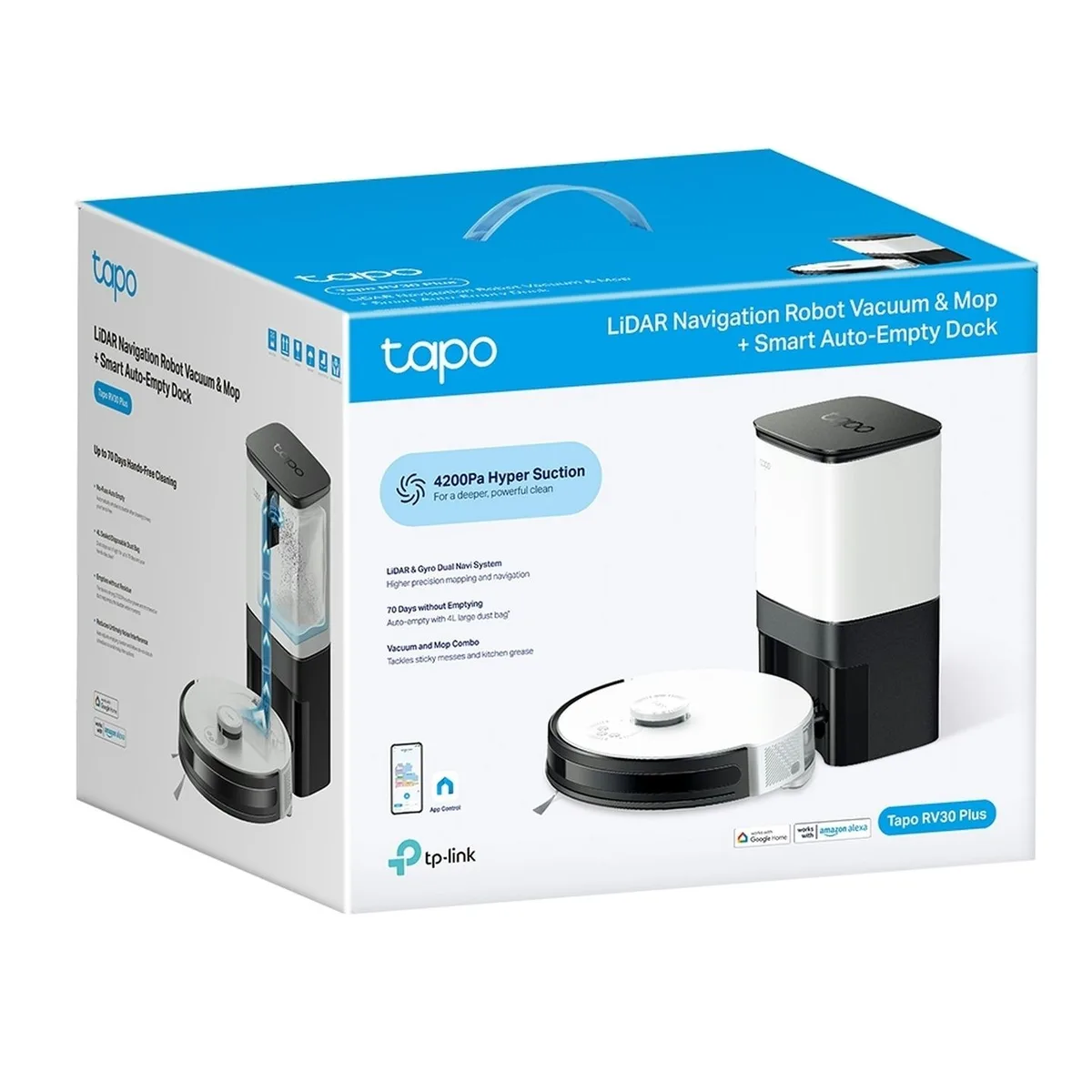
Image source: Web (Bing) / jaycar.co.nz (Web image (fair-use with source credit))
| Type | Best for | Battery & Bin | Typical price range |
|---|---|---|---|
| Standard robot vacuum | Budget buyers, smaller large homes | 90–120 min, small bin | $200–$500 |
| Self-emptying robot | Big homes, pet owners, hands-off users | 120–180 min, 30–60 day dock | $500–$900 |
| Robot + mop combo | Hard-floor homes, mixed flooring | 100–150 min, auto-empty available | $400–$1,200 |
The self-emptying dock is the single biggest upgrade for a large home. Instead of emptying the bin every day, you empty the dock every few weeks. Robot maker iRobot publishes detailed specs for these models, and the pattern is clear: larger floor plans need bigger bases.
A self-emptying robot also makes sense if you have pets. Pet hair fills small bins fast. With a 30-day dock, you can ignore the mess and let the robot handle the daily shedding.
If you have mostly hard floors, a combo model can vacuum and mop in the same run. That saves you from running two separate machines.
One warning: combo models need more maintenance. The water tank must be cleaned, the mop pad needs washing, and some models leave streaks on dark hardwood. If you want the simplest experience, go with a self-emptying vacuum and skip the mopping function.
Robot Vacuum vs. Traditional Vacuum for Big Spaces
Robot vacuums are not a full replacement. They're a daily maintenance tool. An upright vacuum still beats them for deep carpet lifts, stairs, and car interiors.
That's why many large-home owners run both. The robot handles weekdays, and the upright handles weekends.
| Task | Robot vacuum | Upright vacuum |
|---|---|---|
| Daily crumbs and pet hair | Excellent | Overkill |
| Deep carpet cleaning | Weak | Strong |
| Stairs, edges, and tight corners | Poor | Strong |
| Time and physical effort | Minimal | More effort |
| Large home coverage | Great with auto-empty | Manual but thorough |
If you have a three-story house with carpeted stairs, you will still need a traditional vacuum. No robot will handle a staircase safely. And if you have high-pile carpet, an upright with height adjustment will do a more thorough job.
If you're still deciding between the two, our guide to choosing an upright vacuum lays out what to look for. And if you're wondering whether the old-school machine is even worth it in 2026, we've written an honest assessment of upright vacuums too. For most large homes, the smart money is on having both.
Step-by-Step: The Decision Process for Large Homes
Use this simple workflow to narrow down your options. It takes about fifteen minutes and prevents a costly mistake.
1. Measure Your Usable Floor Area
Walk your home and measure the floor space you actually want cleaned. Exclude stairs, closets, and spaces behind furniture. That number tells you how much battery and bin capacity you need.
If you're over 2,000 square feet, look for models with at least 120 minutes of runtime. You also want recharge and resume. That feature lets the robot go back to its base, charge up, and continue where it stopped.
Without it, a big home rarely gets fully cleaned in one session.
2. Identify Your Biggest Cleaning Pain Points
List the problem areas: pet hair, kitchen crumbs, carpeted bedrooms, dark hardwood. Prioritize what bothers you most. If pets shed everywhere, a rubber brush roll and a self-emptying dock are non-negotiable.
If you have mostly hard floors, a combo model with mopping will save you a second machine.
This step also tells you what you don't need. No pets? Skip the heavy-duty tangle-free brush.
No area rugs? Carpet boost mode is just extra cost.
3. Set a Realistic Budget Based on Features
As of 2026, entry-level robots start around $200. Solid self-emptying models land between $500 and $800. Premium navigation with obstacle avoidance pushes past $1,000.
Decide which features solve your pain points, not the ones that just look cool. A self-emptying base matters far more than a higher suction number. So does a well-designed mapping system.
Spend your money there first.
4. Match the Robot to Your Floor Plan and Traffic
Build a shortlist of two or three models and compare battery, bin type, and navigation. Then replay your home layout. Does the robot need to climb thresholds?
Does it travel through a long hallway to reach the bedrooms?
Choose the one that fits your floor plan, not the one with the best marketing page. An open-concept home works with almost any mid-range robot. A segmented, room-by-room layout demands strong multi-room mapping and an auto-empty dock.
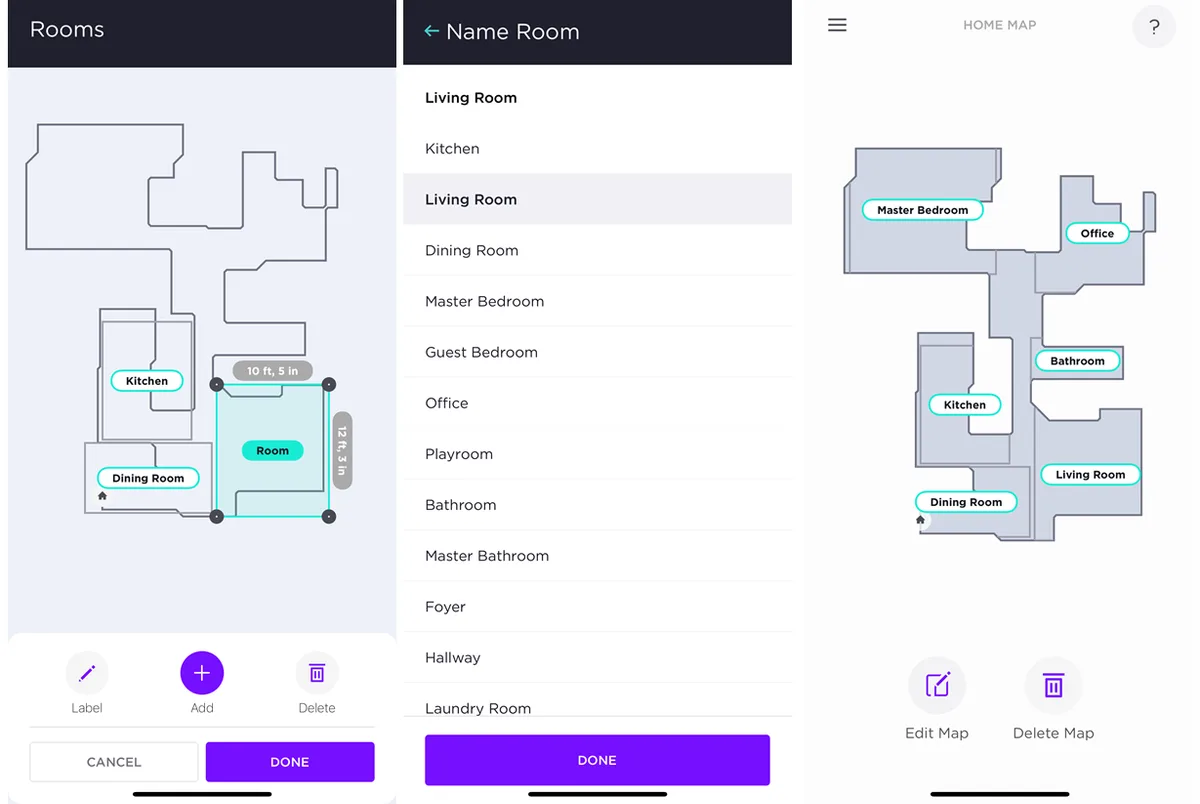
Image source: Bing (Web (fair-use with source credit))
Setup and Prep: From Box to Mapping for Large Floor Plans
The first 24 hours matter more than any spec sheet. A rushed setup leads to a robot that gets stuck, misses rooms, and drains its battery on pointless runs.
Start by placing the charging dock against a wall with open space on both sides. The dock needs at least three feet of clearance in front. Charge the robot fully before the first mapping run.
Most models take two to four hours.
Clear the floor of loose cables, pet bowls, and small rugs. Then run the quick mapping cycle. Let the robot explore the entire floor without cleaning.
This creates a digital floor plan the robot will use for every future job.
After mapping, review the map in the app. Name the rooms and set no-go zones around places you don't want it entering, like a kids' play corner or a pet feeding station. If you have a multi-story home, repeat the mapping process on each level.
The robot will store multiple floor plans and switch when you carry it upstairs.
Manufacturers like iRobot publish detailed setup instructions for their mapping systems, and following those steps exactly saves hours of troubleshooting later.
Pro Tips for Maximizing Coverage in Big Homes
Small tweaks make a huge difference when you're working with 2,000 square feet or more.
- Run the robot daily, not weekly. Daily passes keep dirt from building up and give the robot lighter work each time.
- Schedule cleanings when you're at work or asleep. The robot clears the main traffic zones without interruption.
- Keep interior doors wide open during scheduled runs. Closed doors stop the robot cold in its tracks.
- Place the dock in a central location. A base near the middle of the floor plan cuts travel time to far rooms.
- Clean the brush roll and sensors every two weeks. Pet hair wraps around the brush and triggers error codes.
- Update the firmware when the app prompts you. Navigation improvements arrive through software updates.
- Use virtual walls to block small problem areas instead of letting the robot fight them every run.
These habits turn a mediocre robot into a reliable assistant. Skip them and even a premium model will struggle with a big floor plan.
5 Mistakes That Sabotage a Robot Vacuum in Large Homes
Aggregate reviews show these five errors cause most frustration in large homes. Avoid them and you'll have a much smoother experience.
Buying the cheapest model you can find. Bargain robots lack mapping and battery life. They bounce around randomly, plus they run out of juice before reaching the back bedrooms. A mid-range robot with LiDAR pays for itself.
Ignoring door thresholds. Many large homes have stepped transitions between rooms. If your robot can't climb them, it gets stuck on the lip. Measure every threshold before you buy and check the robot's stated clearance.
Forgetting about the bin. A standard robot bin holds about 0.5 liters. That's enough for an apartment. For a large home, it fills fast. Choose a self-emptying dock so you don't have to babysit the bin every day.
Skipping the initial mapping run. That first mapping pass is not optional. Without a proper map, the robot will wander, miss rooms, and clean the same spot three times. Take the thirty minutes to map the house properly.
Using a mop combo on the wrong flooring. Combo robots can leave water streaks on dark hardwood and damage certain types of laminate. If your home has delicate flooring, set the mop function to low or use a vacuum-only model.
Cost, Maintenance, and Long-Term Value: What You're Really Signing Up For
Here's the honest reality about running a robot vacuum in a large home.
| Cost item | Frequency | Typical price |
|---|---|---|
| Replacement brushes | Every 6–12 months | $20–$50 |
| Filters (HEPA or foam) | Every 2–3 months | $10–$30 |
| Side brushes | Every 6–12 months | $15–$25 |
| Battery | Every 18–24 months | $40–$80 |
| Dock dust bags (if auto-empty) | Every 30–90 days | $20–$40 for a pack |
The routine maintenance is simple and straightforward. The robot does the hard work, but you still need to clean its filters and remove hair from the brush roll. That's the trade-off for not pushing a vacuum around.
Compare that to a traditional upright, which comes with its own share of upkeep. If you're curious about the long-term effort, our guide on upright vacuum maintenance walks through the differences.
In the long run, a self-emptying robot costs more upfront but saves real time. For a large home, that convenience is usually worth it. Just factor the replacement parts into your yearly budget.
A $150 annual maintenance bill is still far cheaper than a weekly cleaning service.
Real Scenario: A 2,800 Sq Ft Family Home
Here's what a typical large-home setup actually looks like. A 2,800 square foot, two-story house with three bedrooms upstairs and an open living area downstairs. One mid-range self-emptying robot handles the main floor daily.
The owners keep a stick vacuum for stairs and bedrooms.
The robot maps the main floor in one 25-minute pass. After that, it runs a full cleaning cycle from 9am to 10:15am while the family is out. With recharge and resume, it covers the entire 1,600 square foot downstairs in a single session.
The self-emptying dock holds about six weeks of debris.
Aggregate reviews report one stuck incident every couple of weeks. Usually a loose cable or a pair of shoes left in a doorway. The trade-off is real: about ten minutes of weekly maintenance for floors that stay consistently clean.
The U.S. Census Bureau keeps official data on home sizes, and it explains why this setup is so common. Census data shows new single-family homes keep getting bigger.
That trend pushes more buyers toward self-emptying robot models with longer battery life.
Frequently Asked Questions
How often do I need to empty the bin on a large home?
If you have a standard robot, plan to empty the bin every one or two cleaning cycles. A large home produces a lot of debris. A self-emptying dock changes that, letting you go weeks between emptying the base.
Can a robot vacuum handle stairs?
No. Robot vacuums cannot climb stairs, and none are designed to clean steps safely. You'll still need a traditional vacuum or a handheld for staircases.
Most large-home owners run the robot on the main floor and handle stairs manually.
Should I buy one robot for each level or move one around?
That depends on your budget and how many floors you want cleaned. Moving one robot is free but gets old fast. Buying a second robot makes sense for daily cleaning on both floors.
If you use one robot, look for multi-floor map support.
Do robot vacuums work better on carpets or hard floors?
Hard floors are easier for most robot vacuums. Low-pile carpet works fine, but high-pile carpet can stall the brush roll. If you have mostly carpet, pick a model with rubber brushes and carpet boost mode.
Check the manufacturer's maximum carpet height before buying.
The Final Verdict: Should You Buy One for Your Home?
For most large homes, yes, a robot vacuum is worth it if you choose the right model. Get a self-emptying robot with LiDAR navigation and at least two hours of runtime. That combination handles a big floor plan with minimal daily effort.
If your home is full of high-pile carpet or stairs on every level, an upright vacuum will still outperform a robot. Many large-home owners run both. The robot handles weekday maintenance, and the upright handles deep cleans, stairs, and weekend touch-ups.
As of 2026, the technology is mature enough that the question is less about whether it works and more about what you're willing to spend. Buy a capable self-emptying model and you'll wonder how you managed without it. Skip the budget bins and the compromise will show every single day.

