

How Long Does Roborock Saros 10r Battery Last?
For many people, a robot vacuum like the Roborock Saros 10R promises less cleaning stress and more free time. But before you trust a robot vacuum to handle your floors, you probably want to know how long it can actually run on a single charge. Battery life is one of the most important factors when deciding if a robot vacuum fits your home and cleaning style. If the battery dies halfway through, your floors are left dirty and you might be disappointed.
Let’s explore the real battery performance of the Roborock Saros 10R. You’ll discover official numbers, real-world results, what influences battery life, and how it compares to other leading robot vacuums. By the end, you’ll know exactly what to expect from this device.
Official Roborock Saros 10r Battery Specifications
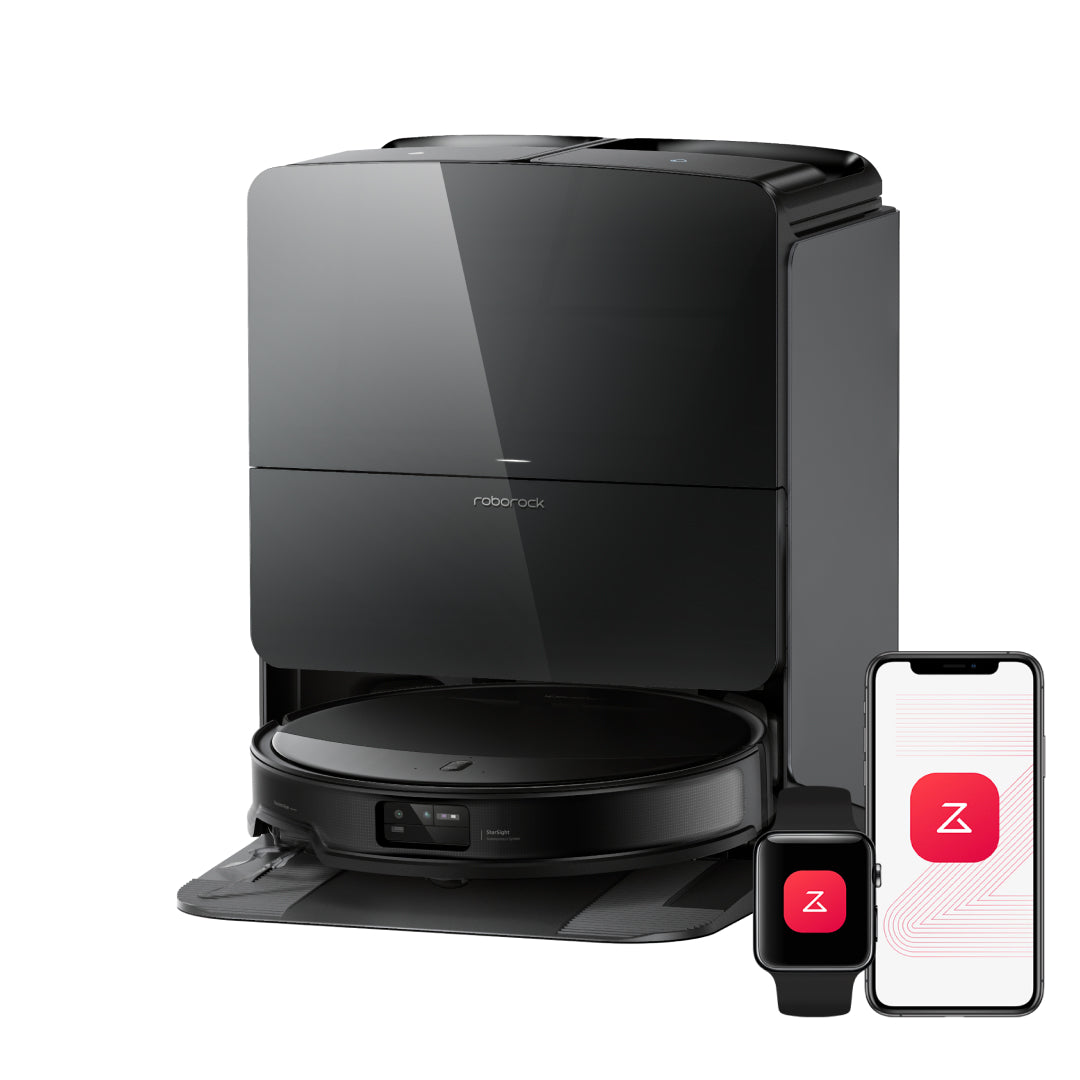
The Roborock Saros 10R is designed for modern homes with a focus on strong cleaning and long running time. According to the official specs, the Saros 10R uses a Li-ion battery with a capacity of 5200 mAh. This is a common size for high-end robot vacuums and is known for reliability and lasting power.
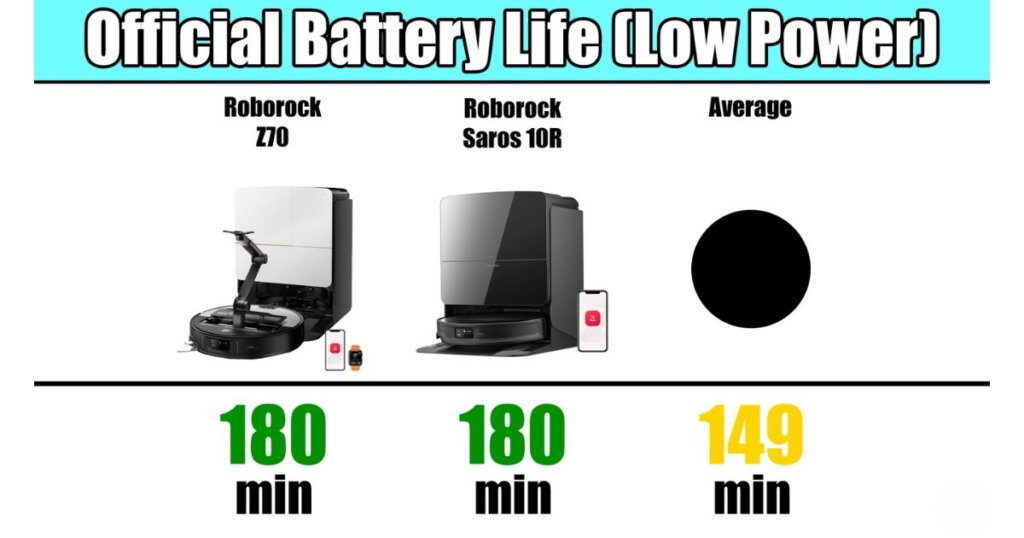
The manufacturer claims the Saros 10R can clean for up to 180 minutes (3 hours) on a single charge. However, this number is based on the most energy-saving mode, which is often the “quiet” or “standard” setting. If you use higher suction power or deep-cleaning modes, the battery will drain faster.
Here’s a quick look at the official numbers:
| Mode | Max Run Time (minutes) | Area Covered (sq. ft.) |
|---|---|---|
| Quiet | 180 | Up to 3229 |
| Standard | 150 | Up to 2690 |
| Turbo | 120 | Up to 2152 |
| Max | 90 | Up to 1614 |
These numbers give a strong starting point, but they don’t always reflect what you’ll experience in daily use.
Real-world Battery Performance
Battery specs on paper are one thing, but actual use can be quite different. Let’s look at how the Roborock Saros 10R performs in homes based on user reviews and independent tests.
Most users find the Saros 10R lasts 120 to 150 minutes on standard settings in real homes. On quiet mode, it can reach close to the advertised 180 minutes, especially on hard floors with little clutter. However, on thick carpets or if you set it to “Max” suction, the battery may last as little as 75 to 90 minutes.
Real examples:
- In a 1,500 sq. Ft. apartment with mixed flooring, the Saros 10R cleaned the entire space in one charge on standard mode, taking about 90 minutes and finishing with 30% battery left.
- In a larger, 2,500 sq. Ft. home with mostly carpet, the robot needed to recharge halfway through on Max mode, cleaning for just over an hour before returning to the dock.
What does this mean for most people? The Saros 10R can typically clean a small to medium home (up to 1,800 sq. ft.) in one go, even with some carpeted areas. For very large homes or deep cleaning, it may need to recharge mid-job.

Factors That Affect Battery Life
Many things can change how long your Roborock Saros 10R battery lasts. Here are the most important factors:
- Cleaning Mode: More suction power means faster battery drain. “Quiet” mode lasts the longest, while “Max” or “Turbo” cuts run time by up to half.
- Floor Type: Hard floors (tile, wood, laminate) are easier for the robot, so it uses less battery. Thick carpet requires more power.
- Obstacle Density: Homes with lots of furniture, rugs, or tight spaces force the robot to turn, slow down, and use extra energy.
- Room Size: Larger spaces take more time and battery to clean fully.
- Battery Age: Over time, all Li-ion batteries lose capacity. After 1–2 years, you may see a drop of 10–20% in run time.
- Temperature: Extremely hot or cold rooms can reduce battery efficiency.
- Mopping Feature: If you use the mopping function along with vacuuming, it may use a bit more battery, though not as much as high suction.
Non-obvious insight: Many users forget that running the robot on a schedule (for example, every day instead of every few days) helps keep battery use lower overall, because the robot is dealing with less dirt and doesn’t need to use “Max” mode as often.
How Roborock Saros 10r Handles Recharging
When the battery gets low, the Saros 10R is smart enough to return to its charging dock automatically. After recharging, it resumes cleaning right where it stopped. This feature is called “auto top-up” or “resume cleaning”, and it makes a big difference for people with large homes.
Charging from 0% to 100% usually takes about 4–5 hours. If your cleaning job is too big for one battery, the robot will split the task into two or more sessions, recharging as needed.
Practical tip: Place the charging dock in an open area so the robot can always find its way back easily. If the dock is hidden or blocked, the robot might get lost and run out of battery before finding it.
Comparing Saros 10r Battery Life With Other Robot Vacuums
How does the Saros 10R’s battery measure up against other popular models? Here’s a quick comparison with top choices in a similar price range:
| Model | Battery Capacity (mAh) | Max Run Time (minutes) | Typical Run Time (Standard) |
|---|---|---|---|
| Roborock Saros 10R | 5200 | 180 | 120-150 |
| iRobot Roomba j7+ | 2210 | 90 | 60-75 |
| Ecovacs Deebot X1 Omni | 5200 | 180 | 120-150 |
| DreameBot L10s Ultra | 5200 | 210 | 150-180 |
As you can see, the Saros 10R’s battery is on par with other high-end robots. It beats most Roomba models, which often have smaller batteries and shorter run times. It’s also very close to Ecovacs and Dreame in both battery size and actual cleaning time.
Non-obvious insight: Some brands advertise longer run times, but real cleaning coverage is more important. A smart navigation system like Roborock’s means the Saros 10R can clean more space with less wasted movement, making its battery feel “bigger” in practice.
Extending The Battery Life Of Your Roborock Saros 10r
Even the best robot vacuum batteries will get weaker over time, but you can help your Saros 10R last longer with a few smart habits:
- Keep battery charged: Try not to let the battery sit empty for long periods. Keep the robot on its dock when not in use.
- Avoid high heat: Don’t store or charge the robot in very hot rooms, as heat damages Li-ion batteries.
- Use the right mode: Only use “Max” or “Turbo” for very dirty areas. Standard or Quiet mode is enough for daily cleaning and much easier on the battery.
- Clean the robot regularly: Clogged brushes, filters, or wheels make the motor work harder and drain more power.
- Update firmware: Roborock often updates software to improve battery management. Check the app for updates every few months.
- Replace the battery if needed: If you notice run time drops by half or more after 2 years, you can buy a replacement battery.
Signs Your Battery Needs Replacement
Li-ion batteries don’t last forever. Here’s how to tell if your Saros 10R battery is failing:
- Robot only runs for 30–40 minutes on standard mode
- Robot leaves jobs unfinished even on small floor plans
- Battery doesn’t fully charge (stuck at 80–90%)
- You get battery error messages in the Roborock app
If you see these symptoms and the robot is over a year old, it’s likely time for a new battery. Replacement batteries are widely available, and installing one is usually straightforward. Always buy genuine Roborock parts for safety and full performance.
Common User Mistakes That Shorten Battery Life
Many owners make simple mistakes that reduce battery life without knowing it:
- Leaving the robot unplugged for weeks (battery can self-discharge and get damaged)
- Using high power mode for all cleaning, even when not needed
- Forgetting to clean the dustbin, filter, and sensors, which makes the robot work harder
- Blocking the charging dock, so the robot spends extra time searching and drains the battery
- Ignoring software updates that improve battery use
Avoid these, and your Saros 10R will give you the best possible battery performance.
When Battery Life Is Not Enough: Practical Solutions
If you have a very large home, thick carpet, or need deep cleaning every day, even the Saros 10R’s battery may not be enough for a single run. Here are a few solutions:
- Divide cleaning zones: Set up your home in the app as separate rooms or zones. Clean one section per day.
- Schedule cleaning during work hours: Let the robot recharge and finish in stages while you’re away.
- Add a second robot: For very large homes, two robots can cover more space efficiently.
- Manual spot cleaning: Use the app to send the robot to problem areas between full cleans.
These tricks help you get the most from your robot, even when battery life has limits.
Saros 10r Battery: What Makes It Stand Out?
There are a few reasons why the Saros 10R battery is especially effective:
- Smart navigation: Less wasted movement means more cleaning per charge.
- High-quality battery cells: Roborock uses high-end Li-ion batteries, which last longer and are safer.
- Auto top-up and resume: The robot manages its battery and always finishes the job, even if it needs to recharge.
- App controls: You can check battery status, schedule cleaning, and adjust power easily from your phone.
These features combine to make the Saros 10R one of the most reliable robot vacuums for battery life.
Quick Comparison: Saros 10r Vs. Older Roborock Models
If you’ve owned a Roborock before, you might wonder how the Saros 10R compares to older models. Here’s a quick look:
| Model | Battery Size (mAh) | Advertised Max Run Time (minutes) | Real-World Run Time (minutes) |
|---|---|---|---|
| Roborock Saros 10R | 5200 | 180 | 120-150 |
| Roborock S7 | 5200 | 180 | 100-130 |
| Roborock S5 Max | 5200 | 180 | 100-120 |
| Roborock E4 | 5200 | 200 | 90-120 |
The Saros 10R matches previous models in battery size but offers better real-world run time, thanks to smarter navigation and improved power management.
Frequently Asked Questions
How Long Does It Take To Fully Charge The Roborock Saros 10r?
The Saros 10R usually takes 4 to 5 hours to charge from 0% to 100%. Charging time can be a bit shorter if the battery is not fully drained. Always keep the robot on its dock when not in use for the longest battery life.
Can I Replace The Battery Myself?
Yes, you can replace the Saros 10R battery yourself. Roborock sells genuine replacement batteries, and the process is simple with basic tools. Always follow the instructions in the user manual to avoid damage.
Does The Saros 10r Battery Work Well On Both Hard Floors And Carpet?
The battery performs best on hard floors (tile, wood, laminate) because less power is needed. On thick carpet, the robot uses more energy and run time will be shorter, especially on higher suction modes.
What Happens If The Battery Runs Out During Cleaning?
If the battery runs low before finishing, the Saros 10R will automatically return to the dock, recharge, and then resume cleaning where it left off. This means even large homes will get fully cleaned, though it may take longer.
Where Can I Find More Technical Details About The Saros 10r Battery?
You can find official details and technical specifications on the Roborock official website. They also offer support and user guides for battery care.
Roborock Saros 10R is a strong choice for anyone who wants a robot vacuum with reliable battery life. With smart settings, easy charging, and the right habits, you can keep your floors clean without worrying about running out of power.

