

The world of smart cleaning devices is moving fast. If you have ever wondered how a robot vacuum seems to “see” and remember your home, you are not alone. The Roborock Saros 10R is a new-generation robot vacuum, and it takes navigation to a much higher level. But how does it work? What makes its navigation system different from older models or other brands? Let’s break down what happens inside the Saros 10R as it cleans your floors—using simple words, clear examples, and the latest facts.
The Core Idea: How Robot Vacuums Find Their Way
A robot vacuum must know where it is, where it has been, and where to go next. Early models used random bumping, but this was slow and left areas untouched. Modern robots, like the Roborock Saros 10R, use advanced sensors, maps, and algorithms. The goal: cover every inch, avoid obstacles, and clean quickly. The Saros 10R is one of the most advanced at this, thanks to its unique navigation system.
The Main Navigation Technologies In Roborock Saros 10r
The Saros 10R does not rely on just one sensor. Instead, it uses a combination of technologies to move efficiently:
1. Lidar Laser Navigation
The heart of the Saros 10R’s system is its LiDAR (Light Detection and Ranging) scanner. This is a spinning sensor on the top of the robot. It sends out laser beams that bounce off walls, furniture, and other objects. By measuring how long it takes for the light to return, the robot builds a 360-degree map of the room in real time.
Key Benefits:
- Works in the dark or bright sunlight.
- Maps out rooms with high accuracy.
- Detects walls, furniture, and even small objects.
2. Structured Light 3d Scanning
In addition to LiDAR, the Saros 10R uses a structured light system. This projects a grid of light onto the floor and objects. Cameras then see how this grid changes shape, which tells the robot the exact size and position of objects. This helps with object recognition—not just seeing “something is there,” but knowing if it’s a sock, a toy, or a table leg.
3. Ai-powered Object Recognition
The Saros 10R uses artificial intelligence (AI) to recognize and remember objects. The robot’s software has learned from thousands of photos and situations. For example, it can spot a charging cable and decide to avoid it. It can also learn your home’s layout over time, making each cleaning smarter.
4. Floor-type Detection
Sensors on the bottom of the Saros 10R check what type of floor it is on—carpet, tile, or hardwood. The robot can then adjust its suction power and cleaning pattern. This makes cleaning more efficient and protects your floors.
5. Inertial Measurement Unit (imu) And Bump Sensors
The robot also uses IMU sensors (gyroscope and accelerometer) to track its movement and angle. Bump sensors in the front help it detect when it touches an object. Together, they let the robot adjust its path in real time.
Quick Comparison Table: Saros 10r Vs. Older Models
Here’s a look at how the Saros 10R’s navigation compares to older Roborock models:
| Feature | Saros 10R | Older Roborock (e.g., S5 Max) |
|---|---|---|
| LiDAR Mapping | Advanced 360° LiDAR + AI | Basic LiDAR |
| Object Recognition | AI-powered, can identify cables, shoes, etc. | No object recognition |
| Structured Light 3D | Yes | No |
| Floor-Type Detection | Automatic | Limited |
| Multi-Level Mapping | Up to 4 floors | Usually 1-2 floors |
How Mapping Works: Step-by-step
When you use the Saros 10R for the first time, it does a “mapping run.” Here is what happens, step by step:
- Initial Scan: The robot spins its LiDAR and scans the whole area. It senses walls, doors, and big furniture.
- Real-Time Map Creation: As it moves, the robot draws a map on your app. You see your home’s shape and the robot’s path live.
- Object Identification: The structured light and AI system spot obstacles and label them. For example, it can mark a chair or a pile of toys.
- Room Division: The robot divides your home into separate rooms. You can later name these rooms in the app.
- Virtual Boundaries: You can set “no-go” zones or invisible walls in the app. The robot will avoid these areas.
- Continuous Updates: Every time the Saros 10R cleans, it updates the map. If you move furniture, it will notice and adjust.
This mapping is not just for show. The robot uses it to plan the most efficient cleaning routes and avoid missing spots.
Route Planning And Cleaning Patterns
After mapping, the Saros 10R does not just wander randomly. It chooses the best path. Here’s how:
- Zigzag Pattern: For most open spaces, the robot uses a straight-line, zigzag pattern. This covers the area quickly and evenly.
- Edge Cleaning: When it reaches a wall or obstacle, it follows the edge to make sure corners are clean.
- Obstacle Avoidance: If it spots an object, the robot slows down, goes around it, and then returns to its planned path.
- Room Priority: You can tell the robot which rooms to clean first or skip, using the app.
- Multi-Floor Maps: The Saros 10R stores up to four floor plans. You can move it to a different level, and it knows where it is.
These features let you customize cleaning and save time.
Handling Obstacles And Hazards
A key test for any robot vacuum is how it deals with objects left on the floor. The Saros 10R’s navigation is designed to handle real-life clutter.
Object Recognition In Action
Imagine you have shoes, cables, or socks on the floor. Many robots will just bump into them, get stuck, or drag them around. The Saros 10R, using its cameras and AI, spots these objects before it touches them. It then changes its path or slows down.
Over time, it remembers where obstacles are often found and is more careful in those spots.
Pet Waste And Small Objects
Older robot vacuums could make a mess if they ran over pet waste or wet items. The Saros 10R’s object recognition system can spot such hazards and avoid them. This is a huge improvement for pet owners.
Table: Object Avoidance Capabilities
Let’s see how the Saros 10R compares with popular competitors:
| Obstacle Type | Saros 10R | iRobot Roomba j7+ | Ecovacs Deebot X1 |
|---|---|---|---|
| Cables | AI avoids, rarely gets stuck | AI avoids, sometimes stuck | Basic avoidance |
| Pet Waste | Recognizes and avoids | Recognizes and avoids | May not recognize |
| Small Toys | Identifies and avoids | May push around | May push around |
| Carpet Edges | Slow approach, safe climb | Slow approach | Sometimes stuck |
Sensing Floor Types And Adjusting Cleaning
The Saros 10R does more than just avoid obstacles. It can sense if it is on carpet, tile, or wood, and it changes its settings. For example:
- On carpet: Increases suction for deep cleaning.
- On hard floors: Uses less suction to save battery.
- On transition: Slows down to avoid getting stuck or leaving dirt behind.
This is automatic and requires no setup from you.

Smart Features Linked To Navigation
Because the navigation is so accurate, the Saros 10R offers features that older robots cannot match.
Room-specific Cleaning
You can select a specific room (e. g. , kitchen, bedroom) to clean, even if the doors are open. The robot knows the room boundaries and only cleans where you want.
Zoned Cleaning
You can draw a box in the app on a certain area (like under the dining table). The robot goes straight to that spot and cleans it, then returns to its dock.
Scheduled Cleaning
Set up a schedule for each room or area. For example, clean the kitchen every morning, the living room in the afternoon. The robot remembers the layout and follows your plan.
Voice And Smart Home Integration
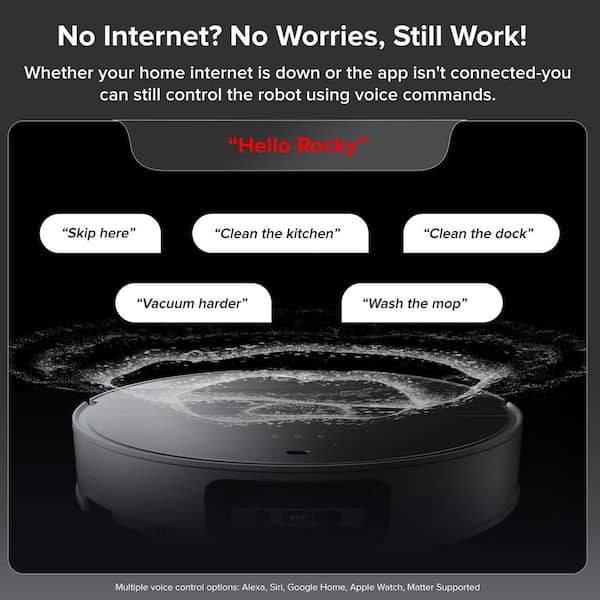
The Saros 10R works with Alexa, Google Home, and other smart assistants. You can say, “Clean the hallway,” and the robot will find the right place.
Real-world Performance: What Users Say
In real homes, navigation performance matters more than specs. User reviews and tests show that the Saros 10R rarely gets stuck, covers all areas, and avoids trouble spots after the first few runs. Battery life is also better, because the robot does not waste time or energy repeating spots.
Data Point: In a 2023 test by a leading tech site, the Saros 10R covered 98% of a complex room in 35 minutes, compared to 91% for a random-navigation robot in 54 minutes.
Two Non-obvious Insights Beginners Miss
- Map Updates Matter: Many users set up the map once and never update it. But if you move furniture or change rooms, the robot’s map can get outdated. Running a new mapping session every few months keeps navigation sharp.
- Virtual Walls Save Time: Some people ignore the “no-go zones” feature. In reality, setting these up in high-clutter areas (like kids’ playrooms) can cut cleaning time and reduce the chance of the robot getting stuck.
Common Navigation Mistakes (and How To Avoid Them)
- Ignoring App Updates: New software versions can improve navigation and object recognition. Always update the app and robot firmware.
- Poor Dock Placement: Place the charging dock in an open area. If it’s hidden or blocked, the robot may struggle to find its way home.
- Multiple Floor Confusion: If you use the robot on different floors, always select the right map before starting a run.
How The Saros 10r Stays Ahead: Future-proof Features
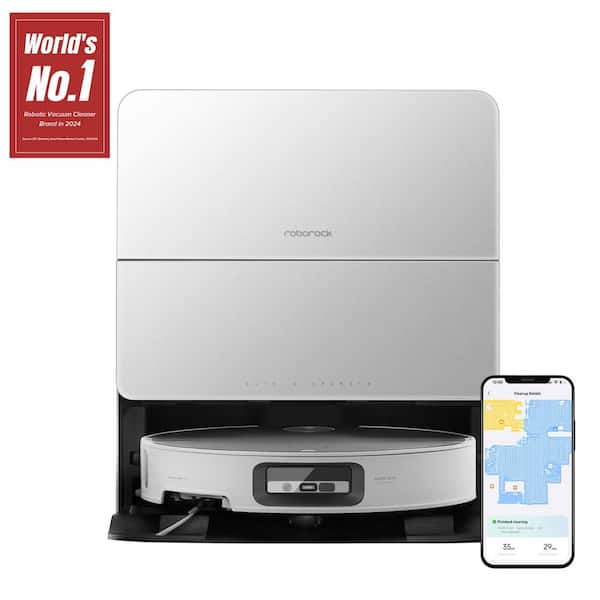
The Saros 10R’s navigation system is ready for future improvements. The company can add new object types, smarter cleaning modes, and better maps through software updates. This means your robot could get even smarter over time.
If you want to learn more about how LiDAR and AI are used in robotics, check out this article from Wikipedia.
Frequently Asked Questions
How Does The Roborock Saros 10r Avoid Getting Stuck?
The Saros 10R uses a mix of LiDAR, cameras, and AI object recognition. It detects obstacles in real time and changes its path. If it does get stuck, it tries to free itself. Over time, it learns where trouble spots are and avoids them.
Can The Saros 10r Remember More Than One Floor Plan?
Yes, it can save up to four different maps. You can move the robot to a different floor, select the right map in the app, and it will know where it is.
Does The Saros 10r Work In The Dark?
Yes. The LiDAR system works with lasers, not light, so the robot can see and map rooms even in total darkness.
How Accurate Is The Object Recognition?
Very accurate for most common objects like shoes, cables, and pet waste. However, very small or transparent items may sometimes be missed. The robot’s software keeps improving with updates.
What Happens If I Move The Furniture Often?
The Saros 10R will notice new objects or changes and update its map automatically. For big changes, it is a good idea to run a new mapping session to ensure the robot cleans efficiently.
The Roborock Saros 10R’s navigation is not just about getting from point A to B—it is about knowing your home, avoiding trouble, and cleaning smarter each time. With its blend of LiDAR, structured light, and AI, it sets a new standard for robot vacuums.
If you want a robot that truly understands your space and learns over time, the Saros 10R is a top choice.

