How Long Does Shark Ix141 Battery Last?
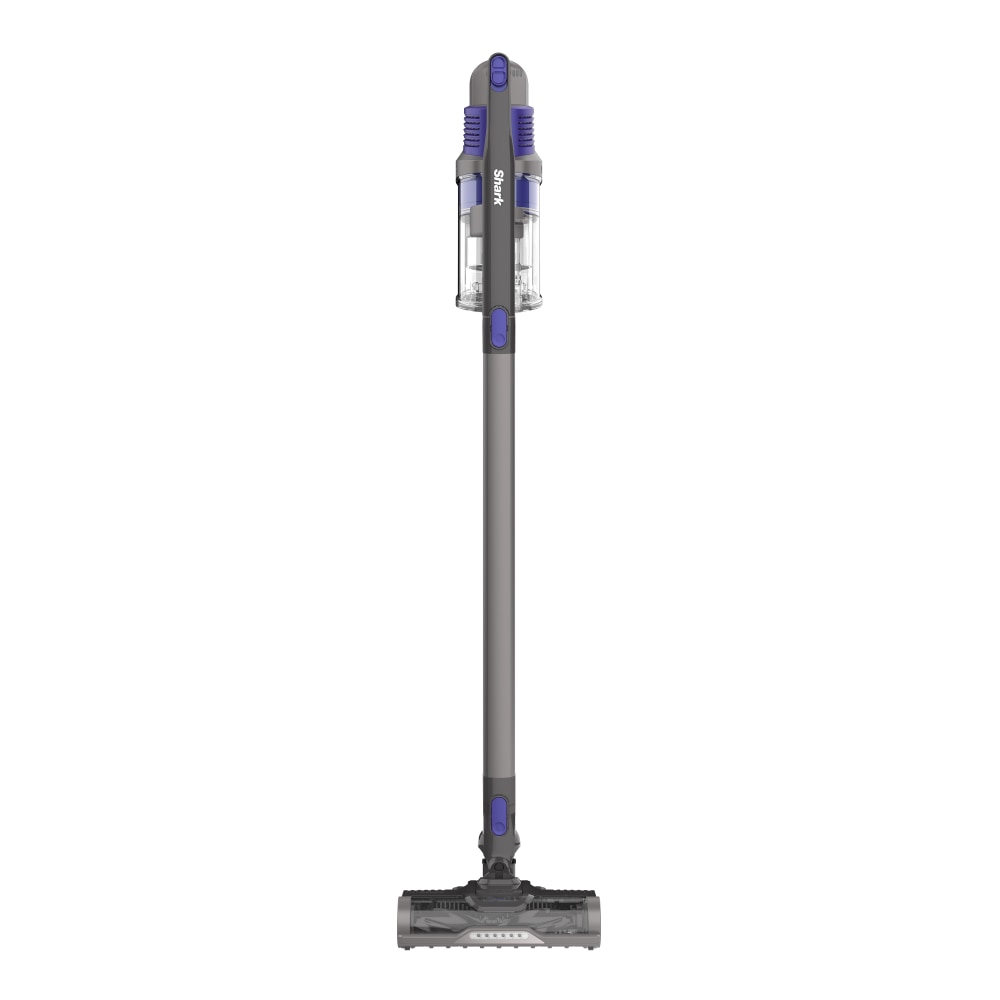
The Shark IX141 is a popular cordless vacuum, known for its flexibility and lightweight design. One question many users ask before buying or after owning this vacuum is, “How long does the Shark IX141 battery last? ” Understanding battery life helps you plan cleaning sessions, manage charging routines, and avoid surprises.
In this guide, you’ll get a clear, practical look at the Shark IX141 battery duration, what affects it, and how to make the most of each charge.
Shark Ix141 Battery Basics
The Shark IX141 uses a lithium-ion battery. These batteries are common in modern cordless devices because they offer a good balance of power and weight. The battery is removable, which means you can replace it if needed or buy an extra for longer cleaning sessions.
On a full charge, the Shark IX141 battery is advertised to last up to 40 minutes in standard mode. This number is based on lab tests and can vary depending on your home, cleaning habits, and the mode you use.
Actual Runtime: What To Expect
While the official runtime is up to 40 minutes, real-world use often brings different results. Here’s what most users report:
- Standard cleaning mode: 35–40 minutes
- Boost or MAX mode: 10–15 minutes
- With accessories: 25–35 minutes
If you only vacuum hard floors with the main floorhead in standard mode, you’ll get close to the full 40 minutes. Using tools like the crevice tool or the motorized brush, or switching to MAX power, will lower the battery time.
Factors That Affect Battery Life
Several things can change how long the Shark IX141 battery lasts on a single charge:
- Power mode: Higher power means more suction but less runtime.
- Floor type: Thick carpets use more power than hard floors.
- Attachments: Motorized brushes or extra tools draw extra energy.
- Battery age: Over time, batteries lose some capacity.
- Cleaning speed: Fast, rough cleaning drains power quicker.
A non-obvious point: Even ambient temperature can impact battery efficiency. Extreme cold or heat (like cleaning in a non-air-conditioned garage) can shorten runtime.
Charging Time And Process
The Shark IX141 takes about 3.5 hours to charge fully from empty. You can check the battery’s charge level using the LED lights on the vacuum. Three solid lights mean fully charged, while one flashing light means it’s time to recharge.
To get the most out of each charge:
- Let the battery cool down after use before charging.
- Avoid overcharging; unplug when fully charged.
Battery Lifespan: How Long Before Replacement?
With regular use, the Shark IX141’s battery can last 2–3 years before you notice a drop in max runtime. After about 300–500 charge cycles, most lithium-ion batteries start to lose some capacity.
Signs you need a new battery include:
- Noticeably shorter cleaning time (under 15 minutes in standard mode)
- The battery doesn’t charge fully
- The vacuum shuts off suddenly even after charging
How To Extend Shark Ix141 Battery Life
You can get the most from your battery by following these tips:
- Avoid deep discharges: Recharge before the battery is totally empty.
- Keep at room temperature: Store and charge the vacuum inside.
- Clean filters regularly: A clogged filter makes the vacuum work harder, draining the battery.
- Use MAX mode only when needed: Save high power for tough spots.
- Remove the battery if storing long-term: If you won’t use the vacuum for weeks, take out the battery and store it separately.
A practical example: If you only use MAX mode for rugs and switch back to standard on hard floors, you’ll clean your whole home without sudden shutdowns.
Real-world Examples
Let’s see how different cleaning routines change the battery time:
- Small apartment, mostly hard floors, standard mode: You can clean all rooms in one session, with battery to spare.
- Large house, lots of carpet, frequent MAX mode: You may need to recharge or buy a second battery to finish in one go.
- Spot cleaning with attachments: Battery lasts longer than using the main motorized floorhead.
Comparing Shark Ix141 To Other Cordless Vacuums
Here’s a comparison of the Shark IX141’s battery life with other popular cordless models:
| Model | Max Runtime (Standard Mode) | Charging Time |
|---|---|---|
| Shark IX141 | 40 minutes | 3.5 hours |
| Dyson V8 | 40 minutes | 5 hours |
| Tineco A11 Hero | 40 minutes | 3-4 hours |
| Shark Rocket Pet Pro | 40 minutes | 3 hours |
The Shark IX141 matches its rivals in runtime but has an edge with its removable battery.
How To Know When To Replace The Battery
Unlike some vacuums, the Shark IX141 has an easy-to-remove battery. Here are signs it’s time for a replacement:
- The vacuum runs for much less time, even after a full charge.
- The battery won’t charge, or the LED lights blink abnormally.
- The vacuum cuts off suddenly during use.
Replacement batteries can be purchased directly from Shark or trusted retailers. Always buy genuine parts for safety and performance.
Common Mistakes That Shorten Battery Life
Some users accidentally reduce their Shark IX141 battery life. Here are mistakes to avoid:
- Leaving the battery on the charger for days
- Storing the vacuum in hot or freezing places
- Letting the battery drain to zero every time
- Using MAX mode for all cleaning, not just tough spots
- Ignoring filter and brushroll cleaning
A less obvious mistake: Using third-party batteries can sometimes void the warranty or damage the vacuum.

Battery Replacement And Maintenance
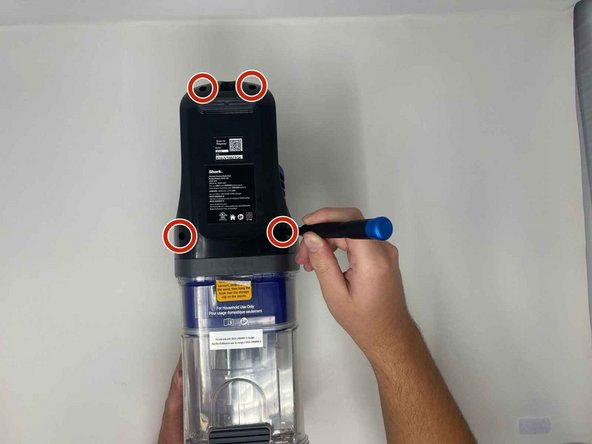
Changing the Shark IX141 battery is simple:
- Slide the battery out from the vacuum’s handle.
- Insert the new battery until it clicks into place.
- Charge fully before first use.
For maintenance:
- Wipe battery contacts clean if you notice dust or poor connection.
- Store the battery in a dry, cool place if you won’t use it for a long time.
Data Table: Shark Ix141 Battery Stats
Here’s a quick look at the most important numbers:
| Feature | Value |
|---|---|
| Battery Type | Lithium-ion (removable) |
| Max Runtime | Up to 40 minutes |
| Max Power Mode Runtime | 10–15 minutes |
| Charging Time | 3.5 hours |
| Expected Lifespan | 2–3 years |
Comparing Cleaning Modes And Battery Use
Let’s break down how different settings impact runtime:
| Mode/Attachment | Average Runtime |
|---|---|
| Standard Mode, Hard Floor | 35–40 minutes |
| Standard Mode, Carpet | 25–30 minutes |
| MAX/Boost Mode | 10–15 minutes |
| Crevice Tool | 30–35 minutes |
| Pet Multi-Tool | 28–33 minutes |
Non-obvious Battery Care Tips
Most users know to charge the battery after use, but here are two less-known tips:
- Partial charges are fine: Unlike older batteries, lithium-ion batteries do not need to be fully drained. Charging often and not to 100% every time can actually extend battery life.
- Occasional full discharge helps: Every few months, run the battery down completely and recharge to 100%. This helps calibrate the battery indicator and keeps the electronics in sync.
When A Second Battery Makes Sense
If your home is large or you prefer to clean everything at once, buying a second Shark IX141 battery is a smart move. Swapping batteries doubles your runtime and means you’ll never have to wait for charging. Make sure your charger and vacuum are compatible with extra batteries.
How To Check Your Battery’s Health
The Shark IX141 doesn’t have a built-in battery health readout, but you can track performance:
- Time your average cleaning session and compare to when the vacuum was new.
- Pay attention to LED light behavior—flashing or red lights can mean battery issues.
- Notice if power drops suddenly instead of gradually.
If you see a big drop in runtime or charging is inconsistent, it’s likely time for a replacement.
Environmental Impact And Disposal
Lithium-ion batteries should never be thrown in regular trash. Most communities offer battery recycling at hardware stores or recycling centers. Always follow local rules to protect the environment. For details, the EPA’s battery recycling guide is a trusted source.
Frequently Asked Questions
How Long Does The Shark Ix141 Battery Last Per Charge?
The battery lasts up to 40 minutes in standard mode. Using MAX power or motorized tools will shorten this time. Most users get 25–40 minutes depending on how they clean.
How Many Years Will The Shark Ix141 Battery Last?
With regular use and proper care, expect 2–3 years of good performance. Heavy daily use or poor storage may shorten battery life.
Can I Buy A Second Battery For The Shark Ix141?
Yes, the battery is removable and replaceable. You can buy a second one from Shark or authorized sellers to extend cleaning time.
Why Does My Shark Ix141 Battery Not Hold A Charge?
This can happen if the battery is old (over 2–3 years), has reached its charge cycle limit, or has been exposed to extreme temperatures. Try a new battery if charging issues continue.
How Do I Recycle Or Dispose Of The Shark Ix141 Battery?
Take the used battery to a battery recycling center or a hardware store with a recycling program. Don’t put lithium-ion batteries in the trash. Check local rules for safe disposal.
The Shark IX141 offers solid battery life for everyday cleaning. With simple habits and care, you’ll enjoy years of reliable cordless vacuuming. Remember, how you use and maintain the battery makes all the difference in getting the most from your Shark IX141.