

Keeping your Dyson V12 Detect Slim in top shape isn’t just about performance—it’s about getting the most value from your investment. This powerful cordless vacuum is known for its advanced features and deep-cleaning ability, but many owners aren’t sure how often to clean each part.
Cleaning too little can clog filters and reduce suction. Cleaning too often wastes your time and may even wear out parts faster. So, what’s the ideal cleaning schedule for every part of your Dyson V12 Detect Slim? Let’s break it down into 12 key items, each with simple guidance and practical tips.
By the end, you’ll know exactly how to keep your vacuum running like new—and avoid the common mistakes that shorten its life.
Why Cleaning Frequency Matters
Regular maintenance isn’t just for neat freaks. It actually improves your vacuum’s suction power, protects the motor, and extends battery life. Dust, hair, and debris quickly build up, especially in homes with pets or high foot traffic. Studies show that vacuums with blocked filters lose up to 50% of their efficiency. Proper cleaning also helps avoid unpleasant odors and keeps your air clean. If you notice the vacuum isn’t picking up as well as before, it’s probably time to clean it.
12 Items To Clean On The Dyson V12 Detect Slim
Each part of your Dyson V12 Detect Slim needs attention on a different schedule. Some require weekly checks, others only monthly or even less often. Here’s how often to clean each item—and why it matters.
1. Main Filter
The main filter traps fine dust and keeps the air clean. Dyson recommends washing it once a month under cold water. More frequent cleaning is needed if you have pets or allergies. Let it dry for at least 24 hours before reinstalling. If you notice a musty smell or reduced suction, check the filter even sooner.
2. Dust Bin
The dust bin collects all dirt and debris. Empty and wipe it after every use to prevent dust from sticking to the sides and to avoid bad smells. For a deeper clean, wash it with cold water once a month. Make sure it’s completely dry before putting it back to prevent mold.
3. Brush Bar
The brush bar grabs hair and dust from carpets. Check and clean it weekly, especially if you have long hair or pets. Remove tangled hair and debris by hand or with scissors. If ignored, the brush can jam and damage the motor.
4. Laser Slim Fluffy Cleaner Head
This unique cleaner head is designed for hard floors. Wipe it with a damp cloth every two weeks. For heavy use, such as in kitchens, clean it weekly. Avoid soaking—too much water can damage the electronics.
5. Motorized Cleaner Head
For homes with carpets, the motorized head is essential. Remove and clean it every two weeks. Take out any stuck hair, threads, or debris. This keeps the motor running smoothly and prevents overheating.
6. Wand
The wand is the tube connecting the main body to the cleaner head. Dust and debris can build up inside, so clean it once a month. Remove it and tap gently to dislodge any dirt. You can use a damp cloth, but make sure it’s fully dry before reattaching.
7. Cyclone Assembly
The cyclone is where the vacuum separates dust from the air. Clean it every 1-2 months, depending on use. Tap out dust over a trash can, then wipe with a dry cloth. Never use water—moisture can damage internal parts.
8. Hepa Filter (if Equipped)
Some Dyson V12 models include a HEPA filter for extra air filtration. Wash it every 1-2 months, or more often if you have allergies. Rinse under cold water and let it dry for 24 hours. Replace if it shows signs of wear.
9. Attachments (crevice Tool, Dusting Brush, Etc.)
Dyson provides several attachments for different surfaces. Wipe them with a damp cloth once a month, or more often if used frequently. Remove hair and dust trapped inside. Clean attachments can make a big difference in cleaning tight spaces.
10. Battery Contacts
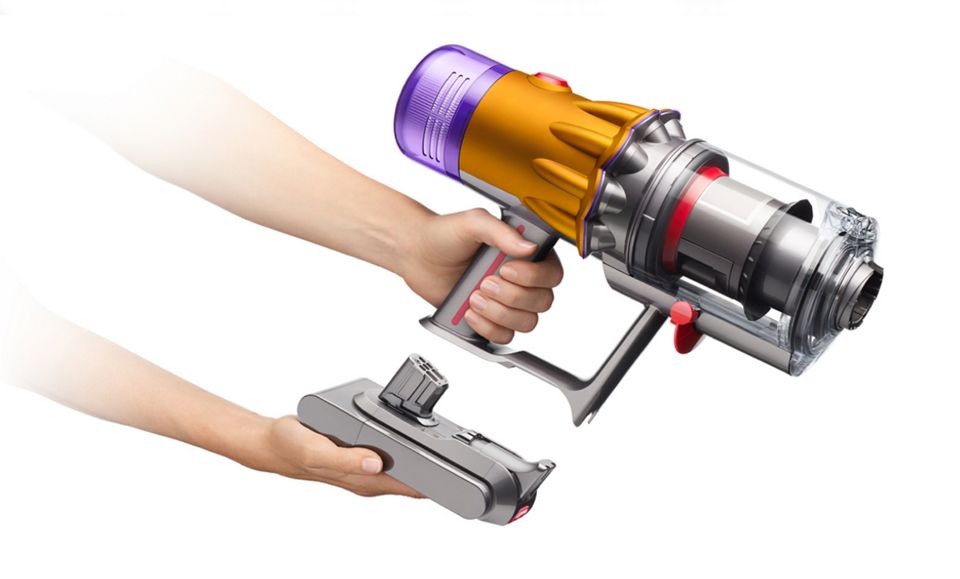
The battery contacts ensure a good electrical connection. Check and clean them every 2-3 months with a dry cloth. Avoid liquids, as moisture can cause corrosion. If you notice charging problems, inspect the contacts first.
11. Sensors
The V12 Detect Slim uses sensors for dust detection and power management. Wipe sensor windows gently every 2-3 months using a dry, soft cloth. Avoid touching them with wet hands or using chemicals, as this can affect performance.
12. Exterior Body
Finally, the exterior body collects fingerprints and dust. Wipe it down weekly with a dry or slightly damp cloth. This keeps your vacuum looking new and prevents dust from entering seams or buttons.
How Usage Affects Cleaning Frequency
Your cleaning schedule may need to change based on how you use the Dyson V12 Detect Slim. If you vacuum daily, have pets, or live in a dusty area, increase cleaning frequency. For lighter use, monthly or bi-monthly cleaning may be enough for some parts.
Watch for warning signs like lower suction, strange noises, or error lights—these often mean a part needs cleaning sooner.
Comparing Cleaning Schedules
Here’s a quick look at cleaning frequencies for each part:
| Part | Recommended Frequency |
|---|---|
| Main Filter | Monthly |
| Dust Bin | After every use |
| Brush Bar | Weekly |
| Laser Slim Fluffy Head | Every 2 weeks |
| Motorized Head | Every 2 weeks |
| Wand | Monthly |
| Cyclone Assembly | Every 1-2 months |
| HEPA Filter | Every 1-2 months |
| Attachments | Monthly |
| Battery Contacts | Every 2-3 months |
| Sensors | Every 2-3 months |
| Exterior Body | Weekly |
Step-by-step Cleaning Tips
Cleaning your Dyson V12 Detect Slim doesn’t have to be complicated. Here’s a simple checklist for a full clean:
- Unplug and power off the vacuum before cleaning.
- Empty the dust bin after every use.
- Remove and wash the filter with cold water. Let it dry for at least 24 hours.
- Check the brush bar for tangled hair and debris.
- Wipe the cleaner heads and attachments with a damp cloth.
- Tap out the cyclone assembly over a trash can.
- Clean the wand and let it dry before reattaching.
- Inspect battery contacts and sensors for dust.
- Wipe the exterior body regularly.
If you’re ever unsure, check the user manual or visit Dyson’s official support site for more details.

Common Mistakes To Avoid
Many Dyson V12 Detect Slim owners make the same cleaning mistakes. Here are two often overlooked points:
- Not letting filters dry fully: Reinstalling a wet filter can cause mold, odors, and even damage the motor. Always wait at least 24 hours.
- Using harsh cleaning products: Chemicals can damage plastic parts and sensors. Stick to water and soft cloths.
Another mistake is ignoring warning lights or strange noises. These are early signs that a part needs cleaning or attention.
How Proper Cleaning Extends Life And Performance
Sticking to a regular cleaning schedule doesn’t just keep your vacuum looking good. It maintains peak suction, protects the battery, and keeps the motor cool. According to Dyson, vacuums with regular maintenance last up to 30% longer than those that are neglected. Clean sensors help the vacuum adjust power levels for different surfaces, saving battery and improving cleaning efficiency.
Here’s a quick comparison of performance differences between regular and neglected maintenance:
| Maintenance Level | Suction Power (%) | Battery Life (minutes) | Expected Lifespan (years) |
|---|---|---|---|
| Regular Cleaning | 100 | Up to 60 | 7+ |
| Neglected Cleaning | 50–70 | 40–50 | 3–5 |
When To Replace, Not Just Clean
Sometimes cleaning isn’t enough. Filters, batteries, and brush bars wear out over time. If you notice the filter is torn, the battery won’t hold a charge, or the brush bar is damaged, it’s time to replace them. Using worn-out parts can harm the vacuum and reduce cleaning results.
Non-obvious Insights Most Owners Miss
- Sensor Cleaning Is Critical: Many owners forget the sensors, but dirty sensors mean the vacuum may miss dust or use too much battery. Keeping them clean lets the V12’s smart features work properly.
- Attachment Hygiene Matters: Dirty tools spread dust instead of removing it, especially if you use them for furniture or cars. Regular attachment cleaning prevents this hidden problem.

Where To Find More Guidance
If you need visual instructions, Dyson’s official site has step-by-step videos and downloadable manuals. For more cleaning tips and troubleshooting, visit the Dyson Support Center.
Frequently Asked Questions
How Do I Know If My Dyson V12 Detect Slim Needs Cleaning?
Watch for signs like reduced suction, strange noises, or flashing warning lights. If the vacuum smells musty or spits out dust, check the filters and dust bin right away.
Can I Wash All Parts Of My Dyson V12 Detect Slim?
No, not all parts are washable. Only the filters and dust bin should be washed with water. Never wash the motor, battery, cyclone, or electronic parts. Always check the user manual if unsure.
What Happens If I Don’t Clean My Dyson V12 Detect Slim Regularly?
Neglecting cleaning can lead to loss of suction, motor overheating, battery issues, and even permanent damage. It also reduces the lifespan of your vacuum and can cause bad odors.
How Long Does It Take To Dry The Filter After Washing?
It usually takes at least 24 hours for the filter to dry completely. Never reinstall a damp filter—it can cause mold and damage the vacuum.
Should I Use Cleaning Products Or Just Water?
For most parts, cold water and a soft cloth are best. Avoid harsh chemicals, as they can damage plastic and sensors. For stubborn dirt, a little mild soap is okay, but rinse thoroughly.
Taking care of your Dyson V12 Detect Slim doesn’t have to be difficult. With a clear schedule and simple habits, you’ll enjoy powerful cleaning for years—and get the best out of your investment.

