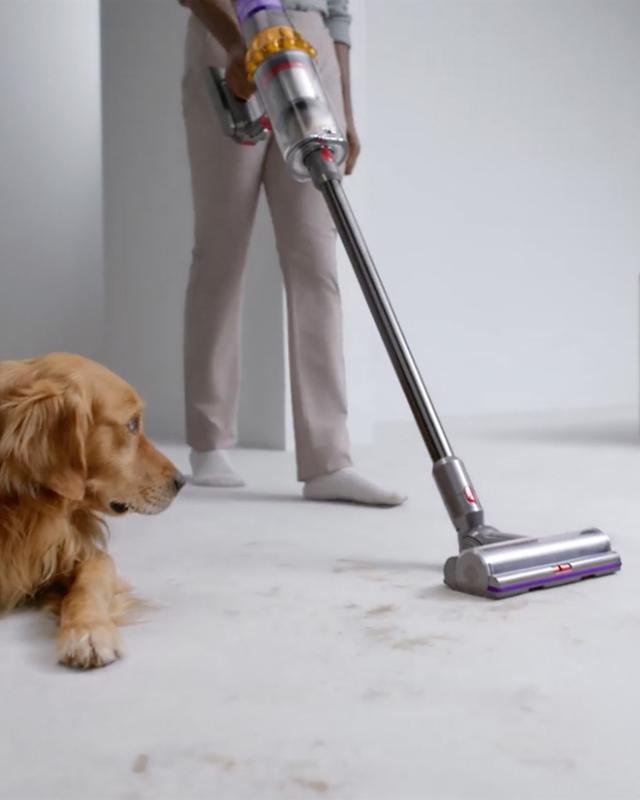
Your Dyson V15 Detect is a powerful cordless vacuum, famous for its strong suction and smart features. But what happens when that reliable suction suddenly weakens? You might notice more dust left behind, the vacuum sounding strange, or even needing extra passes to get clean floors. Losing suction isn’t just annoying—it’s a sign that something isn’t working right. If you fix the problem quickly, you can avoid expensive repairs and keep your vacuum running like new.
Many owners think suction loss means the vacuum is broken. But most issues are simple and easy to fix at home. Knowing the main causes can save you time and money. Below, you’ll discover the top 15 reasons your Dyson V15 Detect loses suction, with practical tips to solve each one.
This guide is designed for everyone—even if you’re not a technical person. Let’s get your vacuum back to full power.
1. Clogged Filter
A clogged filter is a very common cause of weak suction. The Dyson V15 Detect uses a HEPA filter to trap tiny dust particles. Over time, this filter fills up and blocks airflow.
To fix this, check the filter. If it’s dirty, remove it and wash with cold water (never use soap). Let it dry completely for at least 24 hours before putting it back. Dyson recommends cleaning the filter every month if you vacuum often.
Surprisingly, many owners don’t realize a wet or damp filter can cause worse suction than a dirty one. If you put the filter back before it’s dry, it blocks air even more.
2. Blocked Airway
A blocked airway anywhere in the vacuum can drastically reduce suction. This can happen in the wand, hose, or even the main body.
Inspect these parts for any obstructions. Use a flashlight to check deep inside. Remove any debris—sometimes small toys, coins, or hairballs get stuck.
One tip: Blockages often hide in the bends of the wand. A flexible cleaning brush or even a bent wire can help reach inside.
3. Full Dust Bin
A full dust bin stops air from moving freely. The Dyson V15 Detect uses a clear bin so you can see when it needs emptying. If you let it get too full, the vacuum struggles to keep suction.
Empty the bin as soon as it reaches the “Max” line. Wipe the inside with a dry cloth to remove stuck dust. Some users forget that fine dust can build up in corners, blocking airflow even when the bin looks empty.
4. Dirty Cyclone Assembly
The cyclone assembly spins dust out of the air before it reaches the filter. If this part is dirty or blocked, suction drops.
Remove the dust bin and check the cyclone holes. Gently tap the assembly to loosen dust. Use a soft brush to clean the holes. Never use water—Dyson warns that wetting this part can damage it.
Many beginners miss the fact that even tiny clogs in the cyclone can make a big difference. Cleaning this area regularly keeps suction strong.
5. Faulty Battery
The battery powers the motor. If the battery is weak or not charging correctly, the vacuum will not reach full power.
Check the battery’s charge level. If it drains quickly or does not hold a charge, you may need a replacement. Dyson batteries usually last 2-4 years with regular use. If your vacuum is older, consider buying a new battery from Dyson or an authorized dealer.
A low battery often causes short bursts of suction, then drops off quickly—this is a key sign to watch for.
6. Damaged Seals
Seals keep air moving through the vacuum, not leaking out. If seals are cracked or loose, suction escapes.
Inspect the seals around the dust bin, filter, and wand connections. Replace any damaged seals. Even small cracks can cause big losses in suction.
A non-obvious insight: Some seals can shift out of place after cleaning. Always double-check their position before reassembling your vacuum.
7. Brush Bar Obstructions
Hair, threads, or string can wrap around the brush bar and block its movement. When the brush bar stops spinning, the vacuum cannot pick up debris effectively.
Remove the brush bar and cut away any tangled material. Use scissors or a seam ripper for stubborn hair. Make sure the brush spins freely before reinstalling.
A common mistake: Owners often clean only the visible part of the brush. Dirt can also hide in the side caps—open them and check.
8. Incorrect Power Mode
The Dyson V15 Detect offers different power modes: Eco, Auto, and Boost. Using Eco mode saves battery but reduces suction. If you accidentally set it to Eco, you may notice weak performance.
Switch to Auto or Boost mode for higher suction. Boost mode uses the most power but gives the strongest cleaning.
Tip: For carpets or heavy messes, Boost mode is best. For light cleaning, Auto is usually enough.
9. Damaged Hose
A damaged hose—with cracks or holes—lets air escape. Even small splits can ruin suction.
Inspect the hose by bending it gently. Look for any gaps. Replace the hose if you find damage. A new hose restores full suction.
Some owners miss tiny pinholes, which often appear where the hose bends most. Shine a bright light through the hose to spot them.
10. Blocked Wand
The wand connects the vacuum head to the main unit. If it’s blocked by debris, suction drops.
Detach the wand and check inside. Use a long, flexible brush or compressed air to clear out dust. Sometimes, stuck dirt needs gentle tapping to loosen.
Beginners often forget to check the wand after vacuuming large debris—like cereal or pebbles—which can lodge inside.

11. Overheated Motor
A motor overheating causes the vacuum to lose suction. The Dyson V15 Detect has a safety feature that reduces power when it senses heat.
Let the vacuum cool down for at least 30 minutes. Clean filters and check airflow, as blocked paths make the motor work harder.
A practical tip: If your vacuum shuts off during use, it’s likely overheated. Regular maintenance prevents this.
12. Faulty Sensor
The Dyson V15 Detect uses sensors to control suction and detect particles. If a sensor fails, the vacuum may not adjust properly and suction can drop.
Sensors are inside the main body. If you suspect a problem, contact Dyson support. Some sensors can be cleaned gently with compressed air, but don’t attempt repairs unless you’re confident.
A non-obvious insight: The piezo sensor counts dust particles and controls suction. If it’s dirty, the vacuum may stay in low power mode.
13. Damaged Brush Bar Motor
The brush bar motor spins the brush. If it’s damaged, the brush stops and suction drops.
Check if the brush bar spins when the vacuum is on. If not, inspect the motor. Replacement motors are available from Dyson.
Mistake to avoid: Don’t force the brush bar. If it’s stuck, clear obstructions first before testing the motor.
14. Loose Connections
Loose connections between the wand, head, and main body let air escape and reduce suction.
Check all connections. Push them together firmly until you hear a click. If any part feels loose, inspect for cracks or broken clips.
Insight: Over time, repeated use can wear out connectors. Replacing worn parts restores suction.
15. Blocked Cleaner Head
The cleaner head is the front part that contacts the floor. Dirt, hair, or large objects can block the airflow.
Remove the cleaner head and clean inside. Check for obstructions in the air channels. Wipe with a dry cloth.
A tip: Sometimes, the blockage is not visible. Tap the head gently and shake out hidden debris.
Comparing Common Causes
To help you quickly identify the most likely reasons for suction loss, here’s a comparison of the top five causes:
| Cause | Frequency | Fix Difficulty | Signs |
|---|---|---|---|
| Clogged Filter | Very Common | Easy | Weak airflow, dusty air |
| Blocked Airway | Common | Moderate | Strange noises, debris left |
| Full Dust Bin | Common | Easy | Dust visible, bin full |
| Dirty Cyclone | Less Common | Moderate | Fine dust left behind |
| Damaged Hose | Uncommon | Moderate | Air escaping, visible holes |
When To Call A Professional
Most suction problems can be fixed at home, but some require professional help:
- Motor replacement
- Sensor repairs
- Severe electrical issues
If your Dyson V15 Detect still loses suction after checking all 15 points, contact Dyson support or an authorized repair center. Don’t risk damaging your vacuum by guessing with complex repairs.
Preventing Suction Loss
Regular maintenance is key:
- Clean the filter monthly.
- Empty the bin often.
- Check for blockages after each use.
- Inspect seals and connections.
- Store the vacuum in a cool, dry place.
Here’s a maintenance frequency comparison:
| Task | Recommended Frequency |
|---|---|
| Filter cleaning | Every month |
| Dust bin emptying | When full |
| Brush bar cleaning | Every 2 weeks |
| Checking for blockages | After heavy cleaning |
| Battery check | Every 6 months |
How Dyson V15 Detect Compares To Other Vacuums
The Dyson V15 Detect is known for its strong suction, but like all vacuums, it needs regular care. Here’s a quick comparison:
| Vacuum Model | Average Suction Power (AW) | HEPA Filter | Maintenance Ease |
|---|---|---|---|
| Dyson V15 Detect | 230 | Yes | Easy |
| Dyson V11 | 185 | Yes | Easy |
| Shark IZ163H | 150 | No | Moderate |
| Hoover ONEPWR | 120 | No | Moderate |
Frequently Asked Questions
Why Does My Dyson V15 Detect Shut Off Suddenly?
If your vacuum shuts off, it’s likely overheated, has a blocked filter, or the battery is low. Let it cool, clean the filter, and recharge the battery. If the problem continues, check for blockages.
How Often Should I Clean The Filter?
Dyson recommends cleaning the filter every month if you use the vacuum often. For lighter use, every 2-3 months is enough. Always let the filter dry fully before reinstalling.
Can I Wash The Cyclone Assembly?
No, you should never wash the cyclone assembly with water. Use a dry brush or tap it gently to remove dust. Moisture can damage the cyclone and reduce suction.
What Is The Best Power Mode For Strong Suction?
Boost mode gives the strongest suction, but drains the battery faster. Use Auto mode for a balance of power and runtime. Eco mode is best for light cleaning.
Where Can I Get Replacement Parts?
Buy replacement parts directly from Dyson or authorized dealers. This ensures quality and compatibility. For more details, visit the official Dyson website.
Restoring your Dyson V15 Detect to full power is easy if you know what to check. With these 15 tips and regular maintenance, you’ll enjoy strong suction and clean floors every time. Don’t wait—fix suction issues as soon as you notice them, and your vacuum will last for years.