

Keeping your Roborock Qrevo Edge 2 running smoothly is easier than you think, but it does require regular attention. Many owners wonder how often they should maintain their robot vacuum. If you’re one of them, you’re in the right place. This guide covers everything you need to know: cleaning schedules, part lifespans, practical tips, and even mistakes most beginners make. Whether you use your Qrevo Edge 2 daily or only once a week, following the right maintenance routine will help your robot deliver reliable cleaning for years.
Why Regular Maintenance Matters
You may notice your robot works less efficiently over time. Dust buildup, tangled hair, or dirty sensors can reduce cleaning performance. Regular maintenance not only keeps your Qrevo Edge 2 working like new, but also extends its lifespan, saves money, and prevents unexpected breakdowns. Neglecting maintenance is one of the most common reasons robot vacuums stop working properly.
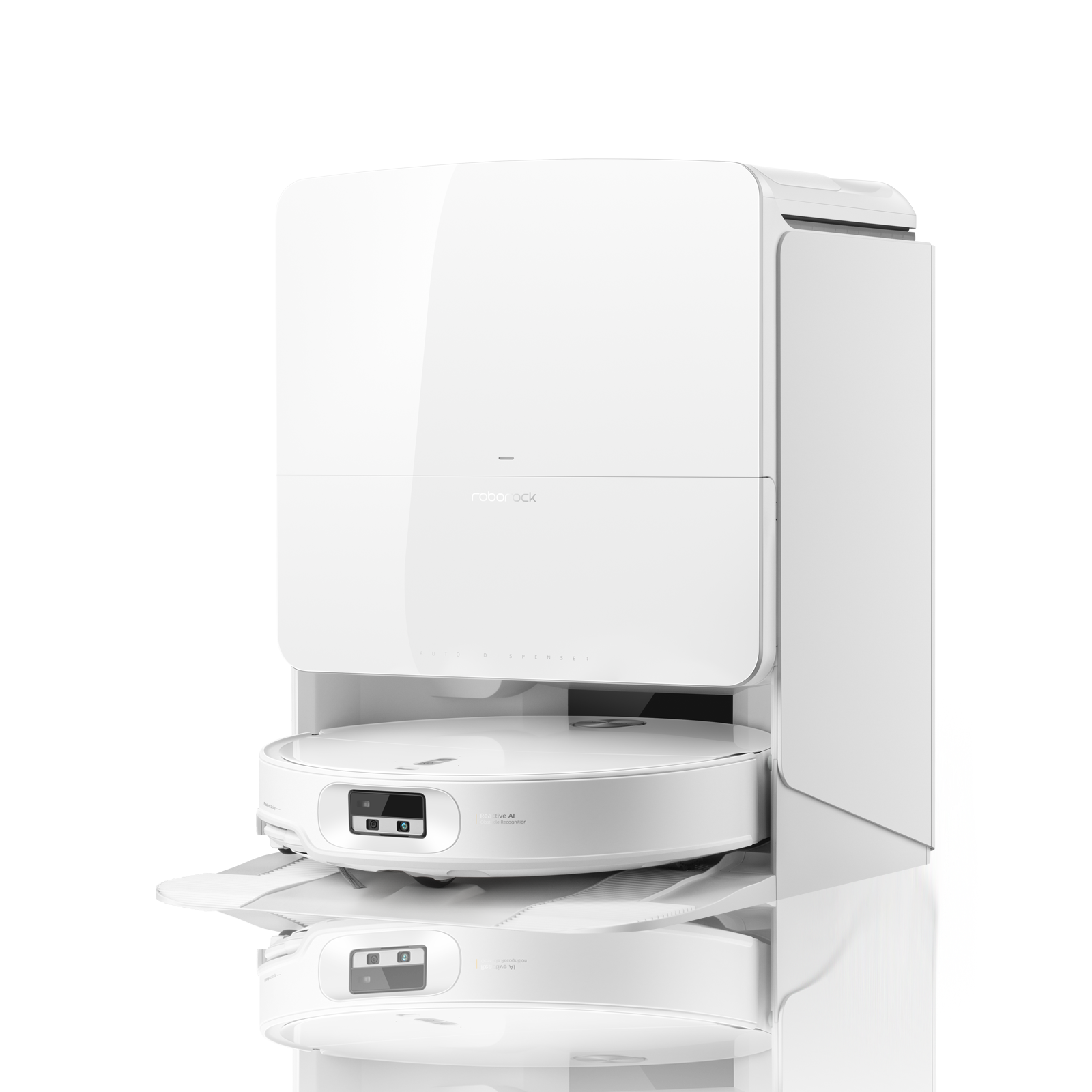
Roborock Qrevo Edge 2: Key Features
Before diving into maintenance, let’s highlight what makes the Qrevo Edge 2 unique:
- Dual mop and vacuum: Cleans both hard floors and carpets.
- Self-cleaning dock: Automates mop washing and drying.
- Smart navigation: Uses LIDAR and AI to map your home.
- Edge cleaning: Specially designed to reach corners and edges.
These features mean the robot has several parts needing regular care, including brushes, sensors, mopping pads, water tanks, and filters.
Maintenance Frequency: Quick Overview
How often you should maintain your Roborock Qrevo Edge 2 depends on usage, household size, and floor type. For most homes, the following schedule works well:
| Maintenance Task | Recommended Frequency |
|---|---|
| Empty Dustbin | After every cleaning cycle |
| Clean Main Brush | Weekly |
| Clean Side Brush | Weekly |
| Wash Mop Pads | After every mop session |
| Check Water Tank | Weekly |
| Clean Sensors | Monthly |
| Replace HEPA Filter | Every 2-3 months |
| Replace Main Brush | Every 6-12 months |
| Replace Mop Pads | Every 3-6 months |
Most tasks are simple and take only a few minutes. Let’s break down each maintenance type.
Daily And Weekly Maintenance
Emptying The Dustbin
After every cleaning session, check the dustbin. If your home has pets or lots of dust, this step is crucial. An overflowing dustbin can block airflow and reduce suction power.
- Remove the dustbin, empty contents into a trash can.
- Wipe with a dry cloth if needed.
- For deep cleaning, rinse the bin with water (ensure it dries fully before reinserting).
Cleaning Brushes
Both the main brush and side brush collect hair, dust, and debris.
- Remove brushes by pressing the release buttons.
- Use the included cleaning tool or a small brush to remove tangled hair.
- Inspect for damage or worn bristles.
Failing to clean brushes weekly can lead to poor pickup and noisy operation. If you have long-haired pets, consider cleaning brushes twice a week.
Washing Mop Pads
The Qrevo Edge 2’s mop pads should be washed after every mopping session.
- Detach pads from the robot.
- Rinse under warm water, squeeze out dirt.
- Let them air dry completely before reuse.
Dirty pads can spread grime instead of cleaning. Some users forget this step, causing streaks on their floors.
Checking Water Tank
Check the water tank weekly:
- Fill with clean water if it’s low.
- Empty and rinse tank if water appears dirty or smells.
Using unclean water can lead to streaks or even bacteria growth on floors.
Monthly And Periodic Maintenance
Cleaning Sensors
Sensors help the robot navigate and avoid obstacles. Dusty sensors can cause navigation errors or missed spots.
- Wipe sensors gently with a dry microfiber cloth.
- Avoid using water, which can damage electronics.
Many people overlook sensors. Even a small layer of dust can interfere with mapping.
Filter Maintenance
The HEPA filter traps fine dust and allergens.
- Remove filter from dustbin compartment.
- Tap gently to remove loose dust.
- Rinse with water if allowed (check manual).
Replace the filter every 2-3 months for best air quality. A clogged filter reduces suction and can lead to overheating.
Brush And Pad Replacement
Over time, brushes and mop pads wear out.
- Replace main brush every 6-12 months.
- Replace mop pads every 3-6 months.
If you notice frayed bristles or worn fabric, replace sooner. Using old parts can cause damage to floors or reduce cleaning performance.

Dock And Charging Care
The self-cleaning dock is a big feature of the Qrevo Edge 2. Proper dock maintenance is often skipped, but it’s important.
Dock Cleaning
- Wipe dock exterior with a damp cloth weekly.
- Clean the mop washing area monthly.
- Remove any hair or dust from the dock’s rollers.
If the dock becomes dirty, it can transfer grime to mop pads or block charging contacts.
Charging Contacts
Dirty contacts can prevent proper charging.
- Wipe contacts on both robot and dock with a dry cloth monthly.
If the robot isn’t charging, check for dust or residue.
Maintenance Comparison: Roborock Qrevo Edge 2 Vs Other Models
Some users want to know how maintenance compares to other robot vacuums. Here’s a quick look:
| Feature | Qrevo Edge 2 | Roborock S7 | iRobot Roomba j7+ |
|---|---|---|---|
| Self-cleaning dock | Yes | Optional | Yes |
| Mop pad maintenance | After every use | After every use | N/A |
| Filter replacement | 2-3 months | 2-3 months | 3-4 months |
| Main brush cleaning | Weekly | Weekly | Weekly |
The Qrevo Edge 2’s dock reduces manual work, but you still need to check mop pads and brushes. Compared to models without mopping, there are extra steps, but the results are more thorough.
Common Maintenance Mistakes
New users often make these errors:
- Ignoring mop pad washing: Dirty pads leave streaks.
- Letting dustbin overflow: Reduces suction and can cause blockages.
- Forgetting sensor cleaning: Leads to navigation errors.
- Using harsh chemicals: Can damage robot parts.
- Skipping filter replacement: Causes poor air quality and possible overheating.
Avoiding these mistakes can save you expensive repairs and keep your robot performing at its best.
Advanced Maintenance Tips
If you want your Qrevo Edge 2 to last even longer, try these strategies:
- Schedule maintenance reminders: Use your phone or a smart assistant to set alerts.
- Keep spare parts on hand: Brushes and filters are affordable and easy to replace.
- Vacuum the dock area: Prevents dust buildup and accidental blockages.
- Check firmware updates: Roborock releases updates to improve cleaning and navigation. Updating is simple through the app.
One non-obvious insight: Don’t ignore humidity. High humidity can cause mop pads to stay damp, leading to mold. Always dry pads fully, especially in humid climates.
Another tip: Monitor cleaning reports in the Roborock app. If your robot is missing spots or stopping early, it may be time for extra maintenance.

Maintenance Cost And Time Estimate
How much time and money does regular maintenance take? Here’s a rough breakdown:
| Task | Time (minutes) | Estimated Cost (per year) |
|---|---|---|
| Emptying dustbin | 2 per cycle | $0 |
| Brush cleaning | 5 weekly | $15 (new brushes) |
| Mop pad cleaning | 3 per use | $20 (new pads) |
| Filter replacement | 2 monthly | $30 |
| Dock cleaning | 5 monthly | $0 |
In total, expect to spend around 1–2 hours per month and less than $100 per year if you follow recommended schedules.
Signs Your Qrevo Edge 2 Needs Extra Maintenance
Sometimes, unusual behavior means maintenance is needed sooner:
- Robot stops during cleaning: Dustbin or filter may be clogged.
- Missed spots or random movement: Sensors might be dirty.
- Loud noise: Brushes could be tangled or worn.
- Poor mopping performance: Mop pads may be dirty or water tank empty.
If you notice these issues, check the relevant parts right away.
Practical Steps To Extend Robot Life
Here’s how you can help your Qrevo Edge 2 last longer:
- Clean parts regularly: Don’t wait for problems to start.
- Store robot in a dry area: Avoid damp places.
- Use only recommended cleaners: Water or mild detergent is best.
- Check for firmware updates: These can fix bugs and improve cleaning.
- Inspect parts for wear: Replace brushes, pads, and filters before they fail.
Following these steps can add years to your robot’s life.
Frequently Asked Questions
How Often Should I Replace The Hepa Filter?
Replace the HEPA filter every 2–3 months. If you have allergies or pets, consider replacing more often. A clean filter keeps suction strong and air clean.
What’s The Best Way To Clean The Sensors?
Use a dry microfiber cloth to gently wipe sensors monthly. Avoid using water or harsh chemicals, as these can damage sensitive electronics.
Can I Use Cleaning Solutions In The Water Tank?
Roborock recommends using water only. Some mild detergents are allowed, but avoid strong chemicals or bleach. These can damage the robot and leave residues on floors.
How Do I Know When To Replace The Main Brush?
If the main brush has frayed bristles, cracks, or frequent tangles, it’s time to replace. Usually, every 6–12 months is enough. Check the brush during weekly cleaning.
What Should I Do If My Robot Misses Spots?
First, clean the sensors and check the brushes for hair or debris. If issues continue, update firmware through the Roborock app. Sometimes mapping errors cause missed spots.
Keeping your Roborock Qrevo Edge 2 maintained doesn’t have to be a chore. With simple routines and attention to detail, your robot will clean efficiently and last for years. For more detailed guidance, you can check the official Roborock support page. Investing a little time each week pays off with spotless floors and peace of mind.

