

If your Roomba I5+ is not charging, it can feel frustrating—especially when you depend on it to keep your floors clean. Many people expect smart robots to work smoothly all the time, but even advanced devices like the Roomba I5+ can face charging problems. This article will help you understand why your Roomba I5+ might not be charging, how to fix common issues, and what to do if simple solutions do not work. We’ll also share some practical tips and real examples so you can solve the problem confidently.
Common Causes For Roomba I5+ Not Charging
Several factors can stop your Roomba from charging. Understanding these causes helps you find the right solution quickly.
1. Dirty Charging Contacts
Dust or debris often builds up on the charging contacts, both on the Roomba and the Home Base. Even a thin layer can block electricity. Cleaning these contacts is one of the easiest fixes.
2. Home Base Power Issues
If the Home Base is not plugged in properly or the outlet is faulty, your Roomba will not charge. Sometimes, the power cord may look connected but is loose. Surge protectors or extension cords can also cause problems if they are not working well.
3. Battery Problems
Roomba batteries, like all rechargeable batteries, wear out over time. A weak or dead battery can prevent charging. The I5+ uses lithium-ion batteries, which usually last 1–2 years with regular use.
4. Software Glitches
Occasionally, the Roomba’s software may freeze or fail. This can stop charging or cause wrong battery level readings. Resetting your Roomba often fixes this.
5. Damaged Charging Dock
Physical damage to the Home Base—like bent pins or cracks—can disrupt charging. Also, spilled liquids or pets chewing cables can cause unseen damage.
6. Incorrect Docking
If the Roomba is not aligned correctly with the charging dock, it will not charge. Sometimes, objects near the dock or uneven floors cause misalignment.
Real Example:
A Roomba owner found their robot was not charging for weeks. After checking everything, they discovered the charging contacts were covered with pet hair and dust. Cleaning solved the problem instantly.
Step-by-step Troubleshooting Guide
If your Roomba I5+ is not charging, follow these steps:
1. Check The Power Source
- Make sure the Home Base is plugged into a working outlet.
- Test the outlet with another device, like a phone charger.
- Avoid using surge protectors or extension cords unless you are sure they work.
2. Inspect And Clean Charging Contacts
- Turn off and remove your Roomba from the dock.
- Use a dry cloth or a soft brush to clean the contacts.
- For stubborn dirt, use a little rubbing alcohol (apply to cloth, not directly).
3. Confirm Correct Docking
- Place the Roomba on the Home Base and check for the charging light (usually white or green).
- The Roomba should beep or show a charging icon in the app.
4. Check For Battery Issues
- If your Roomba has been used for over a year, battery wear is possible.
- Check the app for battery health status.
- If the battery drains quickly or does not charge, consider replacing it.
5. Reset The Roomba
- Hold down the Clean button for 20 seconds, then release.
- Wait for the Roomba to restart.
- Try charging again.
6. Inspect The Home Base
- Look for physical damage, bent pins, or loose cables.
- If you have another compatible Roomba, try charging it on the same Home Base.
7. Update Software
- Open the iRobot app and check for firmware updates.
- Keeping the software updated prevents glitches.
8. Check For Environmental Issues
- Make sure the Home Base is on a flat surface, away from obstacles.
- The dock should be against a wall with 1.5 feet clear space on both sides.

Comparison Of Common Charging Issues
To help you identify the problem faster, here’s a comparison of symptoms and solutions.
| Issue | Symptoms | Quick Fix |
|---|---|---|
| Dirty contacts | No charging light, silent dock | Clean with cloth/brush |
| Bad outlet | No lights on Home Base | Try another outlet |
| Battery wear | Short battery life, no charge | Replace battery |
| Software freeze | No response, stuck app | Reset Roomba |
| Dock damage | Physical defects, loose cables | Repair/replace dock |
How To Clean Roomba I5+ Charging Contacts Safely
Cleaning the contacts properly can restore charging.
- Turn off the Roomba and unplug the Home Base.
- Use a soft, dry cloth to wipe the metal contacts on both devices.
- For stubborn dirt, apply a bit of rubbing alcohol to the cloth.
- Avoid using water or sharp tools.
- Let everything dry before reconnecting.
Practical Tip:
Do not press too hard. Gentle cleaning is enough.
Roomba I5+ Battery Replacement Guide
If your battery is old or damaged, replacing it can solve charging issues.
- Buy a genuine iRobot lithium-ion battery.
- Turn off the Roomba and flip it upside down.
- Remove screws holding the battery cover.
- Take out the old battery and insert the new one.
- Reattach the cover and screws.
- Place the Roomba on the dock and charge fully before use.
Data On Battery Life
| Battery Type | Average Lifespan | Replacement Cost |
|---|---|---|
| Lithium-ion | 12–24 months | $60–$85 |
| NiMH | 9–18 months | $45–$60 |
Roomba I5+ uses lithium-ion batteries, which are more efficient and last longer than NiMH.
Advanced Troubleshooting For Persistent Issues
If the steps above do not work, try these advanced solutions.
1. Test With Another Home Base
If possible, borrow or buy another Home Base. If your Roomba charges on a different dock, your original dock is likely faulty.
2. Inspect For Internal Damage
Sometimes, falls or impacts cause internal damage. If the Roomba or dock shows cracks, broken parts, or smells burnt, professional repair may be needed.
3. Contact Irobot Support
If you cannot solve the issue, contact iRobot support. Their technicians can guide you or suggest repairs.
4. Warranty Coverage
If your Roomba is less than one year old, it may be under warranty. Do not try to repair it yourself, as this may void coverage.
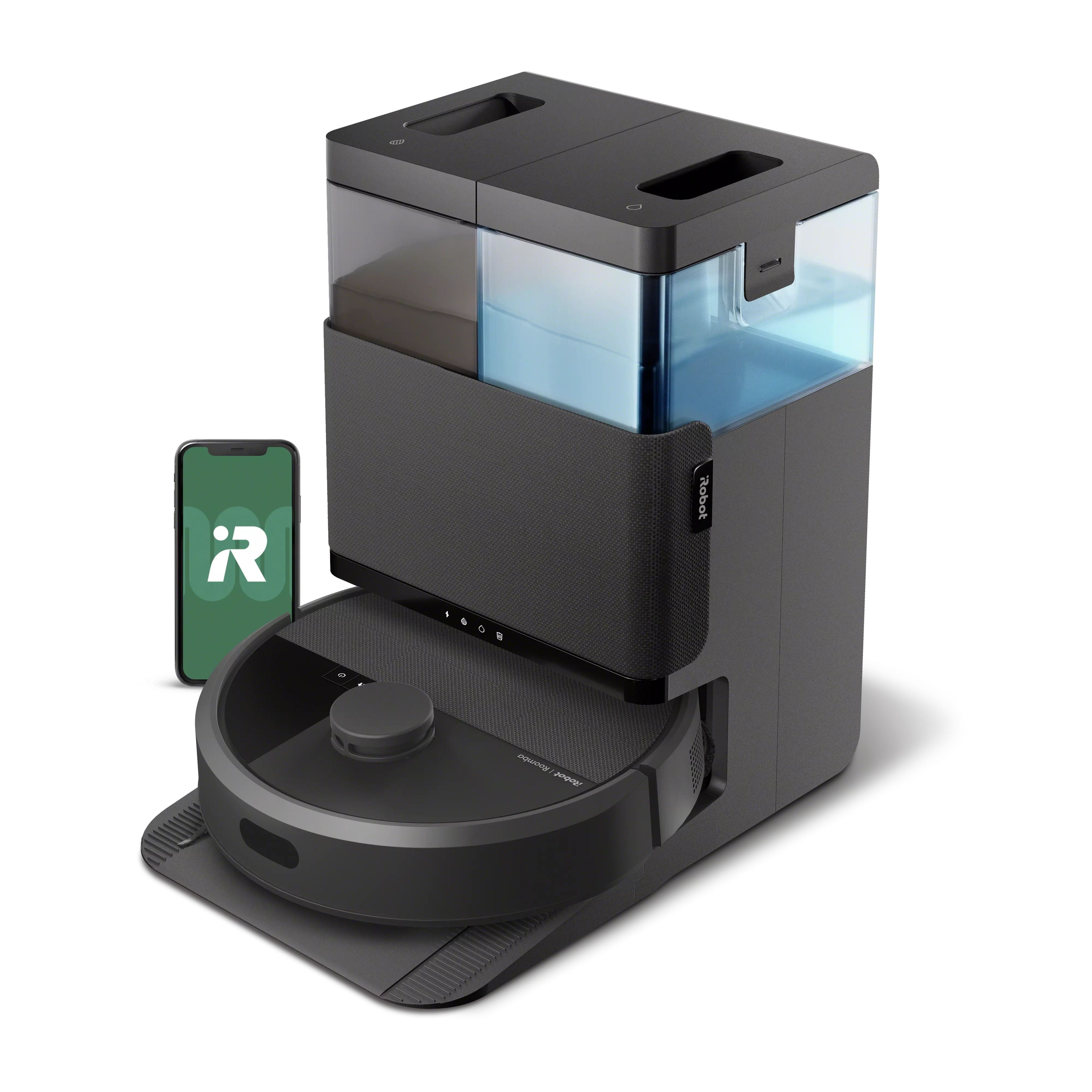
Comparing Roomba I5+ Charging Vs Other Models
Charging issues are common across robot vacuums, but each model has slightly different features.
| Model | Charging Dock Type | Battery Life | Common Charging Issues |
|---|---|---|---|
| I5+ | Automatic Clean Base | 90–120 min | Dirty contacts, battery wear |
| I7+ | Automatic Clean Base | 75–120 min | Dock alignment, firmware bugs |
| 980 | Standard Dock | 120 min | Loose cable, outlet issues |
| E5 | Standard Dock | 90 min | Battery failure, contact dirt |
Compared to older models, the I5+ is more sensitive to docking alignment because of its Automatic Clean Base.
Two Non-obvious Insights For Beginners
1. Environmental Factors Matter:
Most beginners overlook how the placement of the Home Base affects charging. If the dock is on a carpet or surrounded by objects, the Roomba may not align well. Always put the dock on a hard, flat surface with clear space.
2. Firmware Updates Can Fix Charging:
Many owners do not realize that outdated firmware can block charging, cause false battery readings, or even make the Roomba refuse to dock. Updating the app and the Roomba’s software can solve hidden issues.
Mistakes To Avoid
- Do not use water to clean charging contacts.
- Avoid forcing the Roomba onto the dock; let it align itself.
- Never use third-party batteries unless they are certified. Poor-quality batteries can damage your Roomba.
- Do not ignore battery replacement reminders in the app.
- Avoid putting the Home Base near heat sources or in direct sunlight.
When To Seek Professional Help
If you have tried all troubleshooting steps and your Roomba I5+ still does not charge, it is time to seek help.
- If you smell burning, see sparks, or find physical damage, unplug the device immediately.
- If the battery leaks or swells, do not touch it; contact iRobot support.
- If your Roomba is under warranty, contact support before opening or repairing it.
For official advice, visit the iRobot Support Center.
Frequently Asked Questions
Why Does My Roomba I5+ Show Charging But Not Increase Battery?
This usually means the battery is failing or the contacts are dirty. Clean the contacts first. If the problem persists, the battery likely needs replacement.
How Long Does It Take For Roomba I5+ To Fully Charge?
The Roomba I5+ takes about 2–3 hours to charge fully from empty. Charging may take longer if the battery is old.
Can I Use The Roomba I5+ While Charging?
No. The Roomba cannot clean while it is charging. Always let it charge fully before use.
What Does A Flashing Red Light Mean On Roomba I5+?
A flashing red light often signals low battery or a charging error. Check the app for more details and follow troubleshooting steps.
Is It Safe To Leave Roomba I5+ On The Dock All The Time?
Yes, it is safe. The Roomba I5+ has built-in protection to avoid overcharging. Keeping it docked ensures it is ready for cleaning.
Your Roomba I5+ is a smart device, but like any machine, it needs regular care. Charging issues are common but usually easy to fix. With the steps and tips shared here, you can solve most problems yourself. If nothing works, professional help is always available.
Avoid common mistakes, keep your device updated, and enjoy worry-free cleaning.

