

Are you spending long hours at your computer and feeling uncomfortable or tired? The right chair can make a huge difference in how you feel and perform every day.
Choosing the best chair for computer users isn’t just about style—it’s about supporting your body, improving your focus, and preventing pain. You’ll discover exactly what to look for in a chair that keeps you comfortable, healthy, and productive. Keep reading to find the perfect chair that works for you.
Ergonomic Features To Look For
Choosing the right chair helps reduce pain and increases comfort during long computer sessions. Ergonomic features support your body and keep you healthy. These features adjust to your needs and improve posture. Here are key ergonomic features to consider for computer users.
Adjustable Seat Height
Seat height should change easily to fit your desk and body. Your feet must rest flat on the floor. Knees should be at a 90-degree angle. Proper height reduces strain on legs and back. Look for chairs with smooth, simple height controls.
Lumbar Support
Lumbar support protects the lower back. It helps keep the natural curve of your spine. Without it, your back may feel stiff or sore. Good chairs have firm but comfortable lumbar support. Some allow you to adjust the support level or position.
Armrest Options
Armrests reduce shoulder and neck tension. Adjustable armrests can move up, down, or sideways. This helps keep your arms relaxed and close to your body. Armrests that fit your desk height prevent shoulder strain. Choose chairs with padded armrests for extra comfort.
Breathable Materials
Breathable materials keep you cool during long use. Mesh fabric allows air to flow through the chair. It reduces sweat and discomfort. Look for chairs with mesh backs or seats. This helps maintain comfort even in warm rooms.
Types Of Chairs For Computer Use
Choosing the right chair for computer use affects comfort and health. Different chairs offer unique features and support. Understanding these types helps pick the best fit for your needs. Below are common chair types used by computer users.
Task Chairs
Task chairs are simple and lightweight. They usually have wheels and adjustable height. Designed for short to medium work periods. They offer basic back support and move easily around the desk. Ideal for home offices and small spaces.
Executive Chairs
Executive chairs look larger and offer more padding. They provide good lumbar support and often have headrests. Made from leather or faux leather for a professional look. Best for long working hours and formal office settings.
Gaming Chairs
Gaming chairs have a sporty design with extra cushions. They support the back, neck, and arms well. Adjustable recline and height settings are common. Suitable for long hours of sitting and intense computer use.
Kneeling Chairs
Kneeling chairs promote an upright posture. They reduce pressure on the lower back. Users sit with their knees resting on padded supports. Good for improving posture but may take time to get used to. Often used for short work sessions.
Materials And Build Quality
Choosing the right chair for computer users means focusing on materials and build quality. These factors affect comfort, durability, and support. A chair that feels good at first may wear out fast if made poorly. Quality materials keep the chair sturdy and comfy over time.
Good build quality also means fewer repairs and better posture. Strong parts hold up to daily use. Soft, breathable materials help reduce sweat and heat. Understanding different materials helps pick the best chair for long hours at the desk.
Mesh Vs Leather
Mesh chairs offer breathability and cool comfort. Air flows through the fabric, stopping sweat build-up. Mesh is light and flexible, fitting many body shapes. Leather chairs look sleek and feel smooth. They are easy to clean but can get hot in warm rooms. Leather is firm and may not stretch much. Mesh works well in hot places, leather suits cooler areas better.
Frame Durability
The chair frame holds everything together. Metal frames last longer than plastic ones. Steel and aluminum resist bending and breaking. Plastic frames might crack after heavy use. Look for chairs with strong joints and screws. A solid frame supports your weight and movements. Durable frames keep the chair stable and safe.
Cushioning And Padding
Good padding cushions your body and reduces pressure points. Foam padding is common and offers soft support. High-density foam lasts longer without flattening. Some chairs use memory foam that molds to your shape. Avoid thin or cheap padding that wears fast. Thick cushions improve comfort during long work sessions. Padding also affects how the chair feels to sit on.
Health Benefits Of Proper Seating
Proper seating plays a big role in health for computer users. Sitting in the right chair helps your body stay strong and pain-free. It supports your muscles and bones, making long hours at the desk easier. The right chair also keeps your mind sharp and focused. Good seating is not just comfort; it is a key to better health and work quality.
Reducing Back Pain
A good chair supports your lower back well. It stops your spine from bending in bad ways. This support lowers the chance of back pain. Sitting without support can cause muscles to strain and hurt. Chairs with lumbar support keep your back in a natural curve. Less pain means more comfort and fewer breaks from work.
Improving Posture
Proper seating helps you sit straight without effort. It aligns your head, neck, and spine correctly. Good posture stops problems like slouching and hunching. Over time, this reduces tension in your muscles. Sitting tall also improves breathing and blood flow. A chair that fits your body encourages healthy sitting habits daily.
Enhancing Productivity
Comfortable seating lets you work longer with less fatigue. When your body feels good, your mind works better. Proper seating reduces distractions caused by discomfort. It helps you stay focused on tasks without pain. A good chair supports alertness and energy at your desk. This leads to higher quality work in less time.
Budget Considerations
Choosing the best chair for computer users depends a lot on the budget. Everyone wants comfort and support, but prices can vary widely. Knowing what each price range offers helps make a smart choice. Budget matters. It guides the balance between features and cost. A good chair is an investment in health and productivity. Spending wisely ensures you get value without overspending.
Affordable Options
Affordable chairs offer basic comfort and support. They usually have simple designs with limited adjustments. These chairs suit light computer use or occasional work. Look for chairs with padded seats and backrests. Adjustable height is a key feature at this price. Materials may be less durable but still functional. Affordable does not mean low quality. Some budget chairs can last well with proper care.
Mid-range Choices
Mid-range chairs provide better comfort and more features. Expect adjustable armrests, lumbar support, and tilt functions. These chairs support longer sitting hours without discomfort. Materials are often stronger and more breathable. Mid-range models balance cost and ergonomic benefits well. They fit users who work daily on computers. This category offers a good mix of price and quality.
Premium Models
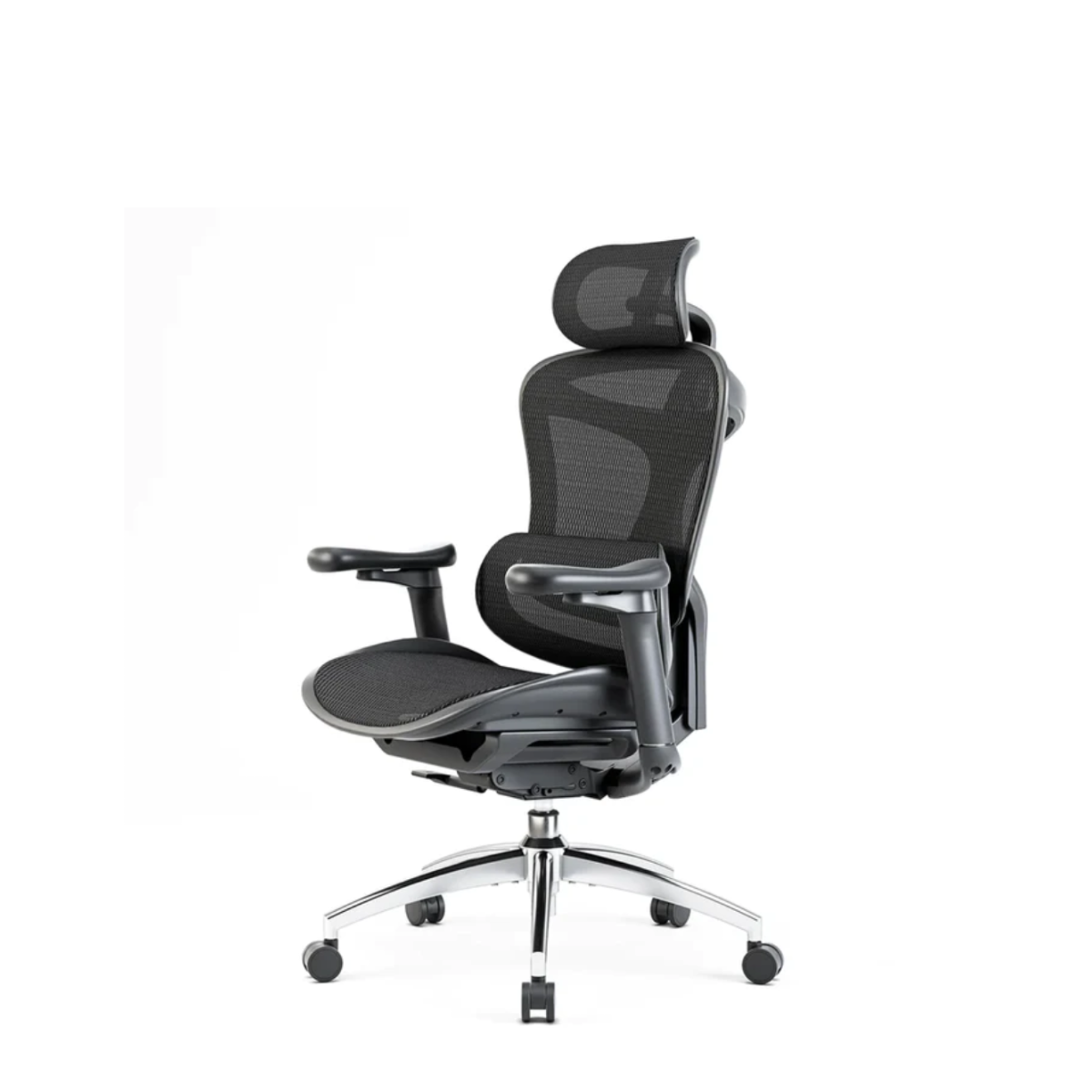
Premium chairs deliver top comfort and advanced adjustments. They include full ergonomic support for neck, back, and arms. High-quality materials increase durability and style. Many have mesh backs for breathability and cooling. These models suit users who sit many hours daily. Premium chairs often come with warranties and better build. They are the best choice for serious computer users.
Maintenance And Longevity
Maintaining your computer chair extends its life and keeps it comfortable. Regular care prevents wear and tear. It also helps avoid costly replacements. A well-kept chair supports good posture every day. Small actions can make a big difference in durability.
Cleaning Tips
Dust your chair weekly with a soft cloth. Use a vacuum with a brush attachment for fabric seats. Wipe leather or vinyl with a damp cloth and mild soap. Avoid harsh chemicals that damage materials. Clean spills immediately to prevent stains. Let the chair dry completely before use. Check and tighten screws and bolts monthly. Lubricate moving parts lightly to keep them smooth.
When To Replace Your Chair
Replace your chair if cushions lose shape or support. If the frame creaks or wobbles, it may be unsafe. Broken or stuck wheels reduce mobility and comfort. Persistent odors or stains can affect your work mood. If your chair causes pain or discomfort, consider a new one. A good chair should last five to ten years with care.
Top Brands And Models
Choosing the right chair makes a big difference for computer users. Comfort, durability, and style matter the most. Many brands offer models that fit these needs well. This section highlights top brands and their best models. Each stands out in a key area.
Best For Comfort
Herman Miller Aeron is a favorite for comfort. Its mesh back keeps you cool during long hours. The chair adjusts easily to your body shape. It supports your spine and reduces fatigue. Many users praise its ergonomic design.
Best For Durability
Steelcase Leap is known for lasting many years. It uses high-quality materials that withstand daily use. The strong frame and wheels hold up well on all floors. This chair maintains comfort and function over time. A solid choice for heavy users.
Best For Style
Humanscale Freedom combines style with function. It has a sleek, modern look that fits any office. The chair’s clean lines and simple design stand out. Despite its style, it still offers good support. Perfect for those who want a stylish workspace.


Frequently Asked Questions
What Features Make A Chair Best For Computer Users?
A good computer chair offers adjustable height, lumbar support, and swivel capability. It promotes good posture and reduces back strain. Comfort and ergonomic design are essential for long hours of use.
How Important Is Lumbar Support In A Computer Chair?
Lumbar support maintains the natural curve of your lower spine. It prevents slouching and reduces lower back pain. Proper support improves posture and overall comfort during extended computer sessions.
Can Adjustable Chairs Improve Productivity For Computer Users?
Yes, adjustable chairs enhance comfort and reduce fatigue. Customizing seat height and backrest angles boosts focus. Better posture leads to less discomfort and increased work efficiency.
What Materials Are Best For Computer Chair Upholstery?
Breathable mesh and high-quality fabric are ideal. They provide ventilation and prevent sweating. Durable materials ensure long-lasting comfort and easy maintenance.
Conclusion
Choosing the right chair helps protect your body during long computer use. Comfort and support reduce pain in your back and neck. Adjustability lets you find the best sitting position. Breathable materials keep you cool while working. Investing in a good chair improves focus and productivity.
Remember, a chair is not just furniture—it supports your health daily. Select one that fits your needs and budget well. Your body will thank you in the long run. Simple changes make a big difference in your work life.

