

Imagine coming home to spotless floors without lifting a finger. Sounds amazing, right?
You can make this happen by programming your robot vacuum cleaning schedule. But if you’re unsure where to start or worried about complicated settings, don’t worry. This guide will walk you through simple steps to set up your vacuum so it cleans exactly when you want.
By the end, you’ll have more free time and a cleaner home—all on autopilot. Ready to take control of your cleaning routine? Let’s dive in!
Choosing The Right Robot Vacuum
Choosing the right robot vacuum is the first step in setting a cleaning schedule. The right device saves time and cleans your home efficiently. Many models offer various features. Picking one that fits your needs makes programming easier. Focus on what matters most to your space and lifestyle.
Key Features To Consider
Look for a vacuum with a strong battery life. It should run long enough to cover your home. Sensors that avoid stairs and obstacles are important. A good dustbin size means less emptying. Noise level matters if you want quiet cleaning. Check if it has different cleaning modes. Some models adjust for carpets or hard floors.
Compatibility With Scheduling Apps
Choose a robot vacuum that works with scheduling apps. These apps let you set cleaning times easily. Some vacuums connect to your phone via Wi-Fi. This allows remote control and monitoring. Voice assistant support adds convenience. It helps to control the vacuum with simple commands. Make sure the app is user-friendly and reliable.
Setting Up Your Robot Vacuum
Setting up your robot vacuum is the first step to a cleaner home. It needs proper preparation to work well. Follow simple steps to get your vacuum ready for cleaning. This guide helps you start with ease and confidence.
Proper setup ensures the vacuum runs smoothly. You save time and avoid common problems. Let’s begin with charging and connecting your device.
Charging And Initial Setup
Place the charging dock on a flat surface near a power outlet. Make sure the area around the dock is clear. This helps the vacuum find the dock easily after cleaning.
Connect the dock to power and place the vacuum on it. Let the vacuum charge fully before using it the first time. A full charge improves battery life and cleaning performance.
Check the user manual for any specific setup steps for your model. Some vacuums need you to insert the dustbin or attach brushes before use.
Connecting To Wi-fi Or Bluetooth
Most robot vacuums connect to your phone via Wi-Fi or Bluetooth. This lets you control the vacuum remotely and set schedules.
Download the manufacturer’s app on your smartphone. Follow the app instructions to connect the vacuum to your home network. Ensure your phone is close to the vacuum during setup.
Wi-Fi connection usually requires your network name and password. Bluetooth connection is simpler but may have limited range.
Once connected, test the app controls to confirm the vacuum responds. You can start programming your cleaning schedule next.
Using The Manufacturer’s App
Using the manufacturer’s app makes scheduling your robot vacuum easy and flexible. The app connects your phone to the vacuum, letting you set cleaning times. You can control the vacuum from anywhere in your home or outside. This method helps keep your floors clean without extra effort.
Downloading And Installing The App
Start by finding the app in your phone’s app store. Search for the vacuum brand’s official app. Check the app reviews to ensure it is genuine. Tap the download or install button. Wait a few moments for the app to install fully. Open the app once installation finishes.
Creating An Account
Most apps require an account to save your settings. Click on “Sign Up” or “Create Account.” Enter your email and create a password. Some apps ask for extra details like your name or phone number. Follow the prompts to verify your email. This step keeps your schedule secure and personalized.
Pairing The Vacuum With The App
Turn on your robot vacuum and activate Wi-Fi mode. Open the app and select “Add Device” or “Pair New Vacuum.” Follow the on-screen instructions to connect to your home Wi-Fi. The app searches for your vacuum automatically. Confirm the connection once the vacuum appears. Now, your vacuum and app can communicate smoothly.
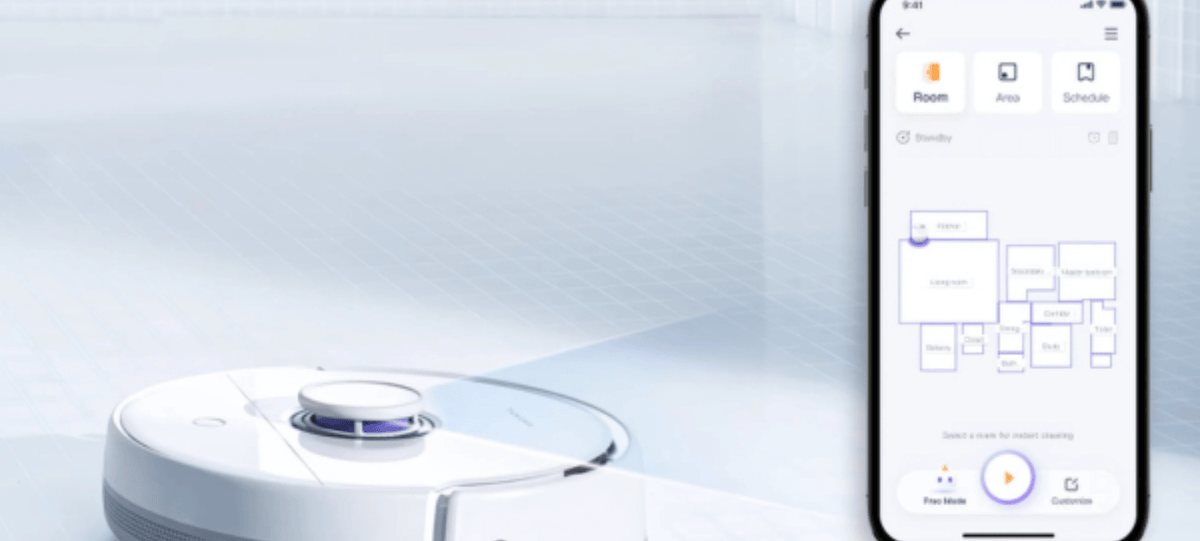
Programming The Cleaning Schedule
Programming the cleaning schedule for your robot vacuum keeps your home tidy without extra effort. Setting a clear schedule lets the vacuum work automatically. You save time and energy by having it clean at your preferred times. This section guides you through the simple steps to set up your cleaning schedule efficiently.
Accessing The Scheduling Feature
Start by turning on your robot vacuum. Open the companion app on your smartphone or tablet. Look for the “Schedule” or “Cleaning Schedule” option in the main menu. Some models have buttons on the vacuum itself to access scheduling. Follow the on-screen instructions to enter the scheduling settings area. This part lets you control when the vacuum cleans your home.
Choosing Cleaning Days And Times
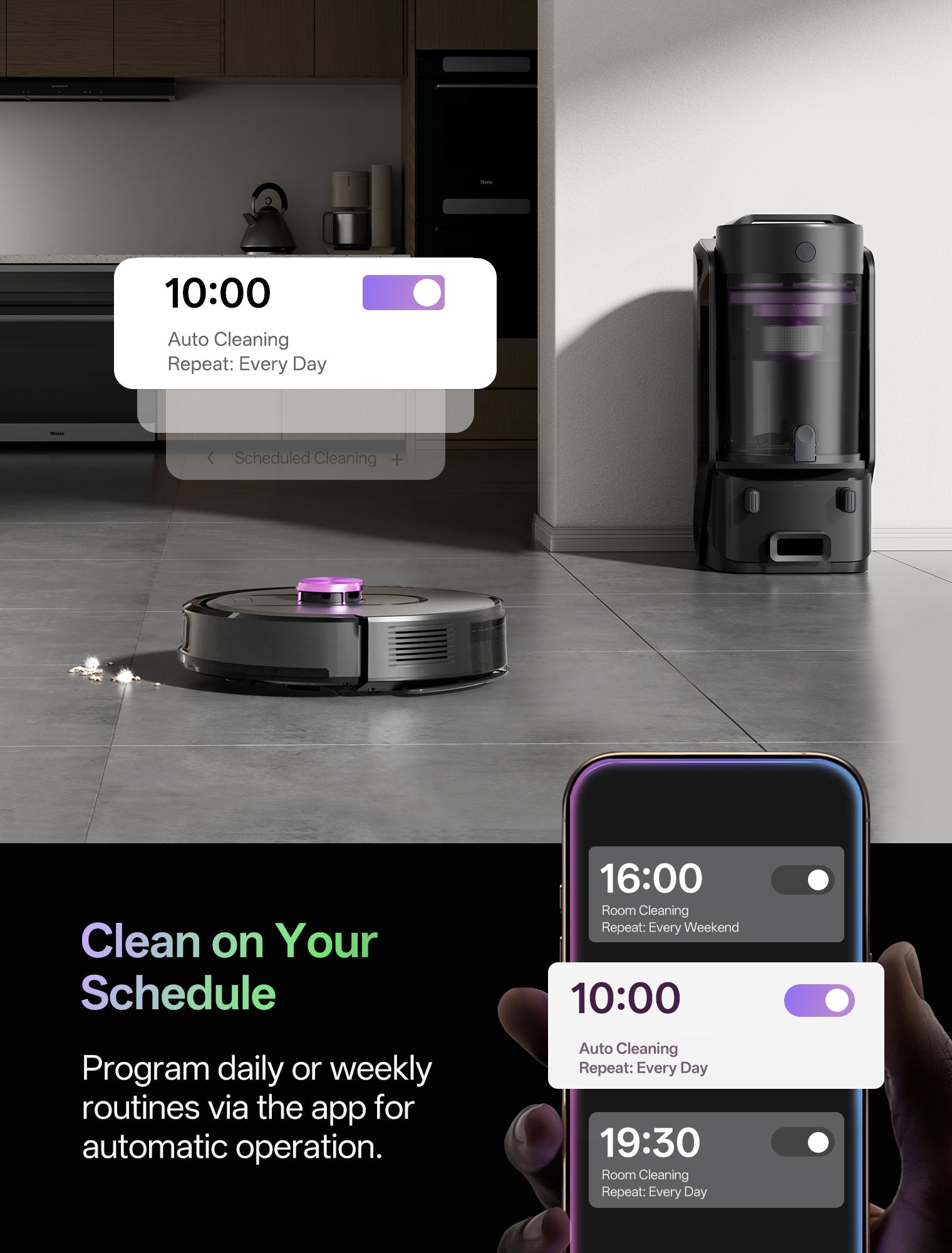
Select the days of the week you want your vacuum to clean. Most apps allow you to pick multiple days for automatic cleaning. Next, choose the specific time for the vacuum to start. Pick times when you are not using the rooms. Early mornings or late afternoons often work best. Setting a regular time helps keep your home consistently clean.
Setting Cleaning Frequency
Decide how often the vacuum should clean each week. Options usually include daily, every other day, or weekly schedules. Daily cleaning works well for busy homes or those with pets. Weekly cleaning may be enough for smaller or less used spaces. Adjust the frequency based on your lifestyle and home needs. Proper frequency keeps your floors fresh without overworking the device.
Customizing Cleaning Preferences
Customizing your robot vacuum’s cleaning preferences helps you get the best results. You can set it to clean exactly how and where you want. This makes your home cleaner and saves your time. Adjusting these settings is easy and fits your daily routine.
Selecting Cleaning Modes
Most robot vacuums offer different cleaning modes. Choose modes based on your floor type or mess size. For example, a quiet mode is good for light cleaning. Strong mode works well for deep dirt or pet hair. Pick the mode that fits your needs best.
Defining Cleaning Zones
Define specific areas for your vacuum to clean or avoid. Use your vacuum’s app to draw zones on the map. You can set high-traffic areas for daily cleaning. Block off places with fragile items. This keeps cleaning focused and efficient.
Adjusting Suction Power
Change the suction power based on dirt levels and floor type. Lower power saves battery on hard floors with little dust. Higher power is useful on carpets or heavy dirt spots. Adjust this setting to balance cleaning and battery life.

Testing And Adjusting The Schedule
Testing and adjusting your robot vacuum schedule is important. It helps make sure cleaning happens at the right times. You can see how well the vacuum works on your floors. Small changes can improve cleaning results. This section explains how to test and adjust the schedule for best performance.
Running A Trial Cleaning
Start by running a trial cleaning with your current schedule. Watch the vacuum as it cleans your rooms. Check if it covers all areas. Notice any spots it misses or gets stuck in. Pay attention to noise and timing. This trial helps identify if the schedule fits your needs.
Modifying Schedule Based On Results
After the trial, change the schedule to fix problems. Move cleaning times to quieter parts of the day if needed. Add or remove cleaning days based on dirt levels. Adjust room priorities to focus on busy areas. Keep testing and changing until the vacuum cleans well and fits your home life.
Maintaining Your Robot Vacuum
Keeping your robot vacuum in good shape helps it work better and last longer. Proper maintenance ensures it cleans your home efficiently every time. Small steps can prevent bigger problems and save money on repairs. Regular care keeps your vacuum ready to follow the cleaning schedule you set.
Regular Cleaning And Upkeep
Empty the dustbin after each use to avoid clogs. Clean the brushes and wheels to remove hair and debris. Wipe sensors gently with a soft cloth to keep navigation accurate. Check for tangled strings or threads that block moving parts. Replace filters as recommended to maintain suction power.
Updating Firmware And Apps
Keep your robot vacuum’s software updated for best performance. Updates fix bugs and improve cleaning patterns. Use the app to check for new firmware regularly. Connect the vacuum to Wi-Fi for automatic updates. Updated apps offer new features and better control over schedules.
Frequently Asked Questions
How Do I Set A Cleaning Schedule On My Robot Vacuum?
Most robot vacuums have an app or buttons to program schedules. Choose cleaning days and times, then save your settings. This lets the vacuum clean automatically without manual start.
Can I Schedule Multiple Cleaning Times Daily?
Yes, many models allow multiple daily cleaning schedules. This helps keep your home cleaner by targeting busy areas multiple times a day.
What Factors Affect My Robot Vacuum’s Cleaning Schedule?
Consider your daily routine, pet hair, and floor type. Schedule cleaning when rooms are empty to avoid interruptions. Adjust timing based on dirt buildup.
How Do I Change Or Cancel A Programmed Schedule?
Use the vacuum’s app or control panel to modify or delete schedules. Follow device instructions to save any updates easily and keep your cleaning plan flexible.
Conclusion
Programming a robot vacuum schedule keeps your home clean with less effort. Set clear times for cleaning based on your daily routine. Regular scheduling helps avoid dirt build-up and saves time. Adjust the settings as needed for different rooms or days.
This simple step makes your vacuum work smarter, not harder. Enjoy a tidy home without lifting a finger. Start today and see the difference in your cleaning routine.

