

Imagine coming home to spotless floors without lifting a finger. You might wonder, can you use Google Home to control your robot vacuum?
If you’ve ever wished for an easier way to manage your cleaning routine, you’re in the right place. This article will show you how to make your smart home work smarter for you. Keep reading to discover simple steps and tips that put control right at your voice command.
Google Home And Robot Vacuums
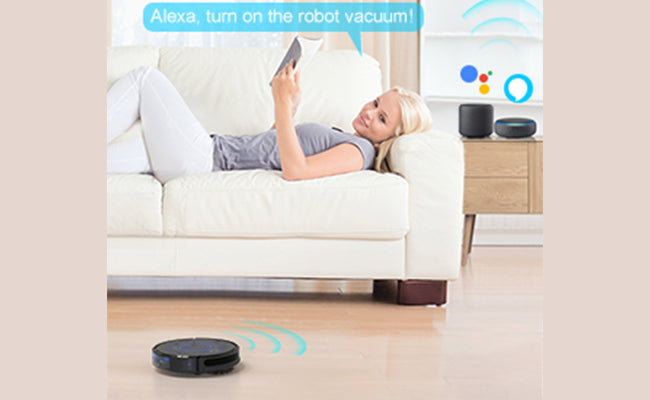
Google Home makes controlling smart devices simple. It lets you use voice commands to manage many gadgets in your home. Robot vacuums are part of this smart home setup. You can start, stop, or send your robot vacuum back to its dock with just your voice. This adds ease and comfort to your cleaning routine.
Not all robot vacuums work with Google Home. It depends on the brand and model. You need a vacuum that supports voice control through Google Assistant. Setting up the connection is easy. Once connected, your voice controls the vacuum without using your hands.
Compatible Robot Vacuums
Several popular robot vacuums connect well with Google Home. Brands like iRobot Roomba, Neato, and Eufy offer models that support Google Assistant. These vacuums allow you to start cleaning, pause, or return to the charging base using voice commands. Check product details to see if a vacuum supports Google Home. Compatibility may vary between models from the same brand.
How Google Home Connects
Connecting Google Home to your robot vacuum is simple. Start by opening the Google Home app on your phone. Add your vacuum by searching for its brand or device name. Sign in to the vacuum’s account within the app. This links the devices securely. After linking, try voice commands like “Hey Google, start the vacuum.” Your Google Home will send the command to your vacuum instantly.
Setting Up Your Robot Vacuum
Setting up your robot vacuum for Google Home control is simple. It starts with installing the right app, linking the vacuum to Google Home, and setting up voice commands. Each step ensures smooth operation and easy control using your voice. Follow these steps to get your robot vacuum ready.
Installing The Robot Vacuum App
First, download the official app for your robot vacuum. Find it in the Apple App Store or Google Play Store. The app helps you control the vacuum and set cleaning schedules. Create an account or log in if you already have one. Connect the vacuum to your Wi-Fi network through the app. This step is essential for remote control and voice integration.
Linking To Google Home
Open the Google Home app on your phone or tablet. Tap the “+” icon to add a new device. Choose “Set up device” and then “Works with Google.” Search for your robot vacuum brand in the list. Sign in with your vacuum app account to link both services. Once linked, your Google Home can communicate with the vacuum easily.
Configuring Voice Commands
After linking, customize your voice commands in Google Home. Assign a simple name to your vacuum for easier recognition. Use clear commands like “Hey Google, start cleaning” or “Hey Google, stop the vacuum.” Test these commands to ensure they work. Voice control makes cleaning hands-free and convenient.
Common Voice Commands
Using Google Home to control a robot vacuum makes cleaning easier. Voice commands let you operate the vacuum without lifting a finger. These commands are simple and quick to learn. They help manage your cleaning schedule and find your device fast.
Starting And Stopping Cleaning
To start cleaning, say “Hey Google, start the vacuum.” The robot begins cleaning right away. To stop it, say “Hey Google, stop the vacuum.” You can pause and resume cleaning anytime with voice commands.
Scheduling Cleanings
Set cleaning times using Google Home. Say “Hey Google, schedule vacuum for 3 PM.” Your robot will clean at the set time every day. Change or cancel schedules with commands like “Hey Google, cancel vacuum schedule.”
Locating The Robot Vacuum
Lost your robot vacuum? Ask Google Home to help. Say “Hey Google, where is my vacuum?” The vacuum will beep or light up. This helps you find it fast, even under furniture.
Troubleshooting Tips
Using Google Home to control a robot vacuum can sometimes bring small problems. These issues often stop the vacuum from working properly with voice commands. This section shares easy tips to fix common problems fast. Follow these steps to keep your smart home running smoothly.
Connection Issues
Start by checking your Wi-Fi connection. Both Google Home and the robot vacuum need the same network. Restart your router to clear temporary network problems. Move devices closer to the router to boost signal strength. Confirm the vacuum is powered on and ready. Unlink and relink the vacuum in the Google Home app to refresh the connection.
Command Recognition Problems
Speak clearly and use the exact command names set in your app. Avoid background noise that can confuse Google Home. Check the microphone on your Google Home device to ensure it works. Simplify commands to basic actions like “start vacuum” or “stop vacuum.” Review the linked services in the Google Home app for correct setup.
Software Updates
Keep your robot vacuum’s app updated to the latest version. Check for firmware updates for both the vacuum and Google Home device. Updates fix bugs and improve voice control features. Enable automatic updates if available. Restart devices after updates to apply changes properly.
Enhancing Your Smart Home Experience
Enhancing your smart home experience with Google Home and a robot vacuum brings ease and efficiency. You can control your vacuum with simple voice commands. This frees up your time and keeps your floors clean without lifting a finger.
Connecting your robot vacuum to Google Home allows it to work smoothly with other smart devices. This creates a more connected and smarter living space that adjusts to your daily needs.
Integrating With Other Devices
Google Home lets you link your robot vacuum to other smart gadgets. For example, you can sync it with smart lights and thermostats. This way, your home can prepare itself before cleaning starts. Lights can turn on, and the temperature can adjust automatically.
Integration also means you can check your robot vacuum’s status through the Google Home app. You see battery life, cleaning progress, and any issues. This keeps you informed and in control, even when you are away.
Custom Routines And Automation
With Google Home, you can set up routines that include your robot vacuum. Schedule cleaning times to fit your daily life. For example, start cleaning right after you leave for work. Or pause the vacuum when you come home.
These routines let you automate tasks, making your home smarter. You can say, “Hey Google, start cleaning,” or have the vacuum run at specific times. This adds convenience and helps maintain a tidy home effortlessly.


Frequently Asked Questions
Can Google Home Control All Robot Vacuum Brands?
Google Home supports many popular robot vacuum brands, but compatibility varies. Check if your vacuum’s app works with Google Assistant before linking devices.
How Do I Connect Google Home To A Robot Vacuum?
Install the vacuum’s app, enable its Google Assistant skill, then link your Google Home through the Google Home app for seamless control.
What Voice Commands Work For Robot Vacuums On Google Home?
Common commands include “start cleaning,” “pause,” “stop,” and “return to dock. ” Commands may differ based on your vacuum’s features and brand.
Is Google Home Control Reliable For Robot Vacuums?
Yes, Google Home provides reliable control if your vacuum and Wi-Fi connection are stable. Occasional delays may occur due to network issues.
Conclusion
Google Home works well to control many robot vacuums today. You can start, stop, or pause cleaning using your voice. Setting schedules and checking battery status also becomes easy. Not all robot vacuums support Google Home, so check compatibility first.
Connecting them usually takes just a few simple steps. Voice control adds convenience and saves time in daily cleaning. It’s a smart way to keep your home tidy with less effort. Try it and see how much easier cleaning feels.

