

Have you ever wished your robot vacuum could clean your home exactly when you want, without you lifting a finger? Imagine setting your cleaning schedule right from your phone, whether you’re at work, running errands, or relaxing on the couch.
This simple convenience can save you time and keep your floors spotless without the hassle. If you’re wondering, “Can I schedule robot vacuum cleaning with my phone? ” you’re in the right place. Keep reading to discover how easy it is to take control of your robot vacuum and make cleaning fit perfectly into your busy life.

Phone Scheduling Features
Phone scheduling features make robot vacuum cleaning easy and convenient. You can control your vacuum from anywhere using your smartphone. This helps you keep your home clean without being there. The features let you set cleaning times, choose specific rooms, and manage cleaning zones.
Compatible Apps
Most robot vacuums work with special apps. These apps are free and simple to use. They connect your vacuum to your phone via Wi-Fi. Popular apps include iRobot Home, Roborock, and Neato. Check if your vacuum brand has its own app. The app lets you start, stop, and schedule cleaning tasks easily.
Setting Cleaning Times
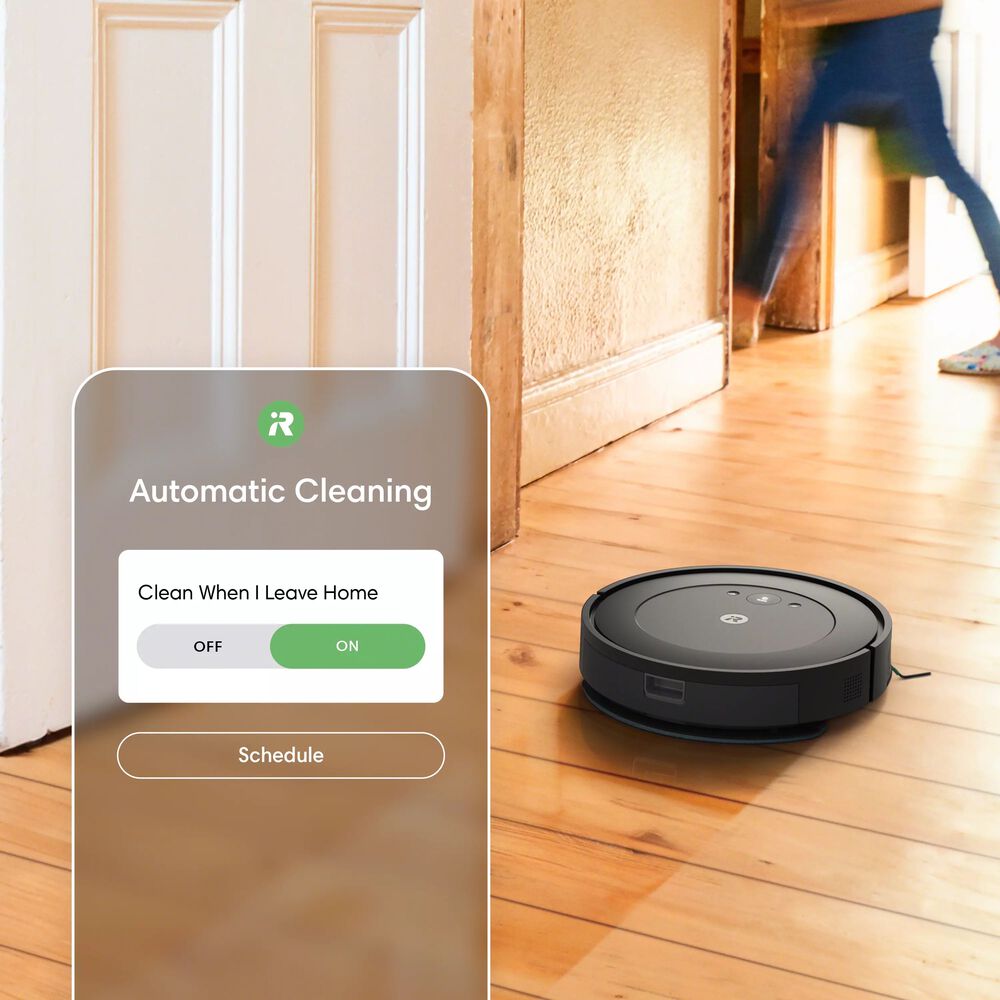
You can set exact times for your robot vacuum to clean. Choose days and hours that fit your routine. The vacuum will start cleaning automatically at the set time. This feature keeps your floors tidy without extra effort. You can change or cancel cleaning times anytime through the app.
Customizing Cleaning Zones
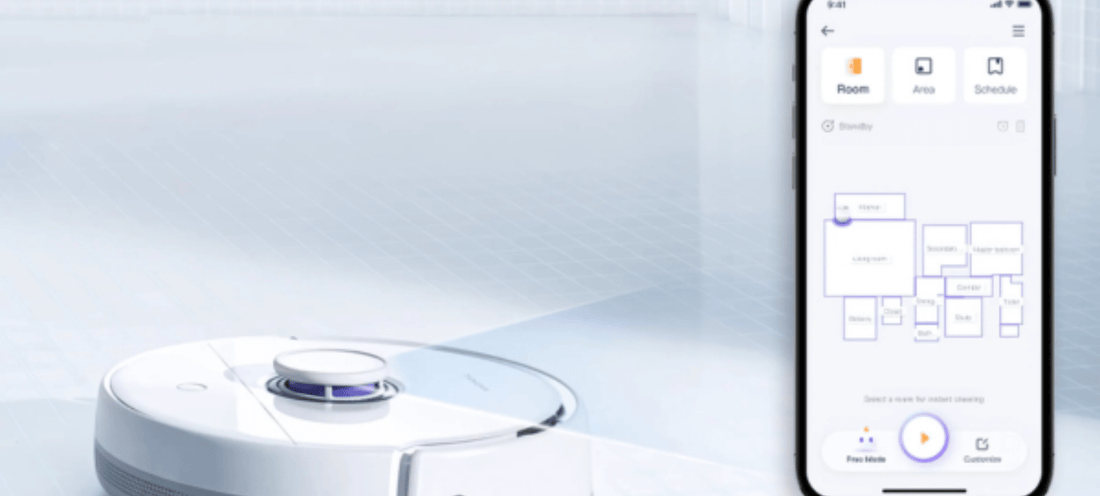
Some apps let you create custom cleaning zones. Draw or select areas on your floor plan in the app. This helps focus the vacuum on messy or important spots. You can avoid areas with fragile items or cables. Custom zones save battery and clean smarter, not harder.
Benefits Of Mobile Control
Mobile control offers many benefits for managing your robot vacuum. It gives you full control from your phone. This makes cleaning easier and more efficient. You can plan cleaning times and check your vacuum anytime.
Using an app to control your robot vacuum brings ease and smart features. It helps you keep your home clean with less effort. Here are some key benefits of mobile control.
Convenience And Flexibility
Control your robot vacuum from anywhere using your phone. Set schedules to clean at times that suit you. Change cleaning plans quickly without being at home. No need to press buttons on the vacuum itself.
Remote Monitoring
Check the vacuum’s status anytime through the app. See where it is cleaning and if it needs help. Get alerts when the job is done or if it gets stuck. Stay informed even when you are away.
Improved Cleaning Efficiency
Schedule cleaning at the best times for your home. Avoid cleaning during busy hours or when guests arrive. Adjust cleaning paths based on your needs. Make your vacuum work smarter and save energy.
Popular Robot Vacuums With App Control
Many robot vacuums now offer app control. This feature lets you schedule cleaning from your phone. You can start, stop, or set cleaning times anytime. This makes keeping your home clean easier and more convenient.
App-controlled vacuums often come with smart features. They can map your home and avoid obstacles. Some models even send alerts or show cleaning progress. Choosing the right one depends on your needs and budget.
Top Brands
Several brands lead in app-controlled robot vacuums. iRobot Roomba is popular for reliability and smart mapping. Roborock offers strong suction and detailed app controls. Eufy is known for affordability and simple apps. Neato provides precise navigation and zone cleaning options.
Key Features To Look For
Check if the vacuum supports scheduling through its app. Look for real-time notifications and cleaning status updates. Smart mapping helps target specific rooms or areas. Battery life matters for larger homes. Voice control compatibility adds extra convenience. Also, consider ease of app use and setup.
Troubleshooting App Scheduling
Scheduling your robot vacuum with a phone app makes cleaning easy. Yet, sometimes the app does not work as planned. Troubleshooting helps fix these problems quickly. Focus on common issues like connection, updates, and battery alerts to keep your cleaning on track.
Connectivity Issues
Robots need strong Wi-Fi to connect with your phone. Weak signals cause scheduling failures. Check your router is near the robot and your phone. Restart the router if needed. Also, make sure your phone’s Bluetooth is on, if the app uses it. Reconnect the device in the app settings for a fresh start.
App Update Tips
Outdated apps can stop scheduling from working. Check your app store for the latest version. Updates fix bugs and add new features. Turn on automatic updates to avoid missing them. If the app crashes, reinstall it. Save your settings before uninstalling to avoid losing schedules.
Battery And Maintenance Alerts
Low battery can pause cleaning tasks. The app shows alerts when the robot needs charging. Charge your robot fully before scheduling. Clean sensors and brushes regularly to avoid errors. The app may notify you about maintenance, so follow these instructions. A well-maintained robot works better and follows your schedule reliably.
Enhancing Your Cleaning Routine
Scheduling robot vacuum cleaning with your phone makes your cleaning routine easier. You save time and effort by setting cleaning times remotely. This helps keep your home tidy without interrupting your day. The robot works quietly and efficiently, so you come back to clean floors every time.
Using your phone to control the vacuum adds flexibility. You can start, stop, or change cleaning plans anytime. It also helps you manage cleaning in different rooms and on different days. This smart control fits your busy life perfectly.
Integrating With Smart Home Devices
Many robot vacuums connect to smart home systems. You can link them with devices like Amazon Alexa or Google Home. This makes control easier and more hands-free. Your vacuum can work with other smart devices in your home. For example, it can start cleaning when you leave the house. Integration boosts convenience and helps automate your home cleaning tasks.
Using Voice Commands
Voice commands make controlling your robot vacuum simple. Just speak to your smart speaker or phone to start or stop cleaning. You can also ask it to clean specific areas. This is helpful when your hands are busy or dirty. Voice control adds a quick way to keep floors clean without touching the phone.
Scheduling Multiple Cleanings
Your phone app lets you set several cleaning times each week. You can schedule daily, weekly, or custom cleanings. This keeps your home fresh and dust-free all the time. Multiple schedules fit different routines and room needs. Adjusting the plan is easy, so your vacuum works just right for your home.
Frequently Asked Questions
Can I Schedule Robot Vacuum Cleaning With My Phone?
Yes, most modern robot vacuums allow scheduling via their mobile apps. You can set cleaning times remotely using your smartphone. This feature offers convenience and ensures your home stays clean without manual operation.
Which Apps Work For Scheduling Robot Vacuum Cleaners?
Popular brands like Roomba, Roborock, and Eufy provide dedicated apps. These apps let you schedule cleanings, monitor progress, and control your robot remotely. Check your vacuum’s brand for its official app compatibility.
Is Wi-fi Required To Schedule Vacuum Cleaning On Phone?
Yes, a stable Wi-Fi connection is necessary for scheduling and remote control. The robot vacuum connects to your home network, allowing app commands from anywhere. Without Wi-Fi, scheduling via phone is usually unavailable.
Can I Customize Cleaning Schedules On My Phone?
Absolutely, most apps allow you to set specific days and times for cleaning. Some even support multiple schedules per week. Customization helps tailor cleaning to your lifestyle and home needs.
Conclusion
Scheduling robot vacuum cleaning with your phone is easy and convenient. It saves time and keeps your home clean without effort. Most robot vacuums have apps that let you set cleaning times. You can control the vacuum from anywhere, even outside your home.
This helps maintain a tidy space every day. Using your phone for scheduling fits well into a busy life. It’s a simple way to keep floors clean without extra work. Give it a try and see how much easier cleaning becomes.

