

You want your vacuum cleaner to work like new for years, right? But without proper care, it can lose power or even break down.
Imagine saving money on repairs and getting the best cleaning every time. You’ll discover simple, effective ways to maintain your vacuum cleaner so it lasts longer and keeps your home spotless. Keep reading—you’ll learn easy tips that anyone can follow to protect your investment and enjoy hassle-free cleaning.

Choosing The Right Vacuum Cleaner
Choosing the right vacuum cleaner is the first step to ensure it lasts long. A good vacuum saves money and time spent on repairs. It must fit your cleaning needs and home type. Picking the right model reduces wear and tear. This helps maintain its performance over years.
Types Of Vacuum Cleaners
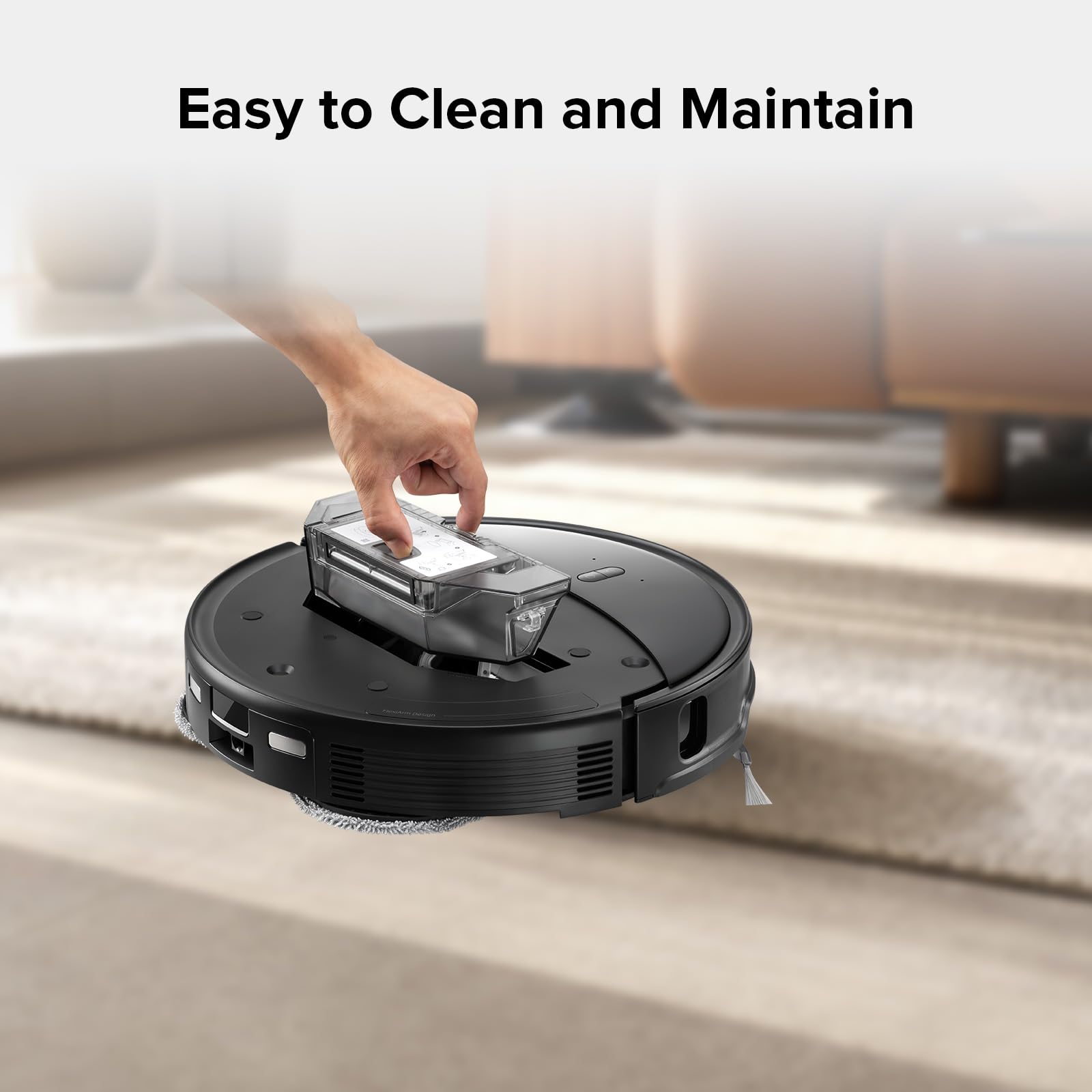
There are several types of vacuum cleaners. Upright vacuums are strong and good for carpets. Canister vacuums are lighter and work well on hard floors. Stick vacuums are easy to carry and store. Robot vacuums clean automatically but need regular emptying. Each type suits different homes and cleaning styles.
Features That Enhance Durability
Look for vacuums with sturdy parts like metal brushes and strong hoses. Bags or filters that are easy to replace help keep the machine clean. A good motor with overheat protection lasts longer. Sealed systems prevent dust from damaging internal parts. Simple designs often mean fewer problems and easier repairs.
Brands Known For Longevity
Some brands build vacuums that last many years. They use high-quality materials and parts. These brands offer good customer service and support. Choosing a trusted brand reduces the chance of early breakdowns. Read reviews and check warranty terms before buying.

Regular Cleaning Practices
Regular cleaning keeps your vacuum cleaner working well for a long time. Dirt and dust can block parts and reduce suction. Cleaning often stops these problems before they start. Simple steps help your vacuum stay strong and clean your home better.
Emptying And Replacing Bags Or Canisters
Empty the vacuum bag or canister after every use. Full bags block airflow and reduce suction power. Replace bags when they look full or damaged. For canisters, wash them with water and dry fully before reuse. This prevents dust from sticking inside and keeps your vacuum fresh.
Cleaning Filters And Brushes
Check filters regularly and clean or replace them. Dirty filters make your vacuum work harder and wear out faster. Brushes pick up hair and debris during cleaning. Remove tangles and dirt from brushes to keep them spinning well. Clean brushes help your vacuum pick up dirt better.
Removing Debris From Hoses And Nozzles
Hoses and nozzles can get blocked by debris. Use a long stick or a broom handle to push out clogs. Clear any hair or dirt stuck in nozzles. Keep these parts clear to maintain strong suction and smooth airflow. This stops damage and keeps your vacuum running longer.
Routine Maintenance Tasks
Routine maintenance tasks keep your vacuum cleaner working well. These simple checks help avoid big problems and extend the machine’s life. Regular care saves money and keeps your home cleaner.
Checking For Wear And Tear
Look at the vacuum’s brush roll and belt for signs of damage. Replace parts that look worn out or cracked. Check the dust bag or canister for holes or leaks. Clean or replace filters to keep air flowing freely.
Lubricating Moving Parts
Some vacuum parts need oil to move smoothly. Apply a small amount of lubricant to the brush roll bearings and wheels. Avoid using too much oil to stop dirt buildup. This reduces friction and stops parts from breaking early.
Inspecting Power Cords And Plugs
Check the power cord for cuts, frays, or damage. Do not use the vacuum if the cord is cracked or bare. Make sure the plug fits tightly into the outlet. Replace damaged cords to avoid electric shocks and fire risks.
Proper Storage Techniques
Proper storage is key to keeping your vacuum cleaner working well. It stops damage and helps the machine last longer. Storing your vacuum the right way protects its parts and saves money on repairs. Simple habits make a big difference over time.
Storing In A Dry, Cool Place
Keep your vacuum in a dry spot. Moisture can harm the motor and other parts. Avoid damp basements or places near water. A cool area stops heat damage and keeps the vacuum safe. Choose a spot with good air flow to prevent mold and rust.
Avoiding Tangled Cords
Wrap the cord loosely around the vacuum or a hook. Tight wrapping can break the wires inside. Tangled cords cause frustration and wear out faster. Use cord clips or ties to keep it neat. This makes the vacuum ready to use anytime.
Protecting From Physical Damage
Store the vacuum where it won’t fall or get bumped. Keep it away from heavy objects that might fall on it. Use wall hooks or shelves if possible. Avoid places with high traffic or where children play. Protecting the vacuum prevents cracks and broken parts.
Troubleshooting Common Issues
Vacuum cleaners can develop problems over time. Knowing how to fix common issues helps extend their lifespan. Simple troubleshooting saves money and keeps your vacuum working well.
Loss Of Suction Power
Check the vacuum bag or dust container first. Empty it if full. A clogged filter also reduces suction. Clean or replace filters regularly. Inspect the hose for clogs or holes. Clear any blockages gently. A damaged hose needs replacement to restore suction.
Unusual Noises
Strange sounds can mean a problem inside. Look for debris stuck in the brush roll. Remove any hair or threads wrapped around it. Loose parts may rattle during use. Tighten screws and fastenings carefully. Motor issues might cause loud noises. Contact a professional if the noise persists.
Overheating Problems
Overheating stops the vacuum suddenly. Blocked air vents reduce airflow and cause heat. Clean vents regularly to keep air flowing. Avoid running the vacuum on thick carpets too long. Allow the vacuum to cool down before using again. Persistent overheating needs expert repair to prevent damage.
When To Seek Professional Help
Knowing when to seek professional help keeps your vacuum cleaner working well. Some problems need expert care to avoid bigger damage. Timely repairs save money and extend your vacuum’s life.
Signs It’s Time For Repair
Your vacuum makes strange noises or stops working suddenly. It smells burnt or overheats during use. The suction power drops a lot and cleaning becomes harder. Brushes or belts do not move at all. These issues show your vacuum needs a check from a technician.
Finding Reliable Service Centers
Choose a service center with good reviews and experience. Check if they specialize in your vacuum brand or model. Ask about warranty on repairs and parts used. A trustworthy center uses original parts and offers clear pricing. Avoid centers that delay repairs or charge hidden fees.
Cost Vs. Replacement Considerations
Compare repair costs with the price of a new vacuum. Small fixes are worth it to keep your machine. Large repairs or repeated breakdowns suggest buying new. Think about how old your vacuum is and its condition. Sometimes replacement saves more money and time than repair.
Extending Vacuum Life With Smart Usage
Extending the life of a vacuum cleaner starts with smart usage. Careful handling reduces wear and tear. Proper use keeps the vacuum running well for years. Follow simple steps to protect your machine and save money on repairs or replacements.
Avoiding Overloading
Do not force the vacuum to clean heavy debris. Large objects can block the hose or damage the motor. Empty the dust container or bag often. A full container makes the vacuum work harder. This extra strain shortens its life.
Using Correct Attachments
Use the right attachment for each cleaning task. Hard floors need a different tool than carpets. Attachments help avoid damage to both the vacuum and surfaces. They also improve cleaning efficiency. Always check which tool fits your vacuum model.
Operating On Suitable Surfaces
Vacuum cleaners perform best on surfaces they are designed for. Avoid using a vacuum meant for carpets on rough or wet floors. This misuse causes motor strain and wears out brushes fast. Stick to the surfaces recommended in your vacuum’s manual.
Frequently Asked Questions
How Often Should I Clean My Vacuum Cleaner Filters?
Clean vacuum filters every 1-3 months to maintain suction power. Regular cleaning prevents dust buildup and extends the vacuum’s lifespan.
What Is The Best Way To Store A Vacuum Cleaner?
Store your vacuum in a dry, cool place. Keep cords untangled and avoid placing heavy items on it to prevent damage.
How Do I Prevent Vacuum Brush Roll From Clogging?
Remove hair and debris from the brush roll weekly. This keeps it spinning smoothly and protects the motor from strain.
When Should I Replace Vacuum Cleaner Bags Or Canisters?
Replace bags or empty canisters when they’re about two-thirds full. This ensures optimal airflow and prevents motor overheating.
Conclusion
Regular cleaning keeps your vacuum working well for years. Change or wash filters often to avoid clogs. Check the brush and belt for wear or damage. Empty the dustbin before it gets too full. Store your vacuum in a dry, cool place.
These small steps save money and time later. A well-maintained vacuum cleans better and lasts longer. Keep these tips in mind to protect your investment. Simple care leads to better performance every day.

