

Ever stared at your dusty floors and wished you could get them clean without the backache? That frustration is exactly why the robot vacuum cleaner went from a fun gadget to a household staple. So, what is a robot vacuum cleaner?
It's a self-propelled, autonomous device that navigates your floors, picks up debris, and returns to its dock to recharge without any help from you.
Most models pull 1,000 to 10,000 Pa of suction, with mid-range units landing around 2,500 to 4,000 Pa. They use LiDAR, cameras, or gyroscopes to figure out where they've been. As of 2026, even budget options include app scheduling and self-charging.
Here's a close look at how these machines work and what they're actually good at.
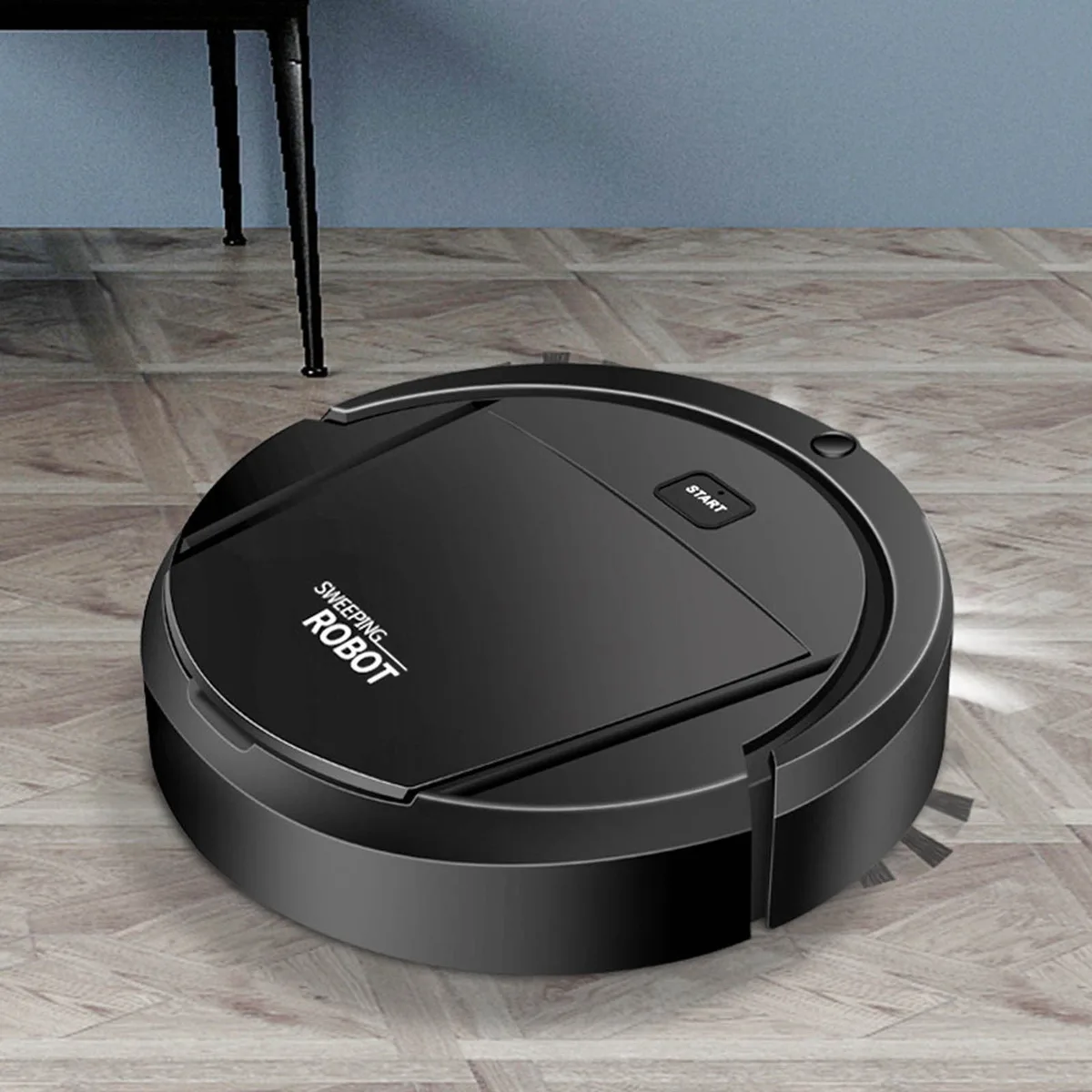
Image source: Web (Bing) / walmart.com (Web image (fair-use with source credit))
The Quick Answer: What a Robot Vacuum Cleaner Actually Is
A robot vacuum cleaner is an autonomous floor-cleaning device. It navigates with sensors, sweeps debris using a brush roll, and pulls dirt into an onboard dustbin with suction. Most models connect to an app for scheduling and remote control.
When the battery runs low, the robot returns to its dock automatically.
How It Navigates: The Visual Difference Between "Smart" and "Dumb" Robots
The biggest visible difference between robot vacuums is how they move. A mapped robot drives in straight, parallel lines. A bump-and-run robot wanders around like a confused beetle.
That difference changes efficiency, coverage, and cleaning time.
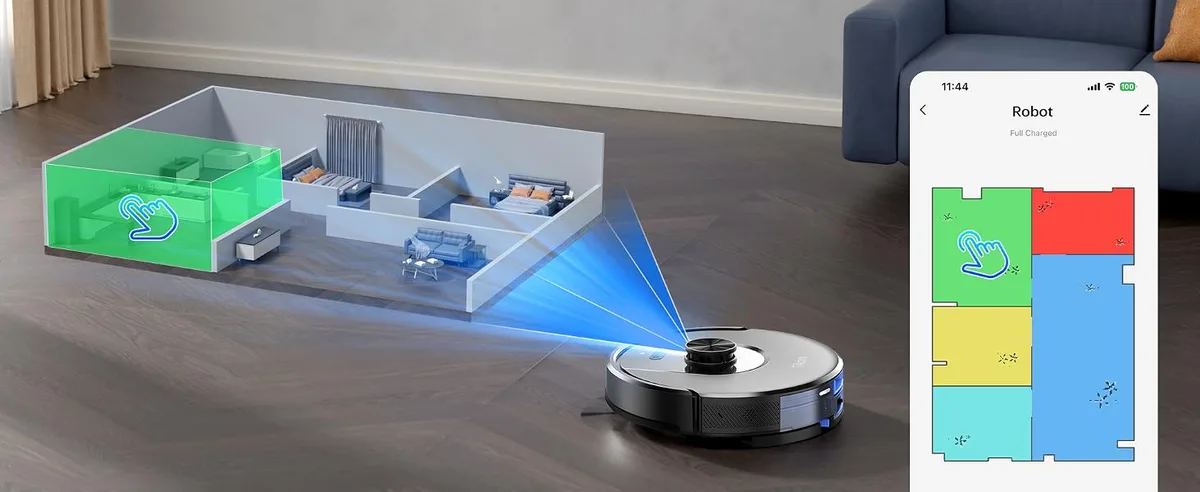
Image source: Web (Bing) / amazon.ca (Web image (fair-use with source credit))
Random Bump Navigation: The Old-School Approach
Budget models drive straight, hit something, then rotate at a random angle and move on. They eventually cover most of the floor, but slowly and with plenty of repeats. A random robot might take two hours for a job a mapped robot finishes in forty minutes.
Gyroscope and Sensor Navigation: The Middle Ground
These models use gyroscopes and infrared sensors to remember where they've been. They follow a steadier back-and-forth pattern and rarely skip whole sections. You won't get a full floor plan, but you get solid coverage for far less money.
LiDAR and Camera Mapping: The Modern Standard
Top-tier models use LiDAR, a spinning laser, or a camera to build a live map. The robot knows where it is and where it still needs to go. You'll see clean rows, an edge pass, and then a return to the dock.
The app shows your floor plan and lets you set no-go zones.
If you're weighing a robot against a traditional vacuum, navigation matters most. A well-mapped robot can cover a 1,000-square-foot home in about 45 minutes. Still deciding between the two?
A guide to choosing an upright vacuum helps you compare them fairly.
Spot the Difference: What the Charging Dock and Self-Empty Base Look Like
The quickest way to tell basic from premium is the dock. In a standard setup, the robot slides onto a small charging pad. It vacuums, then returns to the pad when the battery dips.
You empty the onboard dustbin every second or third run, since most bins hold 200 to 600 ml.
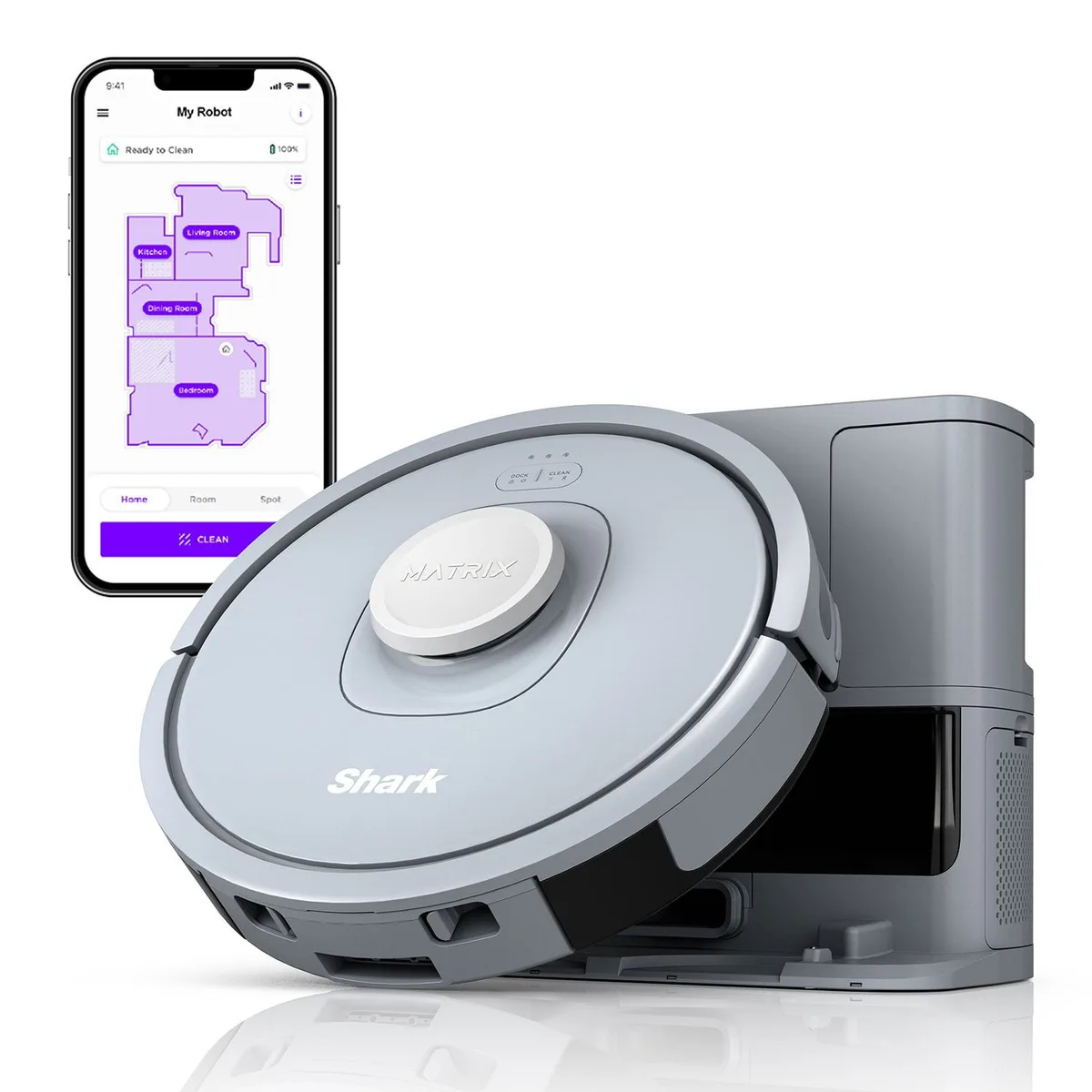
Image source: Web (Bing) / samsclub.com (Web image (fair-use with source credit))
A self-emptying base is a tall tower, usually 18 to 24 inches high. Inside sits a dustbag. When the robot returns, a motorized system sucks debris from the robot's bin into the bag.
Manufacturer specs put bag capacity at 1.5 to 3 liters, which lasts 30 to 60 days in most homes.
Some self-emptying docks are also mop stations. They add a clean-water tank and a dirty-water collection tray. If you have luxury vinyl plank floors, check the manufacturer's mopping guidance first.
Our LVP-safe recommendations cover models that handle that flooring without damage.
How a Cleaning Cycle Works, Step by Step
Here's what happens after you press start, whether through an app, a voice assistant, or a timer.
- Wake up. The robot leaves the dock and starts its navigation routine.
- Scan and map. LiDAR or camera models check the room and spot obstacles.
- Clean in rows. It covers the space in straight lines, adjusting around furniture.
- Edge pass. It follows the walls to catch baseboards and corners.
- Carpet boost. Carpet sensors raise the suction automatically.
- Return and recharge. When the battery drops or the cycle ends, it docks itself.
Random-bump models skip the mapping step. They simply turn and keep moving until the battery runs low. Both pick up crumbs.
The difference is time, coverage, and repeat passes.
What's Inside the Robot: Core Components Explained
Understanding the parts makes the specs easier to read. Here's what sits under the plastic shell.
- Brush roll. The spinning bar that agitates dirt and hair. Rubber rollers resist tangling better than bristles.
- Side brushes. The small arms that flip debris from edges toward the brush roll.
- Suction motor. Creates the airflow that pulls dirt into the bin. Budget models hit 1,000 to 2,000 Pa; flagships reach 5,000 to 10,000 Pa.
- Dustbin. Onboard storage, typically 200 to 600 ml. Self-emptying bases pump the debris into a larger dock bag.
- Cliff sensors. Infrared detectors that stop the robot from falling down stairs.
- Wheels and drop sensors. Help it climb small thresholds and notice when it's been lifted.
- Battery and CPU. A lithium-ion pack, often 2,000 to 5,000 mAh, plus a small processor running the nav logic.
The brush roll and filter wear out fastest. Expect a new brush every 6 to 12 months and a new filter every 3 to 6 months. The process is similar to removing a brush roll on an upright vacuum, just on a smaller scale.
Suction claims come from testing under the IEC 62885-4 standard, the international benchmark for vacuum performance. It keeps spec sheets consistent across brands. Use that as a baseline when you compare models.
The Honest Pros and Cons List
The good stuff
- Saves time. The robot cleans while you work or sleep.
- Daily consistency. Regular runs stop dust and hair from building up.
- Under-furniture reach. Low profiles, usually around 3 inches, slide under beds and sofas.
- Pet hair handling. Rubber brush rolls grab hair without heavy tangling.
The not-so-good stuff
- Decluttering is still required. Cables, socks, and toys stop robots cold.
- Tangling still happens. Long hair wraps around the brush roll's end caps.
- Small bins. Basic models need emptying every few runs.
- Not a deep cleaner. Heavy debris and plush carpet still call for an upright or stick vac.
Robot Vacuum vs Stick vs Upright: Where It Fits in Your Home
A robot vacuum isn't a replacement for other vacuums. It's a different tool for a different job. Here's the breakdown.
| Feature | Robot Vacuum | Stick Vacuum | Upright Vacuum |
|---|---|---|---|
| Hands-on time | Near zero daily | 10 to 20 minutes per use | 20 to 40 minutes per use |
| Floor coverage | Great on open areas, weaker on edges | Excellent everywhere | Excellent everywhere |
| Storage footprint | Small, needs dock space | Small, wall mount | Large, needs closet space |
| Deep cleaning power | Moderate to good | Good to great | Best on carpets |
| Best for | Daily maintenance | Quick pickups | Weekly deep cleans |
For a large home with heavy carpet, the upright still earns its spot. The robot handles daily grime, and the upright does the weekend deep clean. Some of the best large-house upright models are worth a look if you need that extra power.
For apartments and mostly hard floors, a robot plus a lightweight stick covers almost everything. Many people skip a full-size upright entirely once a robot joins the routine.
Who It's Right For (And Who Should Skip It)
If any of these match your situation, a robot vacuum is a practical buy.
- Pet owners. Daily pickup keeps fur from settling into carpets.
- Busy professionals and parents. The robot runs while you do other things.
- People with mobility or back issues. There's no pushing, just pressing start.
- Allergy sufferers. Regular HEPA-filtered cleaning reduces dust buildup. Our allergy-friendly vacuum picks can help you choose a model with the right filter.
Skip a robot if your home is chronically cluttered. A machine that gets stuck on cables every session becomes an annoyance, not a convenience. High-pile shag carpet is another reason to pass.
Most robots struggle on thick, plush surfaces.
What the Specs Actually Mean: Suction, Runtime, and Noise
Suction power measured in pascals
Budget robots run 1,000 to 2,000 Pa, mid-range models hit 2,500 to 4,000 Pa, and flagships reach 5,000 to 10,000 Pa. In practice, anything above 2,500 Pa works fine for hard floors and low-pile carpet. Above 5,000 Pa helps with plush rugs and heavy pet hair.
Runtime and battery
Most robots run 60 to 120 minutes before recharging. That covers about 1,000 to 1,500 square feet per cycle. Bigger homes should look for charge-and-resume, which sends the robot back to the dock, then returns it to the same spot.
Noise levels
Expect 55 to 70 dB depending on mode. Quiet mode is fine for hard floors during a movie. Max power sounds closer to a hair dryer.
Dustbin size
Onboard bins run 200 to 600 ml. With a self-emptying base, bin size hardly matters. Without one, smaller bins mean frequent trips to the trash.
Common Visual Misconceptions and Setup Mistakes to Avoid
The LiDAR tower isn't a camera
The spinning tower on top is a laser rangefinder, not a camera. It works in total darkness. Camera-based models need light, and they can struggle on glossy dark floors.
LiDAR is the better pick for nighttime runs.
The dock needs breathing room
Shoving the dock into a corner is the most common setup error. Manufacturer instructions ask for about 3 feet of clearance on the sides and 5 feet in front. The robot needs that space to align properly during return.
The robot can't climb over everything
Thresholds above half an inch stop most models. Rug fringe gets pulled into the roller. Dark floors confuse camera navigation.
If the robot keeps getting stuck in one place, fix the physical obstacle.
Expecting perfect edge cleaning
A round robot can't reach square corners perfectly. It tries with an edge pass, but gaps remain. A stick vac or quick manual wipe handles the leftovers.
Maintenance Schedule: Brushes, Filters, and Batteries That Actually Last
A robot vacuum needs routine care just like any other cleaner. Plan on a filter every 3 to 6 months, brush rolls every 6 to 12 months, and side brushes every 3 to 6 months.
| Part | Replacement Window |
|---|---|
| Filter | Every 3-6 months |
| Brush roll | Every 6-12 months |
| Side brushes | Every 3-6 months |
| Battery | Every 2-3 years |
Hair wraps around the brush roll's end caps. Slide the roll out, snip the hair, and wipe the caps. Rinse filters cold and let them dry fully before reinstalling.
That keeps suction strong and prevents mold.
Leave the robot docked when idle to keep the battery healthy. Battery-related recalls do happen, so it's worth a quick search of the US Consumer Product Safety Commission database after you buy.
Pro Tips for Getting the Best Results in Real Homes
- Run it daily. Frequent short passes beat one big weekly session.
- Declutter first. Cables, toys, and loose rugs cause most stuck events.
- Close doors to messy rooms. Focus the robot on high-traffic areas.
- Set no-go zones in the app. Protect pet bowls and cable clusters.
- Empty the dustbin often. A full bin kills suction.
- Drain the mopping tank after each use. Stagnant water gets smelly.
Frequently Asked Questions
Can a robot vacuum replace my regular vacuum?
Not completely. It handles daily maintenance, but deep carpets and corners need manual attention. Most households run both.
The robot takes weekdays, and the upright handles weekend deep cleans.
How long does a robot vacuum last?
Most units last three to five years with proper care. The battery typically degrades after two to three years. Replacement batteries cost $50 to $100.
Brushes, filters, and side brushes are designed for regular swapping.
Do robot vacuums work on carpets?
Yes, on low-pile and medium-pile carpet. They struggle with high-pile shag, where suction gets blocked. Many models detect carpet and automatically boost suction.
Check the clearance height before buying for thicker rugs.
Are robot vacuums worth it for pet hair?
Yes. Rubber brush rolls handle pet hair well, and daily runs keep fur from settling. Pair it with a HEPA filter for allergy relief.
Aggregate reviews show pet households with self-emptying bases report the highest satisfaction.
How long does setup take?
Physical setup takes about five minutes. Place the dock, plug it in, and connect the app. The first mapping run takes longer, often 30 to 60 minutes.
Stay nearby to unstick the robot if it finds an obstacle.
Final Verdict: Is a Robot Vacuum Worth It?
For most households, yes. If you have pets, a busy schedule, or mostly hard floors, a robot vacuum delivers real value. Self-emptying models add even more convenience, running for weeks without attention.
Just keep expectations honest. A robot isn't a deep cleaner. It's a daily partner that keeps floors presentable so you can save the heavy lifting for the weekend.

