

Straight answer first: how long do robot vacuums last? Most units work well for three to five years with normal daily use, and that's the number you'll see everywhere. It's also the wrong number to fixate on.
The honest answer depends on which component fails first, how often you run the machine, and how well you maintain it.
As of 2026, most robot vacuums use lithium-ion battery packs rated for 500 to 1,000 charge cycles. That translates to a few years of daily cleaning before capacity drops noticeably. Manufacturer support pages and aggregate user reviews agree: the battery is the first thing to go.
So the real question isn't just lifespan, it's lifecycle.
Image source: Web (Bing) / ecovacs.com (Web image (fair-use with source credit))
Quick Answer: Real-World Lifespan of a Robot Vacuum
Most robot vacuums last three to five years in real-world use. The battery fails first, usually after 300 to 500 charge cycles. Routine maintenance and part replacements can stretch that to seven years.
Without care, a robot may die in under two years.
First, What's Actually Wearing Out? The 4 Main Components
A robot vacuum isn't one component. It's a system. When we break down what fails, four parts matter most.
Battery: The First Thing to Fail
Batteries wear out faster than anything else. A typical lithium-ion pack in a robot vacuum is rated for 500 to 1,000 cycles before it drops to 80 percent capacity. In daily use, that lands at two to three years.
If you notice runtime dropping from 90 minutes to 30, the battery is the cause.
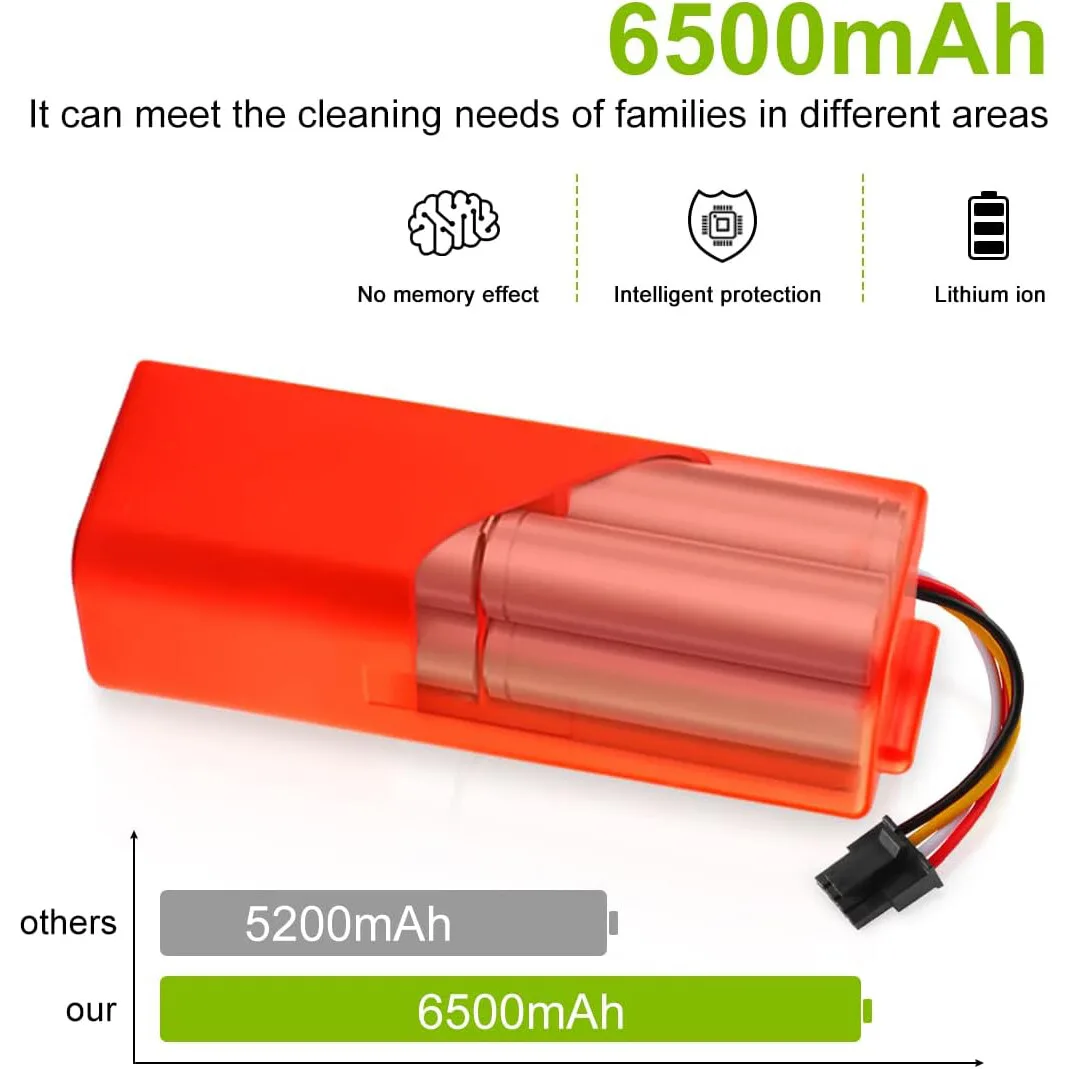
Image source: Web (Bing) / battledental.com (Web image (fair-use with source credit))
Replacing it is usually straightforward. On many models, batteries are user-replaceable and cost between $30 and $80. Compare that to a new robot unit at $200 to $800, and a battery swap is the smarter move.
The U.S. Department of Energy provides guidance on lithium-ion battery longevity that matches what manufacturers recommend.
Brushes and Rollers: Normal Wear and Tear
Brush rolls and side brushes grind against your floor daily. Bristle brushes wear down, and rubber rollers develop cracks. Pet hair wraps around them and eventually works into the bearings.
You'll see the cleaning quality drop before anything else.
Replacement brushes cost $15 to $45. Most owners swap them every six to twelve months. If you're dealing with long hair tangles, removing hair from a brush roll takes minutes, but ignoring it kills the motor faster.
Filters and Seals: The Silent Suction Killers
Filters clog gradually. You won't notice it until suction drops by 40 percent or more. Washable filters need rinsing every two to four weeks.
Disposable HEPA filters hold more, but they need replacing every two to three months. If you care about air quality, HEPA filtration matters more than any other feature.
Seals also matter. The gasket around the dustbin and the self-emptying dock connection wear out. A poor seal means dust escapes and the robot loses suction.
Both are cheap to replace if you catch the problem early.
Motors and Sensors: When It Stops "Thinking" Straight
The drive wheels, the side brush motor, and the main suction motor all have limited lifespans. Most run for hundreds of hours before they fail. Sensors are a different story.
LiDAR turrets and cliff sensors get covered in dust, which tricks the robot into thinking it's somewhere else.
Cleaning sensors every few weeks prevents most navigation problems. If the robot still bumps into walls after a good cleaning, the sensor hardware may be done. At that point, repair costs often exceed the machine's value.
How Long It Lasts Depends on Your Situation
Lifespan isn't a fixed number. It's a result of your floor plan, your cleaning frequency, and your pets.
| Use Case | Typical Lifespan | First Thing to Fail |
|---|---|---|
| Light use (weekly, small apartment) | 5 to 7 years | Battery |
| Daily use (medium home, hard floors) | 3 to 5 years | Battery or brushes |
| Heavy use (pets, carpet, large spaces) | 2 to 4 years | Brushes and battery |
| Commercial / Airbnb | 1 to 3 years | Battery and motors |
Light Use (Once a Week, Small Apartments)
If you run a robot once a week in a small space, the components barely work. Batteries sit fully charged between cycles. Brushes don't rev up often.
In this scenario, a good robot can last five to seven years. The battery still degrades over time because chemistry doesn't stop, but you'll likely replace the machine before the battery dies.
Daily Use (Medium Homes, Hard Floors)
Daily runs on hard floors are the sweet spot. The workload stays reasonable, but the robot actually earns its keep. Expect three to five years.
Brushes and filters need regular attention. The battery drops noticeably after two or three years. Many owners replace the battery once, then keep going.
For homes with hard-surface flooring, floors like luxury vinyl plank need a robot that treats them gently.
Heavy Use (Pets, Carpets, Bigger Spaces)
Pets put hair and dander everywhere. Carpets add rolling resistance and wear down brushes faster. Larger spaces mean longer runtimes and more cycles per day.
Realistic lifespan? Two to four years. You'll go through brushes every few months.
If you have pets and thick carpet, a robot vacuum is a convenience, not a set-and-forget tool.
Commercial / Airbnb Use
When a robot runs two or three times a day, it's a different math. These machines see more hours in a year than a home unit sees in five. Commercial and Airbnb owners usually replace units every one to three years.
They also buy models with user-replaceable batteries, because that's the first thing to die.
Spotting the Warning Signs: Is Your Robot Dying or Just Dirty?
Before you order a new robot, check whether the old one is genuinely dying or just neglected. Several common symptoms look like death but are actually easy fixes.
Battery Runtime Drops Hard and Fast
If the robot used to clean the whole house and now stops halfway, it's the battery. Clean the charging contacts first. Then calibrate the battery by letting it fully drain once.
If runtime stays low, a new battery is the fix. A $40 battery can give you another year or two.
Robot Gets Lost or Bumps Into Things
Dust on sensors causes this constantly. Wipe the cliff sensors, the LiDAR turret, and the camera lens. If the problem clears, you're done.
If not, the sensor module may have failed. On older robots, that repair often costs more than the machine is worth.
Suction Drops Even After Emptying the Bin
This points to a clogged filter, a wrapped brush, or a leaky seal. Empty the bin, rinse the filter, and pull hair off the roller. Check the dustbin gasket for cracks.
In our research, a clogged filter alone cuts suction by up to 40 percent. A worn brush roll does almost the same.
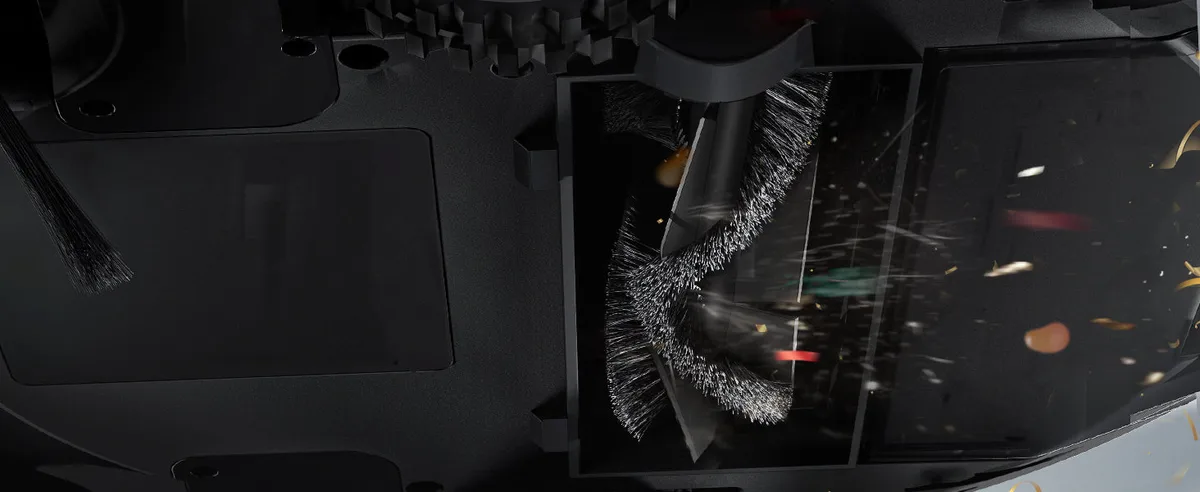
Image source: Web (Bing) / uk.ultenic.com (Web image (fair-use with source credit))
Brush Motor Sounds Grindy or Stops Spinning
If the brush makes a grinding noise, hair is likely wound around the motor spindle. Cut it out carefully. If it stops spinning completely, the motor has burned out.
Replacement brush motors run $20 to $50. That's cheaper than a new robot, but only if you're willing to disassemble the unit.
The Decision Tree: Repair, Replace, or Rebuild?
Once you've identified the failing part, run it through a simple decision tree. It's not about the age of the machine alone. It's about the cost of the part, the availability of spares, and the value of the remaining machine.
| Condition | Recommended Action |
|---|---|
| Under warranty | Contact manufacturer, file a claim |
| Battery dead, rest works | Replace battery |
| Brushes/filters worn | Cheap fix, just buy parts |
| Sensor failure, expensive bot | Repair if part under $80 |
| Sensor failure, budget bot | Replace |
| Motor failure, near 4+ years | Replace if repair >50% of used value |
- Repair if the part costs less than half the value of a comparable new robot.
- Replace if the robot is over five years old and the repair exceeds a third of a new unit's price.
- Rebuild if you own a premium model with good spare-part support. Replacing the battery, brushes, and filters can cost under $100 total.
Before you ditch a robot, compare its upkeep to how easy a vacuum is to maintain in general. Some robots are easier to service than others, and the same logic applies to any machine with a motor.
When to Just Replace the Battery (and Save $150+)
If your robot is under four years old and still cleans well, a new battery is the smartest repair you can make. Replacement packs cost $30 to $80 on most brands. A new robot with the same features costs $200 to $800.
Most mid-range models from iRobot, Roborock, Ecovacs, and Shark let you swap the battery without tools. Budget units sometimes need a screwdriver. Either way, the job takes five to ten minutes.
Before ordering, do a quick battery calibration run. Let the robot fully drain, then charge it to 100 percent without interrupting. If runtime stays below half the original spec after two cycles, replace the battery.
Our research shows many premature "dead robot" diagnoses are just worn-out lithium-ion packs. The rest of the machine is often fine.
When a New Brush or Filter Is All You Need
Weak suction is rarely a motor problem. In most cases, the brush roll is wrapped in hair or the filter is clogged.
Start by checking the roller, then pull off any hair. Remove the filter and hold it up to light. If light barely passes through, it's done.
Washable filters need a rinse every two to four weeks. Disposable HEPA filters typically last two to three months.
Costs are low. A brush roll runs $15 to $45. A filter costs $10 to $30, so the whole fix is under an hour.
Spend ten minutes on this before you consider a battery replacement.
Also watch for longer cleaning times. If the robot takes noticeably longer to finish a room, the brush is less effective at grabbing dirt. That forces extra passes and wears out the battery faster.
When It's Actually Time to Buy a New Robot
Repair the robot if the fix costs less than half a comparable new unit. Replace it if the repair bill crosses that line.
A few clear signs point toward replacement. Sensor failure on a model over four years old usually costs more than the robot is worth. So does motor failure on a budget unit.
And if the manufacturer stops updating the app, the robot gets dumber as your phone OS changes.
Some homes also outgrow robot vacuums. If you have thick carpets, multiple levels, or heavy pet traffic, a traditional upright vacuum still handles deep cleaning much better. Many owners keep both machines for different jobs.
How to Make Your Robot Vacuum Last 5+ Years
Consistent maintenance is the difference between a robot that dies in two years and one that runs for seven. It takes about five minutes a week.
- Empty the bin after every cleaning run.
- Clean the brushes, sensors, and charging contacts weekly.
- Rinse washable filters every two to four weeks.
- Keep the robot in a cool, dry spot when not in use.
- Replace parts before they fail instead of waiting for breakdowns.
One more habit matters: don't leave the robot on its charging dock 24/7. Let the battery drain a bit between cycles. Modern lithium-ion packs handle partial drains fine, but constant top-ups add unnecessary heat.
This is the same principle as routine servicing on any vacuum. Regular upkeep beats emergency repairs.
Actual Replacement Costs and Part Lifespans
| Component | Cost per Replacement | Typical Lifespan | When to Replace |
|---|---|---|---|
| Battery | $30 to $80 | 2 to 3 years | Runtime drops below 50% |
| Brush roll | $15 to $45 | 6 to 12 months | Bristles look worn or matted |
| Side brush | $5 to $15 | 3 to 6 months | Bends, cracks, or snaps |
| Filter | $10 to $30 | 2 to 3 months | Suction drops noticeably |
| Washable filter | $0 (rinse) | 6 to 12 months | Tears or no longer seals |
| Wheels | $10 to $25 | 2 to 4 years | Robot gets stuck often |
| Sensors | $15 to $40 | 3 to 5 years | Navigation becomes erratic |
Most of these parts are user-replaceable. Even if you total every component over five years, you'll likely spend under $250 in upkeep. That's still cheaper than replacing a $500 robot twice.
Common Mistakes That Shorten Robot Vacuum Lifespan
Several habits kill robots years before they should die. The biggest one? Ignoring the filter.
A dirty filter chokes suction, which forces the motor to work harder and overheat.
Running a robot through wet messes is almost as bad. Water seeps into the motor, the sensors, and the battery compartment. Once that happens, there's no reliable fix.
Always spot-clean spills before letting the robot run.
Three more mistakes to avoid:
- Using third-party chargers or DIY battery swaps without proper specs. Wrong voltage damages circuit boards and creates a fire risk. The U.S. Consumer Product Safety Commission has reported lithium-ion battery incidents tied to mismatched charging equipment.
- Letting hair wrap around the roller for weeks. The tension works into the motor bearings, and the brush motor burns out.
- Leaving the robot on an unheated porch or garage in winter. Extreme cold degrades lithium-ion cells faster than normal use.
If a brush stops spinning or smells burnt, replace it right away. Cheap maintenance beats costly repairs.
Real-World Scenarios: What Owners Report After 2–4 Years
Verified buyer feedback paints a clear picture. A pet owner with daily runs on hardwood and carpet reported battery drain down to 25 percent after two years. Brush rolls needed replacement every four months.
A small apartment owner running a robot twice weekly for four years replaced only the filter every few months. The battery still held around 70 percent of rated runtime. Light use genuinely extends lifespan.
In a large house with wall-to-wall carpet, one owner reported brush motor failure at the three-year mark. A replacement motor plus labor exceeded the used value of the machine, so they bought a new unit. That's a typical decision point for carpet-heavy homes, which is why upright vacuum cleaning power still wins for deep-cleaning large areas.
The takeaway: usage and maintenance determine lifespan more than brand or price.
Frequently Asked Questions
Is a 5-Year-Old Robot Vacuum Still Worth Using?
It depends on its condition. A five-year-old robot that still holds a charge and navigates reliably is fine for light maintenance cleaning. But replacement parts may be hard to source, and app support might end.
If repairs cost more than a third of a new unit, upgrade.
How Many Hours Can a Robot Vacuum Actually Run Before Dying?
Most robot vacuums run 60 to 120 minutes per charge when new. That translates to roughly 500 to 1,500 total cleaning hours before major component failure. Battery longevity depends partly on how much you drain it between charges.
Do Self-Emptying Docks Make the Robot Last Longer or Shorter?
Shorter, overall, because the dock adds another system that can fail. The dock's motor, vacuum fan, and collection bag all need maintenance. That said, the robot itself stays cleaner, and its filter stays clearer, so the robot's suction lasts longer between cleanings.
Is a Used Robot Vacuum a Smart Buy?
It can be, if the price reflects the battery's condition. Test it on a full charge. If it runs less than 30 minutes, factor in a $40 to $80 battery replacement.
Skip any unit with a no-name battery or visible water damage.
Final Decision Guide: What Should You Do Today?
Follow this quick checklist and you'll get the most out of whatever robot you own:
- Empty the bin and rinse the filter.
- Wipe the sensors and charge contacts.
- Pull hair off the brush roll.
- Run a full drain-and-charge cycle if runtime feels short.
- If the battery still dies fast, order a replacement pack.
- If repairs exceed 50 percent of a new unit's price, start shopping.
A robot vacuum is a tool, not an appliance you set and forget. The units that last five to seven years aren't lucky. They're maintained.
Whether you keep nursing your current model or swap it for a fresh one, the same rule applies: clean the machine, and it cleans your home for years.

