

Regular cleaning, filter care, and timely repairs help a vacuum cleaner work well, last longer, and clean more safely.
Learning how to maintain a vacuum cleaner is simple once you know which parts need care and how often to check them. Dust, hair, clogged filters, and worn belts can reduce suction and strain the motor. This guide explains proven maintenance steps for upright, canister, stick, handheld, and robotic vacuums, with practical tips you can use at home.

Why Vacuum Cleaner Maintenance Matters
A vacuum cleaner pulls air through several parts. These include the floor head, hose, brush roll, filter, dust bin or bag, and motor. If one part becomes blocked, the whole machine may lose suction.
Regular maintenance can help you:
• Keep suction strong
• Reduce dust and allergen release
• Prevent overheating
• Extend the life of the motor
• Avoid costly repairs
• Reduce bad smells
• Improve cleaning results
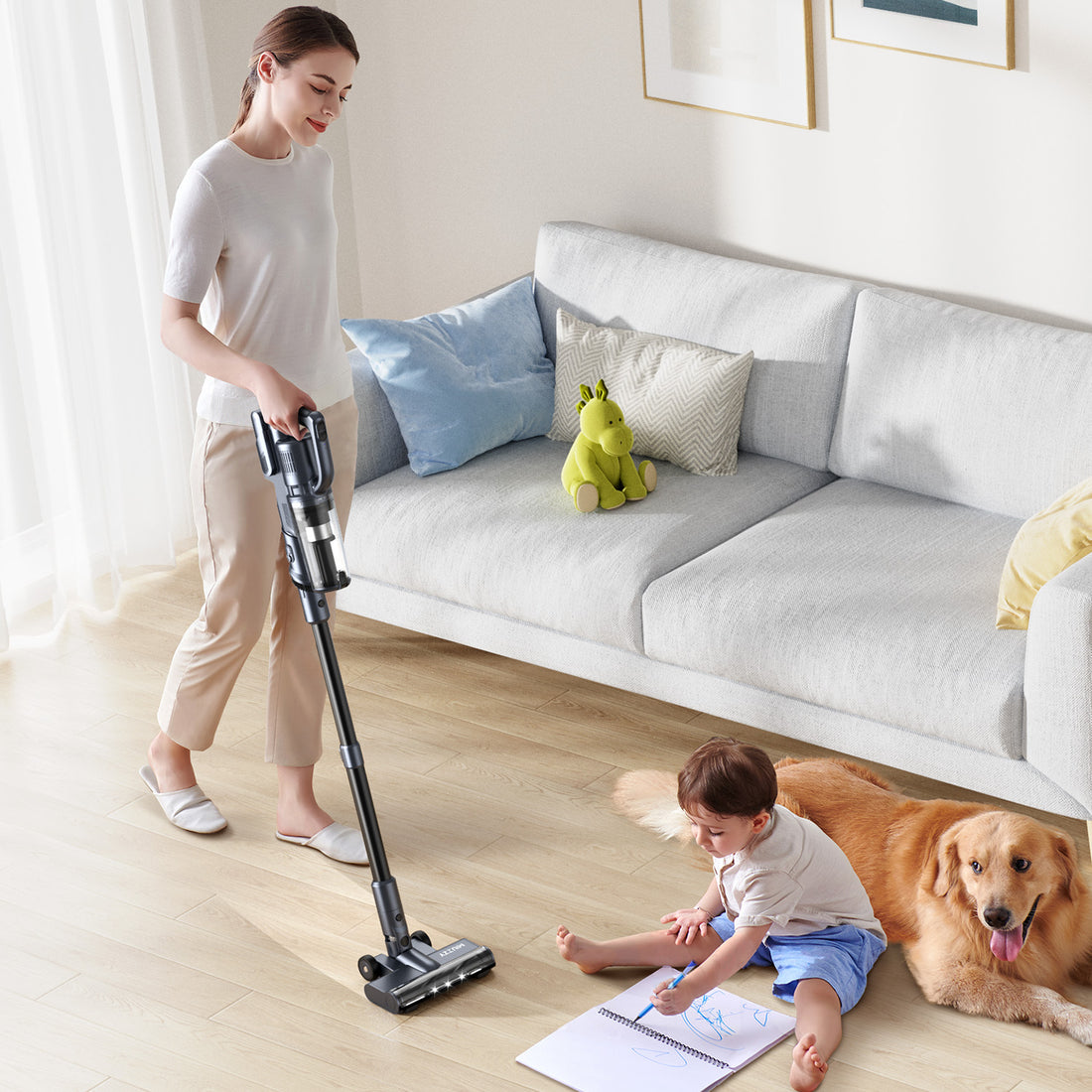
A well-maintained vacuum also uses less effort to clean the same area. This matters most in homes with pets, children, carpets, or allergy concerns.
Manufacturers often recommend checking filters and brush rolls on a regular schedule. The exact timing depends on the model, floor type, and amount of debris in your home. Always read the owner’s manual before washing a filter or removing a specific part.
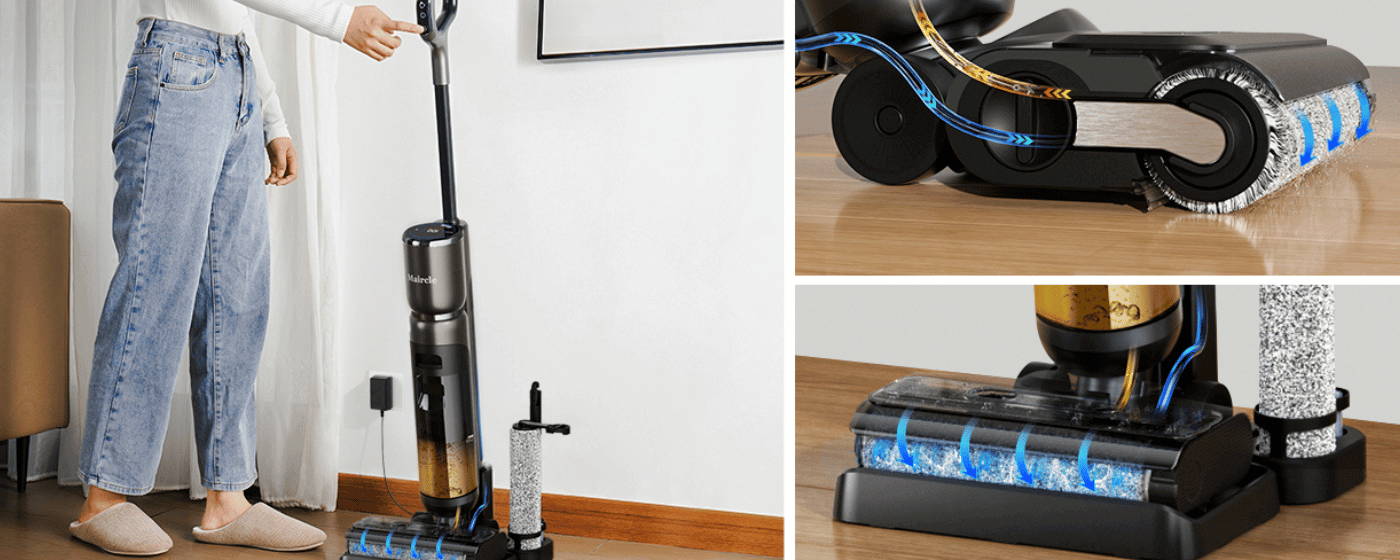
How to Maintain a Vacuum Cleaner: A Simple Routine
The best way to maintain a vacuum cleaner is to follow a routine instead of waiting for a problem. A quick check after each use can prevent small issues from becoming major ones.
After each use
• Empty the dust bin when it reaches the fill line.
• Remove hair and thread from the brush roll.
• Check the floor head for large objects.
• Wrap the cord loosely if your vacuum has a power cord.
• Store the vacuum in a dry place.
Do not pack a dust bin beyond its fill line. An overfilled bin blocks airflow and may push dust toward the filter. For bagged models, replace the bag when it is about two-thirds full unless the manual gives different advice.
Each week
• Inspect the hose for a blockage.
• Check the wheels for trapped hair.
• Wipe the outside with a dry or slightly damp cloth.
• Look for cracks in the hose, wand, or floor head.
• Check that attachments fit tightly.
Each month
• Wash or replace washable filters as directed.
• Inspect the belt on an upright vacuum.
• Clean the brush roll ends and bearings.
• Test the suction at the hose and floor head.
• Check the power cord and plug for damage.
This schedule is a starting point. Homes with pets or heavy foot traffic may need more frequent care. A small apartment with hard floors may need less.

Clean or Replace the Filters
Filters trap fine dust before air leaves the vacuum. A clogged filter can cause weak suction, loud operation, overheating, and a dusty smell.
Some vacuums have one filter. Others have several, such as:
• Pre-motor filters
• Post-motor filters
• Foam filters
• Felt filters
• High-efficiency or HEPA filters
Before cleaning a filter, confirm whether it is washable. Some filters must stay dry and should only be tapped gently or replaced. Washing the wrong type can damage the filter and the vacuum.
Follow these steps for a washable filter:
- Turn off and unplug the vacuum.
- Remove the filter over a trash can.
- Tap off loose dust.
- Rinse it with cool or lukewarm water.
- Avoid soap unless the manual allows it.
- Let it air-dry fully for at least 24 hours.
- Reinstall it only when completely dry.
Never run a vacuum with a wet filter. Moisture can reach the motor and create a serious electrical or mechanical problem. If the filter stays gray, smells bad, tears, or does not regain airflow after cleaning, replace it.
Many HEPA filters are not washable. A filter may look clean but still have clogged pores. The owner’s manual is the safest guide for replacement timing.

Empty the Dust Bin or Replace the Bag
Dust disposal is a key part of learning how to maintain a vacuum cleaner. A full bin or bag leaves less room for air to move. This can lower suction and make the motor work harder.
For a bagless vacuum:
• Empty the bin outdoors when possible.
• Hold the bin close to the trash can to reduce dust clouds.
• Wipe the bin with a dry cloth.
• Wash it only if the manual says it is safe.
• Dry every part before putting it back.
Do not use water near electrical contacts or sensors. If the bin has a rubber seal, inspect it for cracks and wipe away fine dust. A poor seal can cause air leaks.
For a bagged vacuum, use the correct bag for the model. Generic bags may fit but fail to seal well. Never reuse a disposable bag unless the manufacturer specifically designed it for reuse.
People with asthma or allergies may prefer to empty bagless bins outdoors or ask another person to do it. A sealed bag can reduce contact with collected dust.

Remove Hair and Debris From the Brush Roll
The brush roll lifts dirt from carpets and rugs. Hair, string, and carpet fibers can wrap around it like thread around a spool. This raises friction and may stop the brush from turning.
To clean the brush roll:
- Unplug the vacuum or remove its battery.
- Turn the floor head over.
- Open the brush-roll cover if needed.
- Cut wrapped hair with scissors.
- Pull the debris away by hand.
- Clean both ends of the brush roll.
- Check that it spins freely.
Keep scissors away from bristles, belts, and wires. Some brush rolls lift out, while others require a screwdriver. Do not force the cover, since plastic clips can break.
Inspect the bristles. If they look short, smooth, or badly worn, the roller may not clean carpets well. A replacement brush roll can often restore performance without replacing the entire vacuum.
This is one of the most useful answers to how to maintain a vacuum cleaner, especially for homes with long-haired pets.

Check the Hose, Wand, and Floor Head
A vacuum may sound normal while a blockage hides inside the hose. Small toys, socks, paper, and clumps of pet hair are common causes.
Disconnect the hose and look through it toward a bright light. If you cannot see through it, use a blunt, flexible tool to loosen the blockage. Avoid sharp objects, which can puncture the hose.
You can also check airflow in sections:
• Test the hose without the floor head.
• Test the wand separately.
• Check the floor head for a blocked opening.
• Inspect seals and connection points.
If suction is strong at the hose but weak at the floor head, the problem may be in the brush roll, air channel, or floor-head seal. If suction is weak everywhere, check the filter, bag, bin, and main hose first.
Never push a blockage deeper into the machine. Remove it from the nearest opening when possible.
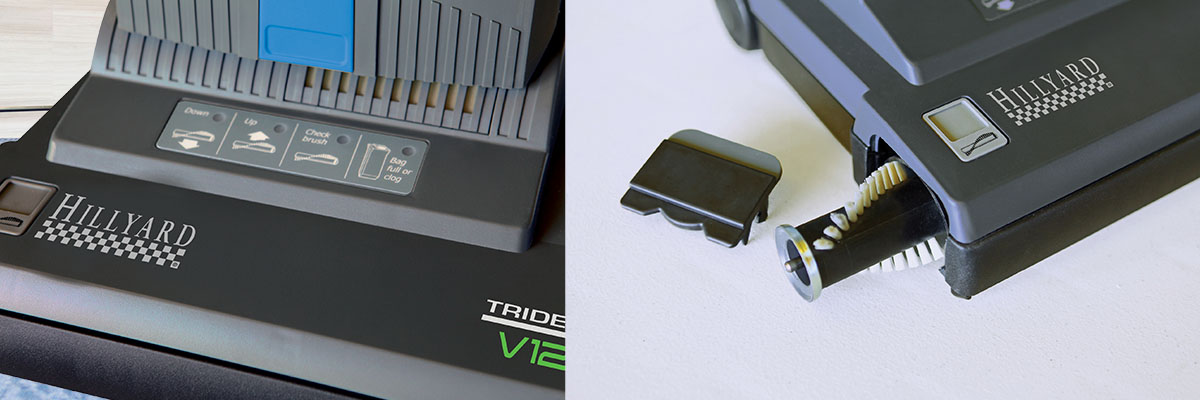
Inspect the Belt and Moving Parts
Many upright vacuums use a belt to turn the brush roll. A stretched, cracked, or broken belt may cause a burning-rubber smell or leave the brush roll still.
Unplug the vacuum before inspecting the belt. Look for:
• Cracks
• Fraying
• Loose fit
• Shiny or glazed areas
• A brush roll that does not turn
Some modern vacuums use beltless systems or automatic belt protection. Even so, the brush roll can still jam. Do not replace a belt with one that only looks similar. The wrong size can damage the motor or reduce brush speed.
If the vacuum makes a sharp squeal, stop using it. The sound may come from a worn bearing, blocked brush roll, or damaged belt. Continued use can turn a small repair into a motor problem.
Protect the Motor From Overheating
A vacuum motor needs steady airflow for cooling. A blocked filter, full bag, or clogged hose can limit that airflow. The motor may then become hot and shut off.
If your vacuum stops during use:
- Turn it off and unplug it.
- Move it to a clear, cool area.
- Empty the bin or replace the bag.
- Check the filters and hose.
- Let it cool for 30 minutes or as the manual advises.
- Test it again.
Do not keep switching the vacuum on and off if it smells hot. A thermal shutoff may protect the motor, but it does not fix the cause.
A burning odor, smoke, sparks, or repeated shutoff requires professional service. Stop using the machine and contact the manufacturer or a qualified repair technician.
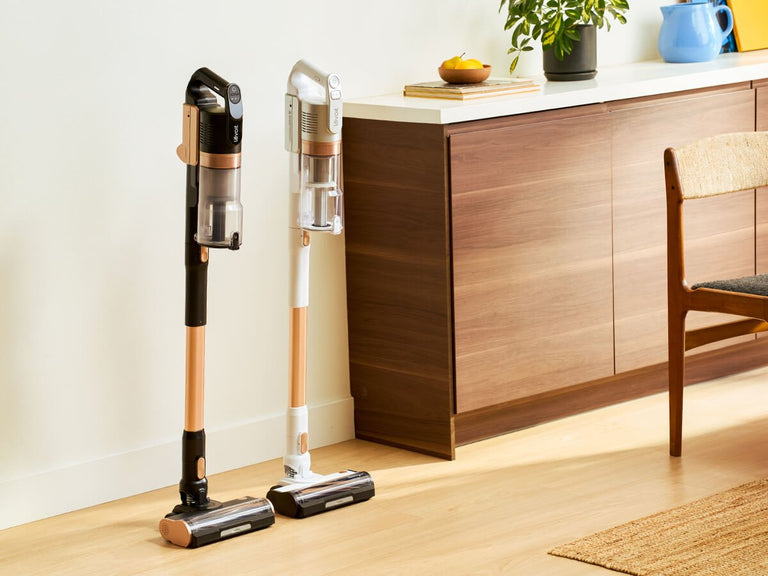
Maintain Cordless and Robot Vacuums
Cordless models need battery care as well as normal cleaning. Keep the charging area dry and use the charger made for that model. Do not use a battery that is swollen, cracked, leaking, or unusually hot.
For cordless vacuums:
• Clean the filter more often if suction drops.
• Remove hair from the brush roll.
• Keep battery contacts dry.
• Avoid storing the unit in extreme heat or cold.
• Follow the manual for long-term storage.
Robot vacuums need extra attention because they collect debris in small parts. Clean the side brushes, main roller, wheels, sensors, and charging contacts. Remove hair from the wheel axles, since trapped fibers can stop movement.
Wipe robot sensors with a soft, dry cloth. Dirty sensors may cause missed areas, navigation errors, or repeated bumps into furniture.
Use the Right Vacuum for Each Surface
Good maintenance starts with correct use. A vacuum designed for carpets may not be ideal for delicate hardwood, and a hard-floor setting may not lift dirt well from thick rugs.
Use these habits:
• Set the height correctly on adjustable upright vacuums.
• Turn off the rotating brush on delicate bare floors when advised.
• Use a crevice tool for edges and narrow gaps.
• Use a soft brush for vents, blinds, and delicate surfaces.
• Avoid vacuuming liquids unless the machine is a wet-dry model.
Never vacuum hot ash, wet food, sharp glass, or construction dust unless the vacuum is rated for that material. Fine drywall dust can clog household filters quickly and may damage the motor.
A wet-dry vacuum is not automatically safe for every liquid or chemical. Check its instructions, use the correct filter, and follow electrical safety rules.
Common Mistakes to Avoid
Small mistakes can shorten the life of a vacuum. The most common ones include:
• Using the vacuum with no filter
• Reinstalling a wet filter
• Ignoring a full bag or bin
• Pulling the machine by its power cord
• Vacuuming liquids with a dry vacuum
• Forcing large objects through the hose
• Using the wrong replacement belt or filter
• Spraying cleaner into the motor area
• Storing the vacuum in a damp garage or basement
One practical lesson technicians often share is that reduced suction is usually easier to fix early. Waiting until the vacuum becomes very loud or overheats can damage parts that were still working.
Another useful habit is to keep spare bags, filters, and belts in a labeled box. This makes routine care easier and prevents the temptation to keep using a worn part.
When to Repair or Replace a Vacuum
Knowing how to maintain a vacuum cleaner can prevent many problems, but not every fault is a home repair. A professional should inspect the machine when it has electrical damage, smoke, repeated overheating, or a motor fault.
Consider repair when:
• The vacuum is fairly new.
• Replacement parts are available.
• The body and motor are in good condition.
• The repair cost is reasonable.
• The problem is limited to a hose, belt, filter, or brush roll.
Replacement may make more sense when the motor is failing, parts are no longer available, or repair costs approach the price of a reliable new model. Check the warranty before opening the machine, since unauthorized repairs may affect coverage.
Choose a new vacuum based on your floors, home size, allergies, pets, noise needs, and maintenance costs. A low purchase price may not be a good value if filters and bags are expensive or hard to find.
Frequently Asked Questions About How to Maintain a Vacuum Cleaner
How often should I clean my vacuum filter?
Check the filter each month and clean or replace it according to the manual. Homes with pets, allergies, or heavy dust may need filter care every one to three weeks.
Can I wash every vacuum filter?
No. Some foam filters are washable, but paper, felt, and many HEPA filters must stay dry. Confirm the filter type before using water.
Why did my vacuum suddenly lose suction?
A full bag, packed dust bin, clogged filter, blocked hose, or tangled brush roll is often the cause. Check these parts in that order before assuming the motor has failed.
How often should I replace a vacuum belt?
Replace a belt when it is cracked, stretched, frayed, or slipping. Some belts last about six to twelve months with frequent use, but the correct schedule depends on the model and workload.
Can I use a vacuum to clean up water?
Only use a vacuum labeled for wet pickup or wet-dry cleaning. A standard household vacuum can suffer electrical damage and may create a shock risk if used on liquids.
How can I reduce vacuum odors?
Empty the bin or replace the bag, clean the brush roll, and wash approved filters. Let washable parts dry fully, and check for trapped damp debris or a burning belt smell.
Is it safe to repair a vacuum myself?
Basic tasks such as emptying the bin, clearing a hose, and cleaning a brush roll are usually safe when the machine is unplugged. Electrical repairs, motor work, and damaged cords should be handled by a qualified technician.
Conclusion
A vacuum cleaner performs best when you treat maintenance as a small routine, not a major chore. Empty the bin or replace the bag, clean the filters, remove hair from the brush roll, check for blockages, and stop using the machine when it overheats or shows electrical damage.
The key to how to maintain a vacuum cleaner is consistency. Spend a few minutes checking the machine each week, follow the owner’s manual, and use the right tools for each floor. Start with your next vacuuming session, and share your own maintenance tips or questions in the comments.

