

The Roomba j7+ usually stops working because of power, sensor, app, or clog issues.
The iRobot Roomba j7+ Robot Vacuum stopped working issue can feel frustrating, especially when it happens right in the middle of a cleaning cycle. I’ve seen this kind of failure in real homes more times than I can count, and the good news is that most problems come from a few fixable causes like dirty sensors, a weak battery, a jammed brush, or a dock connection problem. If your Roomba j7+ suddenly went quiet, this guide walks you through the real reasons it happens and the exact steps to get it running again.

Why the iRobot Roomba j7+ Robot Vacuum stopped working
When the iRobot Roomba j7+ Robot Vacuum stopped working, the root cause is often simpler than it first seems. In many cases, the robot is not fully broken. It is usually stuck, low on charge, blocked, or confused by a sensor error.
From my experience, the biggest mistake people make is assuming the vacuum needs replacement right away. More often, the machine is trying to protect itself from damage. That protection can look like a dead unit, but it is usually a warning sign.
Common reasons include:
- Battery failure or poor charging contact
- Clogged brushes, wheels, or suction path
- Dirty cliff sensors or bumper sensors
- Software glitches after an update
- Full bin or filter blockage
- Docking station issues
- Internal hardware faults
The iRobot Roomba j7+ Robot Vacuum stopped working problem can show up as no power, sudden shutdowns, random pauses, or failure to return to the dock. Each symptom points to a different fix, so it helps to troubleshoot step by step instead of guessing.
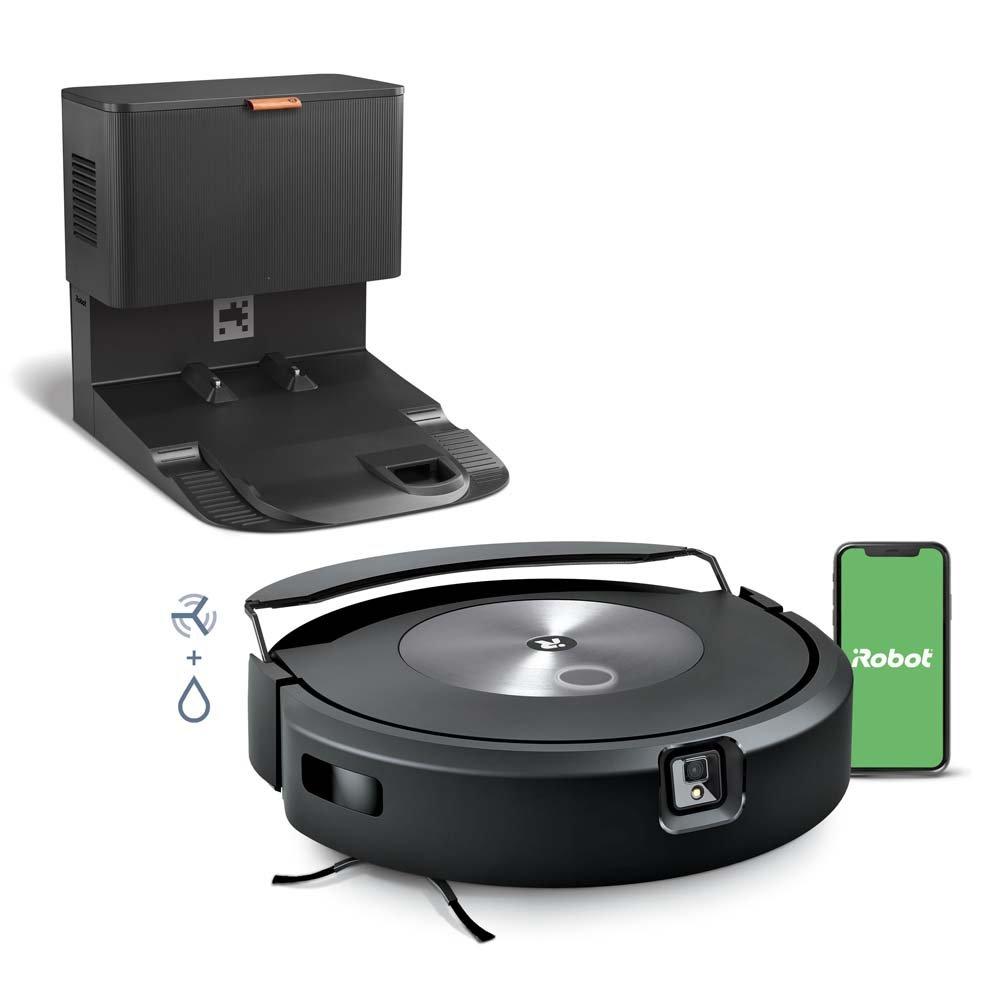
First checks when the Roomba j7+ stops working
Before you open anything up, start with the basics. These checks take only a few minutes and solve a lot of cases.
- Put the Roomba on the dock and confirm the charging light appears
- Check whether the app shows an error message or low battery
- Make sure the dock is plugged in and the outlet works
- Remove the bin and empty it completely
- Turn the robot over and inspect the brushes and wheels
- Wipe the sensors with a dry, soft cloth
If the iRobot Roomba j7+ Robot Vacuum stopped working after a move, power outage, or update, a simple reset may also help. I’ve had cases where the unit looked dead, but the dock plug had just come loose by a quarter inch. That tiny issue caused a big headache.
Power and charging problems
A dead Roomba is often a charging problem, not a vacuum problem. The battery may be low, the dock may not be delivering power, or the charging contacts may be dirty.
Here’s what to check:
- Clean the metal charging contacts on both the robot and dock
- Confirm the power cord is firmly connected
- Try a different wall outlet
- Let the vacuum charge for at least 2 hours before testing
- Look for signs of battery aging, like short run time or no response
If the iRobot Roomba j7+ Robot Vacuum stopped working and shows no lights at all, the battery may be deeply drained. In some cases, leaving it on the dock overnight can wake it up. If that fails, the battery may need replacement.
A weak battery often shows these signs:
- Short cleaning time
- Sudden shutdowns
- Failure to dock properly
- Needing a charge after only a small area is cleaned
Clogs, debris, and brush jams
The j7+ is smart, but hair, string, and dust can still slow it down. If the vacuum detects resistance, it may stop to protect the motor.
Check these areas:
- Main brush roll
- Edge sweeping brush
- Front wheel
- Side wheel areas
- Suction port and dust path
- Bin and filter
A brush jam can make the iRobot Roomba j7+ Robot Vacuum stopped working problem seem electrical when it is really mechanical. I once found a thin charging cable wrapped so tightly around a brush that the robot shut down after every few seconds. After clearing it, the unit worked normally again.
Good cleaning habits help prevent this:
- Remove hair after each few runs
- Replace worn brushes when bristles bend or crack
- Clean the filter regularly
- Keep cords, socks, and pet toys off the floor
Sensor errors and navigation issues
The j7+ depends on sensors to move safely. If those sensors are dirty or blocked, the robot may stop, spin, or refuse to clean.
Important sensors include:
- Cliff sensors on the bottom
- Bumper sensor on the front
- Dirt detect and navigation sensors
- Camera-based obstacle detection system
If the iRobot Roomba j7+ Robot Vacuum stopped working in open space, check whether the sensors are covered in dust. Even a thin layer can confuse the robot. A dry microfiber cloth is usually enough for cleaning.
Also check the environment:
- Very dark floors can sometimes affect detection
- Mirrors, shiny tiles, or black rugs may confuse navigation
- Tight spaces may cause the robot to stall
- Loose cables can make it stop for safety
App, Wi-Fi, and software problems
Many owners forget that the Roomba j7+ is partly a smart device. If the app or firmware glitches, the robot may appear frozen or unresponsive.
Try these steps:
- Open the iRobot Home app and check status
- Make sure Wi-Fi is working on the same network
- Restart your phone and the robot
- Update the app and robot firmware
- Remove and re-add the vacuum in the app if needed
When the iRobot Roomba j7+ Robot Vacuum stopped working after an update, I have often seen a simple reboot fix it. This is a lot like restarting a laptop that froze. The system just needs a fresh start.
If the app says the robot is offline, the problem may be:
- Weak Wi-Fi signal near the dock
- Router change or password update
- Software sync failure
- Cloud connection delay
How to reset the Roomba j7+
A reset can clear small software issues without harming the vacuum. It is one of the safest troubleshooting steps.
Try this:
- Put the Roomba on the dock.
- Press and hold the Clean button for about 20 seconds.
- Wait for the light ring or sound to confirm restart.
- Let the robot finish rebooting fully.
- Test a short cleaning run.
If the iRobot Roomba j7+ Robot Vacuum stopped working because of a temporary freeze, this often brings it back. I usually suggest resetting only after checking power and clogs first, since those are more common.
When the dock is the real problem
Sometimes the vacuum is fine, but the dock is the weak link. If the robot cannot charge correctly, it may stop working even though the body looks normal.
Look for these signs:
- Dock light not on
- Roomba fails to connect with dock
- Robot approaches dock but backs away
- Charging contacts look discolored or dusty
Test the dock with another outlet if possible. If the iRobot Roomba j7+ Robot Vacuum stopped working and will not charge, the dock, cord, or outlet could be the true cause.
A stable docking setup matters more than many people think. The Roomba is like a phone that never gets a full charge. It may still turn on for a moment, but it cannot do real work.
Hardware failures to watch for
If basic fixes do not help, a hardware issue may be present. That does not always mean the vacuum is beyond repair, but it may need service.
Possible hardware problems:
- Worn battery
- Faulty wheel motor
- Broken bumper switch
- Dust sensor failure
- Main board issue
- Charging contact failure inside the unit
If the iRobot Roomba j7+ Robot Vacuum stopped working and none of the resets, cleaning, or dock checks work, hardware is more likely. This is where warranty support or a repair center becomes useful.
Warning signs of deeper damage include:
- Burning smell
- Repeated error codes
- Clicking or grinding sounds
- Unit getting hot very fast
- Robot dying immediately after startup
Preventing future breakdowns
The best repair is the one you never need. A little routine care goes a long way with the j7+.
Keep up with these habits:
- Empty the bin often
- Clean the brush roll weekly
- Wipe sensors every week or two
- Check for tangled hair
- Keep cords and small objects off the floor
- Update software when prompted
- Store the dock on a flat, open surface
I have learned that small chores prevent big breakdowns. The iRobot Roomba j7+ Robot Vacuum stopped working issue often comes back when the robot is forced to clean messy floors full of cable clutter, pet hair, and dust piles. Think of it like keeping a car maintained. It runs better when you do not wait for a warning light.
When to contact support
If you have tried charging, cleaning, resetting, and app troubleshooting, it may be time to reach out for support. That is especially true if the robot is still under warranty.
Contact support if:
- The vacuum will not power on at all
- The battery will not hold a charge
- The robot gives the same error repeatedly
- The dock is working, but the unit still fails to charge
- You hear odd noises from inside the robot
Be ready with:
- Model name: Roomba j7+
- Serial number
- Purchase date
- Error code or app message
- Steps you already tried
That information speeds up the process and helps avoid repeat troubleshooting. If the iRobot Roomba j7+ Robot Vacuum stopped working due to a defect, support can usually tell you whether it needs a replacement part or a full repair.
Frequently Asked Questions
Why did my iRobot Roomba j7+ Robot Vacuum stop working suddenly?
A sudden stop is often caused by a clog, a battery issue, or a sensor error. It can also happen after a software glitch or if the dock is not charging the unit properly.
Why won’t my Roomba j7+ charge anymore?
Dirty charging contacts, a bad outlet, a faulty dock, or a worn battery are the most common causes. Clean the contacts first and test the dock in a different outlet before assuming the battery is dead.
How do I fix my Roomba j7+ if it won’t turn on?
Start by placing it on the dock and letting it charge for a few hours. If that fails, clean the contacts, check for brush jams, and try a restart by holding the Clean button.
Can a software update cause the Roomba j7+ to stop working?
Yes, a firmware update can sometimes cause temporary issues like freezing or offline status. A reboot, app refresh, or network reset often fixes the problem.
When should I replace the battery in my Roomba j7+?
If the vacuum runs for only a short time, shuts off early, or fails to charge fully, the battery may be worn out. A battery that is several years old is more likely to need replacement.
What should I do if my Roomba j7+ keeps stopping in the middle of cleaning?
Check for tangled hair, full bins, blocked wheels, or dirty sensors. If the problem keeps happening in the same room, the floor layout or rugs may be confusing the robot’s navigation.
Conclusion
The iRobot Roomba j7+ Robot Vacuum stopped working issue is usually fixable with a calm, step-by-step approach. Most of the time, the cause is power, charging, debris, sensors, or a small software hiccup rather than a major failure.
If your Roomba has gone quiet, start with the simple checks first and move toward deeper troubleshooting only if needed. That saves time, reduces stress, and often gets the robot back to work faster than you expect. If this guide helped, take a few minutes to inspect your vacuum now, and share your experience or questions so others can learn from it too.

