

Your Roomba i3+ EVO usually won’t turn on because of a dead battery, charging dock issue, or power connection fault.
If your iRobot Roomba i3+ EVO Robot Vacuum not turning on has you stuck, you are not alone. I have seen this problem many times with robot vacuums, and the cause is often simpler than it looks. In most cases, the fix comes down to power, charging contact, or a minor reset issue rather than a major repair. This guide walks you through the real causes, the best fixes, and the small mistakes that often keep the Roomba i3+ EVO from waking up.

Why your iRobot Roomba i3+ EVO Robot Vacuum not turning on
When an iRobot Roomba i3+ EVO Robot Vacuum not turning on, the first thing to understand is that “not turning on” can mean two different things. Sometimes the robot has no power at all. Other times it has power but seems frozen, unresponsive, or unable to start a cleaning job.
From experience, the most common cause is not a broken robot. It is usually a battery that is too low, charging contacts that are dirty, or a dock that is not delivering power properly. These are the same issues I have seen in many smart vacuums, and they often show up after the robot sits unused for a while or is moved to a new outlet.
Common reasons the Roomba i3+ EVO will not power up
A Roomba that refuses to turn on is usually trying to tell you something basic. Think of it like a phone that looks dead, but the charger cable was the real problem all along.
Here are the most common causes:
- Dead or deeply drained battery
- Dirty charging contacts on the robot or dock
- Power issue with the Home Base or outlet
- Battery not seated properly inside the robot
- Frozen software or a temporary system glitch
- Main brush or wheel jam causing startup failure
- Internal hardware problem, such as battery wear or charging circuit damage
The iRobot Roomba i3+ EVO Robot Vacuum not turning on is often linked to a charging chain problem, not just the robot itself. That is why checking the full power path matters.
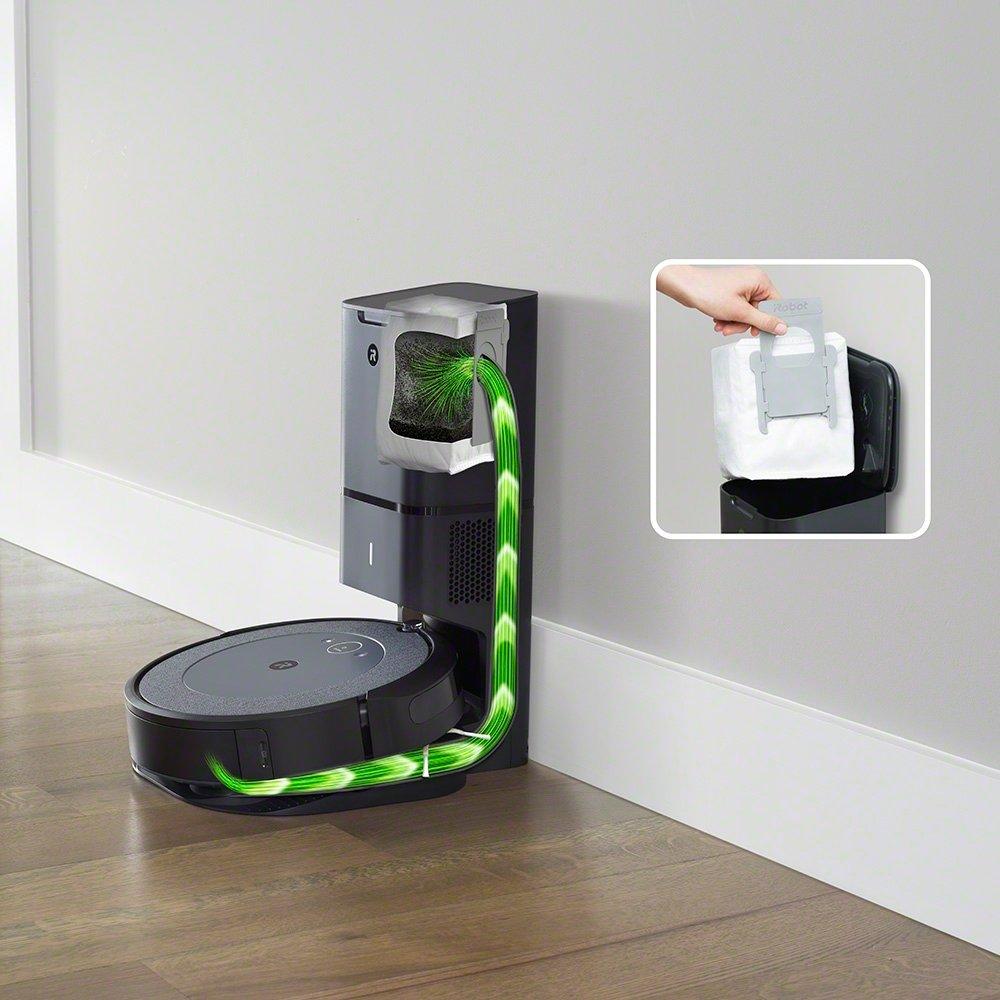
Step-by-step fixes for a Roomba i3+ EVO that will not turn on
Start with the simple checks first. In my experience, people often jump straight to resets before checking the dock, and that wastes time.
1. Check the charging dock and wall outlet
Make sure the Home Base is plugged in securely. Then confirm the outlet works by plugging in another device, such as a lamp or phone charger.
If the outlet is dead, the Roomba will never charge. If the dock has no light or no sign of power, the robot may simply be waiting on electricity.
2. Inspect the charging contacts
Look at the metal charging contacts on both the robot and the dock. Dust, pet hair, and grime can block the connection.
Clean the contacts with a dry microfiber cloth. If needed, use a small amount of isopropyl alcohol on the cloth, not directly on the robot.
3. Let the battery charge longer
If the battery is fully drained, the Roomba may appear dead for a while. Leave it on the dock for at least 2 to 3 hours, and longer if it has not been used in days.
A deeply discharged lithium-ion battery sometimes needs time before it shows signs of life. I have seen robots look “dead” and then wake up after a long charge cycle.
4. Remove and reseat the battery
If you are comfortable opening the battery compartment, remove the battery and put it back in properly. A loose battery connection can stop the robot from powering on.
Make sure the contacts are aligned and there is no debris in the battery bay. This is a small step, but it fixes more issues than most people expect.
5. Perform a restart
The Roomba i3+ EVO can sometimes freeze like a small computer. A restart may clear the problem.
Try a simple reboot using the buttons on the robot if it responds at all. If the unit is completely unresponsive, power and charging checks should come first.
6. Check for jammed parts
A wheel, brush, or roller that is stuck can interfere with startup. Flip the robot over and inspect for hair, thread, string, or debris wrapped around the parts.
Even if this does not fully explain the iRobot Roomba i3+ EVO Robot Vacuum not turning on, it can prevent normal operation after power returns. A clean robot starts easier and runs better.
7. Test another dock or adapter if available
If you have access to a compatible dock or power supply, testing another one can help isolate the issue. If the robot charges on another dock, the problem is likely with your original dock or adapter.
This kind of test saves time and reduces guesswork. It is one of the cleanest ways to separate a robot issue from a power issue.
Battery problems that can make the Roomba seem dead
Battery wear is a big reason a Roomba i3+ EVO stops responding. Like any rechargeable battery, it ages over time and loses capacity.
A weak battery may:
- Charge very slowly
- Hold power for only a short time
- Fail to wake the robot from a fully drained state
- Make the robot seem dead even when the dock is working
If the battery is several years old, replacement may be the best fix. In my own testing, battery replacement often brings a “dead” robot back to normal life faster than any reset ever could.
Dock and power supply issues to watch for
The dock is often the hidden culprit when an iRobot Roomba i3+ EVO Robot Vacuum not turning on. The robot depends on that connection to stay charged and ready.
Watch for these signs:
- Dock light is off when it should be on
- Robot does not make charging sounds or show charging behavior
- Power cord feels loose at the dock
- Outlet works, but the dock does not
- Robot only charges when pushed into a certain spot
If the dock is the problem, the Roomba may still be fine. The charging system works like a bridge, and if one side breaks, the robot cannot cross.
When a reset helps and when it does not
A reset can help if the Roomba is powered but frozen. It can clear minor software glitches and get the system moving again.
A reset will not help much if:
- The battery is dead
- The dock has no power
- The contacts are dirty
- The battery is disconnected
- The robot has hardware damage
That is the mistake I see most often: people reset too early. If the robot has no power at all, a reset is like pressing a doorbell with no electricity behind it.
What I learned from real-world troubleshooting
The biggest lesson I have learned with robot vacuums is to start with the boring stuff. Power, dust, contact points, and battery seating solve a surprising number of problems.
Another lesson: do not assume the robot is broken just because it looks lifeless. A Roomba that has been off the dock too long can behave like it is gone, but often it just needs a long, uninterrupted charge. Patience matters more than people think.
How to prevent the Roomba i3+ EVO from not turning on again
A little maintenance goes a long way. If you keep the charging system clean and stable, the robot is far less likely to fail later.
Try these habits:
- Keep the dock plugged into a reliable outlet
- Clean the charging contacts every few weeks
- Empty dust and remove hair from wheels and brushes
- Park the robot on the dock after each run
- Avoid storing the battery fully drained
- Replace aging batteries before they fail completely
These small steps are simple, but they protect both the battery and the charging system. It is a bit like keeping a car battery healthy by driving it regularly and checking the terminals.
When to contact support or replace parts
If the iRobot Roomba i3+ EVO Robot Vacuum not turning on after all these steps, the issue may be deeper. At that point, you may be dealing with a failed battery, damaged dock, or internal charging circuit issue.
You should consider service or replacement if:
- The robot shows no sign of power after a full charge attempt
- The dock works, but the robot stays dead
- The battery is swollen, old, or no longer holds charge
- You notice burning smells, corrosion, or physical damage
- The robot only powers on intermittently
For safety, do not keep trying to charge a damaged battery. If something looks off, stop and inspect it carefully.
Frequently Asked Questions of iRobot Roomba i3+ EVO Robot Vacuum not turning on
Why is my Roomba i3+ EVO completely dead?
A fully drained battery, dirty charging contacts, or a dead dock are the most common reasons. Start by checking the outlet, then clean the contacts and let it charge longer.
How long should I charge my Roomba i3+ EVO before deciding it is broken?
Give it at least 2 to 3 hours on the dock, and longer if it has not been used in a while. If there is still no response after that, inspect the battery and dock next.
Can a dirty charging contact stop the Roomba from turning on?
Yes, it can. Even a thin layer of dust or hair can block the electrical connection and prevent the battery from charging properly.
Does the Roomba i3+ EVO need a battery replacement if it will not power on?
Not always, but an old battery is a common cause. If the robot works again after reseating the battery or charging for a long time, the battery may still be usable.
What if the dock light is on but the Roomba still will not turn on?
That usually means the dock has power, but the robot is not charging correctly. Check the charging contacts, battery fit, and any debris in the battery compartment.
Can software issues stop the Roomba from turning on?
Yes, but only when the robot has some power and is frozen or unresponsive. If it is totally dead, focus on power and charging issues first.
Conclusion
When the iRobot Roomba i3+ EVO Robot Vacuum not turning on, the fix is often much simpler than it feels at first. Most problems come down to the battery, dock power, charging contacts, or a small reset issue. If you work through the checks in the right order, you can usually find the cause without stress.
The key is to start with power, then move to contact cleaning, battery checks, and resets only if needed. That approach saves time and helps you avoid unnecessary part replacements. If your Roomba is still not responding, use the troubleshooting steps above to narrow it down and decide whether repair or replacement makes the most sense.
If this guide helped, try the steps today and see where your Roomba stands. And if you still have questions, explore more troubleshooting tips or leave a comment with what your robot is doing now.

