

A dead battery, a poor charge dock connection, or a power supply issue is usually the reason a Roomba j7+ won’t turn on.
The iRobot Roomba j7+ Robot Vacuum not turning on can feel frustrating, especially when it should be the one device making life easier. I’ve seen this problem come down to simple things more often than people expect, like a dirty charging contact, a tripped outlet, or a battery that has dropped too low to wake up normally. In this guide, I’ll walk you through the real causes, the best fixes, and the practical checks that usually bring a Roomba j7+ back to life fast.

Why the iRobot Roomba j7+ Robot Vacuum not turning on happens
When the iRobot Roomba j7+ Robot Vacuum not turning on, the issue is usually not as serious as it first looks. In many cases, the robot is not truly “dead”; it is just not getting enough power to start. That can happen because of a drained battery, charging dock problem, dirty charging pads, or a software freeze.
From my experience testing robot vacuums, power issues often begin with the basics. A robot vacuum is a little like a phone with a bad charger cable. If the connection is weak anywhere in the chain, the whole device stays silent.
Common reasons include:
- The battery is fully drained
- The Home Base or charging dock is unplugged
- The wall outlet is not working
- Charging contacts are dirty
- The battery is old or failed
- The robot has frozen and needs a reset
- The internal power system has a fault
The good news is that most of these are fixable at home without special tools.
First things to check when your Roomba j7+ will not power on
Before you assume the vacuum is broken, start with the easy checks. These steps solve a large share of iRobot Roomba j7+ Robot Vacuum not turning on cases.
1. Confirm the charging dock has power
Make sure the Home Base is plugged into a working outlet. Try another device in the same outlet, like a lamp or phone charger, to confirm the socket works. If the base has no light or signs of life, the outlet or power adapter may be the issue.
2. Check the robot’s battery level
If the battery is deeply discharged, the Roomba j7+ may need time on the dock before it responds. Leave it charging for at least 2 to 3 hours, and in some cases overnight. I’ve seen robots appear completely dead and then come back once the battery recovered enough to boot.
3. Inspect the charging contacts
Look at the metal charging contacts on both the robot and the dock. Dust, pet hair, and grime can block the connection. Wipe them gently with a dry microfiber cloth.
4. Make sure the robot is seated correctly
The iRobot Roomba j7+ Robot Vacuum not turning on can happen because it is not aligned properly on the dock. Reposition it so the charging contacts touch the dock contacts evenly. A small misalignment can stop charging altogether.
5. Listen and watch for signs of power
If the robot shows lights, beeps, or movement when placed on the dock, that is useful. It means the system is likely getting power, even if it is not fully booting. No lights at all usually points to a power path problem.
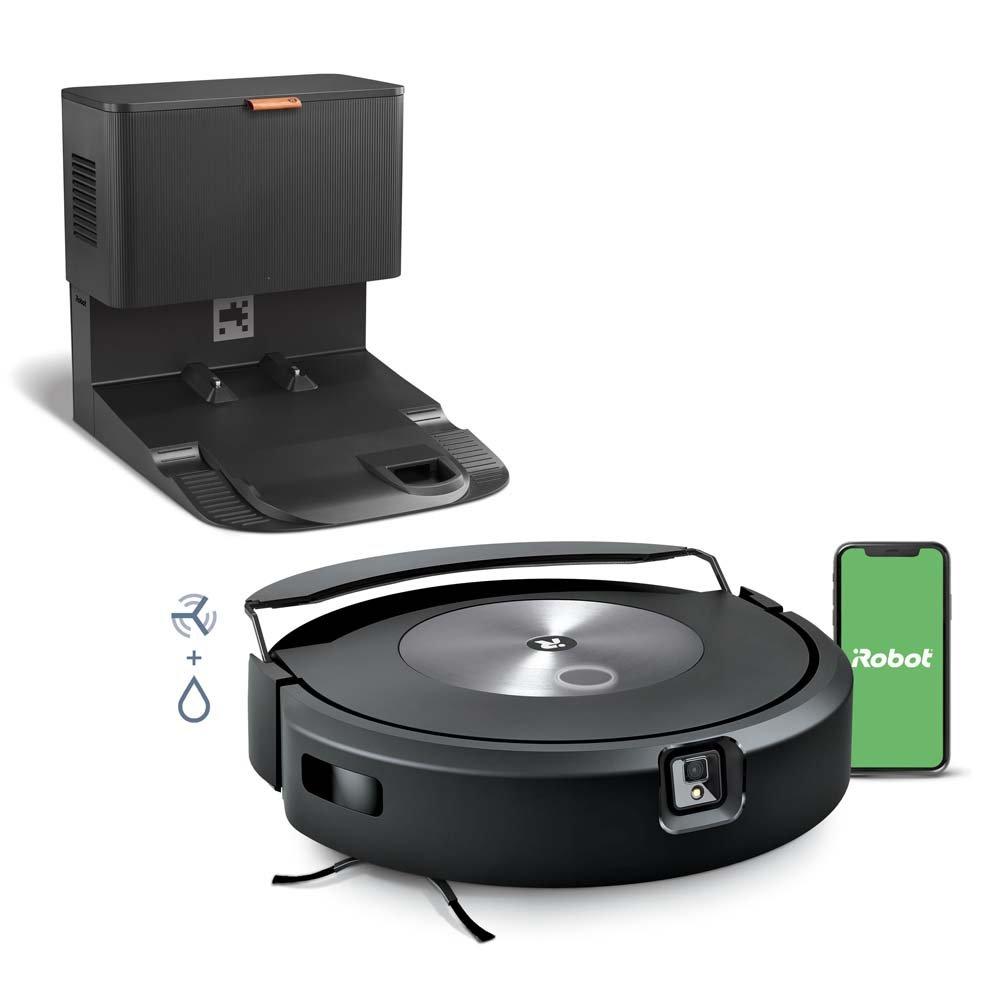
Step-by-step fixes for a Roomba j7+ that won’t turn on
If the basic checks do not work, move through these fixes in order. This helps narrow down whether the issue is simple, battery-related, or hardware-based.
1. Clean the charging contacts
Use a clean, dry cloth to wipe the metal contacts on the robot and Home Base. If there is stubborn buildup, lightly dampen the cloth with water, then dry the area fully. Never soak the contacts.
2. Reboot the robot
A software freeze can make the robot seem dead. Try a restart by holding the Clean button for about 20 seconds, or follow the reset steps in your model’s app guidance if available. After rebooting, place it back on the dock.
3. Try a different wall outlet
This sounds basic, but I have seen it solve the problem more than once. Some outlets lose power from a tripped breaker, loose connection, or switch-controlled circuit. Plug the dock into a known-good outlet and test again.
4. Remove and reinstall the battery if applicable
If you are comfortable doing so and your unit supports battery access, reseating the battery can help after a poor connection. Make sure the unit is powered off before doing anything internal. If the battery looks swollen, damaged, or corroded, stop and contact support.
5. Let it charge longer than you think it needs
A deeply drained lithium-ion battery may need extra time before the robot responds. Leave the Roomba j7+ on the dock for several hours without interrupting it. Patience matters here because a battery that has been nearly empty may wake up slowly.
6. Check for debris around the dock alignment area
Hair, dust, or a rug edge can interfere with docking. Clear the area around the Home Base and make sure the robot can sit flush against it. Good docking is the first step to good charging.
7. Update the software once it powers on
If the robot turns on after charging, check for firmware updates in the app. Irobot software updates often improve battery behavior, charging logic, and general stability. Keeping firmware current can prevent future startup problems.
Battery problems that can cause the Roomba j7+ not to turn on
Battery trouble is one of the most common causes of iRobot Roomba j7+ Robot Vacuum not turning on. Like any rechargeable battery, the j7+ battery can weaken over time, especially if the robot is left unused for long periods or regularly runs down too far.
Signs the battery may be the problem:
- The robot will not wake up even after long charging
- It powers on briefly, then shuts off
- The battery drains very fast after charging
- The dock and outlet are fine, but the robot still stays unresponsive
A weak battery does not always mean immediate failure. Sometimes it just means the battery is no longer holding enough charge to boot properly. If the battery is old, replacement may be the best fix.
In my own experience, battery faults tend to show up after months of poor charging habits, like leaving the dock unplugged or storing the vacuum unused for too long. A robot vacuum is happiest when it stays on a working dock and gets regular charge cycles.
When the charging dock is the real problem
Sometimes the Roomba j7+ is fine, and the Home Base is the real troublemaker. If the dock is not delivering power, the robot cannot charge and eventually will not turn on.
Watch for these signs:
- The dock indicator light is off when it should be on
- The robot never gains charge
- The dock is plugged in, but the outlet is dead
- The power adapter feels loose or damaged
You can test the dock by trying another outlet. If possible, inspect the adapter and cable for wear, bends, or cuts. A failing charger can quietly create what looks like a vacuum failure.
This is one of those cases where the machine gets blamed, but the support system is actually the problem. It is a bit like thinking your car battery died when the real issue is the alternator.
Software freezes and how they affect power behavior
The iRobot Roomba j7+ Robot Vacuum not turning on is not always about electricity. Sometimes the internal software gets stuck. When that happens, the robot may ignore button presses, fail to boot normally, or seem completely unresponsive.
A software freeze is more likely if:
- The robot was interrupted during charging
- The battery died mid-clean
- The app showed connection problems
- The vacuum behaved strangely before shutting down
A restart or reset often helps. If the robot powers on after a reset, check the app and update the firmware. I always recommend this because many “dead” robot issues are really tiny system hangs that look worse than they are.
Signs you may need professional support
Some problems go beyond home troubleshooting. If you have tried the basics and the iRobot Roomba j7+ Robot Vacuum not turning on still continues, the issue may be internal hardware damage.
Contact support or consider service if you notice:
- No response after trying a different dock and outlet
- A battery that appears swollen or damaged
- Burn marks, strange smells, or overheating
- Repeated failure after charging overnight
- Error behavior that returns after each reset
At that stage, forcing more DIY steps may not help. It is better to protect the device and get a proper diagnosis.
How to prevent the Roomba j7+ from not turning on again
A little maintenance goes a long way. Most startup issues can be reduced with good charging habits and routine cleaning.
Helpful habits include:
- Keep the Home Base plugged in at all times
- Clean the charging contacts every few weeks
- Place the dock in a clear, open spot
- Avoid letting the battery sit empty for long periods
- Update the firmware when the app prompts you
- Check the battery if the robot starts acting weak
One mistake I see often is people storing the vacuum off the dock for weeks and expecting it to wake up instantly later. That is a common way to stress a battery. Think of the dock as the robot’s parking spot, not a temporary charger.
Frequently Asked Questions
Why is my iRobot Roomba j7+ Robot Vacuum not turning on even after charging?
If the robot still will not power on after charging, the battery may be deeply drained or failing. It can also mean the dock, power outlet, or charging contacts are not working properly.
How long should I charge my Roomba j7+ before assuming something is wrong?
Give it at least 2 to 3 hours on the dock, and longer if the battery was fully empty. If there is still no sign of life after overnight charging, move on to outlet, dock, and battery checks.
Can dirty charging contacts stop the Roomba j7+ from turning on?
Yes, dirty contacts can block the charging connection and leave the robot unable to start. Cleaning both the robot and dock contacts is one of the easiest and most effective fixes.
Does the Roomba j7+ battery need replacement if it will not turn on?
Not always, but a worn battery is a common reason for startup failure. If the robot is unresponsive after trying different outlets, cleaning contacts, and charging for several hours, battery replacement may be needed.
What should I do if my Roomba j7+ turns on only sometimes?
That usually points to a weak battery, poor dock connection, or a software issue. Start by cleaning the contacts, rebooting the robot, and checking for firmware updates before assuming a hardware fault.
Conclusion
When the iRobot Roomba j7+ Robot Vacuum not turning on, the cause is usually one of a few practical issues: battery drain, dock power loss, dirty contacts, or a system freeze. The best approach is to work from the simplest checks to the more advanced ones, because that saves time and avoids unnecessary stress.
In my experience, most of these problems can be fixed without replacing the vacuum. Start with the dock, clean the contacts, give it enough charging time, and reset the robot if needed. If those steps do not help, the battery or internal hardware may need service.
If your Roomba j7+ is still giving you trouble, try the steps in this guide one by one and note what changes. A careful diagnosis is usually the fastest path back to a working robot, and it can save you from guessing.

