

A stick vacuum battery usually won’t hold a charge because the battery is aging, damaged, or the charger is failing.
A weak battery can turn a helpful cordless vacuum into a frustrating stop-and-start tool fast. If your stick vacuum dies too quickly, charges slowly, or won’t reach full power, the problem is often easy to trace once you know what to look for. I’ve seen this many times in real use: sometimes the battery is the issue, but just as often it is dirt, heat, bad charging habits, or a worn power adapter causing the trouble.
Why your stick vacuum battery stops holding a charge
A stick vacuum battery is usually a lithium-ion battery pack. That means it stores energy in cells that wear down over time, just like a phone battery or laptop battery. When the battery no longer holds a charge, it usually means one of two things: the battery has lost capacity, or something is preventing it from charging the way it should.
In my experience, most people assume the battery died overnight. More often, the problem builds slowly. You may notice shorter runtime, weaker suction, or the vacuum shutting off before the battery indicator looks empty. Those small signs are your early warning that something is off.
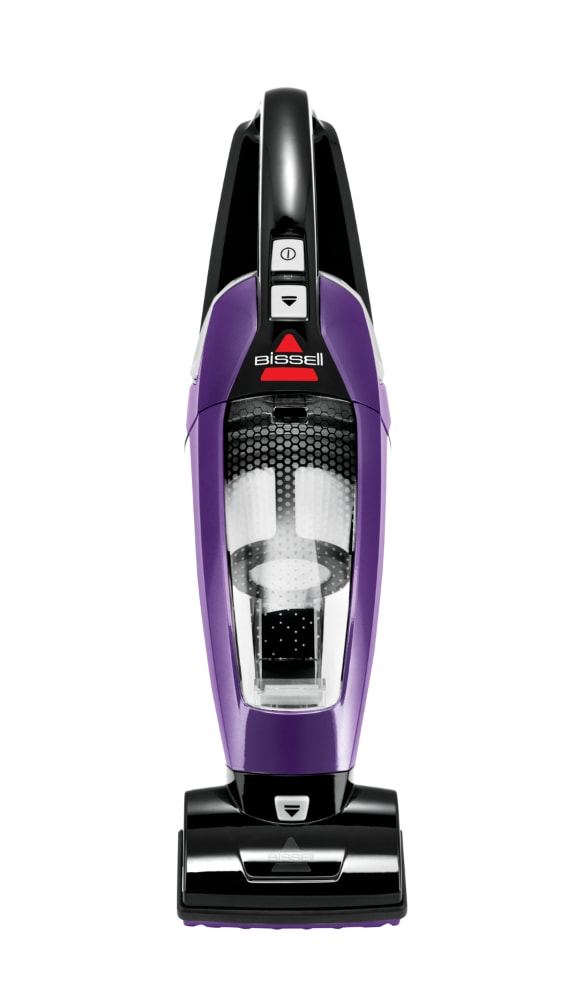
Common reasons a stick vacuum battery is not holding a charge
There are several possible causes, and the right fix depends on which one you have. Here are the most common ones I see when troubleshooting cordless vacuums.
1. The battery is simply worn out
Lithium-ion batteries do not last forever. Most start losing noticeable capacity after repeated charge cycles, especially if the vacuum is used often or stored poorly. Even if the vacuum still turns on, the battery may not hold enough energy for a full cleaning session.
A battery that is several years old, especially one used daily, may be at the end of its life. That is normal wear, not necessarily a defect.
2. The charger or charging dock is faulty
Sometimes the vacuum battery is fine, but the charger is not delivering power correctly. A loose plug, damaged cord, bad wall outlet, or defective dock can keep the battery from charging fully. I once spent too long blaming a battery when the real issue was a frayed adapter cable hidden behind furniture.
This is why it helps to test the outlet, inspect the charger, and make sure all connectors fit snugly.
3. Dirty charging contacts are interrupting the charge
Dust, lint, and corrosion can build up on the battery contacts or charger pins. When that happens, the electrical connection weakens and charging becomes unreliable. The vacuum may show a charging light, but the battery may still not fill properly.
A simple cleaning with a dry cloth or cotton swab can sometimes restore the connection.
4. Heat has damaged the battery
Heat is one of the fastest ways to shorten battery life. If the vacuum is stored near a sunny window, in a hot garage, or left on a charging base in a warm room, the battery can age faster than expected. Many battery makers note that heat reduces long-term performance and capacity.
This is one of those problems that sneaks up on people. The vacuum works fine for a while, then suddenly the runtime drops.
5. The vacuum is being overcharged or stored the wrong way
Modern vacuums usually have built-in protection, so true overcharging is less common than it used to be. Still, leaving the vacuum plugged in all the time, or storing it at full charge for long periods, can contribute to battery wear in some models. Storing a battery fully empty can also be harmful.
The healthiest range for long storage is often around 40% to 60% charge, though you should always check your model’s manual.
6. Internal battery cells are unbalanced or failing
Some battery packs contain multiple cells. If one cell weakens, the whole pack can act like a bad battery even if the other cells are still okay. That may cause sudden shutdowns, short runtime, or weird charging behavior.
This is not usually a user-fixable issue. In most cases, the battery pack needs replacement.
7. The vacuum has a power drain or motor problem
Sometimes the battery is not the main problem. A clogged filter, blocked brush roll, or failing motor can make the vacuum work harder and drain the battery faster. That can feel like a battery problem when it is really a mechanical load problem.
I always check airflow first. A vacuum that is working too hard will drain any battery faster.

Signs your stick vacuum battery is going bad
A battery that is failing usually gives off clues before it stops working completely. Watch for these signs:
- The vacuum runs for a much shorter time than before
- The battery light changes too quickly or behaves strangely
- Charging takes longer than usual
- The vacuum shuts off even after a full charge
- Suction feels weaker near the end of a cleaning session
- The battery or charging area feels unusually warm
- The vacuum only works while plugged in, if your model allows that
If you see several of these at once, the battery may be nearing the end of its usable life.
How to troubleshoot a stick vacuum battery not holding a charge
Before replacing anything, it helps to test the easy fixes first. I usually work through these steps in order because they save time and money.
Check the charger and outlet
Plug the charger into a different outlet. Look for loose connections, bent pins, or damaged wiring. If the charger has an indicator light, see whether it behaves normally.
If possible, try another compatible charger from the same brand. That can quickly tell you whether the charger is the issue.
Clean the battery contacts
Turn the vacuum off and unplug it. Use a dry microfiber cloth or cotton swab to clean the metal contacts on the battery and charger. If you see light corrosion, gently wipe it away without using water.
A clean connection can make a bigger difference than people expect.
Let the battery cool before charging
If you just finished vacuuming, the battery may be warm. Let it cool down for 20 to 30 minutes before placing it on the charger. Charging a hot battery can trigger safety protection and reduce charging performance.
This is a small step, but it matters a lot for battery health.
Check for clogs and dirty filters
Remove debris from the brush roll, bin, wand, and filters. A blocked vacuum forces the motor to work harder and can shorten runtime. Washable filters should be cleaned and fully dried according to the manual.
A clean airflow path helps the battery last longer and keeps suction strong.
Reset the battery or vacuum if the model supports it
Some stick vacuums have a reset process or battery reset feature. Others may require removing the battery for a few minutes and reinstalling it. Check your manual for the exact steps.
This can help if the battery indicator seems inaccurate or the vacuum is stuck in a protection mode.
Test runtime after a full charge
Charge the vacuum fully, then run it on a standard power mode. If runtime is still far below the original spec, the battery is likely degraded. Make sure you compare your result to the manufacturer’s normal runtime, not just memory.
Battery life changes with attachment use, suction mode, and floor type, so test it under similar conditions.

When to replace the battery
If your stick vacuum battery is not holding a charge after basic troubleshooting, replacement may be the best fix. This is especially true if the battery is older, runtime is very short, or the pack shows visible swelling, damage, or overheating.
Replace the battery if:
- It no longer reaches a full charge
- Runtime is much shorter than before
- The battery gets unusually hot
- The pack is swollen or damaged
- The vacuum shuts off randomly even after charging
A swollen battery should be replaced right away and handled safely. Do not keep using it.
How to make a stick vacuum battery last longer
Good habits can add months or even years to battery life. I learned this the hard way after leaving a vacuum on a sunny shelf for too long. The battery faded faster than it should have, and that was an expensive lesson.
Here are the habits that help most:
- Charge the vacuum in a cool, dry place
- Avoid storing it in very hot or very cold rooms
- Clean filters and brush rolls often
- Do not let the battery sit empty for long periods
- Use the correct charger only
- Avoid running the vacuum on max mode unless needed
- Unplug it if your manual recommends not leaving it on the dock all the time
These small habits keep stress off the battery and the motor.
What battery type means for performance
Most modern stick vacuums use lithium-ion batteries because they are light and rechargeable. They charge faster than older battery types and deliver steady power, but they still degrade over time. Capacity is usually measured in watt-hours or volts, and higher numbers do not always mean better performance if the motor and airflow design are weak.
That is why two vacuums with similar battery specs can perform very differently. The battery, motor efficiency, and filtration system all work together.
How long should a stick vacuum battery last?
There is no single answer, but many cordless vacuum batteries last about 2 to 5 years depending on use, storage, and build quality. Heavy daily use, frequent max-power cleaning, and poor storage conditions can shorten that life. Brands with replaceable battery packs often make long-term ownership easier.
If your vacuum is still new and the battery is failing fast, that may point to a defect rather than normal wear.
Frequently Asked Questions of Why is my stick vacuum battery not holding a charge?
Why does my stick vacuum battery die so fast?
A fast-dying battery is usually either worn out, not fully charging, or being drained by a clog or dirty filter. Heavy suction modes can also cut runtime much more than normal mode.
Can I revive a stick vacuum battery?
Sometimes you can improve performance by cleaning contacts, letting the battery cool, and using the correct charger. But if the battery cells are degraded, a true full recovery is unlikely.
Why does my vacuum show it is charging but still dies quickly?
That often means the charger, dock, or contacts are working poorly, or the battery has lost capacity. A charging light does not always mean the pack is actually storing enough energy.
Is it bad to leave my stick vacuum on the charger?
It depends on the model. Many modern vacuums manage charging safely, but long-term storage at full charge can still add stress in some batteries, so the manufacturer’s guidance matters.
How do I know if the charger or battery is the problem?
Try a different outlet, inspect the cord, and clean the contacts first. If the vacuum still has short runtime after a full charge, the battery is more likely the issue.
Conclusion
A stick vacuum battery not holding a charge is usually caused by battery aging, charger trouble, dirty contacts, heat damage, or a vacuum that is working harder than it should. The good news is that many of these problems are easy to check before you buy a replacement. Start with the charger, the contacts, and the airflow path, then move to the battery itself if the problem continues.
If your stick vacuum battery is not holding a charge, use the troubleshooting steps above to narrow down the cause and protect your next battery from wearing out too soon. If you found this guide helpful, explore more care tips, subscribe for updates, or leave a comment with your vacuum model and symptoms.

