Imagine coming home to spotless floors without lifting a finger. Your robot vacuum can do that—and even more—when you connect it to your home automation system.
But how exactly do you make your vacuum smarter and truly part of your automated home? If you want to save time, reduce stress, and enjoy a cleaner living space effortlessly, this guide will show you step-by-step how to integrate your robot vacuum with your home automation setup.
Keep reading to discover simple tips and tricks that will transform your cleaning routine forever.
Choosing The Right Robot Vacuum
Choosing the right robot vacuum is key to making your home automation system work well. Not all robot vacuums fit every smart home setup. Picking one that matches your needs saves time and effort. Focus on features, system compatibility, and budget to make the best choice.
Features To Look For
Good robot vacuums clean thoroughly and navigate well. Sensors help avoid stairs and obstacles. Some models map your home for better cleaning paths. Look for long battery life to cover large areas. Scheduling lets you set cleaning times automatically. A quiet vacuum keeps noise low during cleaning.
Compatibility With Home Automation Systems
Check if the vacuum works with your smart home system. Common systems include Amazon Alexa, Google Home, and Apple HomeKit. Voice control adds convenience. Some vacuums connect through Wi-Fi or Bluetooth. Integration helps combine vacuum use with other smart devices. Confirm app control options for easy setup and use.
Budget Considerations
Robot vacuums vary in price from basic to advanced models. Decide how much you want to spend. Higher-priced models often have better features and sensors. Basic models work for small spaces or simple needs. Consider cost against features and compatibility. Choose a vacuum that fits your budget without missing key functions.
Popular Home Automation Platforms
Popular home automation platforms help connect your robot vacuum to other smart devices. They create a smooth, hands-free cleaning experience. Each platform offers unique features and ease of use. Understanding these options helps you choose the best one for your home setup.
Amazon Alexa
Amazon Alexa is one of the most widely used platforms. It supports many robot vacuum brands. Use voice commands to start, stop, or schedule cleaning. Alexa routines can include your vacuum with other smart home actions. This makes managing your home easy and quick.
Google Home
Google Home works well with various robot vacuums. It allows voice control through Google Assistant. You can ask it to clean specific rooms or pause cleaning. Google Home also supports scheduling and status updates. It fits naturally into a smart home ecosystem.
Apple Homekit
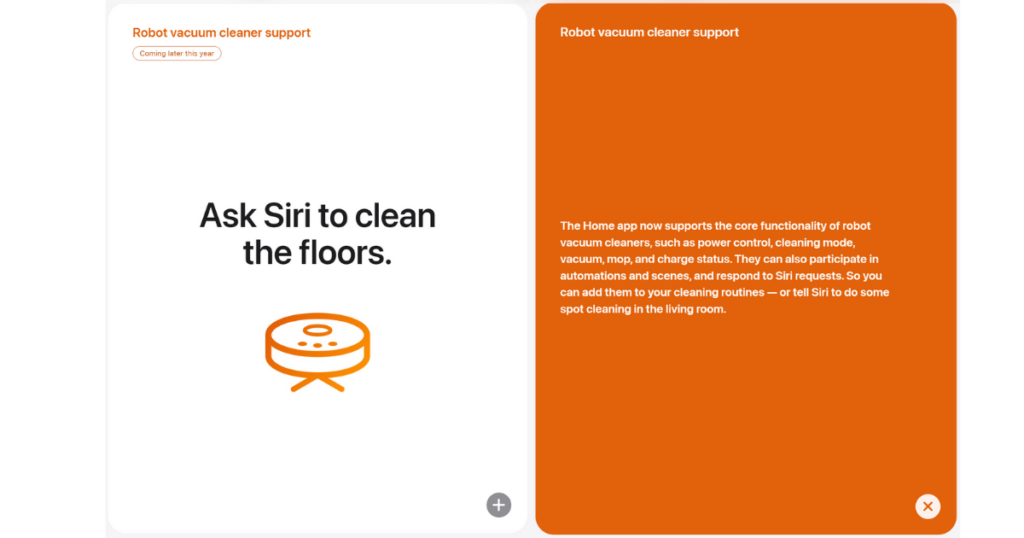
Apple HomeKit focuses on privacy and security. It connects fewer robot vacuum models but offers seamless integration. Use the Home app or Siri for voice commands. HomeKit allows automation with other Apple devices. It is ideal for users in the Apple ecosystem.
Smartthings
SmartThings supports a wide range of smart devices, including vacuums. It offers detailed automation and control options. You can create custom rules for cleaning times and zones. SmartThings works with many brands, making it very flexible. It suits users who want advanced control over their smart home.
Connecting Your Robot Vacuum
Connecting your robot vacuum to your home automation system makes cleaning easier and smarter. It lets you control the vacuum remotely and set cleaning schedules. You can also get alerts and customize how the vacuum works with other smart devices.
Start by linking your robot vacuum to your Wi-Fi network and its app. This step is key for remote control and automation. Then, connect the vacuum to voice assistants like Alexa or Google Assistant. This allows you to control the vacuum using simple voice commands.
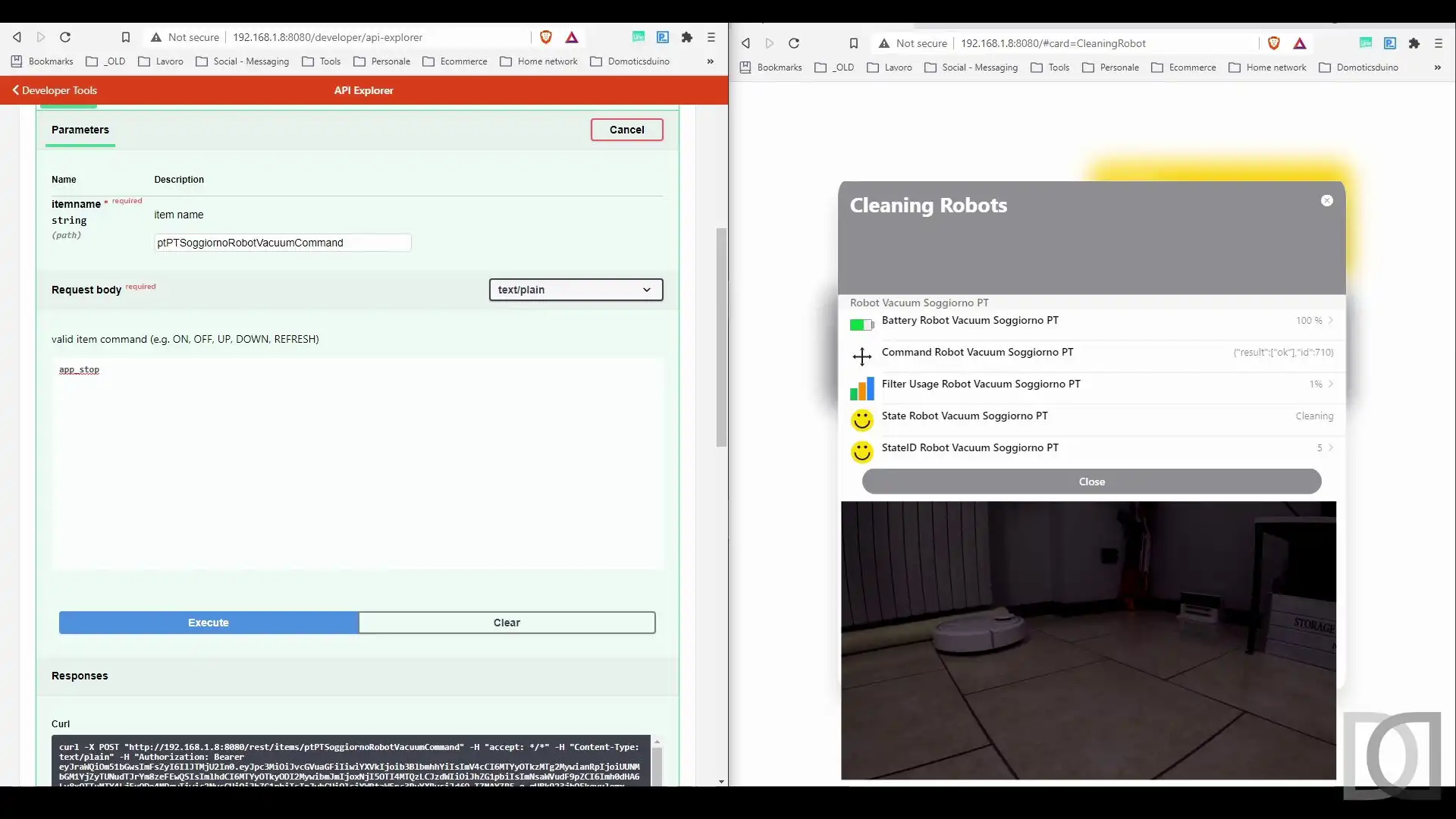
For more advanced control, use IFTTT (If This Then That). It lets you create custom automation rules. These rules can trigger the vacuum based on other smart devices or conditions in your home.
Setting Up Wi-fi And App Integration
First, download the vacuum’s official app on your phone. Open the app and follow the on-screen instructions. Connect the vacuum to your home Wi-Fi network using the app. Make sure your Wi-Fi is stable and uses a 2.4 GHz band, as many vacuums don’t support 5 GHz. Once connected, the app will show the vacuum’s status. You can start, stop, or schedule cleanings from here.
Linking To Voice Assistants
Open your voice assistant’s app on your phone. Search for the robot vacuum’s skill or service. Enable it and link it to your vacuum’s account. This connection allows voice control of the vacuum. Say commands like “Start cleaning” or “Pause vacuum.” Check if your vacuum supports multiple assistants for more options.
Using Ifttt For Custom Automation
Create an IFTTT account and connect your vacuum and other smart devices. Choose or create applets that fit your needs. For example, start the vacuum when you leave home or after a smart door closes. This makes cleaning fit your lifestyle without manual control. Test your applets to ensure they work smoothly.
Creating Automation Routines
Creating automation routines makes your robot vacuum work smarter. It lets your vacuum clean without you needing to start it. Automation saves time and keeps your home tidy with less effort. You can set routines to match your daily life and home needs.
Scheduling Cleaning Times
Set your robot vacuum to clean at specific times. Choose hours when you are not home or when you sleep. This keeps cleaning quiet and out of your way. Regular schedules keep your floors clean without thinking about it.
Triggering Cleaning With Sensors
Use sensors to start cleaning automatically. Motion sensors can detect when rooms are empty. The vacuum begins cleaning only when no one is around. Some vacuums also sense dirt and adjust cleaning power.
Combining Vacuuming With Other Smart Devices
Link your robot vacuum with smart lights or voice assistants. For example, turn on lights and start vacuuming with one command. Or pause vacuuming when the doorbell rings. Combining devices creates a smooth, connected home experience.
Troubleshooting Common Issues
Troubleshooting common issues is key to a smooth robot vacuum and home automation setup. Problems can disrupt cleaning schedules or voice commands. Understanding frequent errors helps fix them fast. This section covers three main trouble spots.
Connectivity Problems
Robot vacuums rely on stable Wi-Fi to work with home systems. Weak signals cause disconnections and delays. Place the vacuum near the router during setup. Restart the router and vacuum if connection drops. Check for firmware updates to improve stability.
Voice Command Errors
Voice assistants may mishear or ignore commands. Speak clearly and at a normal pace. Use simple phrases the assistant recognizes. Confirm the vacuum is linked to the voice app. Re-link accounts if commands do not respond.
App Sync Failures
The vacuum’s app controls cleaning and scheduling. Sync issues stop updates from reaching the vacuum. Close and reopen the app to refresh connection. Log out and back in if syncing fails. Ensure the app and vacuum firmware are up to date.
Enhancing Your Smart Home Experience
Enhancing your smart home experience with a robot vacuum means more than just cleaning. It creates a seamless routine that fits your lifestyle. Automation lets your vacuum work quietly and efficiently in the background. You control it with simple commands or set schedules. The result is a cleaner home with less effort from you.
Smart home integration also allows your vacuum to work with other devices. This connection makes your entire home smarter and more responsive. You can enjoy a smoother, more convenient daily life.
Integrating Multiple Robots
Using more than one robot vacuum can cover larger homes quickly. You can assign different robots to specific rooms or floors. Integration tools help coordinate their work without overlap. This saves battery and cleaning time. Multiple robots also provide backup if one needs charging or maintenance.
Using Smart Maps And Zones
Smart maps show your home layout on the app. You can set cleaning zones for specific areas. This feature targets messes without cleaning the whole house. Zones also allow restricted areas to stay untouched. Mapping improves the vacuum’s path planning and efficiency.
Future Trends In Robot Vacuum Automation
Robot vacuums will soon use better sensors and AI. They will adapt to your habits and home changes. Voice control will become more natural and precise. Integration with other smart devices will grow deeper. Expect more features that improve cleaning and home management.

Frequently Asked Questions
How Do I Connect A Robot Vacuum To Smart Home Systems?
You can connect your robot vacuum via Wi-Fi using the manufacturer’s app. Most support Alexa, Google Home, or Apple HomeKit for voice control and automation.
Which Robot Vacuums Are Best For Home Automation?
Look for models with Wi-Fi, app control, and compatibility with Alexa or Google Assistant. Popular options include Roomba i7+, Roborock S7, and Eufy RoboVac.
Can I Schedule Cleaning With Home Automation?
Yes, you can create cleaning schedules using your vacuum’s app or integrate it with home automation platforms for custom routines.
Is Voice Control Reliable For Robot Vacuums?
Voice commands work well for starting, pausing, or docking your vacuum. However, app control offers more detailed settings and scheduling options.
Conclusion
Integrating a robot vacuum with your home automation saves time and effort. It makes cleaning easier and more efficient. You can control the vacuum with voice commands or apps. Setting schedules helps keep your home tidy without lifting a finger.
Choose devices that work well together for best results. Start small, then expand your smart home system. Enjoy a cleaner home with less hassle every day.