

How long should an above ground pool filter run? It’s a question that pops up for every pool owner, and for good reason. Getting this right means crystal clear, inviting water, while getting it wrong can lead to murky messes or wasted energy.
The truth is, there’s no single magic number that works for every pool. It genuinely depends on your specific situation, from the size of your pool to how many people are splashing around in it. Manufacturer specifications typically suggest a minimum daily turnover rate of one full pool volume, which is the basis for determining optimal filter run time.
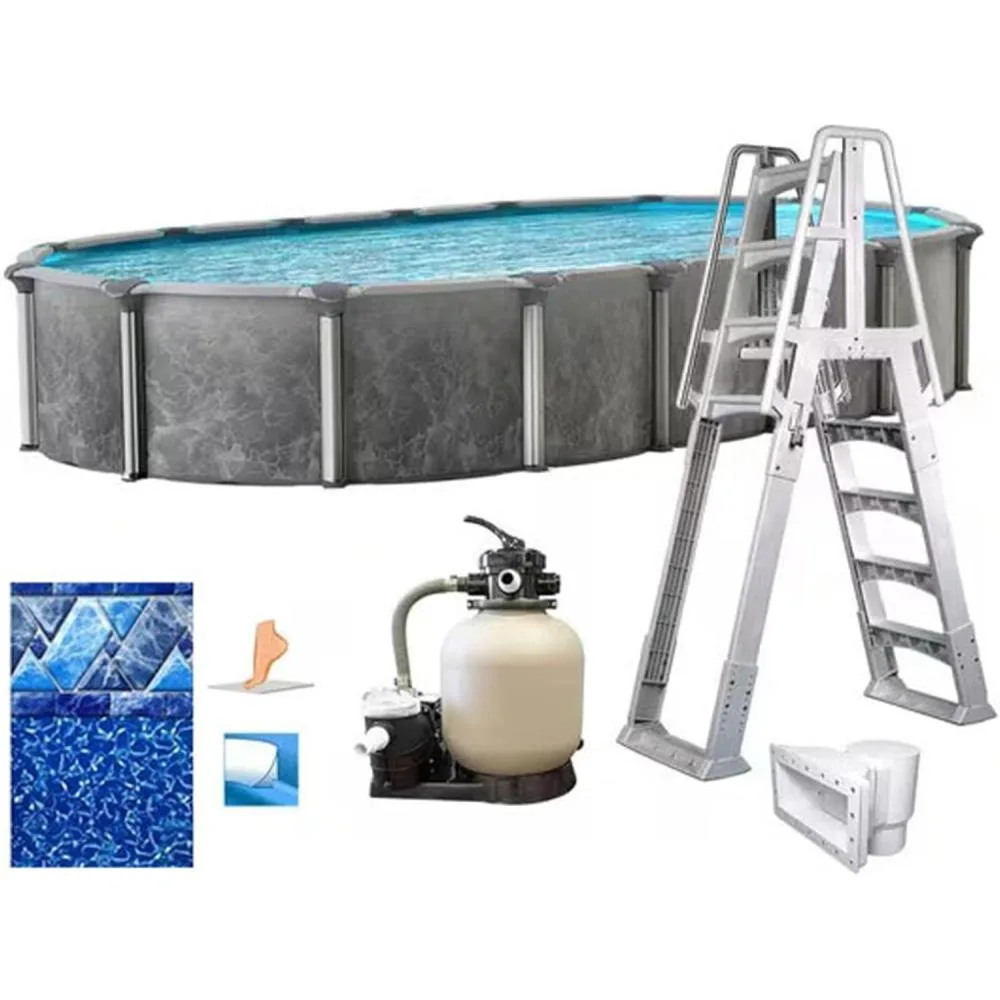
Image source: Bing (Web (fair-use with source credit))
Quick Answer
Above ground pool filters should typically run 8 to 12 hours per day to ensure complete water circulation and filtration. This range can increase to 12-16 hours during periods of high bather load or hot weather, and decrease to 6-8 hours during low usage or cooler seasons. The goal is to filter your pool's entire water volume at least once daily.
The Sweet Spot: Why Filter Run Time Matters for Your Pool
Getting your pool filter’s run time dialed in is more than just a number; it’s about the health and enjoyment of your pool. If your filter doesn't run long enough, dirt, debris, and microscopic organisms can build up, leading to cloudy water and potential health issues. Think of it like not running your dishwasher long enough, the dishes just won't come out clean.
On the flip side, running your filter pump for too many hours can be a drain on your electricity bill. It’s about efficiency. Most pool experts and manufacturer guidelines, such as those from Hayward or Pentair, recommend aiming to circulate your pool’s entire volume of water at least once every 24 hours.
This crucial daily turnover ensures all the water passes through the filter, where impurities are removed.
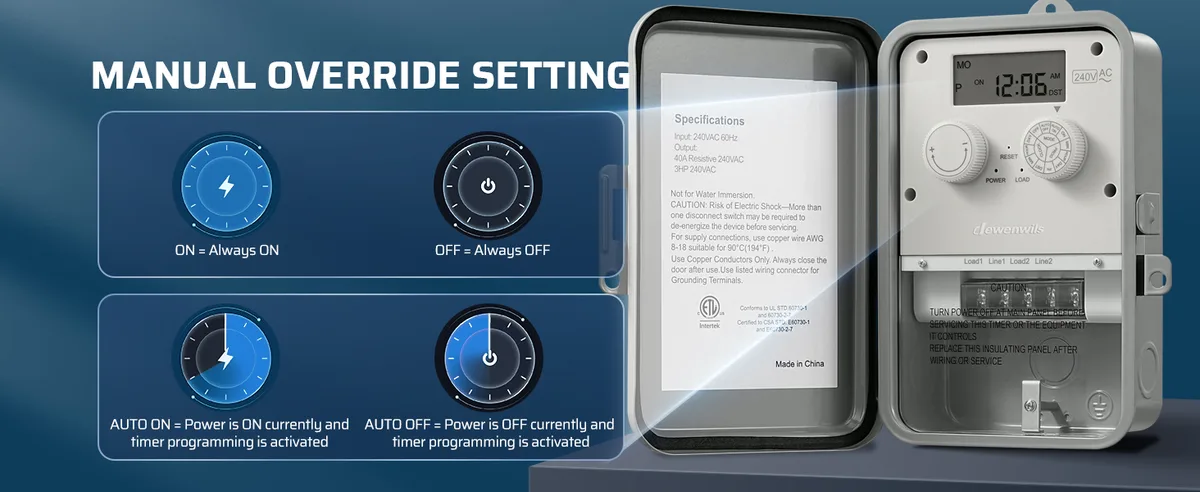
Image source: Bing (Web (fair-use with source credit))
How Pool Size and Swimmers Change Everything
The ideal run time for your above-ground pool filter isn't a fixed schedule. Two of the biggest factors that really throw a wrench into a "one-size-fits-all" answer are the sheer volume of your pool and how many people are actually using it.
Understanding Bather Load and Pool Volume
Your pool’s water volume dictates how much work the filter has to do. A large 20-foot round pool holds significantly more water than a smaller 12-foot one, meaning it requires more time for the pump to circulate and filter all of it. For instance, a 15-foot round pool might hold around 3,600 gallons, while a 24-foot round pool can hold over 10,000 gallons, that’s a massive difference in filtration demand.
Then there’s bather load. Every person in the pool brings more than just themselves; they bring sunscreen, body oils, sweat, and other organic matter. This "stuff" gets into the water and needs to be filtered out.
The more swimmers your pool hosts, the harder your filter has to work. A busy weekend pool party will require more filtration hours than a quiet Tuesday evening dip. Aggregate user feedback often points to increasing filter time by 2-4 hours on days with heavy swimming.
Decoding Your Filter's Needs: A Decision Flow
So, how do you figure out the right amount of time for your pool? It’s less about picking a number and more about understanding the conditions. We can look at it like a simple workflow.
- Start with the Basics: For a typical above-ground pool with moderate use, aiming for 8 to 12 hours a day is a solid starting point. This usually ensures your entire water volume gets filtered at least once.
- Assess Your Usage: Are you hosting big family gatherings or does your household practically live in the pool during summer? If yes, bump up that time.
- Consider the Weather: Hot, sunny days can encourage algae growth and increase evaporation, meaning your filter needs to work harder. Rainy days can wash debris into the pool.
Think of it this way: if your filter gauge shows pressure climbing quickly, or the water is getting cloudy, you might need to increase run time or check if the filter needs cleaning. Many pool timers allow you to set multiple on/off cycles, so you can split the run time, for example, 4 hours in the morning and 4 hours in the evening.
When to Run It Longer: High Usage and Hot Weather
There are definitely times when your filter needs to go into overdrive. When the mercury climbs, or your pool becomes a popular hangout spot, you'll want to extend that run time. Hot weather, especially under direct sun, accelerates algae growth and can make water evaporate faster, meaning more contaminants are introduced or concentrated.
If you've got a busy household, with multiple people swimming daily, or if you've recently hosted a pool party, your filter is working overtime to keep up. In these scenarios, you should extend your filter’s daily run time. Instead of the usual 8-12 hours, plan for 12 to 16 hours a day.
This ensures all the extra debris and organic matter are properly filtered out, preventing water quality issues. For example, after a major event or a particularly hot, sunny week, running the pump 24/7 for a day or two can help rapidly clear the water.
When You Might Get Away With Less: Low Usage and Cooler Temps
On the flip side, there are times when your filter doesn't need to work quite so hard. If your pool is primarily for occasional use, or if the weather has cooled down significantly, you might be able to shorten the daily filter run time. Cooler temperatures generally slow down the growth of algae and bacteria, reducing the load on your filtration system.
Similarly, if your pool has been relatively quiet, with minimal swimming activity, the water isn't accumulating as much debris or organic matter. In these less demanding periods, you could potentially reduce your filter run time to 6 to 8 hours a day. This is a way to save on electricity without sacrificing water clarity.
However, it’s always wise to keep an eye on your water quality; if it starts to look a bit dull or cloudy, you may need to increase the run time again, even in cooler weather.
Troubleshooting Cloudy Water: When Filter Time Isn't Enough
Sometimes, even if you’re running your filter for what seems like a reasonable amount of time, your pool water can still look less than perfect. If you've been diligently running your filter for 8-12 hours daily and still notice cloudiness, it’s a sign that filter run time alone might not be the whole solution.
Several factors can contribute to cloudy water, even with adequate filtration. One common culprit is an imbalanced chemical level, particularly pH or alkalinity. If these aren't correct, your sanitizer (like chlorine) won't work as effectively, and your filter can't do its best job.
Another issue could be a dirty filter itself; a clogged filter can’t effectively pass water through, making your pump work harder without cleaning the water. Manufacturer guidelines often recommend cleaning or backwashing your filter when the pressure gauge reads 8-10 PSI above its clean starting pressure. Finally, the filter might simply be undersized for the pool's volume or bather load, meaning it can't physically keep up, no matter how long you run it.
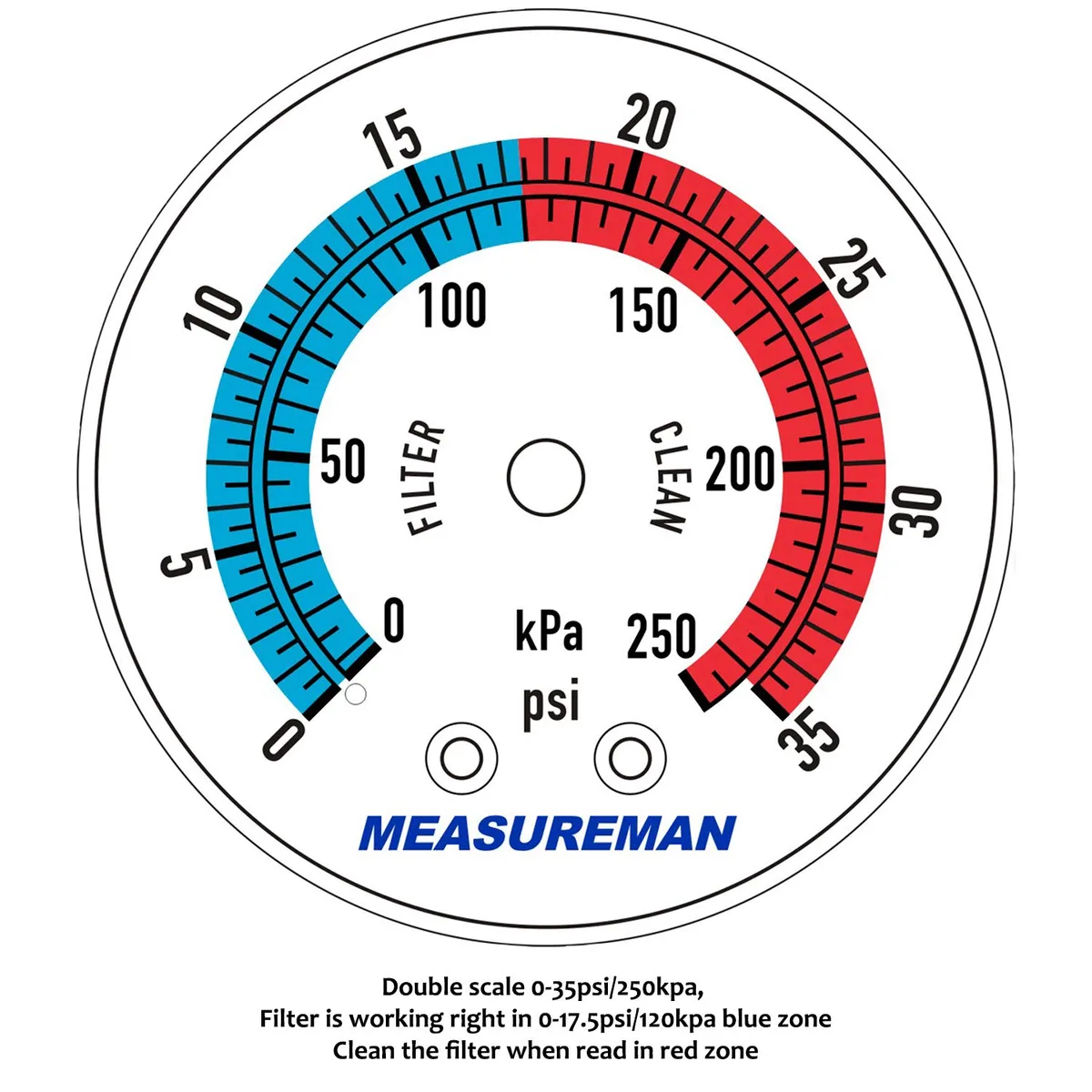
Image source: Bing (Web (fair-use with source credit))
Expert Tips for Optimizing Your Filter Schedule
Finding that perfect filter run time is a bit of an art, but a few pro tips can help you nail it. As of 2026, staying on top of your pool care means being adaptable. Don't just set it and forget it; make adjustments based on what your pool tells you.
- Split Your Cycles: Instead of one long run, try splitting your filter time into two or three shorter cycles throughout the day. For example, run it for 4 hours in the morning and another 4 hours in the evening. This can help maintain a more consistent level of filtration.
- Monitor Your Pressure Gauge: This is your filter's report card. Note the pressure when the filter is clean. If it rises by 8-10 PSI, it’s time to clean or backwash your filter, regardless of your timer setting. A dirty filter drastically reduces efficiency.
- Observe Water Clarity: This is the ultimate test. If your water is consistently sparkling, you're probably in a good range. If it's looking dull or developing a slight haze, it’s time to reassess your run time, chemical balance, or filter condition.
- Consider a Variable-Speed Pump: While an initial investment, these pumps allow you to run at lower speeds for longer periods, which is incredibly energy-efficient and can provide superior filtration compared to a single-speed pump running for fewer hours.
Frequently Asked Questions About Pool Filter Run Times
How long should an above ground pool filter run per day?
Typically, an above ground pool filter should run for 8 to 12 hours each day to effectively circulate and clean the entire volume of water.
Can I run my pool filter 24/7?
Yes, you can run your pool filter continuously, especially if you're trying to clear up cloudy water or dealing with heavy usage. However, it's not usually necessary for routine maintenance and will increase your electricity costs.
What happens if I don't run my filter long enough?
Not running your filter long enough can lead to poor water circulation, allowing debris, bacteria, and algae to accumulate. This results in cloudy water, potential health risks, and can require more intensive chemical treatments to correct.
How does pool size affect filter run time?
Larger pools require longer filter run times because there's more water volume to circulate and filter. A small pool might only need 6-8 hours, while a large one could need 12-16 hours daily to achieve the necessary water turnover.
Is there a specific time of day my filter should run?
It's often beneficial to run your filter during the hottest parts of the day, as sunlight's UV rays can help kill off some microscopic organisms. Splitting the run time into morning and evening cycles also helps maintain consistent water clarity.

