

A Dyson vacuum brush usually stops spinning because of a clog, worn belt, dirty roller, power issue, or a blocked head.
If your Dyson vacuum brush not spinning, you are not alone. I have seen this happen many times, and most of the time the fix is simpler than people expect. In this guide, I’ll walk you through the real causes, the best troubleshooting steps, and the small mistakes that often keep the brush bar from turning again.
What the Dyson vacuum brush does and why it matters
The brush bar, also called the cleaner head brush or roller brush, is what helps lift dirt, pet hair, and debris from carpets and rugs. It agitates the fibers so the vacuum can pull more dirt into the bin.
When the Dyson vacuum brush not spinning, suction alone often cannot do the full job. That is why the vacuum may still turn on, yet leave crumbs, hair, or dust behind. A working brush head makes a big difference in deep cleaning, especially on thick carpet and area rugs.
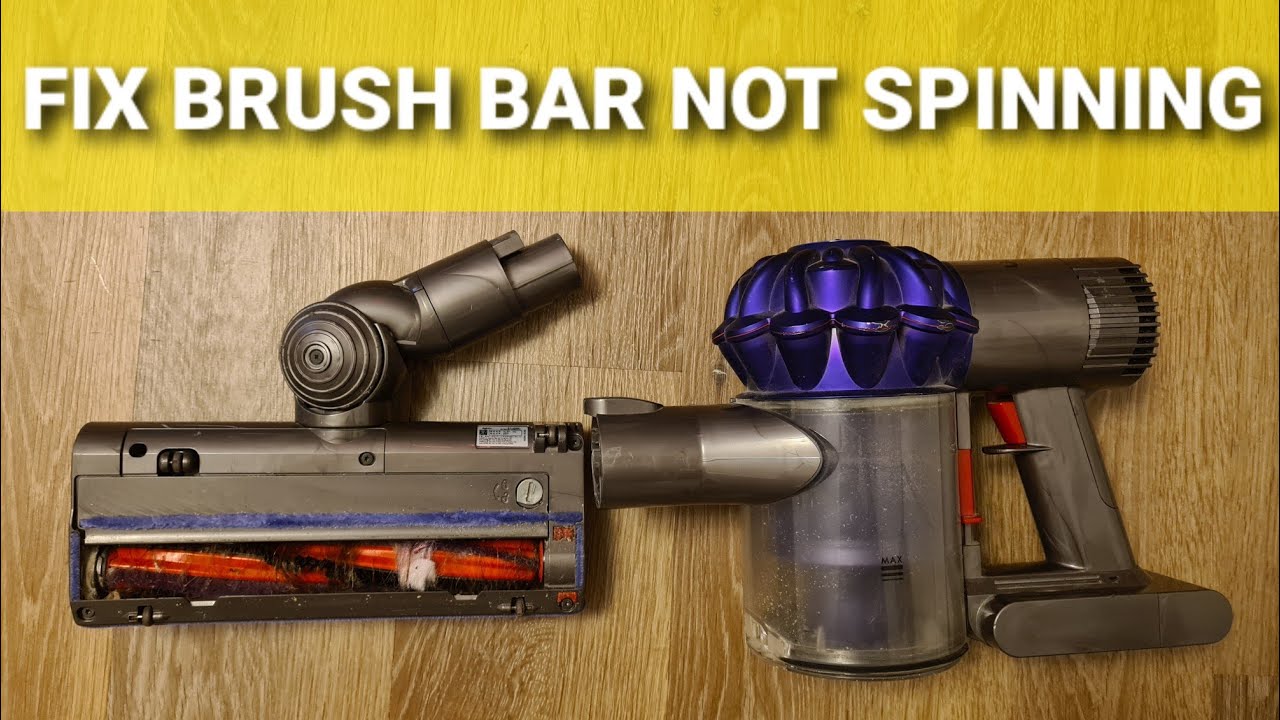
Common reasons the Dyson vacuum brush not spinning
There are a few usual suspects behind a Dyson vacuum brush not spinning. In my experience, the problem is often mechanical or blockage-related, not a full motor failure.
Here are the most common causes:
- Tangled hair or string around the roller
- A clog in the cleaner head, wand, or hose
- The brush bar is turned off in the wrong mode
- The vacuum is in hard floor mode or a non-brush setting
- A worn or broken belt inside the head
- Dirt, dust, or debris blocking the brush end caps
- The vacuum is overheating and shutting the brush off
- A battery or power issue on cordless Dyson models
- A damaged cleaner head motor or electrical contact
I once helped a friend who thought her Dyson was done for. The fix was only a thick wrap of dog hair and thread hidden near the end of the roller. It took 10 minutes to remove, and the brush spun again right away.
First checks to do before opening anything
Before taking anything apart, start with the easy checks. These simple steps solve a lot of Dyson vacuum brush not spinning problems.
Try this first:
- Turn the vacuum off and unplug it, or remove the battery if it is cordless.
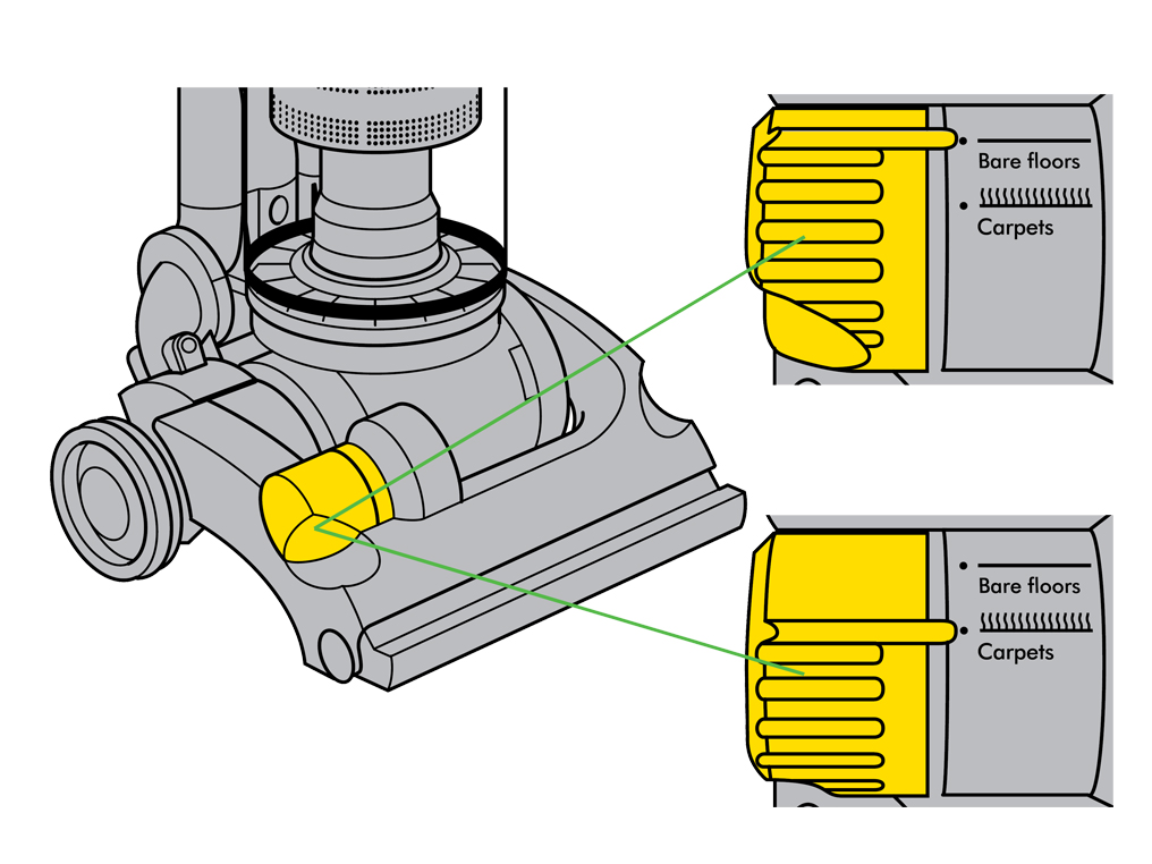
- Check the cleaning mode or brush switch.
- Make sure the cleaner head is fully attached.
- Inspect the roller for visible hair, string, or carpet fuzz.
- Look for clogs in the wand, hose, and head.
- Let the vacuum cool down if it feels hot.
If the brush still does not move, move on to deeper troubleshooting. I always tell people to start simple because many repairs get harder only after someone forces a part or misses a tiny blockage.

How to fix a Dyson vacuum brush not spinning
The best fix depends on the cause. Still, most Dyson vacuum brush not spinning cases can be solved at home with a little patience.
1. Remove hair and debris from the brush bar
Hair is the number one villain here. Over time, it wraps around the roller and stops it from turning freely.
What to do:
- Turn the vacuum off and disconnect power.
- Remove the cleaner head if your model allows it.
- Cut away hair with scissors or a seam ripper.
- Pull out string, thread, and carpet fibers by hand.
- Spin the brush roller with your fingers to check for smooth movement.
Be careful not to cut the bristles. I have seen people slice right into the roller by rushing. Slow cuts are safer and usually cleaner.
2. Check for clogs in the vacuum path
A hidden clog can reduce airflow and make the brush stop or act weak. Dyson vacuums are sensitive to airflow problems, especially in the wand or head.
Check these spots:
- The vacuum bin inlet
- The wand
- The hose
- The neck of the cleaner head
- The underside of the brush head
If something is stuck, remove it gently. Use a flashlight if needed. A broom handle or long brush can help push out soft debris, but avoid sharp tools that may damage the tube.

3. Make sure the brush setting is correct
Some Dyson models have modes that control the brush bar. If the brush is set for hard floors or a low-power setting, it may stop spinning on purpose.
Check your model’s controls and confirm:
- The brush bar is turned on
- The correct floor mode is selected
- The head is meant for carpets if you are cleaning carpet
This sounds basic, but I have seen this mistake many times. A person thinks the machine is broken, but it is simply in the wrong setting.

4. Inspect the brush head for damage
If the roller looks clean but still will not spin, the issue may be inside the cleaner head. A cracked housing, jammed bearing, or broken belt can stop motion.
Look for:
- Wobbling brush movement
- Grinding sounds
- Loose end caps
- Burnt smell
- Signs of melted plastic or wear
If the head feels rough when you turn the roller by hand, that is a clue. Smooth rotation matters. If it feels stuck, the internal bearings or belt may need repair or replacement.

5. Let the vacuum cool down
Dyson vacuums can shut off brush action if they overheat. This protects the motor and electronics. If you used the vacuum for a long time or vacuumed a heavy pile of hair, heat may be the issue.
Try this:
- Turn the vacuum off
- Unplug it or remove the battery
- Wait 30 to 60 minutes
- Clear any clogs before restarting
A hot motor is like a tired runner. It needs a rest before it can perform again. If the brush starts spinning after cooling, the root cause may have been blockage or overwork.

6. Check the battery and power on cordless models
If you use a cordless Dyson, low battery power can affect the brush head. Some models reduce performance before the battery fully dies.
Look for these signs:
- The machine powers on but feels weak
- The brush spins only sometimes
- The battery drains too fast
- The vacuum shuts off under load
If possible, charge the battery fully and test again. If the brush only fails on one battery, the battery may be the issue rather than the cleaner head.
7. Reset the vacuum if your model supports it
Some Dyson models benefit from a reset after a blockage or overload. Not every model has a manual reset button, but power cycling can help clear a temporary fault.
Try:
- Turning the vacuum off
- Disconnecting power
- Removing the battery if possible
- Waiting a few minutes
- Restarting the unit
This is not magic, but it can clear a temporary electronic lockout. I have seen the brush come back after a simple restart when no mechanical issue was left in the head.
When the Dyson vacuum brush not spinning points to a belt problem
A worn or broken belt is a classic reason for a Dyson vacuum brush not spinning, especially in older models or heavily used cleaner heads. The belt transfers power from the motor to the brush roller.
Signs of a belt problem include:
- The brush does not move at all
- You hear the motor, but the roller stays still
- The cleaner head smells warm or burnt
- The roller feels loose or slips
If the belt is internal, you may need to open the head or replace the whole cleaner head assembly, depending on the model. On some Dyson vacuums, the belt is not meant for easy user repair. In that case, replacement is often more practical and safer than forcing a repair.
How to know if the motorized head is failing
Sometimes the Dyson vacuum brush not spinning is not about debris at all. The motor inside the cleaner head may be failing.
Watch for these clues:
- The brush works only when held at a certain angle
- It spins, then stops, then starts again
- The head makes clicking or grinding noises
- The connection pins look damaged or dirty
- The roller does not respond even after cleaning
In my experience, intermittent spinning is often an electrical contact issue or a worn internal motor. If you have already cleaned the head and checked for clogs, this becomes more likely.
Step-by-step troubleshooting checklist
If you want a simple path, use this checklist in order.
- Turn the vacuum off and disconnect power.
- Remove hair and debris from the brush roller.
- Check for clogs in the wand, hose, and cleaner head.
- Confirm the brush mode is set correctly.
- Let the machine cool down if it is hot.
- Test the battery or power source.
- Inspect the cleaner head for cracks, worn parts, or loose connections.
- Reset the vacuum if your model allows it.
- Replace the brush head or belt if needed.
This order works because it starts with the most common and easiest fixes first. That saves time and avoids unnecessary part replacement.
What not to do when fixing a Dyson vacuum brush not spinning
It is easy to make the problem worse while trying to fix it. A few mistakes can damage the cleaner head or void a warranty.
Avoid these errors:
- Forcing the roller out with too much pressure
- Cutting bristles while removing hair
- Using water on motorized parts
- Ignoring repeated overheating
- Running the vacuum with a blocked head
- Pushing sharp tools into the hose or wand
- Replacing parts before checking for clogs
The biggest lesson I have learned is this: a patient repair is usually cheaper than a rushed one. Most Dyson vacuum brush not spinning issues are repairable if you do not damage the head during the process.
When to replace parts or call for service
If you have cleaned everything and the brush still will not spin, replacement may be the right move. Some parts wear out naturally, especially with pet hair, heavy carpet use, or long cleaning sessions.
Consider replacement or professional service if:
- The brush motor is dead
- The belt is broken and not serviceable
- The cleaner head is cracked
- The vacuum has repeated electrical faults
- The roller does not spin after all troubleshooting steps
If your Dyson is still under warranty, check the coverage before buying parts. A warranty repair is often the safest and cheapest path. If it is out of warranty, compare the cost of a new cleaner head with the cost of a full machine replacement.
How to prevent the brush from stopping again
A little maintenance goes a long way. The best way to avoid a Dyson vacuum brush not spinning is regular care.
Try these habits:
- Clear hair from the roller every few uses
- Empty the bin before it gets packed full
- Check for clogs after vacuuming rugs or pet areas
- Clean the cleaner head monthly
- Avoid vacuuming large debris that can jam the brush
- Let the vacuum cool if it feels hot
- Store it in a dry place
I treat brush maintenance like changing the oil in a car. It is small work now, but it saves bigger trouble later. A clean brush head lasts longer and keeps suction performance strong.
Why this problem happens more often on carpets and pet homes
Homes with pets or thick carpet see more brush issues. Hair, lint, and fibers wrap around the roller fast, and carpet resistance puts extra stress on the motor.
This is why a Dyson vacuum brush not spinning often shows up after heavy use, not during light cleaning. If you have pets, I recommend checking the roller more often than the average user. It takes only a minute and can prevent a bigger repair later.
Frequently Asked Questions
Why is my Dyson vacuum brush not spinning but the suction works?
This usually means airflow is still okay, but the brush bar has a separate issue. The cause is often a clog, tangled hair, a bad belt, or the wrong cleaning mode.
Can I use my Dyson if the brush bar is not spinning?
Yes, but it may not clean carpets well. It can still pick up dust on hard floors, but deep dirt and pet hair may stay behind.
How do I reset a Dyson brush head?
Most models do not have a universal reset button for the brush head. The best first step is to turn the vacuum off, remove power, clear blockages, and restart it after a short wait.
Does a Dyson brush stop spinning on purpose?
Yes, some models stop the brush bar in certain modes or when the machine senses a blockage or overheating. This is a protection feature, not always a failure.
Should I replace the whole cleaner head if the brush will not spin?
Only after you check for clogs, hair wrap, battery issues, and mode settings. If the motor or belt inside the head is damaged, replacement may be the most practical fix.
Conclusion
A Dyson vacuum brush not spinning is frustrating, but it is usually fixable with a careful step-by-step check. In most cases, the problem comes down to hair wrap, a clog, a bad setting, overheating, or a worn part inside the cleaner head.
The good news is that you can often solve it at home without guesswork. Start with the simple checks, stay patient, and do not force parts that feel stuck. If you take a few minutes to maintain the brush bar regularly, your Dyson will clean better and last longer.
If this guide helped, take a few minutes to inspect your vacuum now, share the article with someone who needs it, or leave a comment with your Dyson model and symptoms.

