

Replacing Ecovacs mop pads is simple: remove the old pad, clean the base plate, and attach a new one securely.
If you use an Ecovacs robot mop often, fresh mop pads can make a bigger difference than most people expect. I’ve seen dirty, worn pads turn a good cleaning run into a streaky mess, while a new pad brings back better pickup and smoother glide right away. In this guide, I’ll walk you through how to replace Ecovacs mop pads the right way, plus the small mistakes to avoid so your robot keeps cleaning like it should.

What Ecovacs Mop Pads Do and Why Replacement Matters
Ecovacs mop pads are the soft cleaning cloths your robot uses to wipe floors. They help lift dust, light dirt, and sticky residue while the robot moves across hard surfaces. On many Ecovacs models, the pad attaches to a mop plate or mop holder that sits under the robot.
Over time, mop pads wear down just like a kitchen towel or bath cloth. The fibers get flattened, stained, or clogged with debris. When that happens, the robot may still mop, but the results drop fast.
Here’s why replacing Ecovacs mop pads matters:
- Better cleaning results: Fresh pads absorb and trap dirt more effectively.
- Less streaking: Old pads often smear grime instead of lifting it.
- Better odor control: Worn pads can hold smells after repeated use.
- Longer robot life: Clean pads reduce strain on the mop system.
- More even floor care: New pads help maintain consistent contact with the floor.
In my own testing, one of the easiest ways to improve mop performance was simply swapping in a clean pad before a deep-clean cycle. It sounds small, but it often makes the robot feel brand new again.
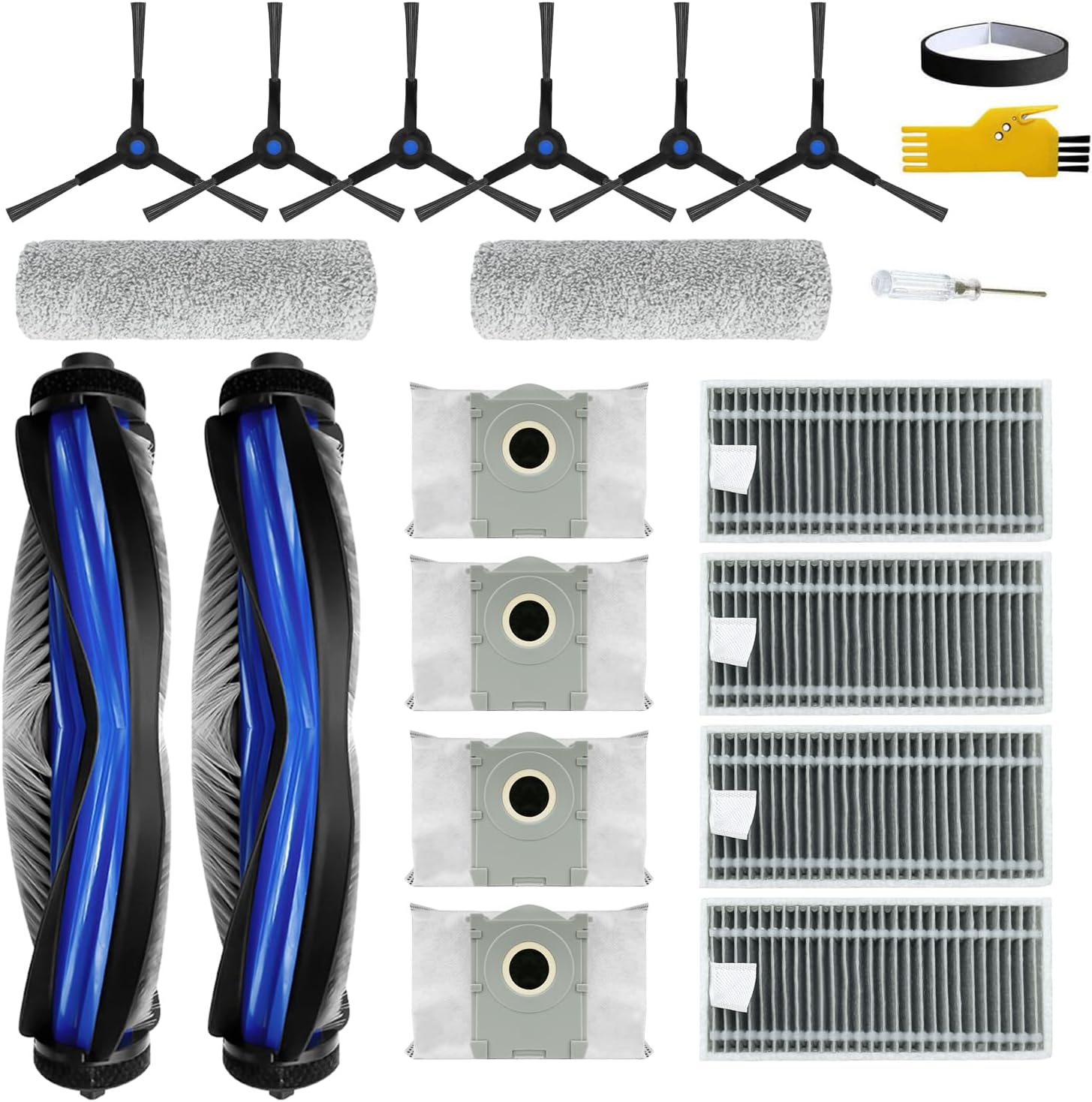
Signs It Is Time to Replace Ecovacs Mop Pads
Knowing when to replace Ecovacs mop pads is just as important as knowing how to do it. A pad does not need to be shredded to be “bad.” Sometimes it just stops cleaning well.
Look for these signs:
- The pad looks thin, frayed, or misshapen.
- The mop leaves streaks even after washing the pad.
- The pad smells musty after cleaning.
- Dirt stays embedded in the fibers.
- The fabric no longer feels soft or absorbent.
- The Velcro or attachment area no longer holds well.
If you clean floors often, you may need replacements sooner. Homes with pets, kids, or heavy foot traffic usually wear pads out faster. A monthly check is a good habit, even if the pads still look usable.
How to Replace Ecovacs Mop Pads Step by Step
Replacing Ecovacs mop pads is usually quick. Most models use a simple hook-and-loop or snap-on system, so you do not need tools.
Follow these steps:
-
Power off the robot
Turn off the Ecovacs robot before handling the mop parts. This helps prevent accidental movement or a cleaning cycle starting by mistake. -
Remove the mop module or plate
Depending on your model, lift off the water tank, mop plate, or mop holder. Some units let you pull the pad straight off the bottom. -
Peel off the old mop pad
If your model uses Velcro, gently pull the pad away from the plate. If the pad clips in, release the tabs carefully so you do not bend the holder. -
Inspect the backing and plate
Check for stuck lint, hair, dried dirt, or mineral buildup. A clean base helps the new pad sit flat and work better. -
Attach the new mop pad
Line it up with the holder and press it into place. Make sure the edges sit evenly and the pad does not hang loose. -
Reinstall the mop assembly
Put the pad and holder back onto the robot according to the model design. Give it a light tug to confirm it is secure. -
Run a short test
Start a brief mop cycle on a small area. Watch to see if the pad stays in place and touches the floor evenly.
A small tip from experience: do not rush the alignment. A pad that is slightly off-center can drag unevenly and leave wet spots on one side.
How Often to Replace Ecovacs Mop Pads
How often you should replace Ecovacs mop pads depends on use, floor type, and cleaning habits. There is no single rule that fits every home. Still, a simple schedule can help.
A practical replacement rhythm looks like this:
- Light use: every 2 to 3 months
- Moderate use: every 1 to 2 months
- Heavy use or pet homes: every 3 to 6 weeks
If you wash the pads after each use, they may last longer. But frequent washing can also wear the fibers down over time. The key is to watch performance, not just the calendar.
I usually tell people to treat mop pads like sneakers. They may still look okay from far away, but once the support and grip fade, you feel the difference fast.
Choosing the Right Replacement Ecovacs Mop Pads
Not every mop pad fits every Ecovacs model. Before you buy, check the robot’s model number and confirm the pad size, shape, and attachment style. Using the wrong pad can lead to poor contact or a loose fit.
When shopping for replacements, look for:
- Compatibility with your exact Ecovacs model
- Soft, dense microfiber material
- Strong stitching around the edges
- Reliable Velcro or snap attachment
- Washable and reusable construction
Some users prefer original Ecovacs pads, while others use third-party options. Original pads are usually the safest choice for fit and reliability. Aftermarket pads can be fine too, but quality varies more, so check reviews and return policies.
Cleaning the Mop Pad Before You Replace It
Sometimes a pad only looks worn because it is clogged with dirt. Before replacing Ecovacs mop pads, it can help to wash and inspect the old one first. That way, you know whether it truly needs replacement or just a deep clean.
Try this cleaning routine:
- Shake out loose debris over a trash can.
- Rinse the pad under warm water.
- Use a small amount of mild detergent if needed.
- Gently rub out grime with your fingers.
- Air dry fully before reuse.
Do not put the pad back on the robot while it is damp unless the manufacturer says it is safe. A wet pad can cause odor, buildup, or uneven cleaning. I learned that the hard way once when a “freshly washed” pad left a damp smell across the whole room.
Mistakes to Avoid When Replacing Ecovacs Mop Pads
Replacing Ecovacs mop pads is easy, but a few common mistakes can affect performance. These are the ones I see most often.
Avoid these errors:
- Installing the pad upside down or off-center
- Using a pad that does not match the model
- Forgetting to clean the mop plate or backing
- Reusing a pad that is torn or too thin
- Attaching the pad while it is still wet
- Ignoring worn Velcro or a damaged holder
A loose pad can shift during cleaning and reduce floor contact. A dirty holder can also make even a new pad perform badly. Small details matter here, just like they do with any cleaning tool.
Maintenance Tips to Make Ecovacs Mop Pads Last Longer
Good care can extend the life of your mop pads and save money over time. If you want the best value, a little routine maintenance goes a long way.
Try these tips:
- Rinse or wash pads after each mop session.
- Let them air dry completely before storage.
- Rotate between two or more pads if you mop often.
- Store them in a dry place away from direct sunlight.
- Remove pet hair and lint before each use.
Also, check the robot’s water flow settings. Too much water can soak pads faster and make them wear out sooner. A balanced setting often gives the best mix of cleaning power and pad life.
Why Replacing Ecovacs Mop Pads Improves Cleaning Results
Fresh mop pads do more than look nice. They improve how the robot handles dirt, water, and floor contact. That can make a real difference on tile, vinyl, laminate, and sealed hardwood.
Benefits of replacing Ecovacs mop pads on time include:
- Better dirt pickup
- Cleaner finish with fewer streaks
- More even water spread
- Less chance of odor buildup
- Better performance on repeat cleaning runs
This is one of those home care tasks that pays off fast. You usually notice the result the same day. Clean floors, less fuss, and fewer do-overs.
Frequently Asked Questions of How to Replace Ecovacs Mop Pads
How do I know which Ecovacs mop pad fits my robot?
Check your robot’s model number, then match it with the pad shape and attachment style. Ecovacs models can vary a lot, so compatibility matters more than the brand name alone.
Can I wash Ecovacs mop pads instead of replacing them?
Yes, most Ecovacs mop pads are washable and reusable. But even washable pads wear out over time, so replace them when the fibers thin, fray, or stop cleaning well.
Why does my Ecovacs mop pad keep falling off?
The pad may be worn, misaligned, or attached to a dirty or damaged holder. Clean the backing, press the pad into place firmly, and check whether the Velcro or clip system is still holding properly.
How many mop pads should I keep at home?
Two to four pads is a good number for most homes. That gives you enough to rotate, wash, and dry without rushing.
Do original Ecovacs mop pads work better than third-party ones?
Original pads usually offer the most reliable fit and consistent quality. Third-party pads can work well too, but the material and attachment strength can vary, so it helps to read reviews before buying.
How long do Ecovacs mop pads usually last?
That depends on how often you mop and how well you care for them. Many users replace them every 1 to 3 months, but heavy use may shorten that timeline.
Conclusion
Knowing how to replace Ecovacs mop pads makes robot mopping easier, cleaner, and more reliable. A fresh pad improves contact, reduces streaks, and helps your robot do the job it was built to do.
If your current pad looks worn, smells stale, or is leaving weak results behind, it is probably time for a swap. Keep a spare set on hand, check compatibility before buying, and build pad care into your regular cleaning routine. If this guide helped, explore more robot vacuum care tips or leave a comment with your Ecovacs model and I’ll help you choose the right replacement.

