Is your vacuum cleaner leaving dust behind no matter how many times you run it over your floors? It’s frustrating to spend time cleaning, only to find dirt and dust still lurking in the corners.
You might be wondering why your vacuum isn’t doing its job properly. The truth is, several common problems could be stopping your vacuum from picking up every bit of dust. Keep reading to discover what’s going wrong and how you can fix it, so your home feels truly clean again.

Common Causes Of Dust Residue
Dust left behind by your vacuum cleaner can be frustrating. Several common problems cause this issue. Understanding these helps you fix the problem quickly. Below are the main causes of dust residue after vacuuming.
Clogged Filters And Bags
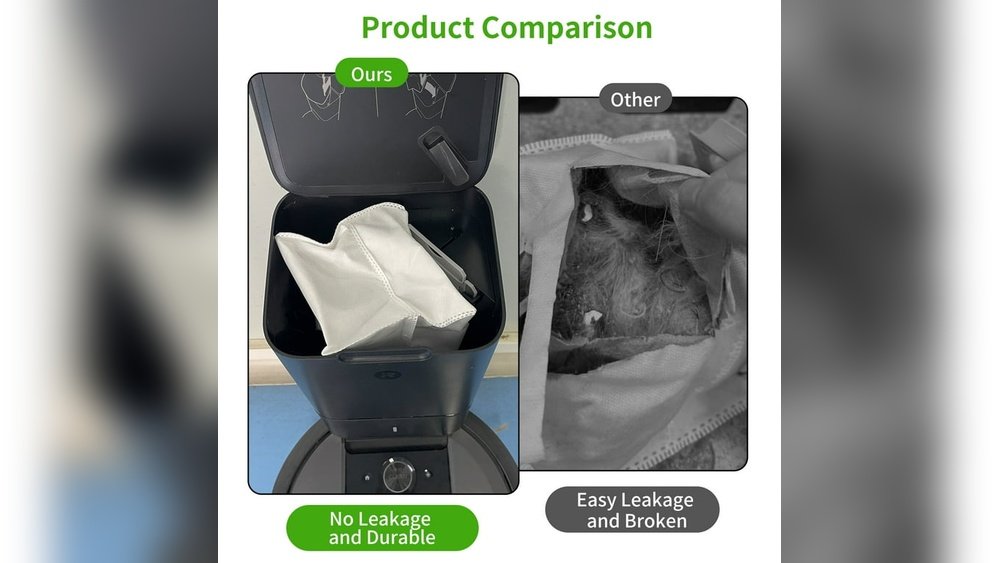
Filters trap dust and dirt inside your vacuum. When filters get clogged, airflow slows down. This stops the vacuum from picking up dust well. Bags that are full or torn also let dust escape. Clean or replace filters and bags often. This keeps your vacuum working at its best.
Worn Out Brush Rollers
The brush roller helps lift dirt from carpets. Over time, brushes wear down or get tangled with hair. Worn brushes cannot pick up dirt properly. Check the brush roller regularly. Replace it if the bristles look thin or broken. A good brush roller improves dust pick-up.
Improper Vacuum Settings
Vacuum cleaners have settings for different floor types. Using the wrong setting can leave dust behind. For example, a high setting on hard floors may not clean well. Adjust the height or suction for the floor you clean. Proper settings help the vacuum trap more dust.
Impact Of Vacuum Cleaner Maintenance
Maintenance plays a key role in how well your vacuum cleaner works. A poorly maintained vacuum can leave dust behind. Dirt and dust build up inside the machine. This blocks airflow and reduces suction power.
Regular care keeps the vacuum running smoothly. It helps the vacuum pick up more dirt. Simple tasks like cleaning parts and replacing worn pieces make a big difference. Proper maintenance saves money by extending the vacuum’s life.
Cleaning And Replacing Filters
Filters trap dust and tiny particles. Over time, they get clogged with dirt. This lowers the vacuum’s suction. Clean filters often to keep air flowing. Some filters need washing. Others require replacement. Check your vacuum’s manual for instructions.
Checking And Replacing Belts
Belts connect the motor to the brush roll. A broken or loose belt stops the brush from spinning. This means less dirt pickup. Inspect belts regularly for cracks or wear. Replace belts that look damaged. This keeps the brush roll working well.
Emptying The Dustbin Regularly
A full dustbin reduces vacuum power. Dust and dirt block the airflow. Empty the dustbin after each use. This prevents blockages inside the vacuum. It also helps the machine run efficiently. Clean bins lead to better cleaning results.
Role Of Vacuum Cleaner Design
The design of a vacuum cleaner plays a big role in how well it cleans. A well-designed vacuum picks up dust and dirt without leaving much behind. Every part, from the motor to the filters, affects cleaning power. Poor design can cause dust to stay on floors or carpets.
Understanding these design elements can help explain why your vacuum leaves dust behind. Some vacuums work better on certain surfaces. Others may lose suction over time. The right design helps keep your home cleaner with less effort.
Suction Power And Airflow Issues
Suction power is key to removing dust. Weak suction lets dirt stay on floors. Airflow problems can block suction. Clogged filters or hoses reduce air movement. This lowers the vacuum’s ability to pick up dust. Regular cleaning of parts keeps airflow strong.
Type Of Vacuum Cleaner
Different vacuums suit different cleaning jobs. Upright vacuums work well on carpets. Canister vacuums are good for hard floors and tight spaces. Handheld vacuums handle small messes but lack strong suction. Choosing the right type helps reduce dust left behind.
Quality Of Attachments
Attachments help reach corners and furniture. Poor quality tools may not pick up dust well. Brushes with worn bristles miss dirt. Narrow nozzles can lose suction. Using good attachments improves cleaning on all surfaces.
Environmental And Surface Factors
Several environmental and surface factors affect how well your vacuum cleaner picks up dust. These factors change how dust sticks to floors and how the vacuum can clean. Knowing these can help you understand why dust may stay behind.
Type Of Flooring
Different floors hold dust in different ways. Carpets trap dust deep in their fibers. Hard floors like wood or tile let dust sit on the surface. Vacuums may need different settings for each floor type. Using the wrong setting can leave dust behind.
Amount And Type Of Dirt
Some dirt is harder to clean than others. Fine dust and pet hair can stick tightly to floors. Large debris is easier to pick up but can block your vacuum. Heavy dirt needs more passes with the vacuum. This stops dust from spreading or staying.
Humidity And Dust Settling
Humidity changes how dust behaves. In dry air, dust floats and moves easily. In humid places, dust clumps and sticks to surfaces. High humidity can make dust settle fast, hiding under furniture or rugs. Your vacuum may miss this dust if you do not clean often.
Tips To Improve Cleaning Efficiency
Improving your vacuum cleaner’s cleaning power does not require magic. Small changes can make a big difference. Follow these simple tips to get better results and leave less dust behind.
Choosing The Right Vacuum For Your Needs
Pick a vacuum that fits your floor type. Carpets need strong suction and a brush roll. Hard floors need a vacuum with soft brushes or no brushes. Consider a model with good filters to catch dust well. Check the vacuum’s weight and size for easy use.
Regular Maintenance Schedule
Clean your vacuum often. Empty the dust bin or bag before it gets full. Check and clean filters regularly. Replace filters as the manufacturer suggests. Clear any hair or debris from the brush roll. These steps keep your vacuum working well.
Proper Vacuuming Techniques
Vacuum slowly and in straight lines. Overlap each pass to cover all areas. Use the correct height setting for your carpet or floor. Move the vacuum back and forth several times on dirty spots. Don’t forget corners and edges where dust hides.

Frequently Asked Questions
Why Does My Vacuum Leave Dust On The Floor?
Your vacuum may have a clogged filter or full dust bag. Dirty filters reduce suction and allow dust to escape. Regularly clean or replace filters and empty the dust container to maintain optimal performance and ensure thorough cleaning.
Can A Vacuum Brush Cause Dust To Remain?
Yes, worn or tangled brushes can fail to pick up dust properly. Check the brush roll for hair or debris and clean it regularly. Replace the brush if it’s damaged to improve dust collection and floor cleaning efficiency.
How Often Should I Clean My Vacuum Filters?
Clean vacuum filters every 1-3 months depending on usage. Dirty filters reduce suction power and cause dust to leak back into the air. Regular maintenance keeps your vacuum performing well and helps prevent dust from being left behind.
Does Using The Wrong Vacuum Setting Affect Dust Pickup?
Yes, using incorrect settings for your floor type can reduce dust pickup. Use the right suction power and brush height for carpets or hard floors. Adjusting settings improves cleaning efficiency and prevents dust from being left on surfaces.
Conclusion
A vacuum cleaner that leaves dust behind can be frustrating. Check the filters and bags often. Clean or replace them as needed. Make sure the brush and hose are clear. Proper maintenance helps your vacuum work well. Regular care keeps your floors cleaner.
Small fixes can improve cleaning power fast. Keep your vacuum in good shape for best results. Dust-free floors are possible with simple steps. Don’t let dust win—take action today.