Is your robot vacuum running out of battery faster than you expected? It’s frustrating when your trusty cleaning companion stops working right in the middle of a job.
You rely on it to keep your floors spotless, but a quickly draining battery can leave you wondering what’s wrong. The good news is, you don’t have to accept this as normal. Understanding why your robot vacuum battery is draining fast can help you fix the problem and get back to effortless cleaning.
Keep reading to discover the simple reasons behind this issue and what you can do to make your vacuum last longer on a single charge.
Common Causes Of Fast Battery Drain
Robot vacuum batteries can lose power quickly for several reasons. Understanding these causes helps keep your device running longer. Many factors affect battery life. Some are easy to fix, while others need more attention.
Battery Age And Wear
Battery life drops as it gets older. Over time, the battery holds less charge. This is normal for all rechargeable batteries. Replacing the battery may be necessary after a year or two.
Frequent Cleaning Sessions
Running the vacuum often drains the battery faster. Long or frequent cleaning uses more power. Shorter cleaning times help save battery life.
Obstacles And Navigation Issues
The vacuum uses more energy if it bumps into things. Poor navigation makes it work harder. Clearing clutter and fixing sensors improve battery life.
High Suction Power Settings
Strong suction cleans better but uses more battery. Lower suction saves power and still cleans well. Adjust settings based on the floor type.
Software And Firmware Glitches
Outdated software can cause battery problems. Bugs may make the vacuum work inefficiently. Updating the firmware often fixes these issues quickly.
How Battery Health Affects Performance
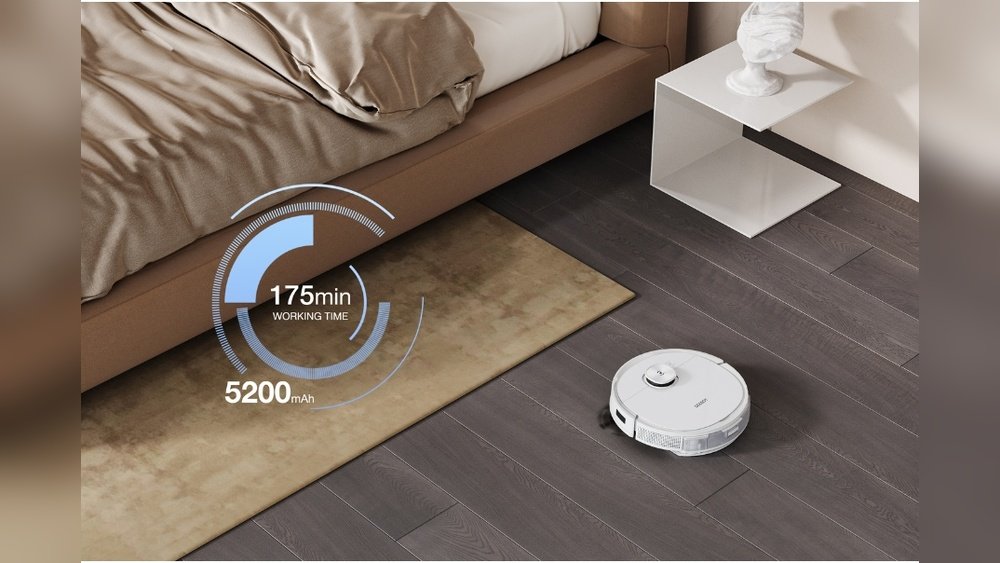
Battery health plays a key role in how well your robot vacuum works. A weak battery can cause the vacuum to stop sooner than expected. It may not clean the entire room in one go. This leads to frustration and extra charging time. Understanding battery health helps you keep your vacuum running longer and better.
Good battery health means the vacuum holds a strong charge. It powers the vacuum for longer periods. Weak batteries lose charge quickly. The vacuum may slow down or stop suddenly. Keeping track of battery health helps avoid these problems.
Signs Of A Weak Battery
Your robot vacuum shows signs when the battery weakens. It cleans for less time than usual. It may stop before finishing its task. Charging may take longer than before. The vacuum might turn off without warning. These signs indicate the battery needs attention.
Battery Maintenance Tips
Charge your vacuum fully before use. Avoid leaving it on the charger all the time. Keep the charging contacts clean and dry. Store the vacuum in a cool, dry place. Run the vacuum regularly to keep the battery active. These steps help extend battery life.
When To Replace The Battery
Replace the battery if the vacuum stops working early. If charging takes very long and holds little power. When the vacuum shuts down suddenly during cleaning. Battery replacement restores full cleaning time. It improves vacuum performance and reliability.
Optimizing Cleaning Settings
Optimizing your robot vacuum’s cleaning settings can help save battery life. Small changes make a big difference in power use. Adjusting settings helps your vacuum clean smarter, not harder. This leads to longer battery time and better cleaning results.
Adjusting Suction Power
Lower suction power uses less battery. Use high power only on very dirty spots. Normal suction works well for daily cleaning. This adjustment helps your vacuum run longer between charges.
Scheduling Efficient Cleaning Times
Set your vacuum to clean during low-traffic hours. Avoid running it when many people are moving around. This reduces the need for repeated cleaning. A clear floor means quicker, easier vacuuming.
Limiting Cleaning Area
Focus on key rooms instead of the whole house. Use virtual walls or boundary strips to limit areas. Smaller zones mean less work and less battery drain. Concentrate on the messiest spots for best results.
Improving Navigation And Obstacle Management
Improving your robot vacuum’s navigation and obstacle management can help save battery life. A vacuum that moves smoothly uses less energy. It cleans faster and avoids getting stuck. Simple steps can make a big difference.
Clearing Clutter And Obstacles
Remove toys, cables, and other items from the floor. These objects slow the vacuum down. The vacuum tries to go around or over them. This wastes battery power and time. A clear floor lets the vacuum clean without stopping.
Using Virtual Barriers
Virtual barriers block off areas the vacuum should avoid. This stops it from bumping into furniture or walls. The vacuum does not waste energy on repeated collisions. Virtual barriers keep the path clear and efficient. This helps the battery last longer.
Regular Sensor Cleaning
Sensors guide the vacuum around the room. Dirt or dust on sensors can confuse the vacuum. It may stop or change direction often. Clean sensors help the vacuum move in straight lines. This saves battery by reducing extra movement.
Software Updates And Troubleshooting
Software updates and troubleshooting play a key role in maintaining your robot vacuum’s battery life. Sometimes, the battery drains fast due to bugs or glitches in the software. Regular updates fix these issues and improve battery performance.
Troubleshooting steps help find and solve small problems that may cause power loss. These steps are easy to do and often save you from bigger issues. Understanding how to check updates and reset your device can keep your vacuum running longer.
Checking For Firmware Updates
Start by checking for firmware updates on your robot vacuum. Manufacturers release updates to fix bugs and improve battery use. Use the companion app or the vacuum’s control panel for this. Follow the instructions to download and install the latest firmware. Keeping software current helps your vacuum run efficiently.
Resetting The Robot Vacuum
Resetting your robot vacuum can clear software errors that drain the battery. Find the reset option in the settings menu or consult the manual. A reset returns the device to factory settings but keeps your data safe. After resetting, test the vacuum to see if battery life improves.
Contacting Customer Support
If battery issues persist, contact customer support for help. They can guide you through advanced troubleshooting steps. Support teams have tools to check your vacuum’s software status remotely. They might suggest repairs or replacements if needed. Getting expert help can save time and protect your device.

Additional Tips To Extend Battery Life
Extending your robot vacuum’s battery life needs simple care steps. Small habits make big differences over time. Follow these tips to help your battery last longer and keep your vacuum working well.
Proper Charging Habits
Charge the vacuum fully before first use. Avoid letting the battery drain completely. Plug it in after each cleaning session. Use the original charger for best results. Unplug the charger once the battery is full. This prevents overcharging and battery damage.
Storage Recommendations
Store your vacuum in a dry, cool place. Avoid leaving it unused for long periods without charging. Charge it at least once a month if not in use. Keep it off the floor to prevent dust buildup. Proper storage keeps the battery healthy and ready.
Avoiding Extreme Temperatures
Do not charge or store your vacuum in very hot or cold places. High heat can cause battery swelling. Cold temperatures reduce battery performance. Keep the vacuum in a room with normal temperature. This helps the battery stay strong and last longer.
Frequently Asked Questions
Why Does My Robot Vacuum Battery Drain Quickly?
Fast battery drain often occurs due to old batteries or frequent use. Dirty filters and brushes also strain the motor. Overcharging or using the wrong charger can reduce battery life. Regular maintenance and proper charging help improve battery performance and longevity.
How Can I Extend My Robot Vacuum Battery Life?
To extend battery life, clean filters and brushes regularly. Avoid overcharging and use the original charger. Run the vacuum on low or eco mode when possible. Store the vacuum in a cool, dry place to prevent battery damage.
Can Software Updates Affect Battery Performance?
Yes, software updates can optimize battery usage and improve efficiency. Some updates fix bugs that cause excessive power consumption. Always keep your robot vacuum’s firmware updated for better battery management and overall performance.
Does Frequent Cleaning Cause Faster Battery Drain?
Frequent cleaning increases battery usage, which can lead to faster drain. However, consistent maintenance prevents motor strain, balancing overall battery health. Use scheduled cleaning settings to manage usage and preserve battery life effectively.
Conclusion
A fast-draining robot vacuum battery can be frustrating. Dirt buildup and old batteries often cause this issue. Cleaning the vacuum and replacing the battery helps. Avoid overcharging or letting the battery drain fully. Regular care keeps your robot vacuum working longer.
Small steps make a big difference in battery life. Keep an eye on these tips to enjoy better cleaning. Your vacuum will thank you with longer run times. Simple fixes bring back your vacuum’s power and efficiency.