Is your Bissell carpet cleaner not working the way it should? You rely on it to keep your carpets fresh and spotless, so when it stops performing, it can be frustrating.
But don’t worry—you don’t have to call for expensive repairs or buy a new machine right away. In this guide, you’ll learn simple, effective ways to troubleshoot common problems with your Bissell carpet cleaner. By the end, you’ll feel confident fixing issues on your own and getting your cleaner back to work quickly.
Keep reading to discover easy steps that save you time, money, and stress.
Common Bissell Carpet Cleaner Issues
Bissell carpet cleaners are reliable machines for deep cleaning. Still, some issues can stop them from working well. Knowing common problems helps fix them quickly. It saves time and avoids extra costs.
Below are frequent issues Bissell users face. Each section explains the problem and basic ways to troubleshoot it. Keep your cleaner running smoothly with these tips.
Machine Won’t Turn On
Check if the power cord is plugged in fully. Sometimes the outlet may have no power. Try a different outlet to be sure. Inspect the cord for any damage. A blown fuse or tripped breaker can stop the machine. Reset the breaker or replace the fuse if needed.
Poor Suction Power
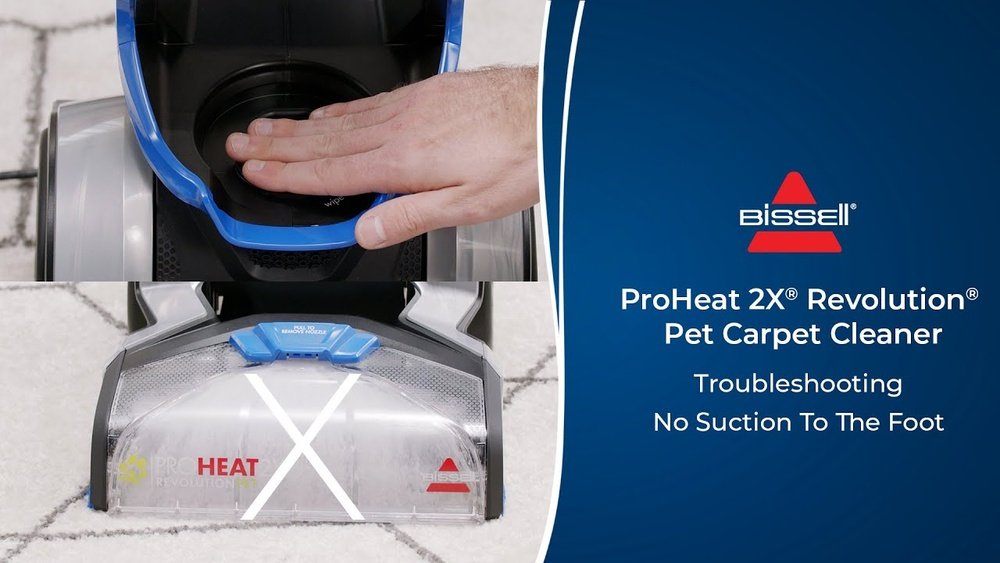
Clogged hoses or filters often cause weak suction. Remove and clean the filters regularly. Clear any blockages in the hose or nozzle. Make sure the water tank is correctly seated. A full recovery tank can reduce suction. Empty it to restore proper function.
Water Not Dispensing
Check if the clean water tank has enough water. The tank must be locked in place properly. Look for clogs in the spray nozzles or tubes. Clean any dirt or debris blocking the flow. Also, check the water pump for damage or wear.
Brushes Not Spinning
Brushes may stop if tangled with hair or threads. Remove debris from the brush roll carefully. Check if the brush roll is seated correctly. Worn belts or broken parts can stop rotation. Replace damaged belts or parts to fix the issue.
Strange Noises During Operation
Unusual sounds often mean something is stuck or broken. Inspect the brush roll and wheels for debris. Loose parts inside the machine can cause rattling. Tighten screws or replace loose components. If the motor sounds loud, it may need service.

Basic Troubleshooting Steps
Troubleshooting your Bissell carpet cleaner starts with simple checks. These basic steps help find common problems fast. You can often fix issues without calling for help. Follow these easy actions to keep your cleaner working well.
Check Power Source And Cord
First, make sure the machine is plugged in correctly. Look for any damage on the power cord. Try another outlet to rule out socket problems. Ensure the switch is turned on. A loose connection can stop the cleaner from starting.
Inspect Water Tank And Solution
Remove the water tank and check for cracks or leaks. Fill the tank with clean water and the right cleaning solution. Avoid overfilling. Dirty or empty tanks can affect performance. Proper liquid levels help the machine work smoothly.
Clean Or Replace Filters
Filters trap dirt and debris during cleaning. Check the filters for clogs or dirt buildup. Rinse washable filters under running water. Replace filters if they look worn or damaged. Clean filters improve suction and cleaning power.
Examine Hoses And Attachments
Detach hoses and attachments to inspect for blockages. Clear any clogs or debris inside the tubes. Check for cracks or holes that cause air leaks. Secure connections tightly. Clean hoses ensure strong suction and proper flow.
Reset The Machine
Turn off the cleaner and unplug it from the outlet. Wait for a minute before plugging it back in. Press the reset button if your model has one. Resetting can clear minor errors and restore normal function. This step often solves simple glitches.
Fixing Specific Problems
Fixing specific problems with your Bissell carpet cleaner can bring it back to life. Small issues often cause big troubles in cleaning performance. Understanding common problems helps solve them fast. This section guides you through key fixes to restore your cleaner’s power and efficiency.
Restoring Suction And Cleaning Performance
Weak suction lowers cleaning quality. Check the dirt tank and empty it fully. Clean or replace the filters regularly. Blocked filters stop airflow. Also, examine the vacuum hose for holes or cracks. Replace damaged parts to keep suction strong. Use clean water and fresh solution for best results.
Unclogging Water Lines
Water flow problems reduce cleaning power. Remove the water tank and inspect the lines. Look for dirt or debris blocking the tubes. Use a thin wire or brush to clear clogs gently. Rinse the lines with warm water to remove buildup. Ensure the tank nozzle is free from blockages too.
Repairing Brush Roll Issues
The brush roll spins to lift dirt. Check if it turns freely. Remove tangled hair, strings, or debris from the brush. Clear the brush bearings to avoid jams. Test the belt for wear or breakage. Replace the belt if it’s loose or damaged. A smooth spinning brush roll improves cleaning.
Addressing Motor And Electrical Faults
Motor or electrical faults stop the machine from running. Unplug the unit before checking. Inspect the power cord for cuts or frays. Test the power switch for proper function. If the motor overheats, let it cool before restarting. Persistent electrical issues require professional repair. Avoid using the cleaner with faulty wiring.
Maintenance Tips To Prevent Problems
Keeping your Bissell carpet cleaner in good shape helps avoid many common problems. Simple care steps extend the machine’s life and keep it working well. Regular maintenance saves time and money on repairs.
Regular Cleaning Of Components
Clean the brush roll and nozzles after each use. Remove hair and dirt to stop clogs. Rinse the water tanks with clean water. Dry all parts before reassembling to prevent mold and smells.
Proper Storage Practices
Store the cleaner in a dry, cool place. Avoid direct sunlight and damp areas. Keep the cord loose and untangled. Store with the tanks empty and lid off to let air circulate.
Using Recommended Cleaning Solutions
Use only Bissell-approved cleaning solutions. Other liquids can damage the machine. Follow the instructions on the solution bottle. Mixing products or using harsh chemicals may void your warranty.
Routine Inspection Schedule
Check hoses and connections weekly for leaks or cracks. Look for worn or broken parts. Test the power cord and plug regularly. Replace any damaged parts before they cause bigger issues.
When To Seek Professional Help
Knowing when to seek professional help for your Bissell carpet cleaner saves time and money. Some issues need expert care beyond basic troubleshooting. Recognizing these signs keeps your machine safe and efficient.
Identifying Major Mechanical Failures
Major mechanical failures include motor problems, broken belts, or damaged pumps. These issues stop the cleaner from working properly. Strange noises or no power often point to serious faults. Avoid trying complex repairs yourself to prevent more damage.
Warranty And Repair Services
Check if your carpet cleaner is still under warranty. Many Bissell models come with repair coverage. Using authorized repair services keeps your warranty valid. Professionals use original parts and have the right tools for repairs.
Cost Considerations For Repairs
Weigh the repair cost against the price of a new cleaner. Sometimes, repairs can be expensive and not worth it. Professional help can give you a clear cost estimate. Choose the option that offers the best value for your budget.
Frequently Asked Questions
How Do I Fix My Bissell Carpet Cleaner Not Turning On?
Check if the power cord is fully plugged in. Inspect the fuse or circuit breaker. Ensure the machine’s power switch is in the ON position. Clean any clogged vents. If it still won’t start, contact Bissell support for further assistance.
Why Is My Bissell Carpet Cleaner Not Suctioning Water?
Empty the dirty water tank to avoid overflow. Check for blockages in the suction hose or brushes. Clean the filters regularly to maintain strong suction. Make sure the clean water tank is properly installed and filled.
How Can I Unclog A Bissell Carpet Cleaner Brush?
Turn off and unplug the machine. Remove any hair, debris, or threads wrapped around the brush. Use scissors carefully if needed. Clean the brush roll and housing with a damp cloth. Reassemble and test the cleaner.
What Causes A Bissell Carpet Cleaner To Leave Streaks?
Using too much detergent or incorrect solution can cause streaks. Ensure the carpet is not overly wet. Clean the brushes and nozzles regularly. Use a recommended cleaning formula for best results.
Conclusion
Troubleshooting your Bissell carpet cleaner can save time and money. Start by checking the basics like power, water, and filters. Small fixes often solve common problems quickly. Remember to clean parts regularly to keep the machine working well. If a problem continues, consult the user manual or contact support.
Taking simple steps helps your carpet cleaner last longer. Keep your carpets fresh and clean without stress. Easy care makes a big difference.