Is your robot vacuum leaving you hanging by not returning to its base? It’s frustrating when your smart helper gets stuck or wanders off, leaving you to figure out what went wrong.
But don’t worry—fixing this problem might be simpler than you think. You’ll discover easy, step-by-step solutions to get your robot vacuum back on track. Keep reading, and soon your vacuum will find its way home every time—saving you time and stress.

Common Reasons For Not Returning
Robot vacuums are great helpers, but sometimes they don’t return to their base. This problem can be frustrating. Understanding why this happens helps fix the issue fast. Several common reasons stop a robot vacuum from going back to its dock.
Battery Issues
A low or faulty battery often causes the vacuum to stop before reaching the base. The vacuum might run out of power during cleaning. If the battery cannot hold a charge, the vacuum cannot return properly. Check the battery health and replace it if needed.
Obstacle Detection Problems
Robot vacuums use sensors to avoid obstacles. Dirt, dust, or damage can block these sensors. The vacuum may get stuck or avoid the docking station mistakenly. Clean the sensors gently and clear the area around the base.
Navigation System Errors
The vacuum uses maps and sensors to navigate. Errors in its navigation system can confuse the vacuum. It might lose track of the base location. Resetting or updating the software can fix navigation mistakes.
Docking Station Placement
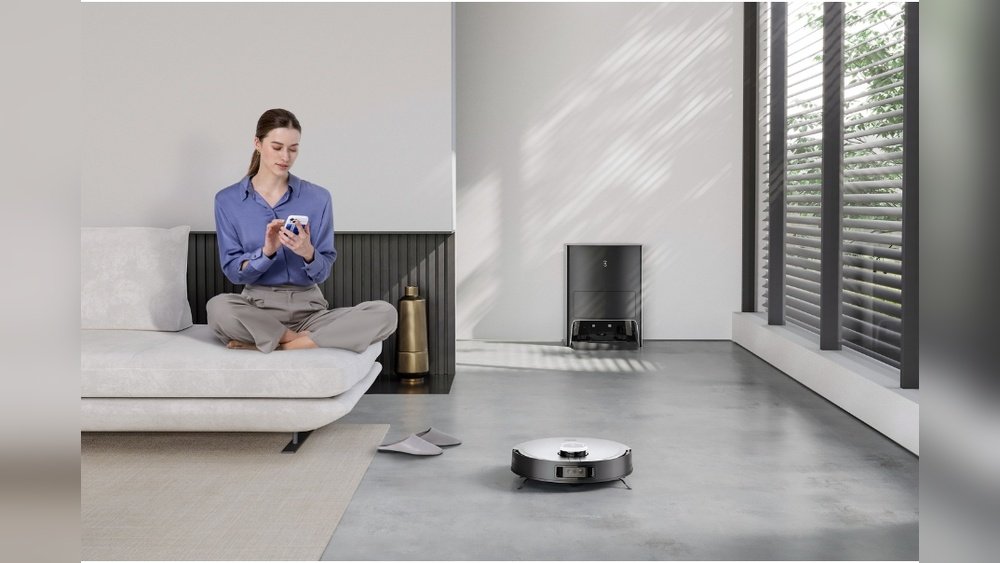
Where the docking station sits matters a lot. If it is in a tight corner or behind furniture, the vacuum can’t find it. Place the station in an open, flat area with enough space around. Keep it away from direct sunlight and reflective surfaces.

Battery Troubleshooting
Battery issues often cause a robot vacuum to stop returning to its base. Checking and fixing battery problems can help your vacuum work properly again. This section guides you through simple battery troubleshooting steps.
Checking Battery Charge
First, check if the battery has enough charge. Place the vacuum on its base and watch for charging lights. No lights may mean the battery is dead or the charger is faulty. Try charging the vacuum for several hours. If the charge does not increase, the battery might need replacement.
Replacing Old Batteries
Old batteries lose their ability to hold charge. This causes the vacuum to stop before reaching its base. Find the correct replacement battery for your model. Remove the old battery carefully. Install the new one and test the vacuum’s return function. A fresh battery often solves this problem.
Cleaning Battery Contacts
Dirty or corroded battery contacts can block power flow. Switch off the vacuum and unplug it. Use a dry cloth or cotton swab to clean the contacts. Avoid water or liquid cleaners. After cleaning, reconnect the battery and test the vacuum. Clean contacts ensure a good connection and better charging.
Clearing Obstacles And Pathways
Clearing obstacles and pathways is key to help your robot vacuum return to base. Dirt, furniture, and clutter can block its path. The robot may not find the dock if the way is not clear. Cleaning and arranging the area makes a big difference. Check the space around the robot and the docking station regularly.
Removing Physical Barriers
Look for objects on the floor that can stop the robot. Toys, cables, or rugs can block its path. Move these items away from the vacuum’s route. Keep floors clear, especially near the docking station. This helps the robot move easily and find the base faster.
Ensuring Clear Docking Area
The docking station needs space around it. Remove chairs, boxes, or other items nearby. Make sure there is enough room for the robot to dock. A clear area prevents the vacuum from getting stuck. It also helps the robot align correctly to charge.
Checking For Sensor Blockages
Sensors guide the robot to the docking station. Dust, dirt, or smudges can block these sensors. Clean the sensors gently with a dry cloth. Avoid using water or harsh cleaners on sensors. Clear sensors improve navigation and docking success.

Resetting Navigation Settings
Resetting the navigation settings can solve many problems with a robot vacuum that does not return to its base. This step refreshes the vacuum’s understanding of its environment. It helps the device find its way back more reliably. Below are simple methods to reset these settings effectively.
Recalibrating Sensors
Sensors guide the robot vacuum around your home. Dirt or dust can block them. Clean the sensors gently with a soft cloth. After cleaning, start the recalibration process from the vacuum’s settings menu. This action helps the vacuum detect walls and obstacles properly again.
Updating Firmware
Firmware controls the robot vacuum’s software functions. Updates improve navigation and fix bugs. Connect your vacuum to Wi-Fi and check for updates in the app. Download and install the latest version to enhance navigation accuracy and base return.
Performing Factory Reset
A factory reset returns all settings to original. This step removes any navigation errors caused by wrong settings. Locate the reset option in the vacuum’s app or on the device. Follow the instructions carefully. After reset, set up the vacuum as new for best results.
Optimizing Docking Station Setup
Optimizing the docking station setup is key to helping your robot vacuum return to base smoothly. A well-prepared dock guides the vacuum efficiently. Small adjustments can prevent many docking issues.
Choosing An Ideal Location
Place the docking station in an open area. Avoid tight corners or behind furniture. The vacuum needs clear space to approach the dock. Keep the area free from obstacles and clutter. A flat, stable surface works best for the dock.
Securing Power Connections
Check the power cable is firmly plugged into the dock. Make sure the outlet works properly. Loose connections can stop the dock from charging. Keep the cord straight and untangled. This prevents accidental disconnections during docking.
Ensuring Proper Dock Alignment
Align the dock with the room’s main traffic flow. The vacuum should face the dock’s front clearly. Use any alignment markers on the dock as guides. Proper alignment helps the vacuum find the dock quickly. Avoid tilting or uneven surfaces for better contact.
Regular Maintenance Tips
Regular maintenance keeps your robot vacuum working well. It helps the vacuum find its base easily. Small checks can stop big problems. Spend a few minutes each week on simple tasks. This saves time and money on repairs.
Cleaning Sensors And Wheels
Dirty sensors confuse the robot vacuum. Dust and debris block its path. Clean sensors gently with a soft cloth. Check the wheels for hair or dirt. Remove anything stuck to keep wheels turning smoothly. Clean parts help the vacuum return to base.
Inspecting For Wear And Tear
Look closely at parts for signs of damage. Worn brushes or cracked wheels cause problems. Replace broken parts quickly. Check cables and connections too. A healthy vacuum moves better and docks right.
Scheduling Routine Checks
Set a schedule to check your vacuum regularly. Weekly or biweekly checks work well. Write down what you checked and any fixes. Routine care keeps the vacuum in top shape. It prevents issues that stop it from docking.
Frequently Asked Questions
Why Won’t My Robot Vacuum Find Its Charging Base?
Your robot vacuum may not find its base due to low battery, obstructed sensors, or misplaced docking station. Check for obstacles, clean sensors, and ensure the base is in an open, central location for easy navigation.
How Do I Reset My Robot Vacuum To Fix Return Issues?
To reset your robot vacuum, turn it off, remove the battery if possible, wait 10 seconds, then power it back on. This can clear minor software glitches affecting the docking function.
Can Dirty Sensors Stop Robot Vacuums Returning To Base?
Yes, dirty or blocked sensors can confuse the vacuum’s navigation. Regularly clean sensors with a soft cloth to maintain accurate detection of the charging base and surroundings.
What Should I Check If My Vacuum Base Isn’t Charging?
Ensure the charging contacts are clean and aligned. Verify power supply to the base and remove any debris. A faulty base or battery may also require professional inspection.
Conclusion
Fixing a robot vacuum that won’t return to base can be simple. Check the charging dock’s placement and clear obstacles. Clean the sensors and wheels to ensure smooth operation. Reset the device if needed to refresh its system. Regular maintenance helps avoid future problems.
Small steps make a big difference in performance. Your vacuum will work better and save you time. Keep these tips handy for quick fixes at home.